
Homes by Juix
Datapack adding a /trigger home command, fully customizable ! (v2.0 : new multi-home system !)
Screenshots




About this Mod
ℹ️ Vanilla Homes By Juix
The Vanilla Homes pack only adds the popular /home command to quickly teleport you back to a strategic location. Here we will use /trigger home in Vanilla, but you can use a server plugin such as MyCommand to redirect a new /home command to /trigger home.
v2.0 is here and brings a multi-home system ! Discover all the features below ! (and don't forget to check out the Options section for customization)
🆕 Commands added
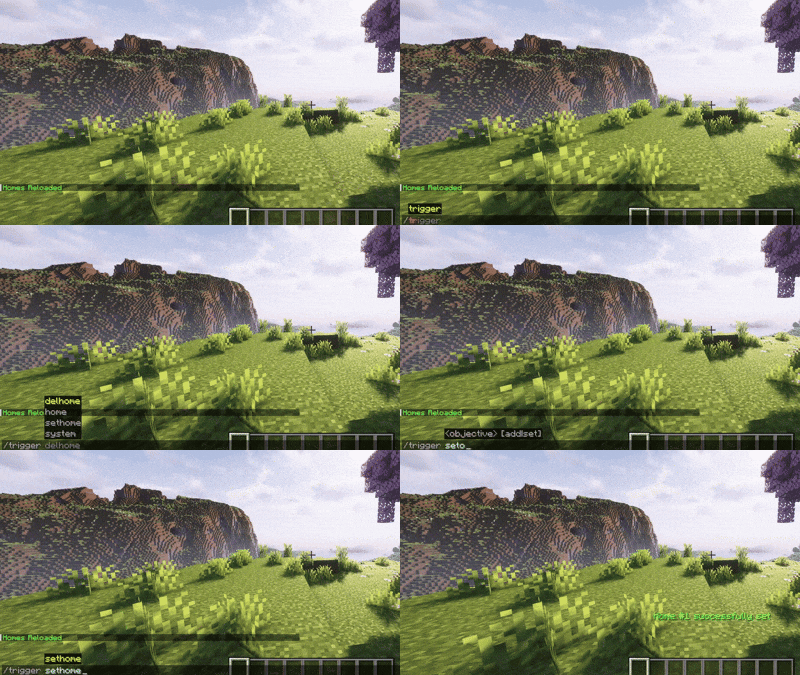
- /trigger sethome - To set your Home at your current location
- /trigger delhome - To delete your Home in order to place it somewhere else
- /trigger home - To teleport to your Home
If you have more than 1 home, commands behave differently :
- /trigger sethome - To set a new nth Home
- /trigger home - Opens a tchat menu that lets you Delete, Customize tag & color, and Teleport to the Home you want
- /trigger delhome - Opens a tchat menu that lets you only Delete the Home you want
- /trigger home set
- To teleport to a Home by Home ID (without opening the menu) - /trigger delhome set
- To delete a Home by Home ID (without opening the menu)
💎 Features
Using /trigger sethome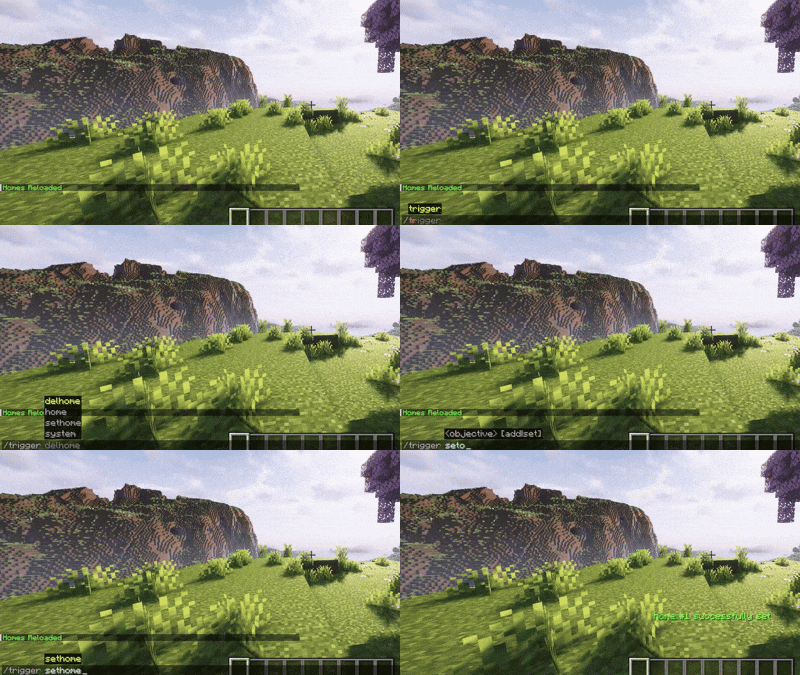
|
Using /trigger home
|
Using /trigger delhome
|
Placing 3 different Homes (v2.0+)
|
Customizing Homes with /trigger home (v2.0+)
|
Teleporting to Homes with /trigger home (v2.0+)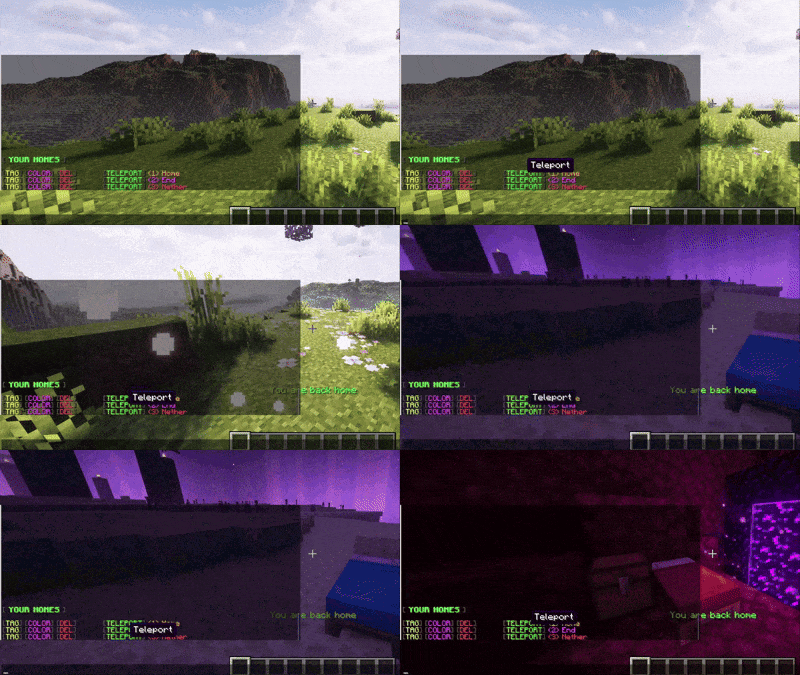
|
Deleting a Home with /trigger delhome (v2.0+)
|
Using the control panel (command in description) 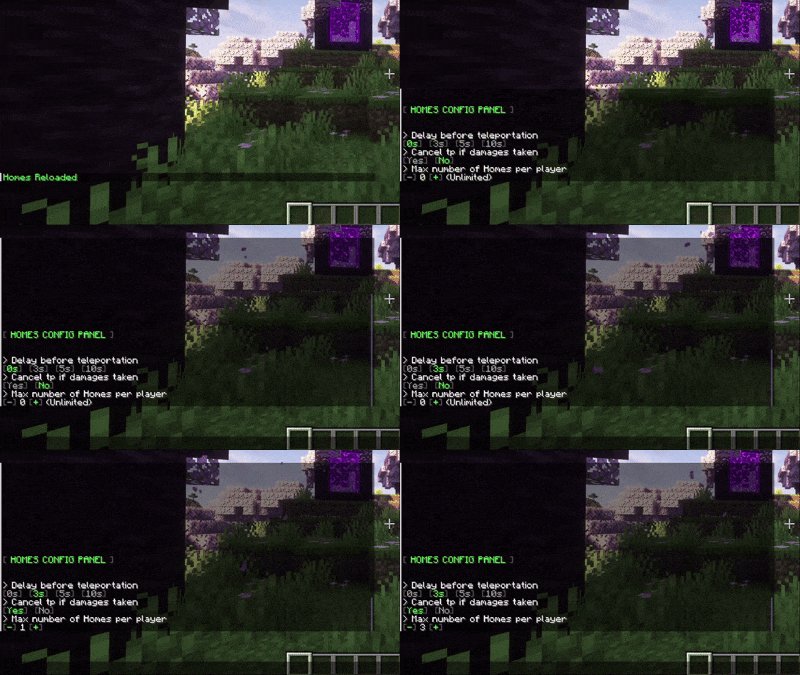
|
Testing Homes count limit (v2.0+)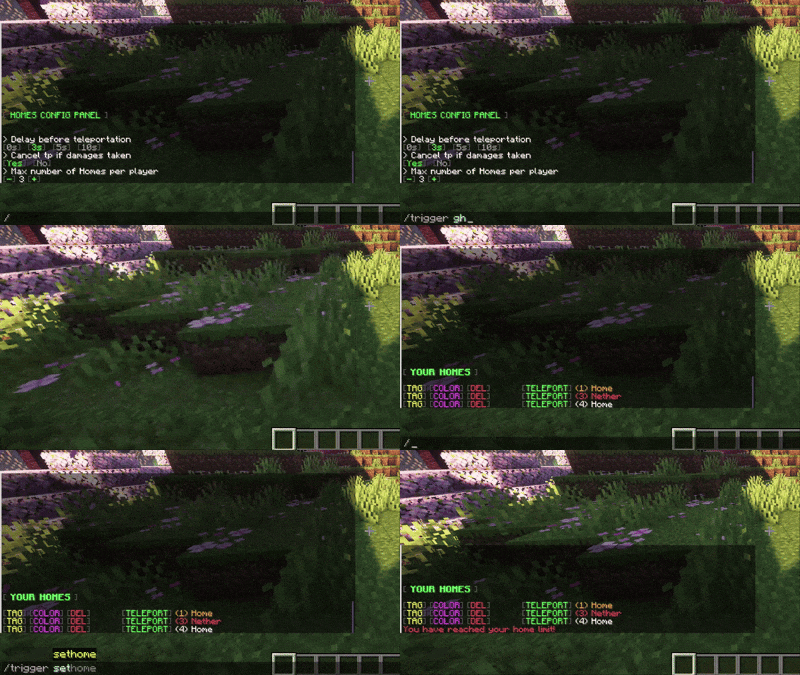
|
Testing teleportation delay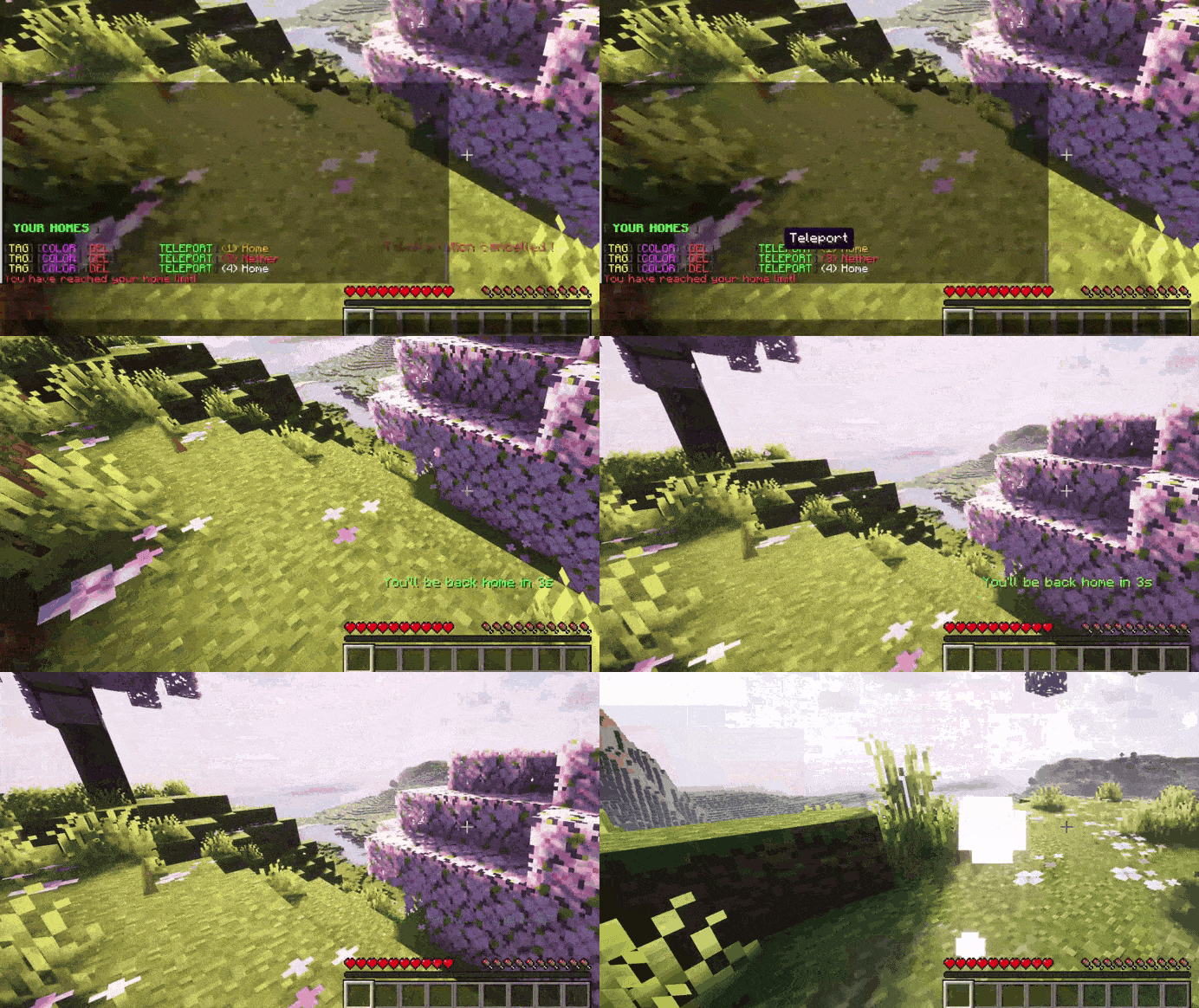
|
Testing teleport canceled by damages
|
🆕 Options
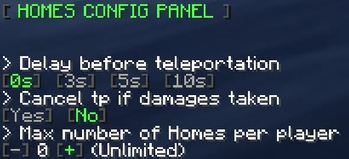
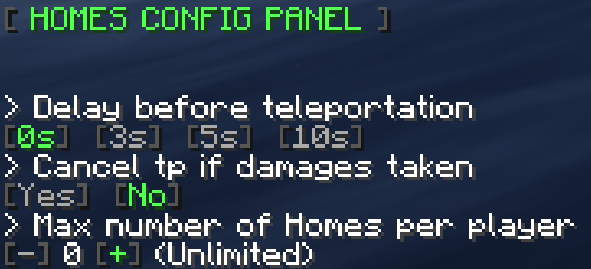
- /function datapack:vanilla_homes_datapack/config - To open the Config panel menu where you can change the delay before teleportation and cancel the teleportation if the player takes damages during this period, for a balanced gameplay. A new parameter you can set is a max number of Homes owned by a player (v2.0+)
# 🪳 Known issues - No known issue for now
Quick report - https://juixcode.github.io/contact
🔃 Ask for a version
You can report a bug or ask me to update one of my pack to a specific version, using one of these contact methods :
- Quick message - https://juixcode.github.io/contact
- My mail - [email protected]
- The Discord server - clikc-here-to-join
# ❤️ Donations If you like my packs, you can tip me on my Ko-Fi page. Thank you so much if you do !
https://ko-fi.com/juixcode
Available Versions
How to Install Homes by Juix on Your Server
Order Server
Order a Minecraft Java server with at least 3 GB RAM (4 GB recommended).
Set datapack Loader
In the panel under "Egg", select the datapack loader and matching Minecraft version (26.1.2).
Install Mod
Open the mod browser in the dashboard and search for "Homes by Juix". Click "Install" – done! Alternatively, upload the .jar via SFTP to the /mods folder.
Compatibility
Mod Loaders
Minecraft Versions
26.1.2, 26.1.1, 26.1 (+12 more)
Server-side
✓ RequiredRecommended RAM
4 GB(min. 3 GB)Frequently Asked Questions
Homes by Juix server crashes on startup – what to do?
Most common cause: wrong datapack version or insufficient RAM. Check the server log (latest.log) for "OutOfMemoryError" or "Mixin" errors. With Mado Hosting: ensure at least 3 GB RAM is allocated and the loader matches the mod version (26.1.2). You can switch loaders with one click in the panel.
Is Homes by Juix compatible with datapack and fabric and forge and neoforge and quilt?
Homes by Juix officially supports datapack, fabric, forge, neoforge, quilt for Minecraft 26.1.2, 26.1.1, 26.1. Note: Forge and Fabric mods are NOT cross-compatible – pick one loader and stick with it. The Mado dashboard automatically detects incompatible loader combinations.
Server lagging with Homes by Juix – how to optimize performance?
Recommended RAM: 4 GB (per 8 players). Use /spark profiler to check if Homes by Juix consumes the most tick time. Common fixes: reduce server view-distance to 8-10, install "performant" or "starlight" as supplementary mods on Forge. With Mado Hosting, your server runs on NVMe SSDs with dedicated CPU cores for minimal latency.
Similar Mods




Rent Modded Server
Install Homes by Juix with just one click on your server.