
Vanilla Paxels
Paxels can now be made in vanilla Minecraft with no mods and only a datapack
Screenshots
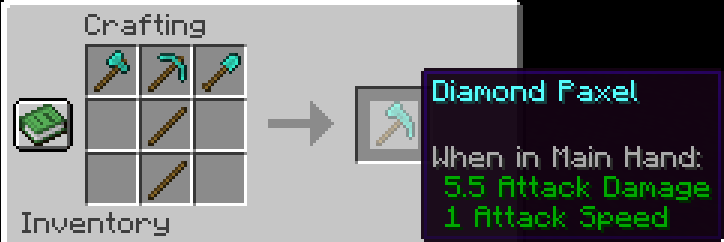
About this Mod
Info
Since 24w12a introduced the abilty to allow any item have properties of a tool, I decided to make this datapack.
I wish Mojang will add a way to have the right click functionality of shovels / axes work on other items. This is what these paxels are missing. You can currently only use the shovel functionality (The item without the resourcepack is a shovel) to make path blocks. I will add the axe stripping wood functionality once it is implemented into the game.
Paxels are Pickaxes, Shovels, and Axes combined! You can break all of the blocks at the same speed as you would with the correct tool. You can make paxels out of any material using the same crafting recipe.
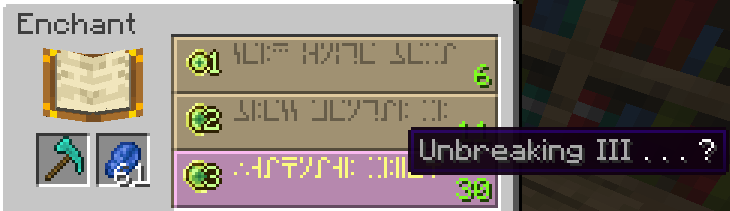
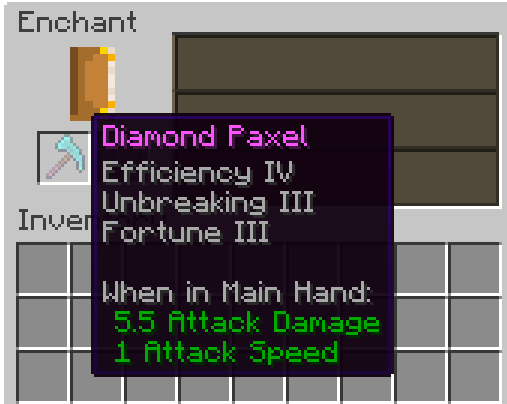
You can enchant Paxels just like any other tool!
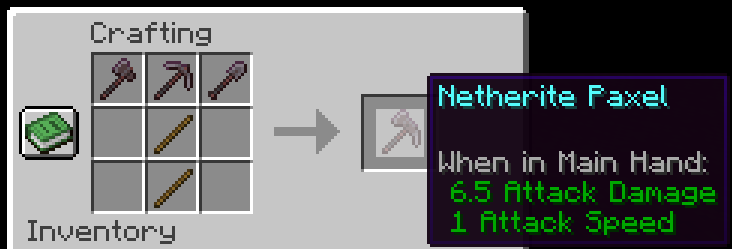
I would recommend upgrading the Diamond Paxel to Netherite the way you normally upgrade a diamond tool. The recipe for the one below is a placeholder until Mojang adds custom components to crafting recipes. One downside to this is it won't have the right name and the right mining speed. (Fun Fact: Netherite has 1 more mining speed than diamond).
This is the Netherite Paxel recipe for now until Mojang adds custom components in Crafting recipes support:
If you have any problems check the FAQ below and if that doesn't help join the discord and ask
FAQ
Q: I get a missing texture when trying to use this how do I fix it?
A: Make sure to download the resourcepack
Q: Where can I download the resourcepack?
A: Those who click the big download button at the top of the screen are only prompted to download the datapack and not the resourcepack. Modrinth does not show both of them in that menu. You instead have to go to the versions tab.
Where to download the resourcepack
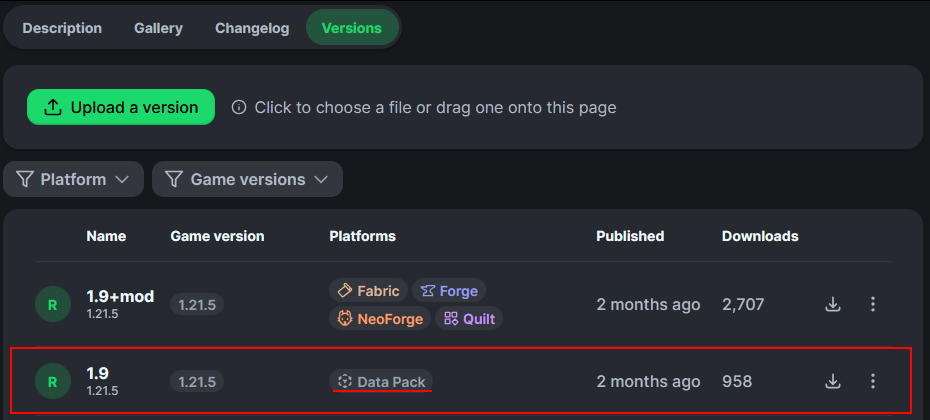
First you have to go to the versions tab

Then you go to the version you want
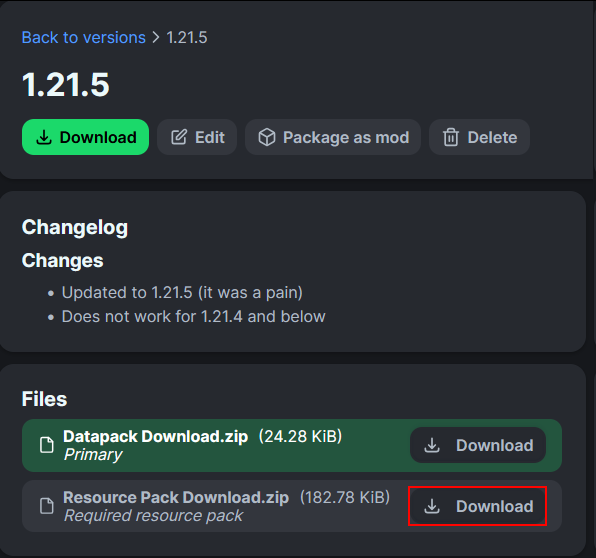
Then underneath the datapack download is the resourcepack download
Available Versions
How to Install Vanilla Paxels on Your Server
Order Server
Order a Minecraft Java server with at least 3 GB RAM (4 GB recommended).
Set datapack Loader
In the panel under "Egg", select the datapack loader and matching Minecraft version (26.1.2).
Install Mod
Open the mod browser in the dashboard and search for "Vanilla Paxels". Click "Install" – done! Alternatively, upload the .jar via SFTP to the /mods folder.
Compatibility
Mod Loaders
Minecraft Versions
26.1.2, 26.1.1, 26.1 (+31 more)
Server-side
✓ RequiredRecommended RAM
4 GB(min. 3 GB)Frequently Asked Questions
Vanilla Paxels server crashes on startup – what to do?
Most common cause: wrong datapack version or insufficient RAM. Check the server log (latest.log) for "OutOfMemoryError" or "Mixin" errors. With Mado Hosting: ensure at least 3 GB RAM is allocated and the loader matches the mod version (26.1.2). You can switch loaders with one click in the panel.
Is Vanilla Paxels compatible with datapack and fabric and forge and neoforge and quilt?
Vanilla Paxels officially supports datapack, fabric, forge, neoforge, quilt for Minecraft 26.1.2, 26.1.1, 26.1. Note: Forge and Fabric mods are NOT cross-compatible – pick one loader and stick with it. The Mado dashboard automatically detects incompatible loader combinations.
Server lagging with Vanilla Paxels – how to optimize performance?
Recommended RAM: 4 GB (per 8 players). Use /spark profiler to check if Vanilla Paxels consumes the most tick time. Common fixes: reduce server view-distance to 8-10, install "performant" or "starlight" as supplementary mods on Forge. With Mado Hosting, your server runs on NVMe SSDs with dedicated CPU cores for minimal latency.
Similar Mods




![[TaCZ] Timeless and Classics Zero](https://cdn.modrinth.com/data/SzzJttH8/fd27766d2bb8390d284696b1dbd358f87e081439_96.webp)

Rent Modded Server
Install Vanilla Paxels with just one click on your server.