
Velopin
Places a waypoint at your current position. If a waypoint already exists, it is automatically replaced with a new one at your current location.
Screenshots
About this Mod
Waypoint Marker
Waypoint Marker is a lightweight Fabric mod that lets you quickly mark any location and navigate back to it using a simple on-screen indicator.
Set a waypoint with a single key press and follow the direction arrow back whenever you need it.
Features
- Instantly create a waypoint
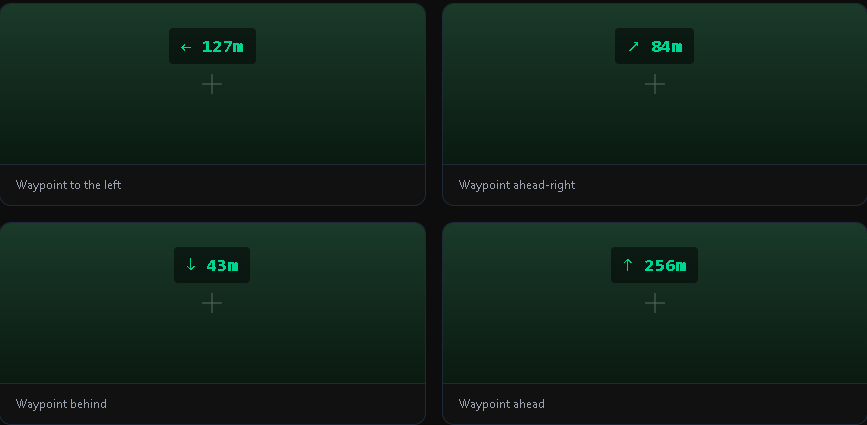
- Direction arrow HUD
- Real-time distance display
- Automatic waypoint replacement
- Automatic waypoint saving
- Minimalist interface
- Lightweight and performance-friendly
How It Works
Press K to create a waypoint at your current position.
After placing a waypoint, a compact HUD displays:
- Direction arrow
- Distance in blocks
Simply follow the arrow until you reach your destination.
Press K again to replace the existing waypoint with a new one.
Press L to remove the current waypoint.
Smart HUD
The waypoint indicator automatically hides when you are within 10 blocks of the destination, keeping your screen clean and uncluttered.
Automatic Saving
Waypoints are saved automatically and remain available after restarting the game.
No manual saving is required.
Default Hotkeys
K — Create or replace a waypoint
L — Remove the current waypoint
Keybindings can be changed in Minecraft's Controls menu.
Performance
Waypoint Marker is designed to be lightweight and has virtually no impact on game performance.
Compatibility
- Minecraft 1.21.11
- Fabric Loader
- Client-side
- Singleplayer
- Multiplayer
Requirements
- Fabric API
Available Versions
How to Install Velopin on Your Server
Order Server
Order a Minecraft Java server with at least 3 GB RAM (4 GB recommended).
Set fabric Loader
In the panel under "Egg", select the fabric loader and matching Minecraft version (1.21.11).
Install Mod
Open the mod browser in the dashboard and search for "Velopin". Click "Install" – done! Alternatively, upload the .jar via SFTP to the /mods folder.
Compatibility
Mod Loaders
Minecraft Versions
1.21.11
Server-side
✗ UnsupportedRecommended RAM
4 GB(min. 3 GB)Frequently Asked Questions
Velopin server crashes on startup – what to do?
Most common cause: wrong fabric version or insufficient RAM. Check the server log (latest.log) for "OutOfMemoryError" or "Mixin" errors. With Mado Hosting: ensure at least 3 GB RAM is allocated and the loader matches the mod version (1.21.11). You can switch loaders with one click in the panel.
Is Velopin compatible with fabric?
Velopin officially supports fabric for Minecraft 1.21.11. The Mado dashboard automatically detects incompatible loader combinations.
Server lagging with Velopin – how to optimize performance?
Recommended RAM: 4 GB (per 8 players). Use /spark profiler to check if Velopin consumes the most tick time. Common fixes: reduce server view-distance to 8-10, install "performant" or "starlight" as supplementary mods on Forge. With Mado Hosting, your server runs on NVMe SSDs with dedicated CPU cores for minimal latency.
Similar Mods






Rent Modded Server
Install Velopin with just one click on your server.