
Vlast Connect
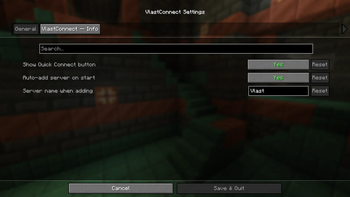
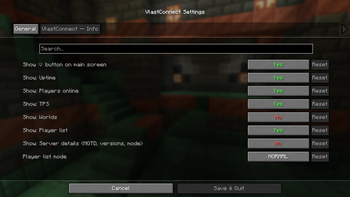
The mod adds better settings for the “Vlast” server, auto-adding servers, auto-downloading resource packs, Litematica support, backpack functionality improvements, and much more.
Screenshots


About this Mod
RU
🌟 Vlast Connect — модификация для комфортной игры на сервере Vlast
⚠ ВНИМАНИЕ: ДАННЫЙ МОД РАБОТАЕТ ТОЛЬКО НА СЕРВЕРЕ VLAST!
Vlast Connect создан специально для того, чтобы сделать игру на сервере максимально удобной, настраиваемой и приятной. Мод объединяет в себе ряд функций, упрощающих взаимодействие с сервером и улучшающих пользовательский опыт.
🔧 Основные возможности:
- 🎨 Настройка интерфейса — Изменение интерфейса сохраняет пропорции пользовательского интерфейса на экране.
- 📦 Быстрый просмотр рюкзаков — удерживай Shift, чтобы видеть содержимое рюкзака.
- ⚡ Оптимизированный пинг — более стабильное подключение и снижение задержек при игре.
- 🌍 Автодобавление сервера — сервер автоматически появляется в списке при запуске клиента.
- 🎶 Автоматическая загрузка ресурсов — нужный пакет сервера скачивается и применяется сразу при подключении.
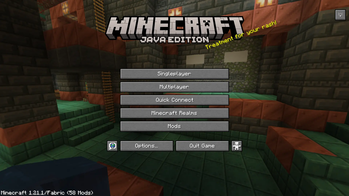
- 🔗 Кнопка быстрого входа — подключайся к серверу всего в один клик.
- 👕 Управление скинами — удобные настройки внешнего вида прямо в игре.
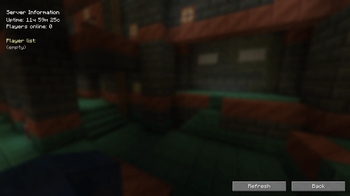
- ℹ️ Информационная кнопка — всегда под рукой актуальная информация о сервере.
🚧 Статус разработки
Мод находится в стадии активной разработки. Некоторые функции уже работают, другие находятся в процессе реализации и будут добавляться в будущих версиях.
МОД БУДЕТ КОНФЛИКТОВАТЬ С МОДАМИ ПО ТИПУ:
- Skin Shuffle
- Skin Restorer
- Skin Swapper
- Skin Overrides
- RE: Skin
и так далее...
ENG
🌟 Vlast Connect — a modification for comfortable gameplay on the Vlast server
⚠ ATTENTION: THIS MOD ONLY WORKS ON THE VLAST SERVER!
Vlast Connect was created specifically to make gameplay on the server as convenient, customizable, and enjoyable as possible. The mod combines a number of features that simplify interaction with the server and improve the user experience.
🔧 Key features:
- 🎨 Interface customization — Changing the interface preserves the proportions of the UI on the screen.
- 📦 Quick backpack preview — hold Shift to see the contents of the backpack.
- ⚡ Optimized ping — more stable connection and reduced lag while playing.
- 🌍 Auto-add server — the server automatically appears in the list when the client is launched.
- 🎶 Automatic resource loading — the required server package is downloaded and applied immediately upon connection.
- 🔗 Quick join button — connect to the server with just one click.
- 👕 Skin management — convenient appearance settings right in the game.
- ℹ️ Info button — up-to-date information about the server is always at your fingertips.
🚧 Development status
The mod is currently in active development. Some features are already working, while others are in the process of being implemented and will be added in future versions.
THE MOD WILL CONFLICT WITH MODS SUCH AS:
- Skin Shuffle
- Skin Restorer
- Skin Swapper
- Skin Overrides
- RE: Skin
and so on...
Available Versions
How to Install Vlast Connect on Your Server
Order Server
Order a Minecraft Java server with at least 3 GB RAM (4 GB recommended).
Set fabric Loader
In the panel under "Egg", select the fabric loader and matching Minecraft version (1.21.11).
Install Mod
Open the mod browser in the dashboard and search for "Vlast Connect". Click "Install" – done! Alternatively, upload the .jar via SFTP to the /mods folder.
Compatibility
Mod Loaders
Minecraft Versions
1.21.11, 1.21.10, 1.21.9 (+9 more)
Server-side
✓ RequiredRecommended RAM
4 GB(min. 3 GB)Frequently Asked Questions
Vlast Connect server crashes on startup – what to do?
Most common cause: wrong fabric version or insufficient RAM. Check the server log (latest.log) for "OutOfMemoryError" or "Mixin" errors. With Mado Hosting: ensure at least 3 GB RAM is allocated and the loader matches the mod version (1.21.11). You can switch loaders with one click in the panel.
Is Vlast Connect compatible with fabric?
Vlast Connect officially supports fabric for Minecraft 1.21.11, 1.21.10, 1.21.9. The Mado dashboard automatically detects incompatible loader combinations.
Server lagging with Vlast Connect – how to optimize performance?
Recommended RAM: 4 GB (per 8 players). Use /spark profiler to check if Vlast Connect consumes the most tick time. Common fixes: reduce server view-distance to 8-10, install "performant" or "starlight" as supplementary mods on Forge. With Mado Hosting, your server runs on NVMe SSDs with dedicated CPU cores for minimal latency.
Similar Mods





Rent Modded Server
Install Vlast Connect with just one click on your server.