
Volo Volare
Step into a model glider and soar into a world of wonder.
Screenshots

About this Mod

Step into a model glider and soar into a world of wonder.

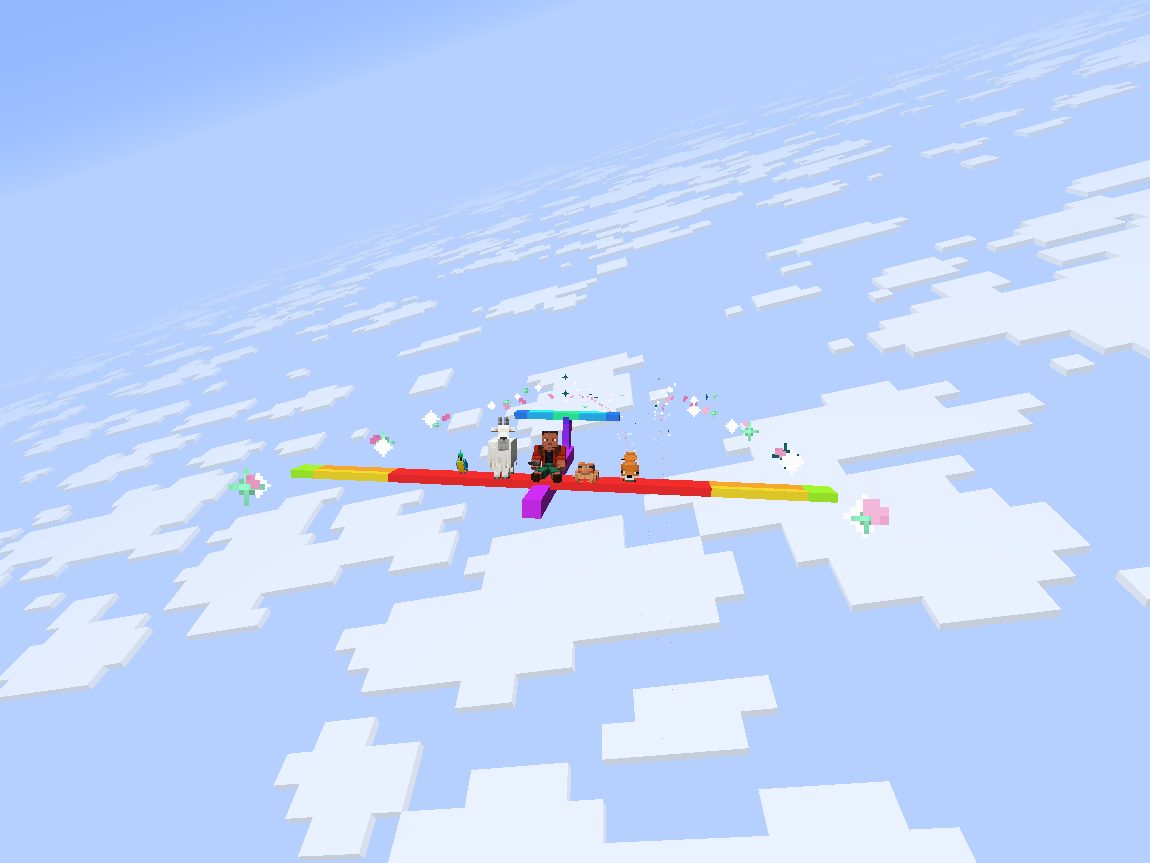
Volo Volare adds a highly-configurable toy glider.
- Give yourself a speed boost by using gunpowder or blaze powder while flying.
(item tag:volare:thrust_source) - Extend your flight by flying through thermals produced by campfires, fire, magma, and lava.
(block tag:volare:thermal_source) - Configure arbitrary wingtip particles with the
volare:glider/particlescomponent./give @s volare:glider[volare:glider/particles=[{type:"minecraft:electric_spark"}, {type:"minecraft:heart"}]] - Give a glider an initial speed boost with the
volare:glider/frozen_motioncomponent./give @s volare:glider[volare:glider/frozen_motion=[0.0f, 0.0f, 0.8f]]
Config
To configure 1st- and 3rd-person roll, edit config/volare.json5 or use the in-game config screen.
To configure thermals and boost, edit <world_path>/serverconfig/volare-server.json5 or use the in-game config screen.
Server configs are automatically synced to clients.
Customization
Custom Textures
To create a glider with custom textures:
- Place a texture at the path
assets/<namespace>/textures/entity/glider/<texture_name>.png - Create a translation for the key
entity.volare.glider.variant.<namespace>.entity.glider.<texture_name>inassets/<namespace>/lang/en_us.json - Spawn a glider with the texture using the command:
/give @s volare:glider[volare:glider/variant="<namespace>:entity/glider/<texture_name>"]
Modifying Volo Volare's Creative Tab
Custom gliders can be added to Volo Volare's creative tab by creating a JSON file in your resourcepack at assets/volare/volare_item_groups/main.json
{
  "entries": [
    {
      "id": "volare:glider",
      "components": {
        "volare:glider/variant": "<namespace>:entity/glider/<texture_name>"
      }
    }
  ]
}
Area Lib Integration
Flak
An area can be configured to shoot down any gliders that fly through it using the /volare area flak command.
Thermals
An area can be configured to act as an updraft or downdraft using the /volare area thermal command.
About the name: The first two principal parts of the latin verb for flight are 'volo volare' ('I fly', 'to fly'), but 'volo' also means 'I want', thus 'volo volare' means 'I want to fly'.
Available Versions
How to Install Volo Volare on Your Server
Order Server
Order a Minecraft Java server with at least 3 GB RAM (4 GB recommended).
Set fabric Loader
In the panel under "Egg", select the fabric loader and matching Minecraft version (1.21.8).
Install Mod
Open the mod browser in the dashboard and search for "Volo Volare". Click "Install" – done! Alternatively, upload the .jar via SFTP to the /mods folder.
Compatibility
Mod Loaders
Minecraft Versions
1.21.8
Server-side
✓ RequiredRecommended RAM
4 GB(min. 3 GB)Frequently Asked Questions
Volo Volare server crashes on startup – what to do?
Most common cause: wrong fabric version or insufficient RAM. Check the server log (latest.log) for "OutOfMemoryError" or "Mixin" errors. With Mado Hosting: ensure at least 3 GB RAM is allocated and the loader matches the mod version (1.21.8). You can switch loaders with one click in the panel.
Is Volo Volare compatible with fabric?
Volo Volare officially supports fabric for Minecraft 1.21.8. The Mado dashboard automatically detects incompatible loader combinations.
Server lagging with Volo Volare – how to optimize performance?
Recommended RAM: 4 GB (per 8 players). Use /spark profiler to check if Volo Volare consumes the most tick time. Common fixes: reduce server view-distance to 8-10, install "performant" or "starlight" as supplementary mods on Forge. With Mado Hosting, your server runs on NVMe SSDs with dedicated CPU cores for minimal latency.
Similar Mods




Rent Modded Server
Install Volo Volare with just one click on your server.