
VoxelUI
Modern UI framework for Minecraft NeoForge with XML layouts, MCSS styling, reusable components, theming, and developer tooling.
Screenshots
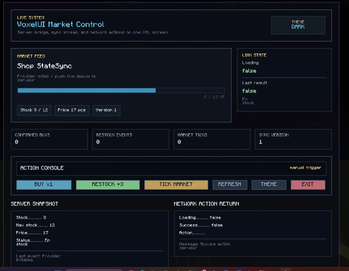
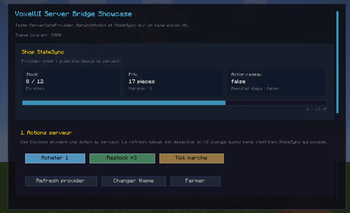
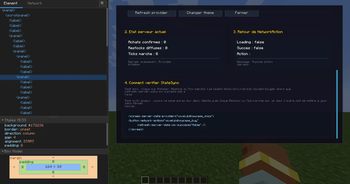
About this Mod
VoxelUI
VoxelUI is a modern UI framework for Minecraft NeoForge 1.21.1.
It is built for mod developers who want to create rich, maintainable, native Minecraft interfaces without relying on large PNG-based UI sheets.
Beta release notice
VoxelUI is currently in public beta.
This release is meant to:
- validate the framework in real modding use cases
- collect bug reports
- identify weak spots in the API and component system
- stabilize the engine before a future stable release
You should expect:
- bugs
- incomplete or rough behavior in some components
- API changes between beta versions
- layout or rendering regressions in edge cases
If you test VoxelUI and report issues, that is extremely useful for getting the project to a stable release.
What VoxelUI provides
- XML-based screen layouts
- MCSS styling system with cascade support
- reusable UI components
- centralized theming
- modern layout containers
- Minecraft-specific UI components
- developer tooling for inspection and iteration
Core features
Layout and composition
PanelGridStackTabsScrollPanelListView
Interactive components
ButtonTextInputCheckboxSliderDropdown
Minecraft-oriented components
ItemStackViewInventoryGridItemSlot
Styling and tooling
- XML UI loader
- inline and external MCSS stylesheets
- style cascade with computed styles
- UI inspector
- hot reload in development environment
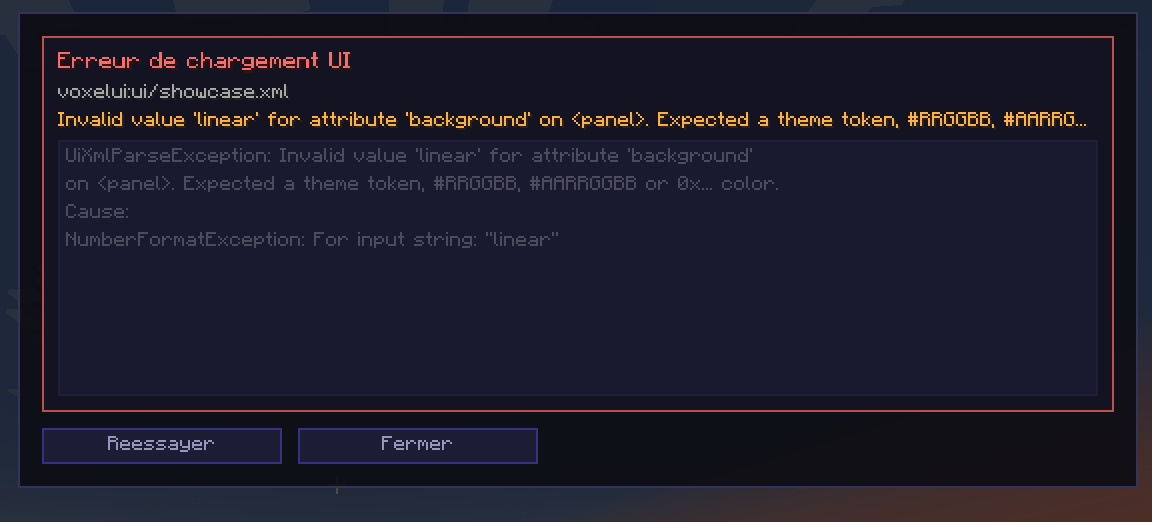
- safe XML error fallback panels
- animated UI transitions such as hover and smooth scrolling
Use cases
VoxelUI is designed for building interfaces such as:
- configuration screens
- quest logs
- custom inventories
- shops
- admin panels
- HUD overlays
- data-driven UI screens
Philosophy
VoxelUI does not try to embed a browser inside Minecraft.
Instead, it brings a more modern UI workflow to native Minecraft rendering:
- declarative
- modular
- themeable
- reusable
- renderer-native
Current status
VoxelUI is a framework/library mod, not a standalone content mod.
Release builds disable internal showcase and debug tooling by default. Development builds keep them available for iteration and inspection.
This project is not presented as fully stable yet. The goal of this beta phase is to harden the framework through real-world feedback before locking down a more stable API surface.
Compatibility
- Minecraft: 1.21.1
- Loader: NeoForge
- Java: 21
For developers
VoxelUI is intended to be used as a base for other mods that need structured UI systems.
It includes:
- a
measure -> layout -> renderpipeline - XML-driven screen construction
- reusable runtime bindings
- MCSS styling
- native Minecraft rendering integration
Feedback wanted
If you use this beta, the most useful feedback is:
- reproducible bugs
- broken layouts
- rendering issues
- unclear or frustrating API design
- missing features that block real usage
- unexpected behavior between XML, MCSS, and runtime bindings
License
Apache License 2.0
Available Versions
How to Install VoxelUI on Your Server
Order Server
Order a Minecraft Java server with at least 3 GB RAM (4 GB recommended).
Set neoforge Loader
In the panel under "Egg", select the neoforge loader and matching Minecraft version (1.21.1).
Install Mod
Open the mod browser in the dashboard and search for "VoxelUI". Click "Install" – done! Alternatively, upload the .jar via SFTP to the /mods folder.
Compatibility
Mod Loaders
Minecraft Versions
1.21.1
Server-side
✓ RequiredRecommended RAM
4 GB(min. 3 GB)Frequently Asked Questions
VoxelUI server crashes on startup – what to do?
Most common cause: wrong neoforge version or insufficient RAM. Check the server log (latest.log) for "OutOfMemoryError" or "Mixin" errors. With Mado Hosting: ensure at least 3 GB RAM is allocated and the loader matches the mod version (1.21.1). You can switch loaders with one click in the panel.
Is VoxelUI compatible with neoforge?
VoxelUI officially supports neoforge for Minecraft 1.21.1. The Mado dashboard automatically detects incompatible loader combinations.
Server lagging with VoxelUI – how to optimize performance?
Recommended RAM: 4 GB (per 8 players). Use /spark profiler to check if VoxelUI consumes the most tick time. Common fixes: reduce server view-distance to 8-10, install "performant" or "starlight" as supplementary mods on Forge. With Mado Hosting, your server runs on NVMe SSDs with dedicated CPU cores for minimal latency.
Similar Mods



Rent Modded Server
Install VoxelUI with just one click on your server.