
Vuurkrab’s Tweaks
A collection of small client-side tweaks to improve your Minecraft experience, focused on PvP, visuals, sound, and more.
Screenshots
About this Mod
Vuurkrab's Tweaks
A lightweight, client-side collection of quality-of-life tweaks for Minecraft. Fully configurable in-game, safe on any server, and built to grow over time.
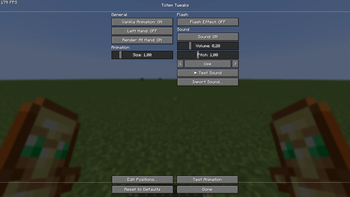
Press O (rebindable) or use ModMenu to open the hub, where every module can be toggled and configured. Every option has a tooltip that explains what it does.
✨ Totem Tweaks
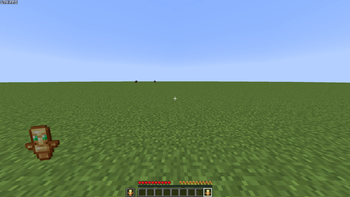
Tired of the Totem of Undying pop blocking the center of your screen? This moves it to your hand and lets you make it look exactly how you want.
Features
- Hand-positioned pop — the totem animation plays at your mainhand or offhand instead of dead-center.
- Vanilla or custom animation — keep Minecraft's real 3D model and spin, or switch to a custom 2D animation.
- Tweakable animation — adjust scale, duration, swoosh-in, and bounce.
- Flexible positioning — independent mainhand/offhand placement, left-hand mode, and a fullscreen position editor.
- Spin — optional rotation with adjustable speed and axis (horizontal, vertical, or flat).
- Glow & rays — toggle a glow effect with custom intensity and color, or let it cycle through a rainbow.
- Flash — optional screen flash with its own color and intensity.
- Custom sounds — pick your own sound and fine-tune volume and pitch.
- Import your own effects — drop a custom glow effect in and replace the default starburst.
- Test button — preview the full pop without having to die for it.
🎵 Music Tweaks
Take full control of Minecraft's soundtrack — and add your own.
Features
- Play anywhere — any song can play in any situation, no more waiting on biome or menu rules.
- Disable individual songs — turn off specific tracks by name (yes, even that one).
- Import your own music — drag & drop .ogg and .mp3 files straight into the GUI.
- Per-song volume — set how loud each imported song plays, with a live preview.
- Skip & Previous keybinds — change songs from anywhere, even the title screen.
- Shuffle or in-order — pick how the playlist advances, with an adjustable gap between songs.
- Seamless world changes — the song doesn't change when you join or leave a world, and imported songs resume right where they were.
- Play from the list — shift-click any song to play it immediately.
❤️ Health Tweaks
Cleaner, calmer hearts when you take damage.
Features
- Instant hearts — lost hearts disappear immediately, removing vanilla's ~1 second lingering delay.
- Hearts Fade — optionally let lost hearts smoothly fade out instead, with adjustable fade time.
- Fade in on heal — regained hearts can fade back in as you heal.
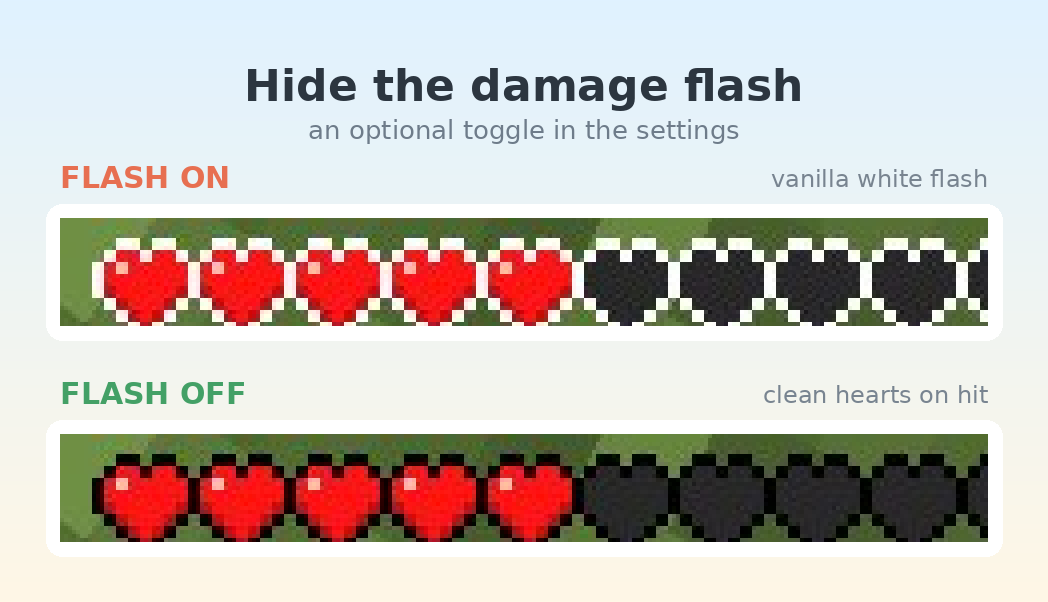
- Hearts Flash toggle — disable the heart bar flashing on damage and regeneration.
📦 Good to know
- Client-side only — works on any server, nothing to install server-side.
- Requires Fabric Loader and Fabric API.
- ModMenu supported — settings open right from the mods list.
- More tweaks are planned — suggestions welcome!
Available Versions
How to Install Vuurkrab’s Tweaks on Your Server
Order Server
Order a Minecraft Java server with at least 3 GB RAM (4 GB recommended).
Set fabric Loader
In the panel under "Egg", select the fabric loader and matching Minecraft version (26.1.2).
Install Mod
Open the mod browser in the dashboard and search for "Vuurkrab’s Tweaks". Click "Install" – done! Alternatively, upload the .jar via SFTP to the /mods folder.
Compatibility
Mod Loaders
Minecraft Versions
26.1.2, 26.1.1, 26.1
Server-side
✗ UnsupportedRecommended RAM
4 GB(min. 3 GB)Frequently Asked Questions
Vuurkrab’s Tweaks server crashes on startup – what to do?
Most common cause: wrong fabric version or insufficient RAM. Check the server log (latest.log) for "OutOfMemoryError" or "Mixin" errors. With Mado Hosting: ensure at least 3 GB RAM is allocated and the loader matches the mod version (26.1.2). You can switch loaders with one click in the panel.
Is Vuurkrab’s Tweaks compatible with fabric?
Vuurkrab’s Tweaks officially supports fabric for Minecraft 26.1.2, 26.1.1, 26.1. The Mado dashboard automatically detects incompatible loader combinations.
Server lagging with Vuurkrab’s Tweaks – how to optimize performance?
Recommended RAM: 4 GB (per 8 players). Use /spark profiler to check if Vuurkrab’s Tweaks consumes the most tick time. Common fixes: reduce server view-distance to 8-10, install "performant" or "starlight" as supplementary mods on Forge. With Mado Hosting, your server runs on NVMe SSDs with dedicated CPU cores for minimal latency.
Similar Mods




![[TaCZ] Timeless and Classics Zero](https://cdn.modrinth.com/data/SzzJttH8/fd27766d2bb8390d284696b1dbd358f87e081439_96.webp)

Rent Modded Server
Install Vuurkrab’s Tweaks with just one click on your server.