
Wacrae
Combat and progression reimagined.
Screenshots
About this Mod
Wacrae aims to rework Minecraft's balance and progression to later expand upon it. Changes implemented untill now include:
Damage Calculation Rebalance
Tired of the complicated formula Minecraft uses to calculate the damage reduction form Armor and Armor Toughness? Want something simpler and more predictible? Wacrae has you covered! In Wacrae, every point of Armor Toughness will reduce the damage received by 0.25, and every point of Armor will then reduce the remaining damage by 1%. Easy as!
Tiered Bows, Crossbows and Arrows
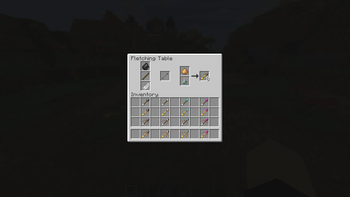
Wacrae includes several new Bows, Crossbows and Arrows following similar tiers as other weapons and tools, each with their own damage values. Also, the Arrows are now all crafted in the Fletching Table, were you can both create new Arrows or upgrade already crafted ones with Glowstone or Potions. (Or both!)
Gems - A New Way of Upgrading Your Tools
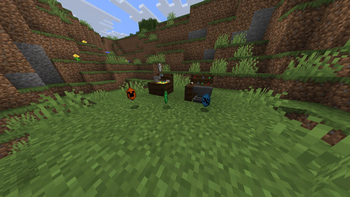
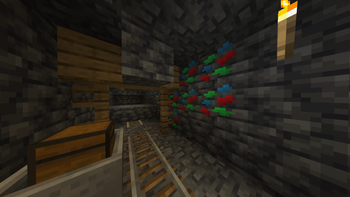
Forget enchantments, to upgrade your tools in Wacrae you have to use Gems. You can find Gem Shards in the overworld caves and combine them with Emeralds to create Raw Gems. Polish them into upgrades in the Gem Cutter to find upgrades to your tools. You can also combine them with similar Gems to create more powerful versions of those Gems or save them into Blueprints for later mass production. Once the Gem is complete, you can freely slot them in and out of your tools in the Tool Enhancing Station. Tools are limited in how many Gems can carry depending on their tier, but you can slot several copies of the same gem, so choose carefully!
Enderite - A New Tier of Tools
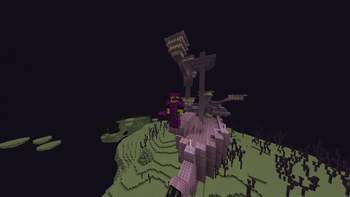
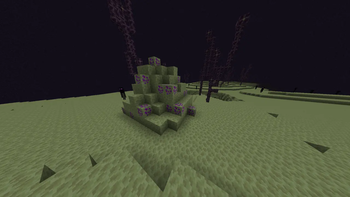
A new reason to explore The End, Enderite can be found in endstone lumps all over The End. You will also need some new key items from End Cities to process the Enderite Dust into useful ingots and then upgrade your tools from Netherite to Enderite.
Available Versions
How to Install Wacrae on Your Server
Order Server
Order a Minecraft Java server with at least 3 GB RAM (4 GB recommended).
Set fabric Loader
In the panel under "Egg", select the fabric loader and matching Minecraft version (1.21.10).
Install Mod
Open the mod browser in the dashboard and search for "Wacrae". Click "Install" – done! Alternatively, upload the .jar via SFTP to the /mods folder.
Compatibility
Mod Loaders
Minecraft Versions
1.21.10, 1.21.9, 1.21.8
Server-side
✓ RequiredRecommended RAM
4 GB(min. 3 GB)Frequently Asked Questions
Wacrae server crashes on startup – what to do?
Most common cause: wrong fabric version or insufficient RAM. Check the server log (latest.log) for "OutOfMemoryError" or "Mixin" errors. With Mado Hosting: ensure at least 3 GB RAM is allocated and the loader matches the mod version (1.21.10). You can switch loaders with one click in the panel.
Is Wacrae compatible with fabric?
Wacrae officially supports fabric for Minecraft 1.21.10, 1.21.9, 1.21.8. The Mado dashboard automatically detects incompatible loader combinations.
Server lagging with Wacrae – how to optimize performance?
Recommended RAM: 4 GB (per 8 players). Use /spark profiler to check if Wacrae consumes the most tick time. Common fixes: reduce server view-distance to 8-10, install "performant" or "starlight" as supplementary mods on Forge. With Mado Hosting, your server runs on NVMe SSDs with dedicated CPU cores for minimal latency.
Similar Mods



![[TaCZ] Timeless and Classics Zero](https://cdn.modrinth.com/data/SzzJttH8/fd27766d2bb8390d284696b1dbd358f87e081439_96.webp)


Rent Modded Server
Install Wacrae with just one click on your server.
Details
- License
- Creative Commons Attribution Non Commercial Share Alike 4.0 International
- Server-side
- Required