
Walk The Line
Minecraft challenge mod: Beat Minecraft while being restricted to moving along a single line.
Screenshots

About this Mod
Walk The Line
I Walk The Line! Can you beat minecraft when you are limited to only traveling on a single line?
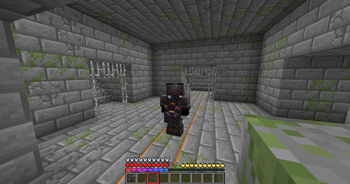
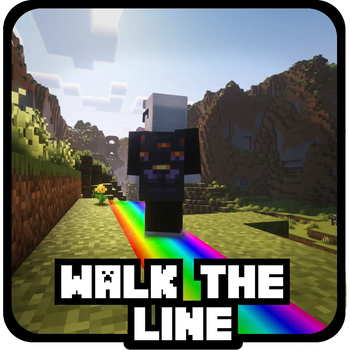
Once the challenge is started the mod will lock the player to either the X or Z axis. A rotating color line is displayed to show the boundary that the player is restricted to. Color and other options for line are configurable from config screen.
Overworld: Finds the closest stronghold user's current location that the challenge is started. The player is then locked to moving along the axis coordinate that runs through the found stronghold's silverfish spawner and end portal frame
Nether: When entering or exiting the Nether player will be placed at the dimension's relative position, and locked to the same axis as the overworld.
End: The player is locked to 0 on the Z axis, making it intersect with the End Island Portal
Has advancments to help show progression, getting the Slay Dragon advancement frees the player from the line and will be able to move freely after.
OP Commands
  #Enable / disable mod
  /WalkTheLine active [true,false]

  #Controls how far side to side player will be able to move
  /walktheline config coordinateTolerance [min:0.5, max:1.5]

  #Controls if players will join the challenge automatically on join, or if they can join it manually by using the start command
  /walktheline config PlayerAutoJoinsChallenge [true, false]
Player Commands
  #When PlayerAutoJoinsChallenge is set to false this allows the player to start the challenge manually
  /WalkTheLine start
Server / Integrated (single player) Configuration
config/walk-the-line-challenge.json
| Parameter | Type | Description | Default |
|---|---|---|---|
coordinateTolerance |
Float | Side to side distance from the line you can move before pushback is applied | 0.5 |
teleportTolerance |
Integer | Number of blocks away from the line before teleporting you back | 2 |
playerStartsChallengeAutomatically |
Boolean | Players automatically join challenge | true |
Available Versions
How to Install Walk The Line on Your Server
Order Server
Order a Minecraft Java server with at least 3 GB RAM (4 GB recommended).
Set fabric Loader
In the panel under "Egg", select the fabric loader and matching Minecraft version (26.1.1).
Install Mod
Open the mod browser in the dashboard and search for "Walk The Line". Click "Install" – done! Alternatively, upload the .jar via SFTP to the /mods folder.
Compatibility
Mod Loaders
Minecraft Versions
26.1.1, 26.1, 1.21.11 (+7 more)
Server-side
✓ RequiredRecommended RAM
4 GB(min. 3 GB)Frequently Asked Questions
Walk The Line server crashes on startup – what to do?
Most common cause: wrong fabric version or insufficient RAM. Check the server log (latest.log) for "OutOfMemoryError" or "Mixin" errors. With Mado Hosting: ensure at least 3 GB RAM is allocated and the loader matches the mod version (26.1.1). You can switch loaders with one click in the panel.
Is Walk The Line compatible with fabric?
Walk The Line officially supports fabric for Minecraft 26.1.1, 26.1, 1.21.11. The Mado dashboard automatically detects incompatible loader combinations.
Server lagging with Walk The Line – how to optimize performance?
Recommended RAM: 4 GB (per 8 players). Use /spark profiler to check if Walk The Line consumes the most tick time. Common fixes: reduce server view-distance to 8-10, install "performant" or "starlight" as supplementary mods on Forge. With Mado Hosting, your server runs on NVMe SSDs with dedicated CPU cores for minimal latency.
Similar Mods




Rent Modded Server
Install Walk The Line with just one click on your server.