
Wallet
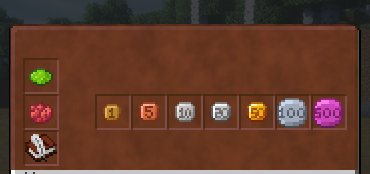
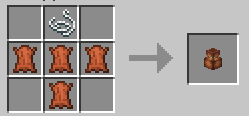
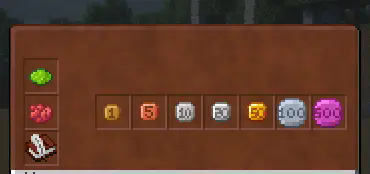
Datapack “Wallet” includes an economic (monetary) system with 7 coins of different denominations. Coins can be earned by wandering around the world. A wallet with a convenient interface is also provided for coins.
Screenshots
About this Mod
Wallet
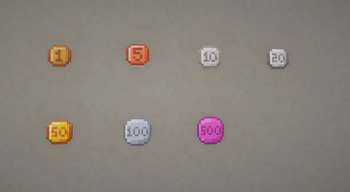
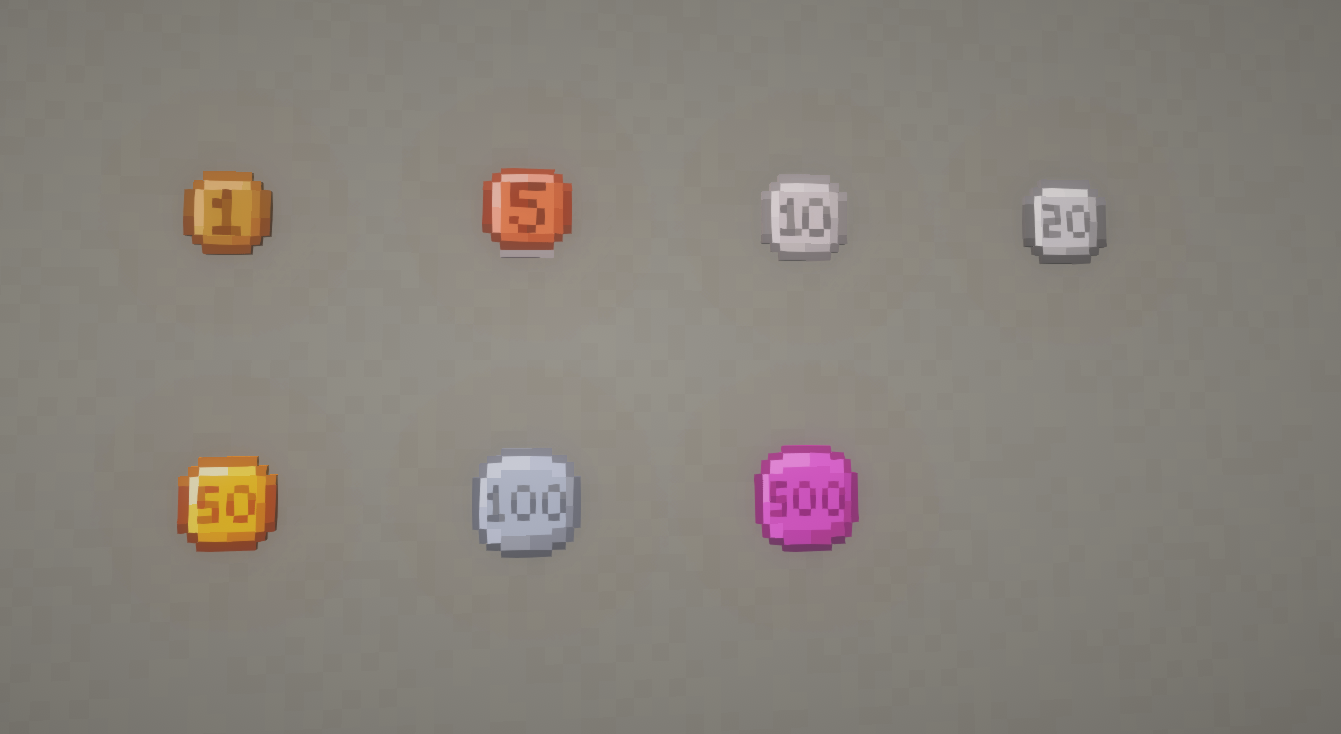
Immerse yourself in the world of Minecraft economics with the “Wallet” data pack! This economy data pack introduces currency to the system by sequentially adding 7 coin denominations: 1, 5, 10, 20, 50, 100, and 500. Players will now be able to trade using these coins to exchange goods and services. Coins can be obtained by looting villages, dungeons and other buildings.
⚠️Important⚠️
- This datapack contains a dependent resource-pack even if you install a mod , not counting the mod for version 1.21.4 , (don't forget to install it).
Features
Seven unique coins: Each coin has its own unique design and denomination, making it easy to make transactions.
Wallet: Convenient storage for your coins to help organize your wealth and manage your finances, and has an intuitive interface.
Trade Integration: Coins can be used to buy items from other players, making the game more dynamic and interesting.
Available Versions
How to Install Wallet on Your Server
Order Server
Order a Minecraft Java server with at least 3 GB RAM (4 GB recommended).
Set datapack Loader
In the panel under "Egg", select the datapack loader and matching Minecraft version (1.21.6).
Install Mod
Open the mod browser in the dashboard and search for "Wallet". Click "Install" – done! Alternatively, upload the .jar via SFTP to the /mods folder.
Compatibility
Mod Loaders
Minecraft Versions
1.21.6, 1.21.5, 1.21.4 (+11 more)
Server-side
✓ RequiredRecommended RAM
4 GB(min. 3 GB)Frequently Asked Questions
Wallet server crashes on startup – what to do?
Most common cause: wrong datapack version or insufficient RAM. Check the server log (latest.log) for "OutOfMemoryError" or "Mixin" errors. With Mado Hosting: ensure at least 3 GB RAM is allocated and the loader matches the mod version (1.21.6). You can switch loaders with one click in the panel.
Is Wallet compatible with datapack and fabric and forge and neoforge and quilt?
Wallet officially supports datapack, fabric, forge, neoforge, quilt for Minecraft 1.21.6, 1.21.5, 1.21.4. Note: Forge and Fabric mods are NOT cross-compatible – pick one loader and stick with it. The Mado dashboard automatically detects incompatible loader combinations.
Server lagging with Wallet – how to optimize performance?
Recommended RAM: 4 GB (per 8 players). Use /spark profiler to check if Wallet consumes the most tick time. Common fixes: reduce server view-distance to 8-10, install "performant" or "starlight" as supplementary mods on Forge. With Mado Hosting, your server runs on NVMe SSDs with dedicated CPU cores for minimal latency.
Similar Mods




Rent Modded Server
Install Wallet with just one click on your server.