
WAN Party
Share your LAN server to the public internet with ease
Screenshots

About this Mod
WAN Party (for Fabric and Forge)
WAN Party is a free and open-source optimization mod for sharing your LAN world server / normal server without network configuration.
Installation
The latest releases of WAN Party are published to our official Modrinth page. These releases are considered by our
team to be suitable for general use, but they are not guaranteed to be free of bugs and other issues.
How to use
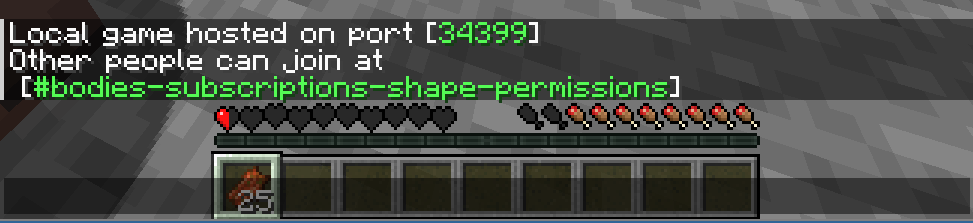
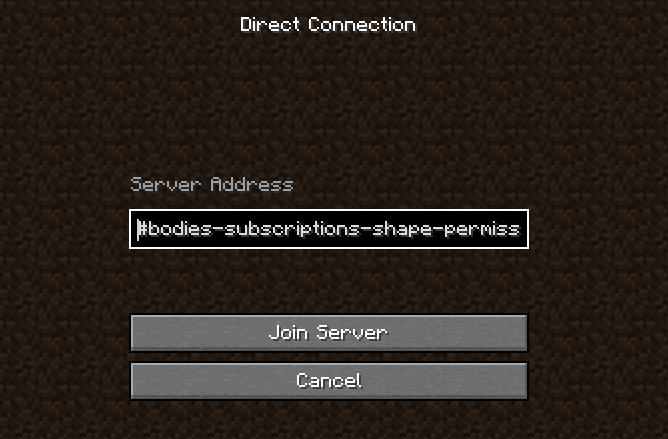
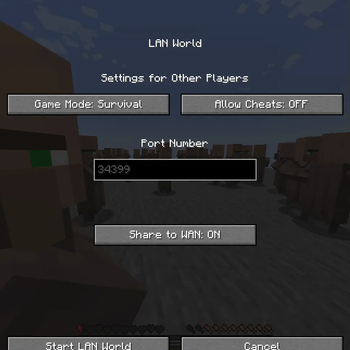
To share your LAN world, simply go to "Open to LAN" as usual. The mod should add a "Share to WAN" button. When enabled, it would create an address which other people can join the server with.
Known Issues
Currently skin loading is buggy so sometimes players would have default skins. One current bypass is using another mod that fixes this.
Reporting Issues
You can report bugs and crashes by opening an issue on our issue tracker.
Before opening a new issue, use the search tool to make sure that your issue has not already been reported and ensure
that you have completely filled out the issue template. Issues that are duplicates or do not contain the necessary
information to triage and debug may be closed.
License
Except where otherwise stated, this source code is provided under the terms of the GNU GPLv3, a free and open-source
license.
When submitting pull requests to this repository, it is assumed that you are licensing your contribution under the
GNU GPLv3, unless you state otherwise.
Available Versions
How to Install WAN Party on Your Server
Order Server
Order a Minecraft Java server with at least 3 GB RAM (4 GB recommended).
Set fabric Loader
In the panel under "Egg", select the fabric loader and matching Minecraft version (1.20.2).
Install Mod
Open the mod browser in the dashboard and search for "WAN Party". Click "Install" – done! Alternatively, upload the .jar via SFTP to the /mods folder.
Compatibility
Mod Loaders
Minecraft Versions
1.20.2, 1.20.1, 1.19.4
Server-side
✓ RequiredRecommended RAM
4 GB(min. 3 GB)Frequently Asked Questions
WAN Party server crashes on startup – what to do?
Most common cause: wrong fabric version or insufficient RAM. Check the server log (latest.log) for "OutOfMemoryError" or "Mixin" errors. With Mado Hosting: ensure at least 3 GB RAM is allocated and the loader matches the mod version (1.20.2). You can switch loaders with one click in the panel.
Is WAN Party compatible with fabric and forge?
WAN Party officially supports fabric, forge for Minecraft 1.20.2, 1.20.1, 1.19.4. Note: Forge and Fabric mods are NOT cross-compatible – pick one loader and stick with it. The Mado dashboard automatically detects incompatible loader combinations.
Server lagging with WAN Party – how to optimize performance?
Recommended RAM: 4 GB (per 8 players). Use /spark profiler to check if WAN Party consumes the most tick time. Common fixes: reduce server view-distance to 8-10, install "performant" or "starlight" as supplementary mods on Forge. With Mado Hosting, your server runs on NVMe SSDs with dedicated CPU cores for minimal latency.
Similar Mods






Rent Modded Server
Install WAN Party with just one click on your server.