
WannaPlayChess?
Wanted to play chess in minecraft? Now you can!
Screenshots

About this Mod

This mod allows you to play chess in minecraft with friends or by yourself.
Just place a chessboard, join the lobby and click "Start Game"!
You can also control the game time, choose the role of players in the lobby.
Each time you click on a figure on the board, possible moves for the figures are highlighted. Also, which is no less important, the board has a three-dimensional appearance, which completely immerses you in the game.

This is what the chessboard looks like during a game:

Other players can watch your chess game:

Crafting Recipes
To craft a chessboard, you need 3 wooden slabs, 3 white dyes and 3 black dyes

To craft white chess pieces, you need stonecutter and some bones:

To make black chess pieces you need some black bones. You can craft them from bones and coal ( you can also use charcoal and black dye! )

For black pieces you need to put some black bones into the stonecutter

Finally, to make box for pieces you need wooden slab and some wooden buttons

Preparing for the game
To start the game, you first need to insert a full box of white pieces and a full box of black pieces into the board. To do this, simply right-click on the board while holding the box of pieces in your hand. To remove boxes from the board, right-click on it while sneaking.
The complete box should include:
- 8 pawns
- 2 knights
- 2 bishops
- 2 rooks
- 1 queen
- 1 king
! A box for chess pieces can only contain pieces of one color: either white or black !
In order to place a specific figure into the box, you need to press the right mouse button while you are holding the figure in your other hand:
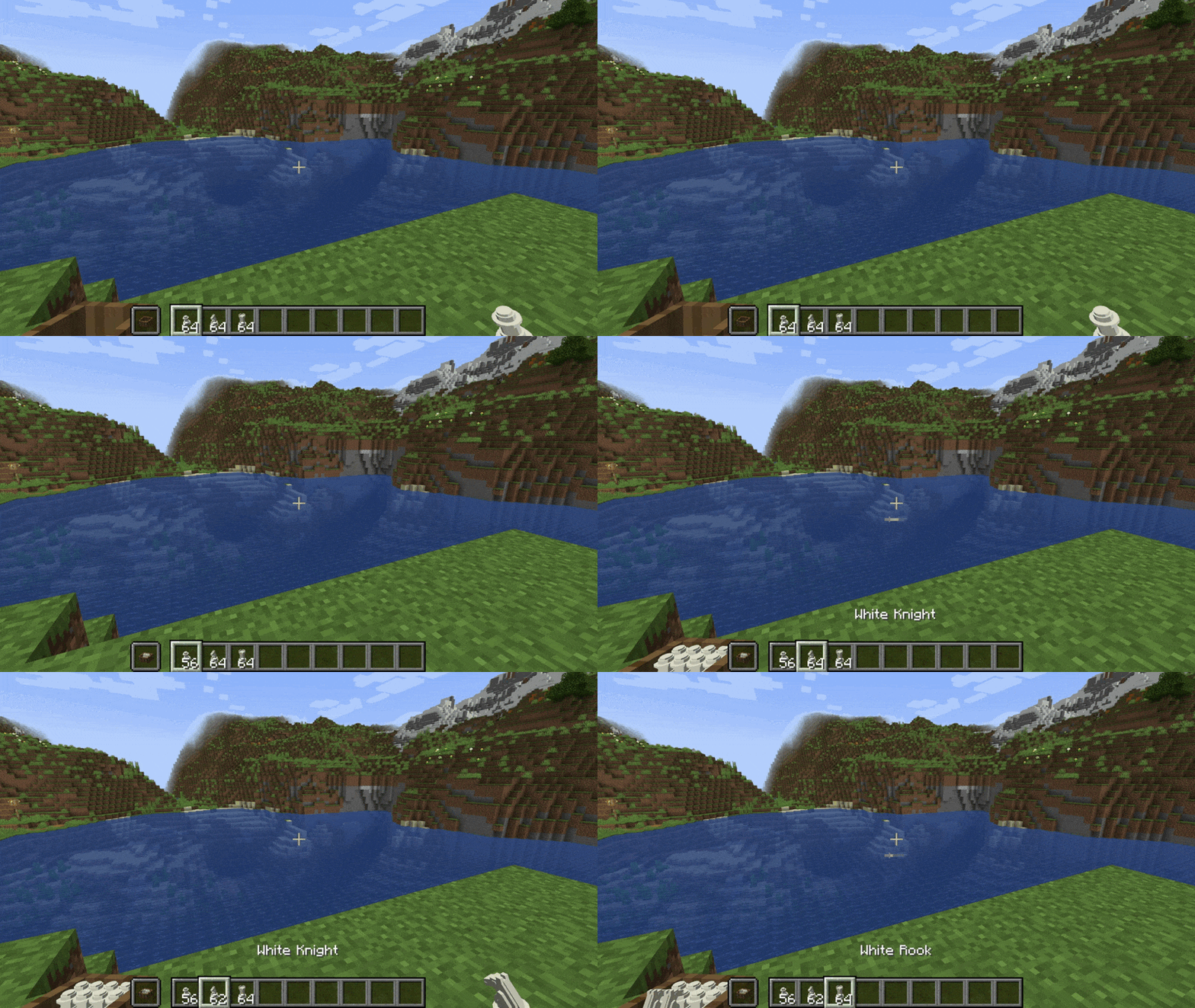
To empty a box, you simply have to right-click on it while you're sneaking.
When you break a chessboard, all the sets of pieces remain inside it, so you can set it up again and continue playing!
Possible Bugs
If you have a problem with the text field for changing the game time in the lobby, most likely the server does not have time to send and receive the packet. So if you have such a problem, just enter the numbers more slowly.
Available Versions
How to Install WannaPlayChess? on Your Server
Order Server
Order a Minecraft Java server with at least 3 GB RAM (4 GB recommended).
Set fabric Loader
In the panel under "Egg", select the fabric loader and matching Minecraft version (1.21.4).
Install Mod
Open the mod browser in the dashboard and search for "WannaPlayChess?". Click "Install" – done! Alternatively, upload the .jar via SFTP to the /mods folder.
Compatibility
Mod Loaders
Minecraft Versions
1.21.4, 1.21.2, 1.21.1 (+1 more)
Server-side
✓ RequiredRecommended RAM
4 GB(min. 3 GB)Frequently Asked Questions
WannaPlayChess? server crashes on startup – what to do?
Most common cause: wrong fabric version or insufficient RAM. Check the server log (latest.log) for "OutOfMemoryError" or "Mixin" errors. With Mado Hosting: ensure at least 3 GB RAM is allocated and the loader matches the mod version (1.21.4). You can switch loaders with one click in the panel.
Is WannaPlayChess? compatible with fabric?
WannaPlayChess? officially supports fabric for Minecraft 1.21.4, 1.21.2, 1.21.1. The Mado dashboard automatically detects incompatible loader combinations.
Server lagging with WannaPlayChess? – how to optimize performance?
Recommended RAM: 4 GB (per 8 players). Use /spark profiler to check if WannaPlayChess? consumes the most tick time. Common fixes: reduce server view-distance to 8-10, install "performant" or "starlight" as supplementary mods on Forge. With Mado Hosting, your server runs on NVMe SSDs with dedicated CPU cores for minimal latency.
Rent Modded Server
Install WannaPlayChess? with just one click on your server.