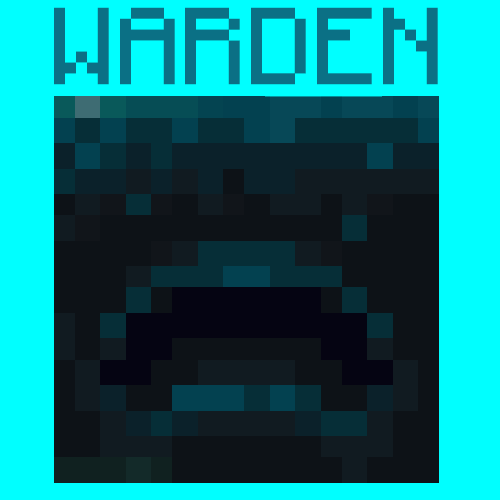
Warden Madness
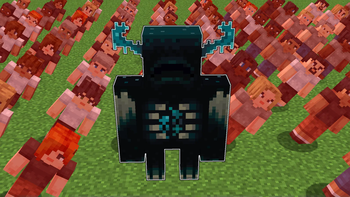
A challenge where you become the Warden itself
Screenshots
About this Mod
🔥Features
You can now become the Warden in Minecraft! Multiplayer Supported
Buffs:
- You get a Super OP Warden Sonic Boom Weapon
- As the Warden, You are fire and lava resistant and you can no longer Drown
- You are now 10x Stronger, Faster and More Durable than a normal Player
- Because you are a Warden, you have a Whopping 250 Health!
- You can hear players that are sprinting, but if they are on wool they won't make a sound
Debuffs:
- You are blind, and can only see people that are making sound, either by running or stepping in fire
- That's it lol
⚙️Commands
- To become the warden, use
/trigger warden_trigger. - Using
/trigger warden_uninstallwill remove warden effects from you and you will be a normal player.
📥Installation Process
Choose Weather you want it to be a Datapack or a Mod.
Mod:
Go to your.minecraftfolder then find the folder namedmodsand open it. Drop the Warden.jarfile here.
Datapack:
Put the pure data pack .zip file into thedatapacksfolder of your Minecraft world. To find your minecraft world, Press your Windows key and search%appdata%. It should come up with a File Folder which you will need to open. After opening it, go to.minecraft, then try and locate yoursavesfolder which you will need to open. This is the folder where you will find your Minecraft world folder.
Available Versions
How to Install Warden Madness on Your Server
Order Server
Order a Minecraft Java server with at least 3 GB RAM (4 GB recommended).
Set datapack Loader
In the panel under "Egg", select the datapack loader and matching Minecraft version (1.19.4).
Install Mod
Open the mod browser in the dashboard and search for "Warden Madness". Click "Install" – done! Alternatively, upload the .jar via SFTP to the /mods folder.
Compatibility
Mod Loaders
Minecraft Versions
1.19.4, 1.19.3, 1.19.2 (+2 more)
Server-side
✓ RequiredRecommended RAM
4 GB(min. 3 GB)Frequently Asked Questions
Warden Madness server crashes on startup – what to do?
Most common cause: wrong datapack version or insufficient RAM. Check the server log (latest.log) for "OutOfMemoryError" or "Mixin" errors. With Mado Hosting: ensure at least 3 GB RAM is allocated and the loader matches the mod version (1.19.4). You can switch loaders with one click in the panel.
Is Warden Madness compatible with datapack and fabric and forge and quilt?
Warden Madness officially supports datapack, fabric, forge, quilt for Minecraft 1.19.4, 1.19.3, 1.19.2. Note: Forge and Fabric mods are NOT cross-compatible – pick one loader and stick with it. The Mado dashboard automatically detects incompatible loader combinations.
Server lagging with Warden Madness – how to optimize performance?
Recommended RAM: 4 GB (per 8 players). Use /spark profiler to check if Warden Madness consumes the most tick time. Common fixes: reduce server view-distance to 8-10, install "performant" or "starlight" as supplementary mods on Forge. With Mado Hosting, your server runs on NVMe SSDs with dedicated CPU cores for minimal latency.
Similar Mods




![[TaCZ] Timeless and Classics Zero](https://cdn.modrinth.com/data/SzzJttH8/fd27766d2bb8390d284696b1dbd358f87e081439_96.webp)

Rent Modded Server
Install Warden Madness with just one click on your server.
Details
- License
- Creative Commons Attribution No Derivatives 4.0 International
- Server-side
- Required