
Water Source 2
Adds thirst, hydration, and drinking systems to Minecraft.
Screenshots
About this Mod

Water Source
The Water Source mod adds thirst, hydration, and drinking systems to Minecraft.
This is a remake of the higher version MC of Water Source based on Kotlin & Fabric & Yarn Mapping, with some changes in game mechanic design, hence the name Water Source “2”.
If you're looking for the mc 1.16.x - 1.18.2 version of Water Source, see Water Source 1
Note
This mod is currently in beta, basic mechanics (water level, hydration, GUI, thirst, water filters, enchantments) have been tested.
There may be issues with these in beta:
- It has not been tested for balance over a long period of time.
- New content may be added at any time.
- There may be balance adjustments.
- Even with my testing, there may be programming issues and undefined behaviors that are not detected.
Features
All the mechanics, see Water Source Wiki
Major changes in “2” over “1”.
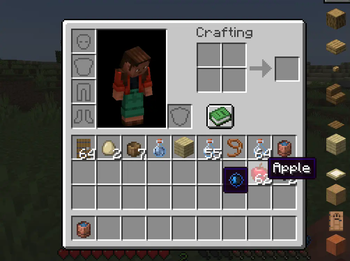
- The player's Water Level has changed from 20 to 40, with drinks and food generally having a higher Hydration Level. In contrast, food with no hydration value drains the player's hydration level when eaten, and the player's hydration value drains a little faster.
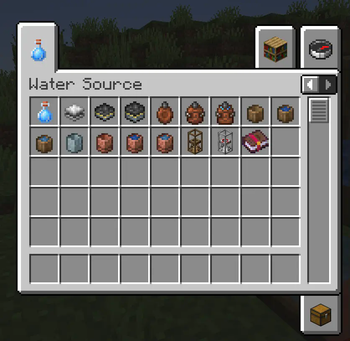
- Advanced leather water bags and pottery water cups are provided.
- Clearer data pack and more profile configurations
Features not yet implemented
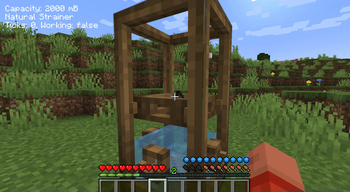
- Interaction between Dispenser and Filter
- Filter capacity display effect
- Coconut family (TBD)
Features you want
Welcome to pose features that you want Water Source implement here.
Datapack and configurations
Datapack
Item hydration values and filter recipes are in the hydration and filter_recipe folders of the datapack.
Configuration files
You can find the configuration files in the . /config/watersource/ under:
common.tomlis the main configuration file (the module mechanism)client.tomlis the server-side configuration file (HUD, item water information, etc.)
For those who haven't worked with toml before, it is recommended to use code/vscode to open toml files, install toml extensions, and edit them; they can be opened with any text editor as well.
About updates and maintenance
Maintaining the Water Source by myself is a bit of a challenge for my abilities and energy. Frankly speaking, the combination of lack of sponsorship and my lack of technical skills in Water Source 1 ultimately prevented me from continuing to maintain Water Source.
I'm going to use some negative words here:
- Water Source 1 left a lot of issues unresolved and I have no intention of resolving them for the time being.
- I'm keeping Water Source 2 up to date in my spare time, but I can't guarantee that it will be maintained for a long time.
However, I'm also having a lot of fun developing the mod that I wouldn't have had otherwise, thanks to the Fabric community, Kotlin, and all the people who support and like Water Source.
Available Versions
How to Install Water Source 2 on Your Server
Order Server
Order a Minecraft Java server with at least 3 GB RAM (4 GB recommended).
Set fabric Loader
In the panel under "Egg", select the fabric loader and matching Minecraft version (1.20.1).
Install Mod
Open the mod browser in the dashboard and search for "Water Source 2". Click "Install" – done! Alternatively, upload the .jar via SFTP to the /mods folder.
Compatibility
Mod Loaders
Minecraft Versions
1.20.1
Server-side
✓ RequiredRecommended RAM
4 GB(min. 3 GB)Frequently Asked Questions
Water Source 2 server crashes on startup – what to do?
Most common cause: wrong fabric version or insufficient RAM. Check the server log (latest.log) for "OutOfMemoryError" or "Mixin" errors. With Mado Hosting: ensure at least 3 GB RAM is allocated and the loader matches the mod version (1.20.1). You can switch loaders with one click in the panel.
Is Water Source 2 compatible with fabric?
Water Source 2 officially supports fabric for Minecraft 1.20.1. The Mado dashboard automatically detects incompatible loader combinations.
Server lagging with Water Source 2 – how to optimize performance?
Recommended RAM: 4 GB (per 8 players). Use /spark profiler to check if Water Source 2 consumes the most tick time. Common fixes: reduce server view-distance to 8-10, install "performant" or "starlight" as supplementary mods on Forge. With Mado Hosting, your server runs on NVMe SSDs with dedicated CPU cores for minimal latency.
Similar Mods




Rent Modded Server
Install Water Source 2 with just one click on your server.
Details
- License
- Creative Commons Attribution Non Commercial 4.0 International
- Server-side
- Required