
Waystones Plus
This project reworks Waystones UI to make it more user friendly
Screenshots
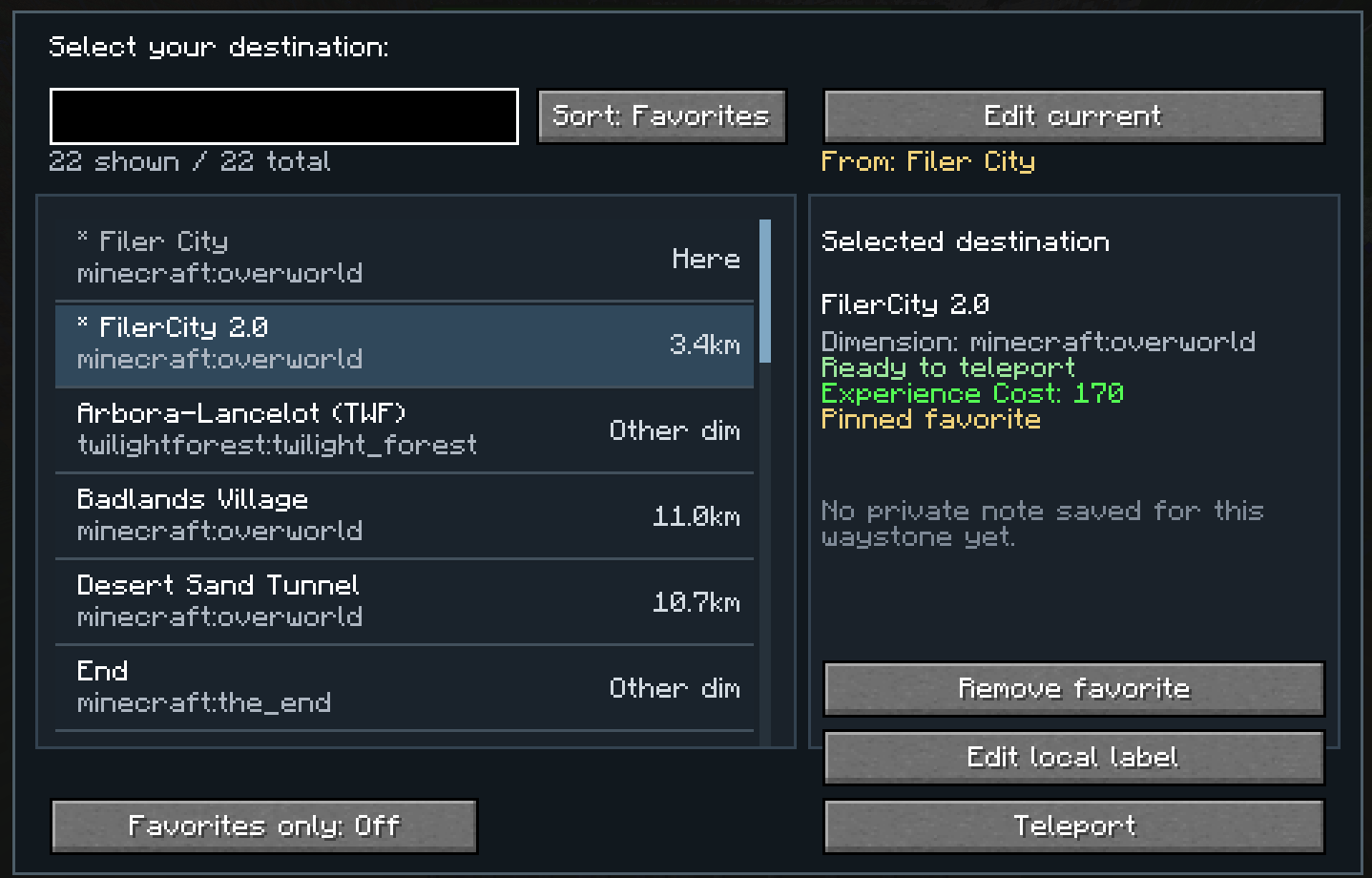
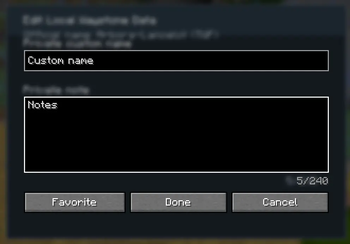
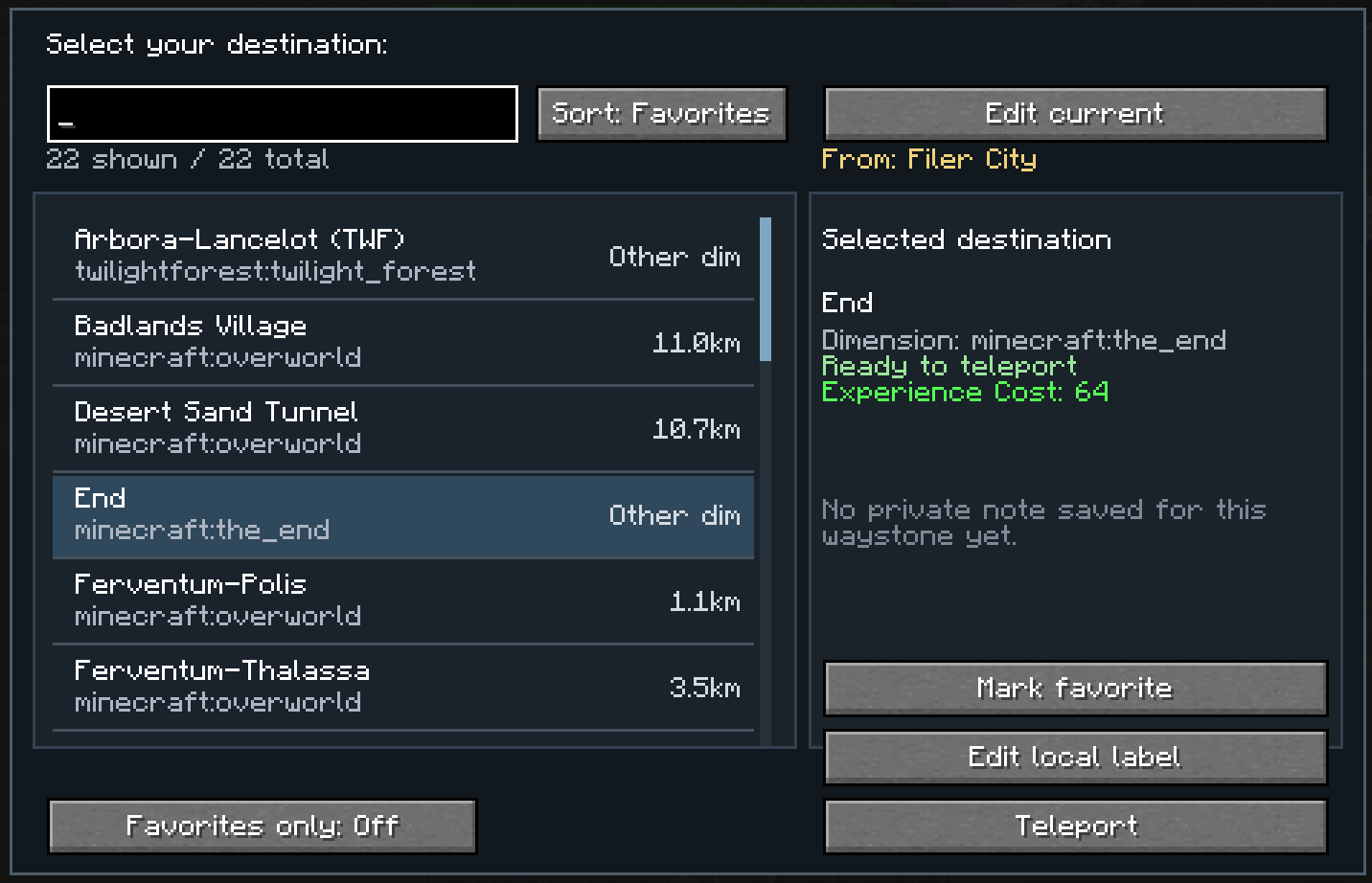
About this Mod
Waystones UI+ is a client-side quality-of-life addon for NeoForge 1.21.1 that improves the Waystones teleport selection screen and makes large waystone networks much easier to use.
The default Waystones interface can become inconvenient when you have many discovered waystones. This mod replaces that limited browsing experience with a more practical scroll-based UI and adds personal organization tools that are visible only to you.
Features
- Custom scroll UI for browsing waystones more comfortably
- Personal renaming of waystones for your client only
- Private notes for remembering what each waystone is actually for
- Sorting options
- by name
- by distance
- Favorites
- Custom favorites order for quick access to your most important destinations
Why use it?
If you play on multiplayer servers, you probably know the problem:
other players often name waystones in ways that make sense to them, but not necessarily to you.
With this mod, you can organize everything locally:
rename waystones for yourself, leave notes, and keep your favorite destinations exactly where you want them.
Client-side only
This mod is designed as a client-side addon.
That means:
- your personal renames are only visible to you
- your notes are only visible to you
- it does not rename waystones on the server
- it does not affect other players
- it does not change teleport mechanics
It only improves the interface and your personal waystone organization.
Planned Features
- Folders for better waystone organization
- Level cost display
Available Versions
How to Install Waystones Plus on Your Server
Order Server
Order a Minecraft Java server with at least 3 GB RAM (4 GB recommended).
Set neoforge Loader
In the panel under "Egg", select the neoforge loader and matching Minecraft version (1.21.1).
Install Mod
Open the mod browser in the dashboard and search for "Waystones Plus". Click "Install" – done! Alternatively, upload the .jar via SFTP to the /mods folder.
Compatibility
Mod Loaders
Minecraft Versions
1.21.1
Server-side
✗ UnsupportedRecommended RAM
4 GB(min. 3 GB)Frequently Asked Questions
Waystones Plus server crashes on startup – what to do?
Most common cause: wrong neoforge version or insufficient RAM. Check the server log (latest.log) for "OutOfMemoryError" or "Mixin" errors. With Mado Hosting: ensure at least 3 GB RAM is allocated and the loader matches the mod version (1.21.1). You can switch loaders with one click in the panel.
Is Waystones Plus compatible with neoforge?
Waystones Plus officially supports neoforge for Minecraft 1.21.1. The Mado dashboard automatically detects incompatible loader combinations.
Server lagging with Waystones Plus – how to optimize performance?
Recommended RAM: 4 GB (per 8 players). Use /spark profiler to check if Waystones Plus consumes the most tick time. Common fixes: reduce server view-distance to 8-10, install "performant" or "starlight" as supplementary mods on Forge. With Mado Hosting, your server runs on NVMe SSDs with dedicated CPU cores for minimal latency.
Similar Mods




Rent Modded Server
Install Waystones Plus with just one click on your server.