
Weather Watch
Sync real life weather into your world!
About this Mod
Weather Watch
Weather Watch is a mod that focuses on matching the in-game weather to the real life weather in your area. If it's stormy outside, it'll match that in game!
Features
Weather Sync
Uses WeatherAPI to find the weather data at the location specified by the server's IP, or just your IP if you're playing singleplayer. (Wonder what cool things you could find with a VPN?)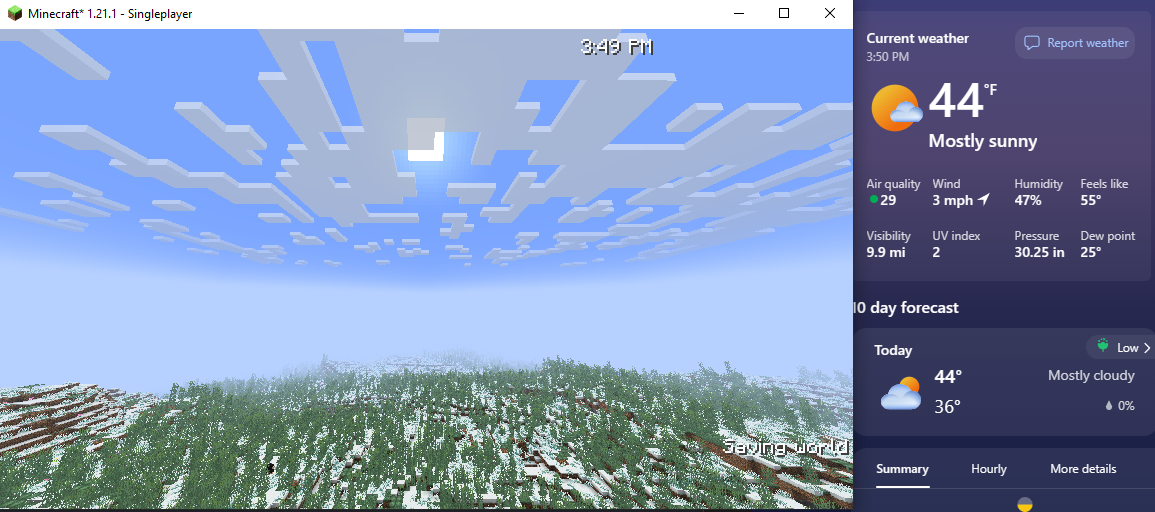
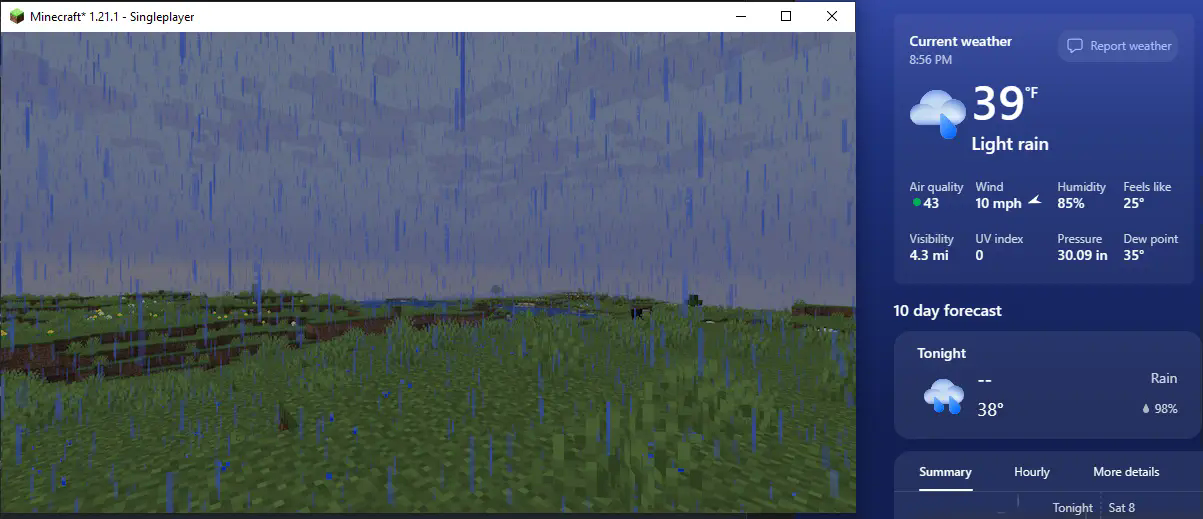
First screenshot from my area, second screenshot from a friends area
Season Sync
Weather Watch supports Serene Seasons, and will set the season depending on the month your system clock is set to. It works in a 3 month per season system, with December-February* being winter and so on.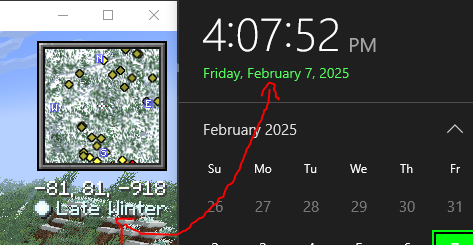
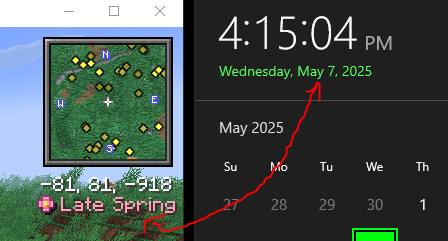
The months corresponding to each season depends on the hemisphere you're located in*
In multiplayer, it'll simply refer to the server clock
Time Sync (off by default)
Optionally, Weather Watch can also sync the day time to your system clock as well! This isn't recommended for traditional survival, as it does remove the ability to skip to day with a bed. However, this is great for peaceful or otherwise roleplay experiences!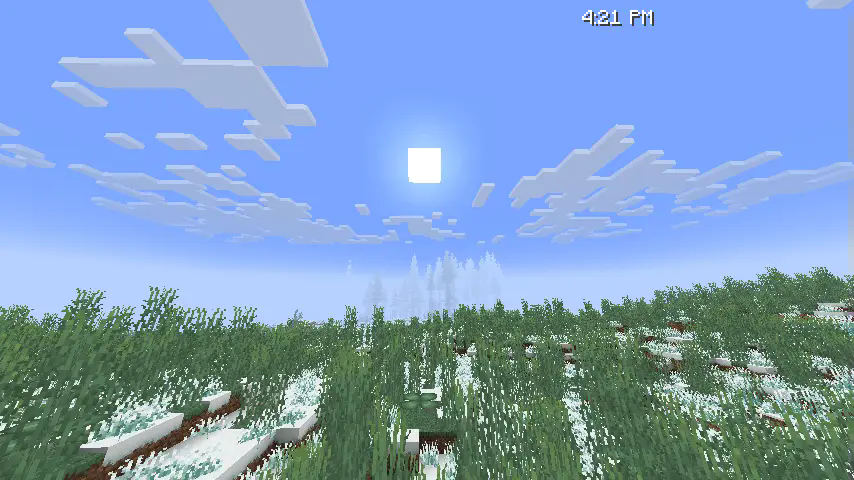
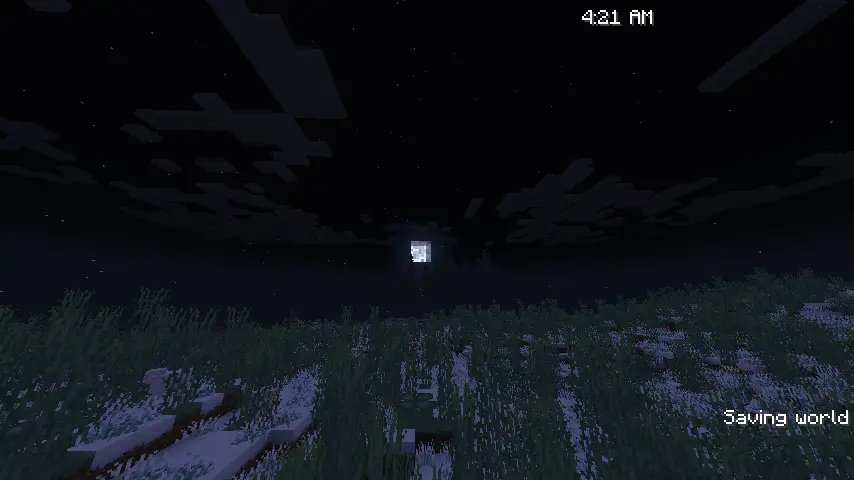
In multiplayer, it'll simply refer to the server clock
I did realize while writing this that time will literally just fast forward/rewind for American Daylight Savings, but that's really funny actually
Config
syncWeather (default: true)
Toggles the weather syncing capabilities
syncSeasons (default: true)
Toggles the season syncing capabilities, does nothing if Serene Seasons is not installed
syncTime (default: false)
Toggles the time syncing capabilities
syncMoonPhase (default: true)
Toggles syncing moon phase with the moon phase in your area
ip-override (default: "server")
Overrides the IP fed into the location fetcher. When set to server, it will simply use the server's public IP.
FAQ
"Doesn't this cause privacy concerns?"
I thought of this while making it and made sure that no info is public to anyone that wouldn't already know it. All features that rely on location tracking do so using the already public server IP, the only info connected clients recieve is if it should be raining, what season it should be, and the time of day.
"Can I use this in singleplayer?"
As long as you're connected to the internet, yes. This mod requires an internet connection to access WeatherAPI and to track the server location. Time and season sync should work regardless though.
"Why isn't this mod open source?"
As much as I would love to make this one open source, I cannot do so until I find a way to hide my WeatherAPI key from plain sight. Keeping it closed source is the easiest way I can think of to both hide my API key and not require users to provide their own for now. While the cost is small, excessive calls to the API does cost me some money, and that can be easily manipulated if someone wants to.
Available Versions
How to Install Weather Watch on Your Server
Order Server
Order a Minecraft Java server with at least 3 GB RAM (4 GB recommended).
Set fabric Loader
In the panel under "Egg", select the fabric loader and matching Minecraft version (1.21.11).
Install Mod
Open the mod browser in the dashboard and search for "Weather Watch". Click "Install" – done! Alternatively, upload the .jar via SFTP to the /mods folder.
Compatibility
Mod Loaders
Minecraft Versions
1.21.11, 1.21.10, 1.21.9 (+10 more)
Server-side
✓ RequiredRecommended RAM
4 GB(min. 3 GB)Frequently Asked Questions
Weather Watch server crashes on startup – what to do?
Most common cause: wrong fabric version or insufficient RAM. Check the server log (latest.log) for "OutOfMemoryError" or "Mixin" errors. With Mado Hosting: ensure at least 3 GB RAM is allocated and the loader matches the mod version (1.21.11). You can switch loaders with one click in the panel.
Is Weather Watch compatible with fabric and neoforge?
Weather Watch officially supports fabric, neoforge for Minecraft 1.21.11, 1.21.10, 1.21.9. The Mado dashboard automatically detects incompatible loader combinations.
Server lagging with Weather Watch – how to optimize performance?
Recommended RAM: 4 GB (per 8 players). Use /spark profiler to check if Weather Watch consumes the most tick time. Common fixes: reduce server view-distance to 8-10, install "performant" or "starlight" as supplementary mods on Forge. With Mado Hosting, your server runs on NVMe SSDs with dedicated CPU cores for minimal latency.
Similar Mods






Rent Modded Server
Install Weather Watch with just one click on your server.
Details
- License
- Creative Commons Attribution No Derivatives 4.0 International
- Server-side
- Required