
WheelAction
Lightweight utility that lets you execute custom commands by middle-clicking a player's name in chat. No more manual typing; just point, click, and run.
Screenshots


About this Mod


⚙️ WheelAction
WheelAction is a lightweight, client-side utility that makes interacting with players via chat instantaneous. No more manually typing out long or complex nicknames—one click is all it takes to get things done.
✨ Features
- Quick Input: Press the Middle Mouse Button (Scroll Wheel) on a player's name in the chat to automatically insert it into your chat bar.
- Smart Pasting: The mod instantly grabs the selected player's name, saving you time during intense gameplay or trading.
- Fully Customizable: Configure which command is triggered upon clicking (e.g.,
/msg,/tpa,/pay, or any custom command). - Minimalist Design: No cluttered UI, no extra overlays, and zero impact on game performance.
🖼️ Screenshots
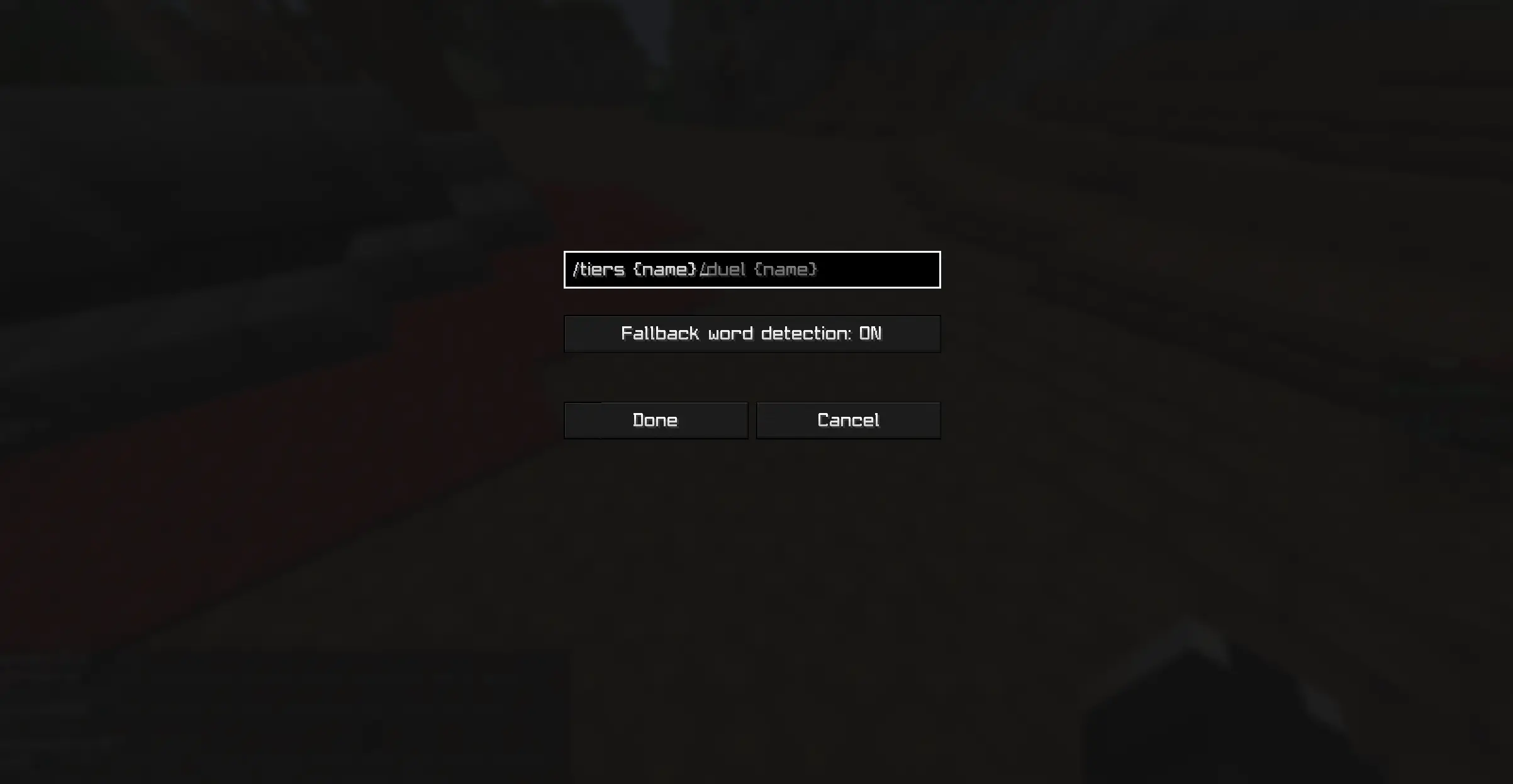
🛠️ Configuration
By default, middle-clicking a name prepares a private message command (/duel ). You can change this behavior:
For Fabric: You need to install Mod Menu to access the settings screen in-game.
📥 Installation & Compatibility
- Client-side only: This mod is only required on your computer. It does not need to be installed on the server.
- Loaders: Supports Fabric
- Dependencies:
- Fabric: Requires Fabric API.
🛡️ License
This project is licensed under CC BY-ND 4.0 (Creative Commons Attribution-NoDerivatives 4.0 International).
- Modpacks: You are free to include this mod in any modpack.
- Modifications: You are not allowed to distribute modified versions of the code or binaries without explicit permission.
💬 Support & Feedback
Found a bug? Have a suggestion for a new feature?
- Discord: Join our server
- Donate: Support the development on Boosty
📜 Credits
- Discord and Modrinth icons taken from tr7zw.
Available Versions
How to Install WheelAction on Your Server
Order Server
Order a Minecraft Java server with at least 3 GB RAM (4 GB recommended).
Set fabric Loader
In the panel under "Egg", select the fabric loader and matching Minecraft version (1.21.11).
Install Mod
Open the mod browser in the dashboard and search for "WheelAction". Click "Install" – done! Alternatively, upload the .jar via SFTP to the /mods folder.
Compatibility
Mod Loaders
Minecraft Versions
1.21.11, 1.21.4
Server-side
✗ UnsupportedRecommended RAM
4 GB(min. 3 GB)Frequently Asked Questions
WheelAction server crashes on startup – what to do?
Most common cause: wrong fabric version or insufficient RAM. Check the server log (latest.log) for "OutOfMemoryError" or "Mixin" errors. With Mado Hosting: ensure at least 3 GB RAM is allocated and the loader matches the mod version (1.21.11). You can switch loaders with one click in the panel.
Is WheelAction compatible with fabric?
WheelAction officially supports fabric for Minecraft 1.21.11, 1.21.4. The Mado dashboard automatically detects incompatible loader combinations.
Server lagging with WheelAction – how to optimize performance?
Recommended RAM: 4 GB (per 8 players). Use /spark profiler to check if WheelAction consumes the most tick time. Common fixes: reduce server view-distance to 8-10, install "performant" or "starlight" as supplementary mods on Forge. With Mado Hosting, your server runs on NVMe SSDs with dedicated CPU cores for minimal latency.
Similar Mods






Rent Modded Server
Install WheelAction with just one click on your server.
Details
- License
- Creative Commons Attribution No Derivatives 4.0 International
- Server-side
- Unsupported