
Where Is It (Unofficial Port)
Search for items in nearby inventories - now functions server-side only! Unofficial port Where Is It.
Screenshots

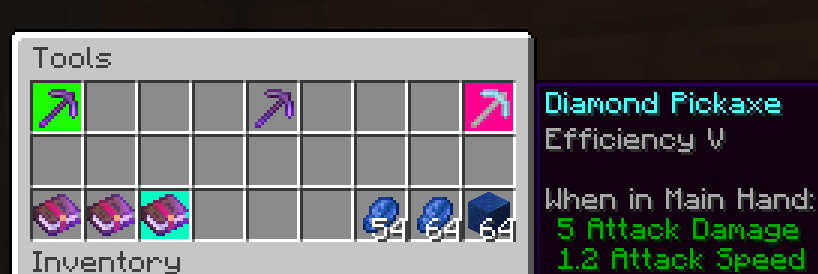
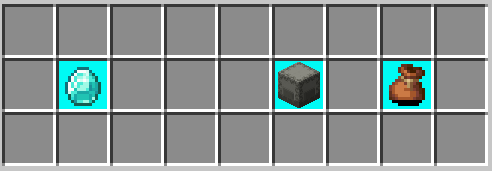
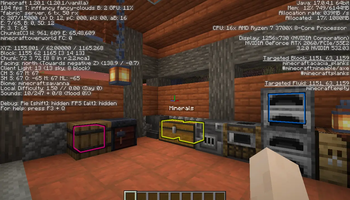

About this Mod
Where Is It (Unofficial port)
Unofficial port for new versions Minecraft, as the original author hasn't updated the mod for a long time. Original Mod.


Minecraft mod to locate items in nearby inventories. Press Y over an item to search.

Requirements
- Fabric API
- YACL
Also embeds JackFredLib and MixinExtras.
Features
- Not required - vanilla clients can join without restricting mod users.
- Detailed searching - search by item ID, name, item tag, fluid contents, enchantment, potions, and more, and any combination of the previous.
- Server-side functionality - clients without the mod can use the command /whereis (default, changeable) to use the mod.
- Support for recipe viewers, including the vanilla Recipe Book, and for JEI, REI, EMI:
- Ability to search for items containing specific fluids, and tags for recipes.
- Custom searches (search for enchantments using enchanted books, and potion effects using potions).
- Smart favourite handling - add a named Shulker Box in your favourites, and search for it regardless of the contents.
Usage
Press Y (by default) to search by item ID.
Inventory
Hold shift to also search for NBT data.
Recipes (Recipe Book / JEI / REI / EMI)
Will search for tags in the recipe if applicable. If hovered over a fluid, will search for items containing said fluid.
Item Overlays (JEI / REI / EMI)
Normally matches the inventory, however certain items contain different behavior:
- Enchanted books will search for any items with that enchantment. Holding shift will specify the level as well.
- Potions will search for the potion effect on any item. Holding shift will match the specific item.
Item Favourites/Bookmarks (JEI / REI / EMI)
Will try to look for the specific item by looking at name, enchantments or potion effects.
Available Versions
How to Install Where Is It (Unofficial Port) on Your Server
Order Server
Order a Minecraft Java server with at least 3 GB RAM (4 GB recommended).
Set fabric Loader
In the panel under "Egg", select the fabric loader and matching Minecraft version (26.1.2).
Install Mod
Open the mod browser in the dashboard and search for "Where Is It (Unofficial Port)". Click "Install" – done! Alternatively, upload the .jar via SFTP to the /mods folder.
Compatibility
Mod Loaders
Minecraft Versions
26.1.2, 26.1.1, 26.1 (+7 more)
Server-side
✓ RequiredRecommended RAM
4 GB(min. 3 GB)Frequently Asked Questions
Where Is It (Unofficial Port) server crashes on startup – what to do?
Most common cause: wrong fabric version or insufficient RAM. Check the server log (latest.log) for "OutOfMemoryError" or "Mixin" errors. With Mado Hosting: ensure at least 3 GB RAM is allocated and the loader matches the mod version (26.1.2). You can switch loaders with one click in the panel.
Is Where Is It (Unofficial Port) compatible with fabric and quilt?
Where Is It (Unofficial Port) officially supports fabric, quilt for Minecraft 26.1.2, 26.1.1, 26.1. The Mado dashboard automatically detects incompatible loader combinations.
Server lagging with Where Is It (Unofficial Port) – how to optimize performance?
Recommended RAM: 4 GB (per 8 players). Use /spark profiler to check if Where Is It (Unofficial Port) consumes the most tick time. Common fixes: reduce server view-distance to 8-10, install "performant" or "starlight" as supplementary mods on Forge. With Mado Hosting, your server runs on NVMe SSDs with dedicated CPU cores for minimal latency.
Similar Mods


Rent Modded Server
Install Where Is It (Unofficial Port) with just one click on your server.