
WhosLow
Simple mod that removes the guessing work from knowing if you are lower than your enemy.
Screenshots
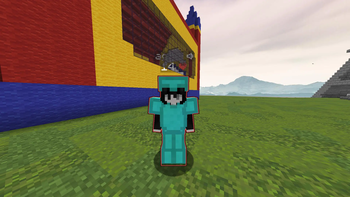
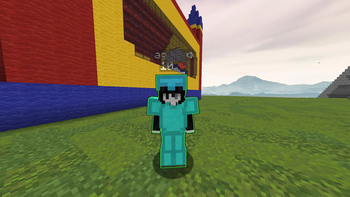
About this Mod
 WhosLow is a lightweight, client-side combat mod that adds dynamic glowing outlines to players during an active engagement.
Designed entirely around providing clear and immediate visual feedback, the mod activates a glowing outline on your opponent the moment you land a successful hit. To help you evaluate the fight at a glance, the color of the outline automatically shifts based on how the target's current health stacks up against your own.
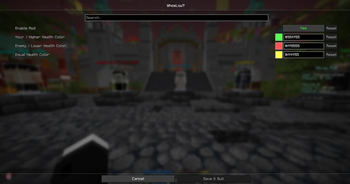
Out of the box, the mod uses a simple and intuitive color system: an opponent will glow red if they have less health than you, yellow if your health pools are exactly tied, and green if they currently possess more health than you do. This allows you to quickly gauge the state of the battle without taking your eyes off the action to read numbers or chat messages.
Every aspect of the mod is built to be unobtrusive and straightforward. If you want a different visual style, all three health-state colors can be fully customized at any time through the Mod Menu configuration screen. It is a simple, highly responsive visual upgrade for multiplayer combat.
Made by Mathew
Available Versions
How to Install WhosLow on Your Server
Order Server
Order a Minecraft Java server with at least 3 GB RAM (4 GB recommended).
Set fabric Loader
In the panel under "Egg", select the fabric loader and matching Minecraft version (1.21.11).
Install Mod
Open the mod browser in the dashboard and search for "WhosLow". Click "Install" – done! Alternatively, upload the .jar via SFTP to the /mods folder.
Compatibility
Mod Loaders
Minecraft Versions
1.21.11, 1.21.10, 1.21.9 (+9 more)
Server-side
✗ UnsupportedRecommended RAM
4 GB(min. 3 GB)Frequently Asked Questions
WhosLow server crashes on startup – what to do?
Most common cause: wrong fabric version or insufficient RAM. Check the server log (latest.log) for "OutOfMemoryError" or "Mixin" errors. With Mado Hosting: ensure at least 3 GB RAM is allocated and the loader matches the mod version (1.21.11). You can switch loaders with one click in the panel.
Is WhosLow compatible with fabric?
WhosLow officially supports fabric for Minecraft 1.21.11, 1.21.10, 1.21.9. The Mado dashboard automatically detects incompatible loader combinations.
Server lagging with WhosLow – how to optimize performance?
Recommended RAM: 4 GB (per 8 players). Use /spark profiler to check if WhosLow consumes the most tick time. Common fixes: reduce server view-distance to 8-10, install "performant" or "starlight" as supplementary mods on Forge. With Mado Hosting, your server runs on NVMe SSDs with dedicated CPU cores for minimal latency.
Similar Mods





Rent Modded Server
Install WhosLow with just one click on your server.