Widgets
A customizable HUD mod that displays FPS, ping, coordinates, time, date, memory, CPU, and GPU info. Move widgets anywhere on the screen, adjust their appearance, and toggle them on/off via an in-game config menu.
About this Mod
[EN]
Enhance your Minecraft experience with customizable on-screen widgets!Widgets Mod adds a set of useful, fully customizable widgets to your Minecraft HUD, providing real-time information at a glance. Whether you're monitoring your FPS, ping, coordinates, or system performance, this mod has you covered. With an intuitive configuration screen, you can easily tweak the appearance and position of your widgets to suit your needs.
✨ Key Features:
- Multiple Widgets: Display FPS, ping, coordinates, time, date, memory usage, CPU, and GPU info.
- Predefined Positions: Choose from four corners (top-left, top-right, bottom-left, bottom-right) to place your widgets.
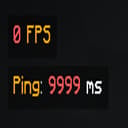
- Color Coding: FPS and ping widgets change color based on their values (e.g., green for high FPS, red for low).
- Configurable Text: Customize the text format for each widget using placeholders (e.g., $fps$, $ping$) and Minecraft color codes.
- Background Toggle: Enable or disable a semi-transparent background for better readability.
- Performance Optimized: Lightweight and efficient, with minimal impact on your game's performance.
- Cloth Config Integration: Easily tweak settings via an in-game configuration screen (requires Cloth Config API).
📋 Supported Widgets:
- FPS: Shows your current frames per second with color-coded indicators.
- Ping: Displays your server ping (multiplayer only) with color-coded values.
- Server Address: Shows the address of the server you are currently playing on.
- Coordinates: Shows your X, Y, Z coordinates in various formats.
- Memory Usage: Monitors your game's memory usage (used/total MB).
- CPU & GPU Info: Shows your CPU and GPU details for system monitoring.
Available Versions
How to Install Widgets on Your Server
Order Server
Order a Minecraft Java server with at least 3 GB RAM (4 GB recommended).
Set fabric Loader
In the panel under "Egg", select the fabric loader and matching Minecraft version (1.21.5).
Install Mod
Open the mod browser in the dashboard and search for "Widgets". Click "Install" – done! Alternatively, upload the .jar via SFTP to the /mods folder.
Compatibility
Mod Loaders
Minecraft Versions
1.21.5, 1.21.4, 1.21.3 (+10 more)
Server-side
✗ UnsupportedRecommended RAM
4 GB(min. 3 GB)Frequently Asked Questions
Widgets server crashes on startup – what to do?
Most common cause: wrong fabric version or insufficient RAM. Check the server log (latest.log) for "OutOfMemoryError" or "Mixin" errors. With Mado Hosting: ensure at least 3 GB RAM is allocated and the loader matches the mod version (1.21.5). You can switch loaders with one click in the panel.
Is Widgets compatible with fabric?
Widgets officially supports fabric for Minecraft 1.21.5, 1.21.4, 1.21.3. The Mado dashboard automatically detects incompatible loader combinations.
Server lagging with Widgets – how to optimize performance?
Recommended RAM: 4 GB (per 8 players). Use /spark profiler to check if Widgets consumes the most tick time. Common fixes: reduce server view-distance to 8-10, install "performant" or "starlight" as supplementary mods on Forge. With Mado Hosting, your server runs on NVMe SSDs with dedicated CPU cores for minimal latency.
Similar Mods






Rent Modded Server
Install Widgets with just one click on your server.