
Wither's Wrath
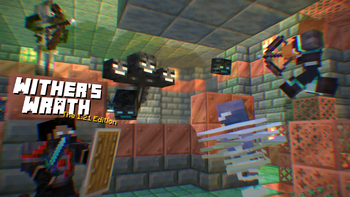
A revamped fight for the Wither! with parity features from bedrock to original ideas to make the wither fight more challenging.
Screenshots





About this Mod

Optional Resource pack for Music and Models: withers-wrath-rp
There are 2 versions available for the pack:
- Wither's Wrath being the default hard boss fight
- Bedrock, which only has the bedrock features (click the picture)

This is my take on the Wither, designed to make it more of a challenge by introducing brand-new attack patterns and increasing its health to 600 HP, matching the Bedrock Edition Wither. Since not everyone enjoys all the changes, I've included toggles to reduce chaos for more flexibility. However, there will be no "easy" version of this Wither.
This Wither was created as a personal project to present a tougher fight and primarily to showcase it to friends. It was never meant to be perfect, but I hope it brings a fun challenge.
This pack was designed for Minecraft version 1.21 and up.
What does this wither include?
The Wither has 600HP with slightly higher armour. It occasionally spawns Wither Skeletons and has stronger Wither skull projectiles.
Start "Animation"
Wither Homing Skull
Weaker but never misses. Blocking with a shield is advised.
Wither Half HP
Wither Charge Attack
This attack only occurs when the Wither has 250 HP left.
Wither Dash Attack
This happens when the Wither has 100 HP left.
Wither Death
and More!
How to enable Bedrock Animations + Showcase
Showcase of the Normal Fight
if you have any video showcase of the datapack please let me know to add it here.
Toggle Options
To configure settings, use the following command:/function wither:config
⚠️ Warning:
This Wither is highly destructive. Fight it far from your base, or toggle the option to disable destructive features.
Links
Click below to view or download the data pack in other platforms:




Issues
If you run into some issues please take a look here
Server Usage
If you're using this on a server, I’d appreciate feedback on any potential performance impacts. Due to limited testing with larger player groups, there might be areas needing optimisation.
Permissions
Feel free to use this in any packs, modify it, and make it look more polished or fancy!
Available Versions
How to Install Wither's Wrath on Your Server
Order Server
Order a Minecraft Java server with at least 3 GB RAM (4 GB recommended).
Set datapack Loader
In the panel under "Egg", select the datapack loader and matching Minecraft version (26.1.2).
Install Mod
Open the mod browser in the dashboard and search for "Wither's Wrath". Click "Install" – done! Alternatively, upload the .jar via SFTP to the /mods folder.
Compatibility
Mod Loaders
Minecraft Versions
26.1.2, 26.1.1, 26.1 (+65 more)
Server-side
✓ RequiredRecommended RAM
4 GB(min. 3 GB)Frequently Asked Questions
Wither's Wrath server crashes on startup – what to do?
Most common cause: wrong datapack version or insufficient RAM. Check the server log (latest.log) for "OutOfMemoryError" or "Mixin" errors. With Mado Hosting: ensure at least 3 GB RAM is allocated and the loader matches the mod version (26.1.2). You can switch loaders with one click in the panel.
Is Wither's Wrath compatible with datapack and fabric and forge and neoforge and quilt?
Wither's Wrath officially supports datapack, fabric, forge, neoforge, quilt for Minecraft 26.1.2, 26.1.1, 26.1. Note: Forge and Fabric mods are NOT cross-compatible – pick one loader and stick with it. The Mado dashboard automatically detects incompatible loader combinations.
Server lagging with Wither's Wrath – how to optimize performance?
Recommended RAM: 4 GB (per 8 players). Use /spark profiler to check if Wither's Wrath consumes the most tick time. Common fixes: reduce server view-distance to 8-10, install "performant" or "starlight" as supplementary mods on Forge. With Mado Hosting, your server runs on NVMe SSDs with dedicated CPU cores for minimal latency.
Similar Mods





Rent Modded Server
Install Wither's Wrath with just one click on your server.
Details
- License
- Creative Commons Attribution Non Commercial 4.0 International
- Server-side
- Required