
WobbleFX
A Fabric mod that introduces a configurable wobble/oscillation animation system for Minecraft, including GUI, HUD, camera motion, and spring-like interactions for doors and trapdoors.
Screenshots
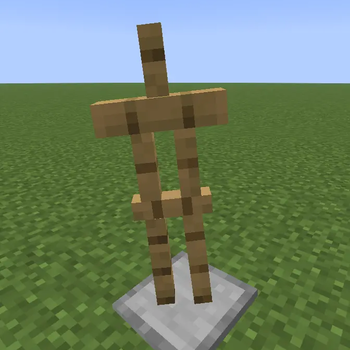
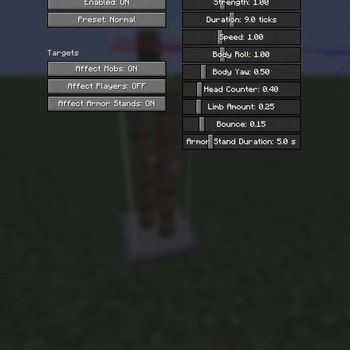
About this Mod


WobbleFX
WobbleFX is a client-side Fabric mod that adds a springy, exaggerated hit wobble effect to entities in Minecraft.
When a mob gets hit, its model briefly bends, overshoots, and settles back instead of just snapping through vanilla hurt animation. The effect is inspired by cartoony “meme wobble” motion, but implemented as a clean render-only animation layer so it does not affect gameplay.
What it does
- Adds a visible wobble effect when entities take damage
- Uses damped oscillation / spring motion instead of static or linear movement
- Makes hits feel more animated, elastic, and expressive
- Applies the effect visually only on the client
The wobble is designed to feel like:
- a strong initial bend on impact
- a quick overshoot past neutral
- a short settling motion back to normal
Features
- Hit wobble for living entities
- Spring-like motion with overshoot and decay
- Configurable strength, speed, and duration
- Client-side only
- No changes to combat, knockback, AI, or hitboxes
How it works
WobbleFX does not move the real entity or change its physics.
Instead, it modifies the entity’s rendered model pose for a brief moment after a hit. This gives the effect a rubbery, animated look without changing actual gameplay behavior.
The animation system is based on:
- damped oscillation
- short-lived impulse reactions
- overshoot and settle behavior
This makes the wobble feel dynamic instead of looking like random shaking.
Configuration
WobbleFX is configurable, including options such as:
- effect enable/disable
- wobble intensity
- wobble speed
- wobble duration
- style tuning from subtle to exaggerated
Performance
- Lightweight
- Client-side only
- No server dependency
- Designed to keep the effect visual and simple
Compatibility
- Requires Fabric Loader
- Visual-only mod
- Does not modify gameplay mechanics
- Safe to use in normal client-side modpacks
Notes
WobbleFX is meant to improve visual feedback and add a more stylized reaction when entities are hit.
It does not:
- increase knockback
- change damage
- move hitboxes
- affect servers
Inspiration
Inspired by exaggerated springy motion and stylized wobble effects seen in animated edits and meme-style character motion.
Available Versions
How to Install WobbleFX on Your Server
Order Server
Order a Minecraft Java server with at least 3 GB RAM (4 GB recommended).
Set fabric Loader
In the panel under "Egg", select the fabric loader and matching Minecraft version (1.21.11).
Install Mod
Open the mod browser in the dashboard and search for "WobbleFX". Click "Install" – done! Alternatively, upload the .jar via SFTP to the /mods folder.
Compatibility
Mod Loaders
Minecraft Versions
1.21.11
Server-side
✗ UnsupportedRecommended RAM
4 GB(min. 3 GB)Frequently Asked Questions
WobbleFX server crashes on startup – what to do?
Most common cause: wrong fabric version or insufficient RAM. Check the server log (latest.log) for "OutOfMemoryError" or "Mixin" errors. With Mado Hosting: ensure at least 3 GB RAM is allocated and the loader matches the mod version (1.21.11). You can switch loaders with one click in the panel.
Is WobbleFX compatible with fabric?
WobbleFX officially supports fabric for Minecraft 1.21.11. The Mado dashboard automatically detects incompatible loader combinations.
Server lagging with WobbleFX – how to optimize performance?
Recommended RAM: 4 GB (per 8 players). Use /spark profiler to check if WobbleFX consumes the most tick time. Common fixes: reduce server view-distance to 8-10, install "performant" or "starlight" as supplementary mods on Forge. With Mado Hosting, your server runs on NVMe SSDs with dedicated CPU cores for minimal latency.
Similar Mods





Rent Modded Server
Install WobbleFX with just one click on your server.