
WorldGen
WorldGen is a mod for pre-generating Minecraft worlds, with a main focus on SPEED.
Screenshots
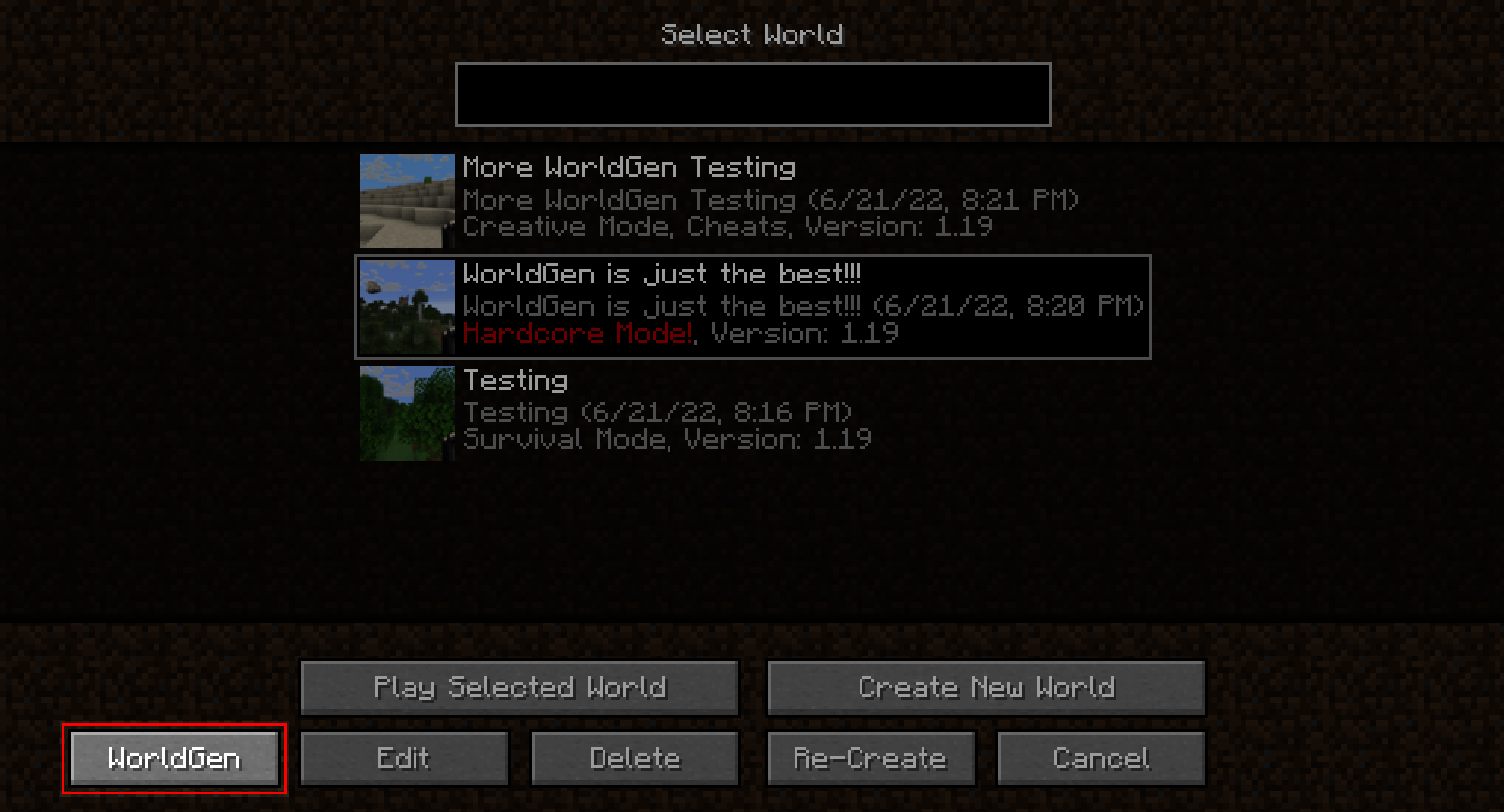
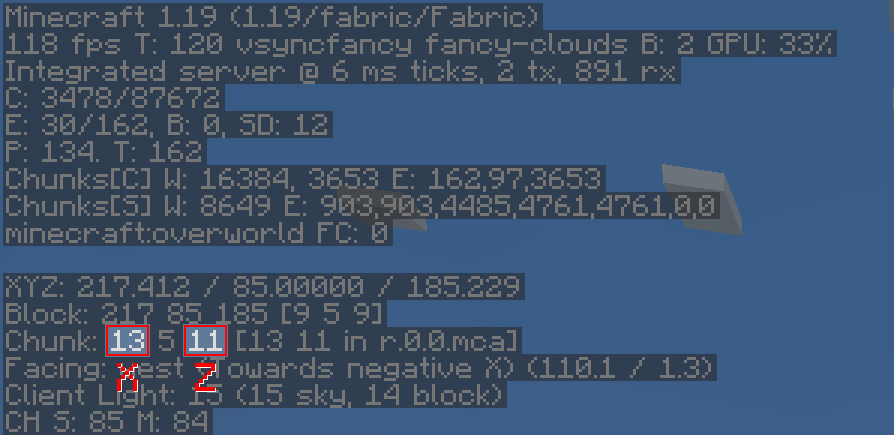
About this Mod
WorldGen
WorldGen is a mod for pre-generating Minecraft worlds, with a main focus on speed.
Installation
Just download the latest WorldGen JAR file for your exact Minecraft version.
Additionally, always ensure that you are using the correct version for your modloader (Fabric/Forge).
Then save the downloaded jar to the mods folder of your Minecraft instance.
Finally, if you are on Fabric you also need to download the
Fabric API.
Usage
WorldGen can be used to generate more chunks for an existing World.
Simply select the world you want to expand from the World Selection screen and press the "WorldGen" button as seen below:
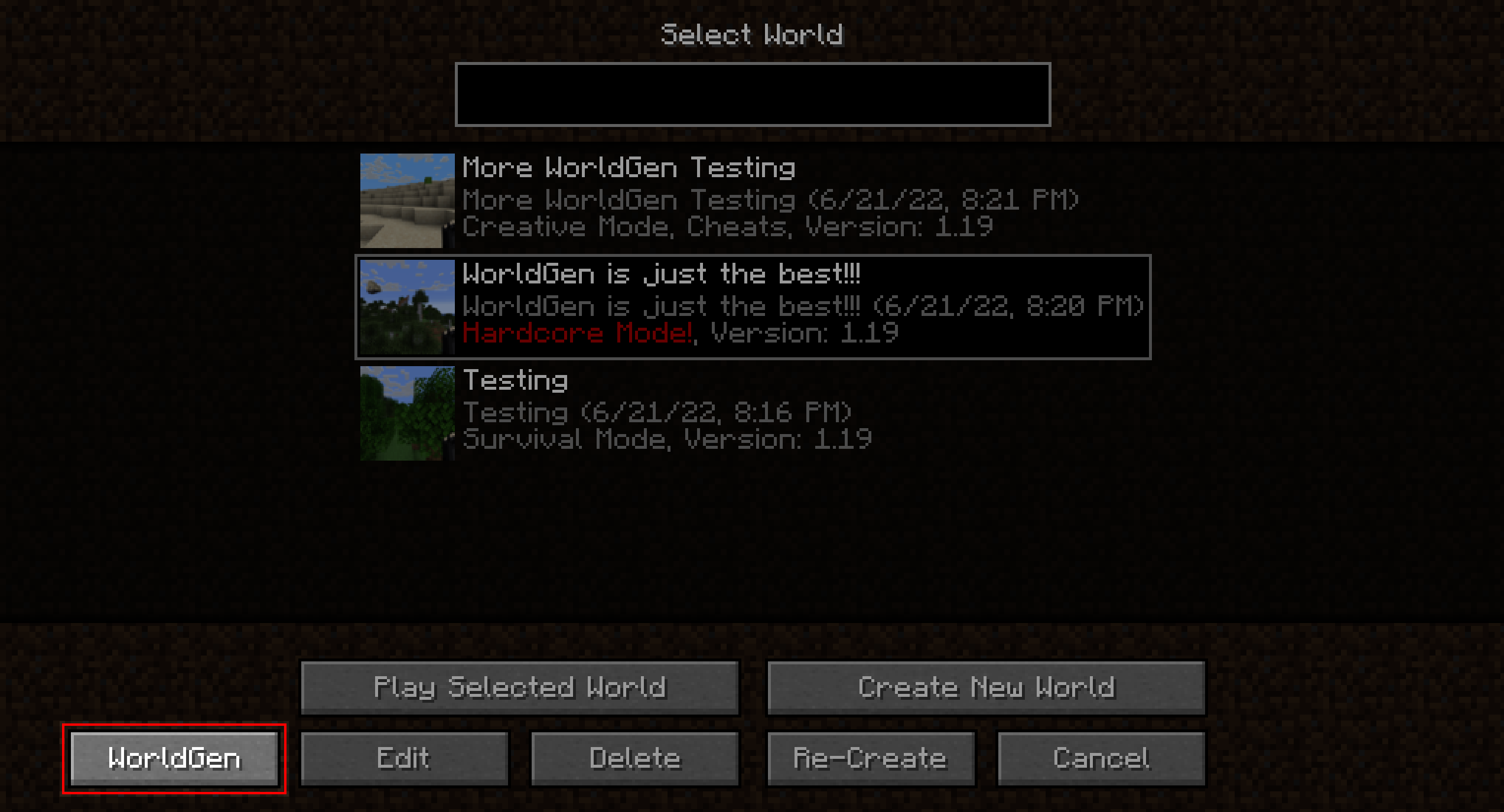
By default, existing chunks will not be overwritten and only new ones will be generated.
Also, please note that WorldGen uses chunk coordinates and not block coordinates! Since each Chunk
measures 16x16 blocks from a top-down view, you can easily convert between block and chunk coordinates by multiplying / dividing
by 16. You can also find the current chunk position with the F3 debug menu:
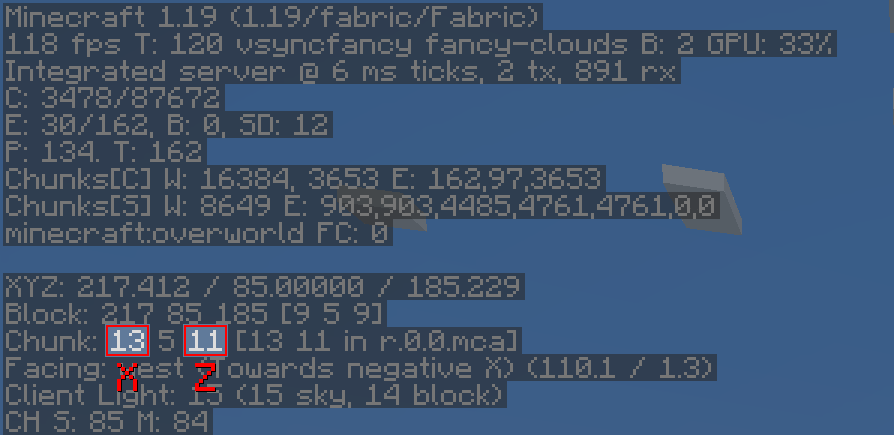
It is currently not possible to use WorldGen directly from the "Create New World" screen. Instead, you have
to first create the world normally, save and quit, and then open the world with WorldGen.
Furthermore, we recommend storing your world on an SSD (at least for running WorldGen). Using a hard drive can lead
to scenarios where new chunks are generated faster than previously generated chunks can be saved. This can cause out-of-memory
errors, since more and more chunks will accumulate in RAM as time goes on. Additionally, the performance
of the generator itself may be negatively affected.
Although we consider WorldGen to be stable, it is recommended to back up your world before using this mod.
We are not responsible if you lose your world because you ran into a bug!
Recommended settings
When using WorldGen, there is no real upper limit on how many chunks can be generated.
However, we do not recommend using a radius of more than 512 chunks (which would be 8192 blocks in each direction).
How it works
In contrast to other existing chunk pre-generation methods our mod does not require a full Minecraft server to be running.
Instead, a lightweight internal server is used to generate the chunks efficiently.
This has the advantage of having a dedicated GUI and allows multithreading. On the downside,
the world must be opened in a Minecraft client and cannot be loaded elsewhere while the chunks are being generated with WorldGen.
Supported version
This table shows the current support status for the Minecraft version.
| Minecraft Version | Status |
|---|---|
1.20.x |
Supported |
1.19.x |
No future updates |
1.18.2 |
No future updates |
Note: For both 1.19.1 and 1.19.2 Use the WorldGen 1.19.x version. However, for Minecraft 1.19.3 and above, the specific WorldGen version for the Minecraft release is required!
FAQ
Q: The progress screen does not fit and is cut off!
A: Try reducing the GUI scale in the Minecraft video options until it fits
Q: How do I center the square / rectangle / circle around my current position?
A: Click on the square button on the right of the Center chunk selection row. This will automatically load
the last position of the player.
Q: Will Minecraft versions before 1.18.2 be supported?
A: No.
Q: How do I reset chunks to their original state?
A: First of all: BACK UP YOUR WORLD! Afterwards: In the advanced WorldGen settings enable the "Please allow me to
break my world!" checkbox, then enable "Override existing chunks". Also, we recommend using the "Mode: Coordinates"
in the main menu to reduce the chance of resetting chunks you don't want to!
Q: How do I make a perimeter / replace all blocks in chunks with air?
A: First of all again: BACK UP YOUR WORLD! Afterwards: In the advanced WorldGen settings enable the "Please allow me to
break my world!" checkbox. Then, set "Max. chunk status" to structure_starts. Next, enable "Override
existing chunks". Finally, set "Fake chunk status" to full.
The generation will stop early and save the chunk as a fully generated one.
The "Max. chunk status" option allows stopping at different stages of generation, allowing for experimentation.
Mod incompatibilities
This mod should be compatible with most mods (including those adding new biomes and dimensions).
However, mods that interfere with the Minecraft world generation process might pose a problem.
Currently known incompatible mods
| Mod | Failure |
|---|---|
| Starlight | Chunks generated with WorldGen will have no lighting |
Acknowledgments
Many thanks to the following projects for supporting open source development:
- GitHub for free code hosting
- The Java profiler - JProfiler for providing a profiling tool

Available Versions
How to Install WorldGen on Your Server
Order Server
Order a Minecraft Java server with at least 4 GB RAM (6 GB recommended).
Set fabric Loader
In the panel under "Egg", select the fabric loader and matching Minecraft version (1.20.1).
Install Mod
Open the mod browser in the dashboard and search for "WorldGen". Click "Install" – done! Alternatively, upload the .jar via SFTP to the /mods folder.
Compatibility
Mod Loaders
Minecraft Versions
1.20.1, 1.20, 1.19.4 (+5 more)
Server-side
✗ UnsupportedRecommended RAM
6 GB(min. 4 GB)Frequently Asked Questions
WorldGen server crashes on startup – what to do?
Most common cause: wrong fabric version or insufficient RAM. Check the server log (latest.log) for "OutOfMemoryError" or "Mixin" errors. With Mado Hosting: ensure at least 4 GB RAM is allocated and the loader matches the mod version (1.20.1). You can switch loaders with one click in the panel.
Is WorldGen compatible with fabric and forge?
WorldGen officially supports fabric, forge for Minecraft 1.20.1, 1.20, 1.19.4. Note: Forge and Fabric mods are NOT cross-compatible – pick one loader and stick with it. The Mado dashboard automatically detects incompatible loader combinations.
Server lagging with WorldGen – how to optimize performance?
Recommended RAM: 6 GB (per 5 players). Use /spark profiler to check if WorldGen consumes the most tick time. Common fixes: reduce server view-distance to 8-10, install "performant" or "starlight" as supplementary mods on Forge. With Mado Hosting, your server runs on NVMe SSDs with dedicated CPU cores for minimal latency.
Rent Modded Server
Install WorldGen with just one click on your server.