
WorldGen Editor
A Minecraft mod that allows you to control world generation directly in the game via a JSON file!
Screenshots
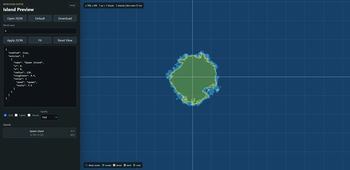
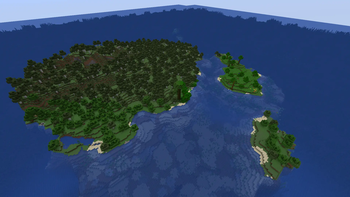
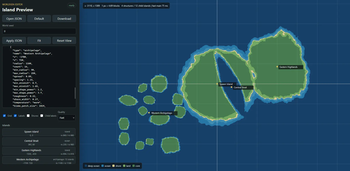
About this Mod
WorldGen Editor


WorldGen Editor is a Minecraft world generation mod for creating island worlds from a simple JSON config.
It is made for players and modpack developers who want configurable archipelago-style worlds without rebuilding a full custom datapack by hand.
What It Does
- Adds a datapack-style island world preset.
- Different forms of generation: island, archipelago, ocean.
- Supports normal islands, ocean-carved straits/bays, and generated archipelagos.
- Supports custom position, radius, stretch, rotation, base shape, coastline roughness, temperature and noise settings.
- Supports per-entry biome exclusions and climate-aware ocean variants.
- Keeps terrain generation soft, so islands still use vanilla-style terrain instead of flat forced shapes.
- Includes a separate developer previewer for checking island layouts before generating a Minecraft world.
Main Config
The main file is:
config/worldgen_editor/continents.json
Basic example:
{
  "enabled": true,
  "outer_ocean": "minecraft:deep_ocean",
  "entries": [
    {
      "type": "island",
      "name": "Spawn Island",
      "x": 0,
      "z": 0,
      "radius": 120,
      "roughness": 0.4,
      "noise": {
        "seed": "spawn",
        "scale": 3.5
      }
    }
  ]
}
in previewer: 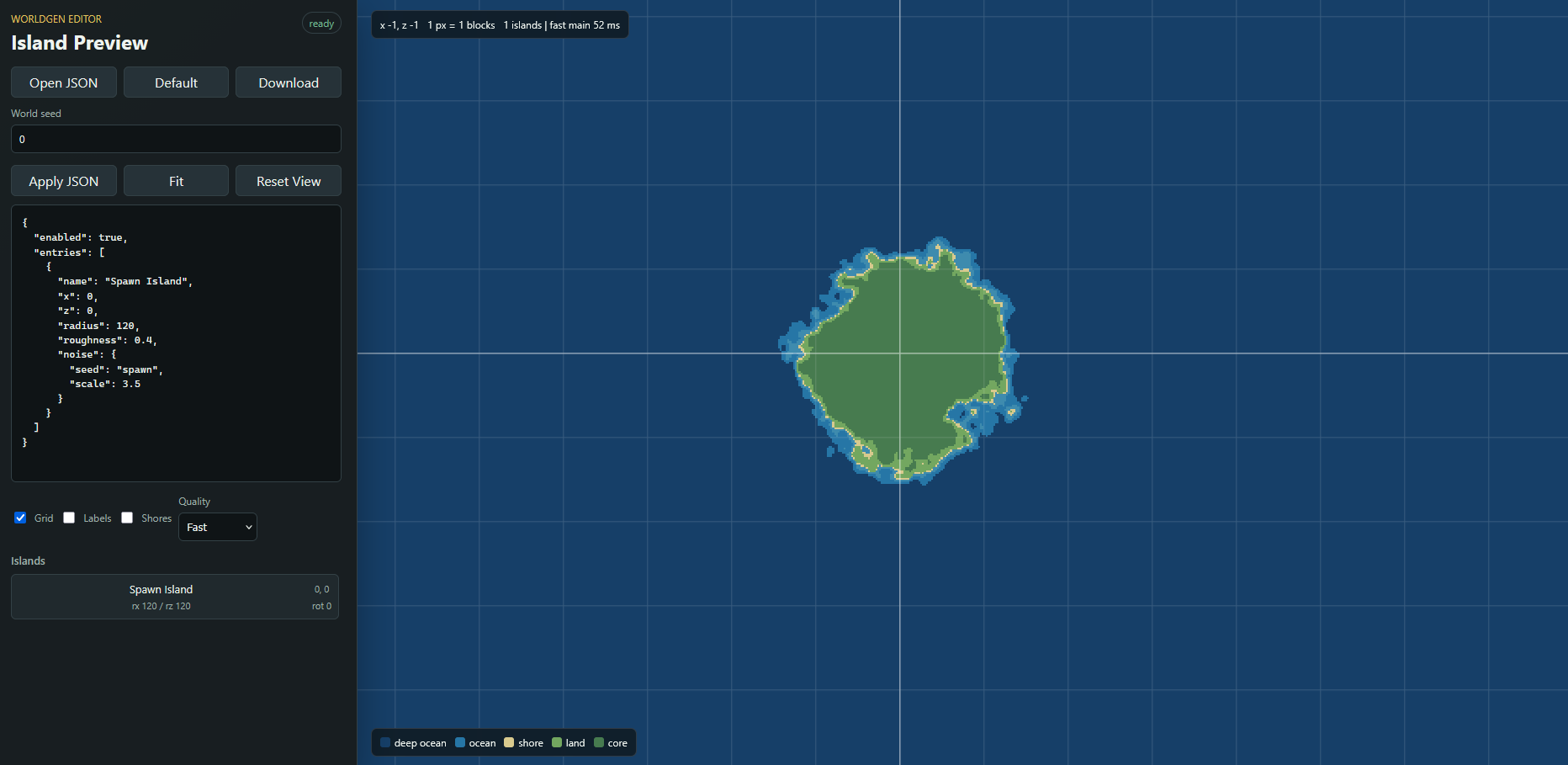
in game: 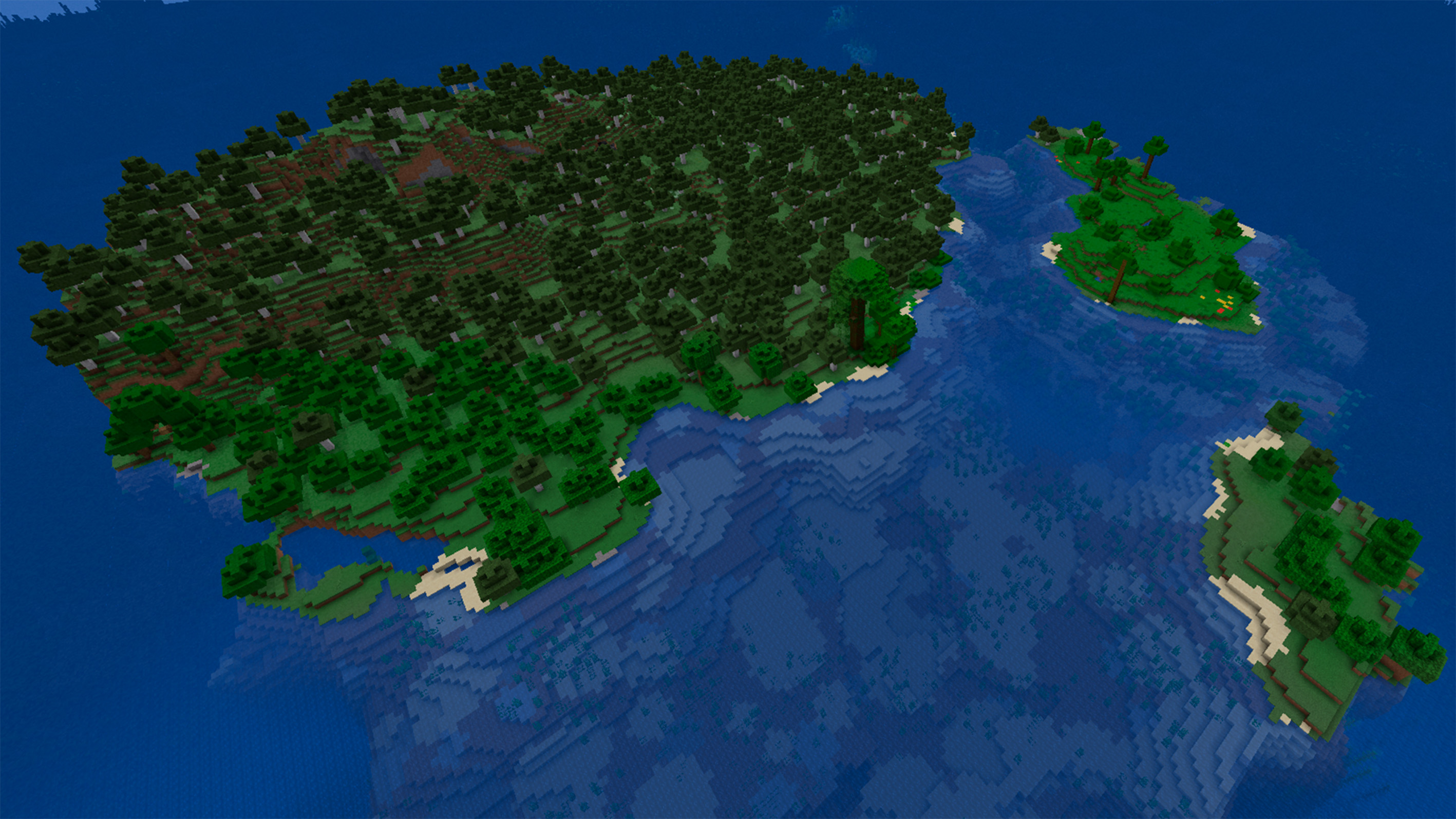
For a full explanation of all fields, see JSON_GUIDE.md in the GitHub repository.
How To Use
- Install the correct mod jar for your loader.
- Start Minecraft once so the config can be created.
- Edit
config/worldgen_editor/continents.json. - Create a new world and select in world type:
WorldGen Editor: Islands
If you edit the config while a world is already open, run:
/worldgen_editor reload
Reload affects only newly generated chunks. Existing chunks are not rebuilt.
Previewer
WorldGen Editor also has a separate previewer tool for development. It helps tune island positions, sizes, coastlines, and roughness before opening Minecraft and generating a new test world.
WorldGen Editor preview github
Commands
/worldgen_editor enable
/worldgen_editor disable
/worldgen_editor status
/worldgen_editor reload
Notes
- The mod is intended for new worlds.
- Existing chunks are not automatically regenerated.
- For clean results after major config changes, create a new world or delete the affected region files carefully.
- The previewer is a helper tool for developers and modpack makers. It is not required to play with the mod and do not visualize all picture of world gen.
Links
- Mod github: waterflane/WorldGen-Editor
- Previewer github: waterflane/WorldGen-Editor-Preview
- License: Creative Commons BY-NC-SA 4.0
Available Versions
How to Install WorldGen Editor on Your Server
Order Server
Order a Minecraft Java server with at least 4 GB RAM (6 GB recommended).
Set fabric Loader
In the panel under "Egg", select the fabric loader and matching Minecraft version (1.21.1).
Install Mod
Open the mod browser in the dashboard and search for "WorldGen Editor". Click "Install" – done! Alternatively, upload the .jar via SFTP to the /mods folder.
Compatibility
Mod Loaders
Minecraft Versions
1.21.1
Server-side
✓ RequiredRecommended RAM
6 GB(min. 4 GB)Frequently Asked Questions
WorldGen Editor server crashes on startup – what to do?
Most common cause: wrong fabric version or insufficient RAM. Check the server log (latest.log) for "OutOfMemoryError" or "Mixin" errors. With Mado Hosting: ensure at least 4 GB RAM is allocated and the loader matches the mod version (1.21.1). You can switch loaders with one click in the panel.
Is WorldGen Editor compatible with fabric and forge and neoforge?
WorldGen Editor officially supports fabric, forge, neoforge for Minecraft 1.21.1. Note: Forge and Fabric mods are NOT cross-compatible – pick one loader and stick with it. The Mado dashboard automatically detects incompatible loader combinations.
Server lagging with WorldGen Editor – how to optimize performance?
Recommended RAM: 6 GB (per 5 players). Use /spark profiler to check if WorldGen Editor consumes the most tick time. Common fixes: reduce server view-distance to 8-10, install "performant" or "starlight" as supplementary mods on Forge. With Mado Hosting, your server runs on NVMe SSDs with dedicated CPU cores for minimal latency.
Similar Mods






Rent Modded Server
Install WorldGen Editor with just one click on your server.
Details
- License
- Creative Commons Attribution Non Commercial Share Alike 4.0 International
- Server-side
- Required