
Worldgen Helpers
This mod adds a few low-level helper classes for Minecraft's world generation, as well as examples of their use in the form of world presets.
Screenshots
About this Mod
This mod adds a few low-level helper classes for Minecraft's world generation, as well as examples of their use in the form of world presets.
Helpers
DensityFunctions
Note: The functions are currently expanded and revised. Expect parameter names and values to occasionally change.
distance
This function returns 1.0 at the origin of the world (X=0, Z=0) and 0.0 at the (Euclidean) distance specified in the "max" and beyond.
If the optional "min" parameter is present, the blocks within that distance to the origin return the 1.0 value, instead of just the origin.
Note: The old "argument" parameter name is deprecated, but should continue working until at least a future version 2.0.
lerp
This function implements a linear interpolation between the values returned from the DensityFunctions specified in "value1" and "value2", with the interpolation weight specified in a third DensityFunction in the "alpha" argument. At "alpha" <= 0.0, "value1" is chosen, and at "alpha" >= 1.0, "value2".
World generation presets
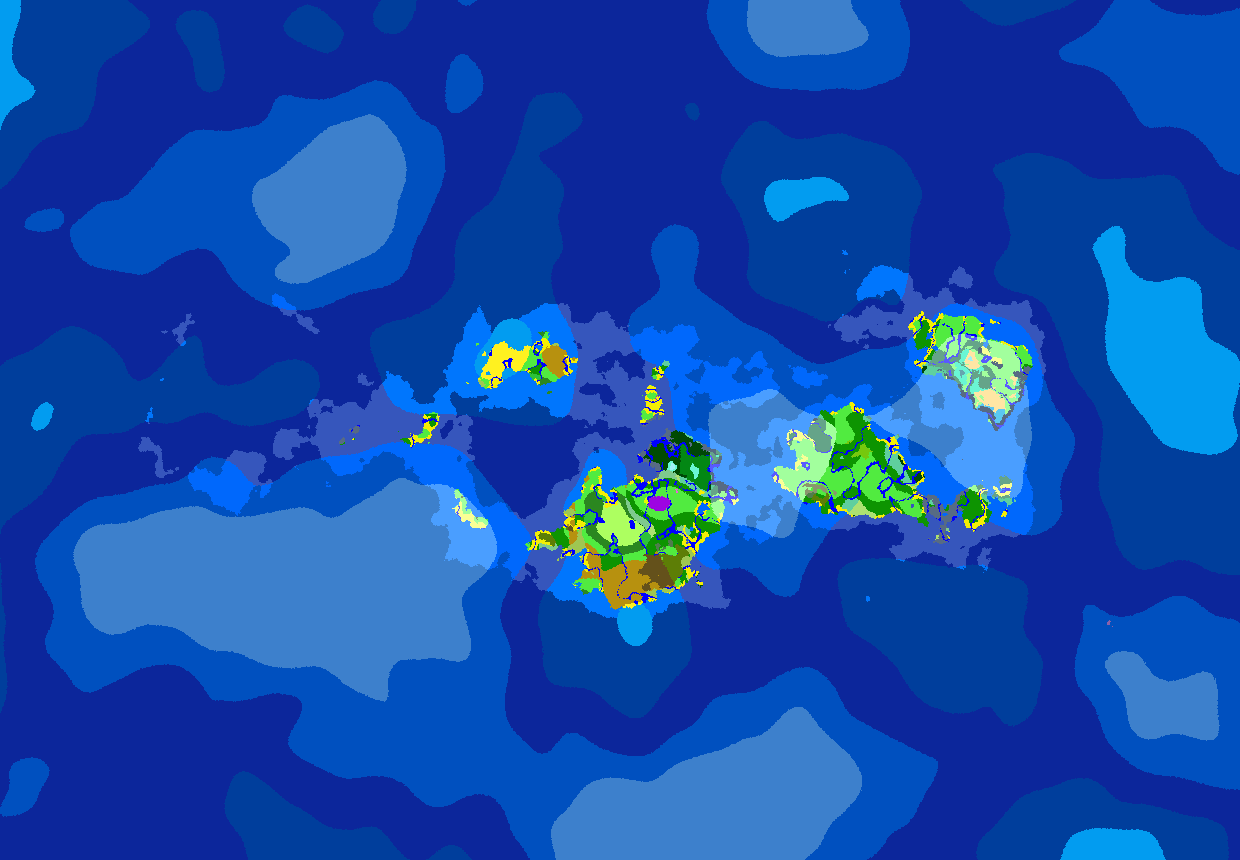
Single Continent
The world consists of a single continent or a gathering of larger islands up to about 8000 blocks from the origin. From there, only occasional islands and mushroom islands spawn, and from some 15000 blocks on, only deep ocean stretches into infinity.
The Cauldron
The centre of the world is an inhospitable desert area, with high temperature and no vegetation. If paired with survival-type mods requiring to drink water and stay in the shade, it can be downright brutal. From about 12000 blocks from the origin on, normal terrain generation commences.
This is a work in progress. The idea is to add a ring of very high mountains as a barrier around the central area.
Archipelago
The world is divided in comfortably large islands separated by thousands of blocks of open ocean. Using a seed preview mod to pick a suitable seed is recommended, else the spawn is almost guaranteed to be in the middle of an ocean, with no land in sight.
Available Versions
How to Install Worldgen Helpers on Your Server
Order Server
Order a Minecraft Java server with at least 4 GB RAM (6 GB recommended).
Set fabric Loader
In the panel under "Egg", select the fabric loader and matching Minecraft version (1.20.4).
Install Mod
Open the mod browser in the dashboard and search for "Worldgen Helpers". Click "Install" – done! Alternatively, upload the .jar via SFTP to the /mods folder.
Compatibility
Mod Loaders
Minecraft Versions
1.20.4, 1.20.1, 1.19.4
Server-side
✓ RequiredRecommended RAM
6 GB(min. 4 GB)Frequently Asked Questions
Worldgen Helpers server crashes on startup – what to do?
Most common cause: wrong fabric version or insufficient RAM. Check the server log (latest.log) for "OutOfMemoryError" or "Mixin" errors. With Mado Hosting: ensure at least 4 GB RAM is allocated and the loader matches the mod version (1.20.4). You can switch loaders with one click in the panel.
Is Worldgen Helpers compatible with fabric?
Worldgen Helpers officially supports fabric for Minecraft 1.20.4, 1.20.1, 1.19.4. The Mado dashboard automatically detects incompatible loader combinations.
Server lagging with Worldgen Helpers – how to optimize performance?
Recommended RAM: 6 GB (per 5 players). Use /spark profiler to check if Worldgen Helpers consumes the most tick time. Common fixes: reduce server view-distance to 8-10, install "performant" or "starlight" as supplementary mods on Forge. With Mado Hosting, your server runs on NVMe SSDs with dedicated CPU cores for minimal latency.
Similar Mods



Rent Modded Server
Install Worldgen Helpers with just one click on your server.