
WorldTweaker
A mod that exposes all world generation parameters on the Create World screen for full customization.
Screenshots
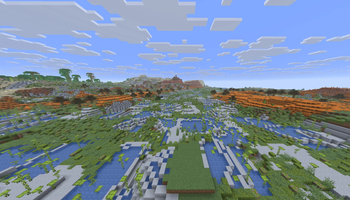
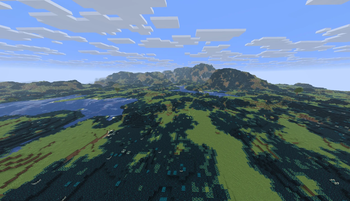
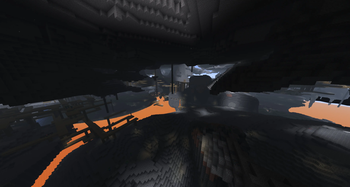
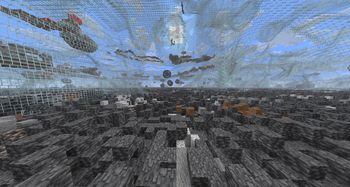
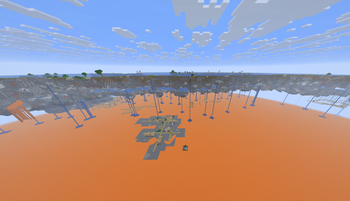
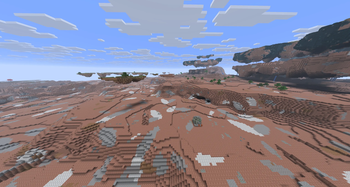
About this Mod
WorldTweaker rips out Minecraft's hardcoded world generation math and puts it directly on your Create World screen. No more writing and debugging massive JSON datapacks just to change continent sizes. You get a real-time dashboard to manipulate the game's underlying noise routers, density functions, and climate parameters.
Here is exactly what you can control:
- Terrain & Shape: Adjust sea level, world height, and noise resolution. Amplify mountain peaks, deepen ocean trenches, or completely flatten the dimension.
- Biome Climate: Compress or stretch the temperature, humidity, and weirdness bands to force impossible biome borders.
- Density & Transforms: Apply raw mathematical transforms (Absolute Value, Square, Cube, Invert) to the density functions. You can literally invert the world's heightmap or force the terrain into rigid grids.
- Block & Fluid Swapping: Replace the default underground stone with Glass, TNT, Diamond, or Sculk. Drain the oceans entirely, or replace all water with lava.
- Chaos & Skylands: Generate endless floating islands, hollow out the underground into spaghetti-noodle caves, or just hit the Randomize button to scramble every variable to its absolute limit for an instant challenge map.
Performance Warning
This mod gives you full permission to break the engine. If you set the sea level to the sky limit, swap water for lava, and invert the cave density, the game will attempt to process millions of cascading fluid updates the second you spawn. It will absolutely nuke your server thread. You have the power to turn the world generation inside out, but whatever happens to your CPU and frame rate is entirely on you.
Available Versions
How to Install WorldTweaker on Your Server
Order Server
Order a Minecraft Java server with at least 4 GB RAM (6 GB recommended).
Set fabric Loader
In the panel under "Egg", select the fabric loader and matching Minecraft version (26.1.2).
Install Mod
Open the mod browser in the dashboard and search for "WorldTweaker". Click "Install" – done! Alternatively, upload the .jar via SFTP to the /mods folder.
Compatibility
Mod Loaders
Minecraft Versions
26.1.2, 26.1.1, 26.1
Server-side
✓ RequiredRecommended RAM
6 GB(min. 4 GB)Frequently Asked Questions
WorldTweaker server crashes on startup – what to do?
Most common cause: wrong fabric version or insufficient RAM. Check the server log (latest.log) for "OutOfMemoryError" or "Mixin" errors. With Mado Hosting: ensure at least 4 GB RAM is allocated and the loader matches the mod version (26.1.2). You can switch loaders with one click in the panel.
Is WorldTweaker compatible with fabric?
WorldTweaker officially supports fabric for Minecraft 26.1.2, 26.1.1, 26.1. The Mado dashboard automatically detects incompatible loader combinations.
Server lagging with WorldTweaker – how to optimize performance?
Recommended RAM: 6 GB (per 5 players). Use /spark profiler to check if WorldTweaker consumes the most tick time. Common fixes: reduce server view-distance to 8-10, install "performant" or "starlight" as supplementary mods on Forge. With Mado Hosting, your server runs on NVMe SSDs with dedicated CPU cores for minimal latency.
Similar Mods





Rent Modded Server
Install WorldTweaker with just one click on your server.