
WynnExtras
Wynncraft QoL mod. Bank overlay, profile viewer, raid features, crafting features and much more!
Screenshots



About this Mod

Features:
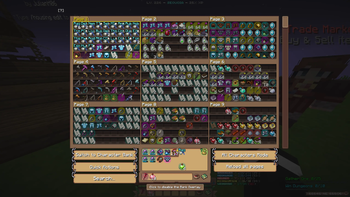
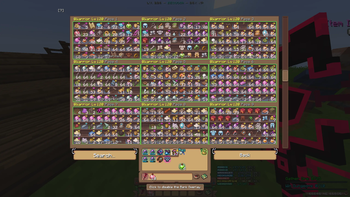
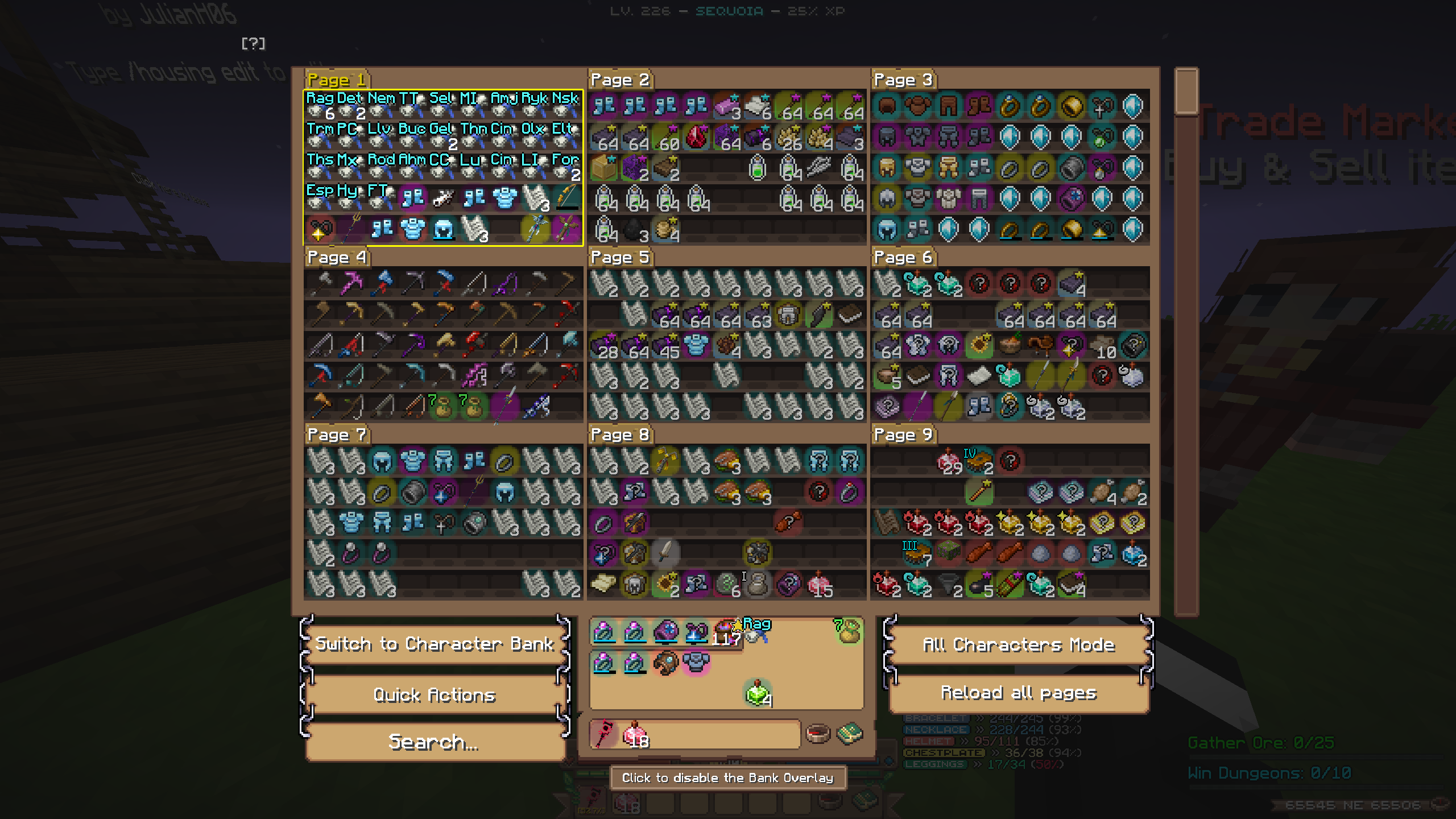
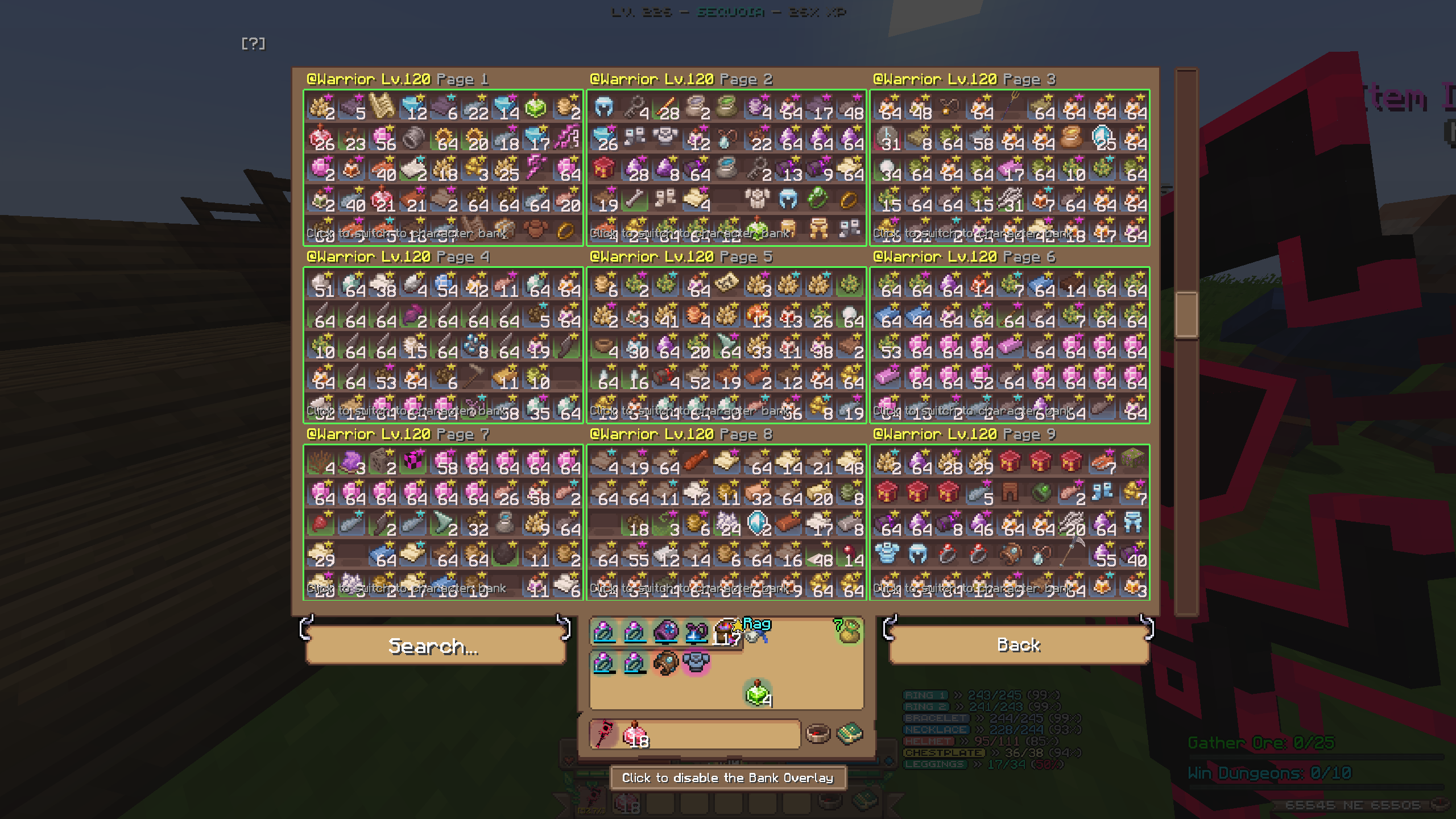
Bank Overlay
A custom Bank Overlay, inspired by NEU's Hypixel Skyblock Storage overlay! Includes search filters and an "All characters mode" which allows you to scroll and search through all bank pages on all of you characters!
In-game profile & Guild viewer
A custom gui that lets you easily check someones stats! Use /pv <username> to check them out! (or just /pv to check your own!)

Use /gv [prefix] to view the stats of a guild! You also see every member and clicking on them will show you their stats in the pv! You can also click on a players guild in the pv to view their guild!
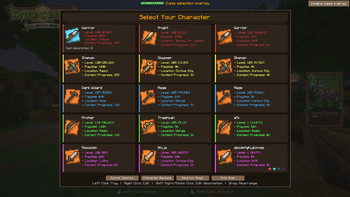
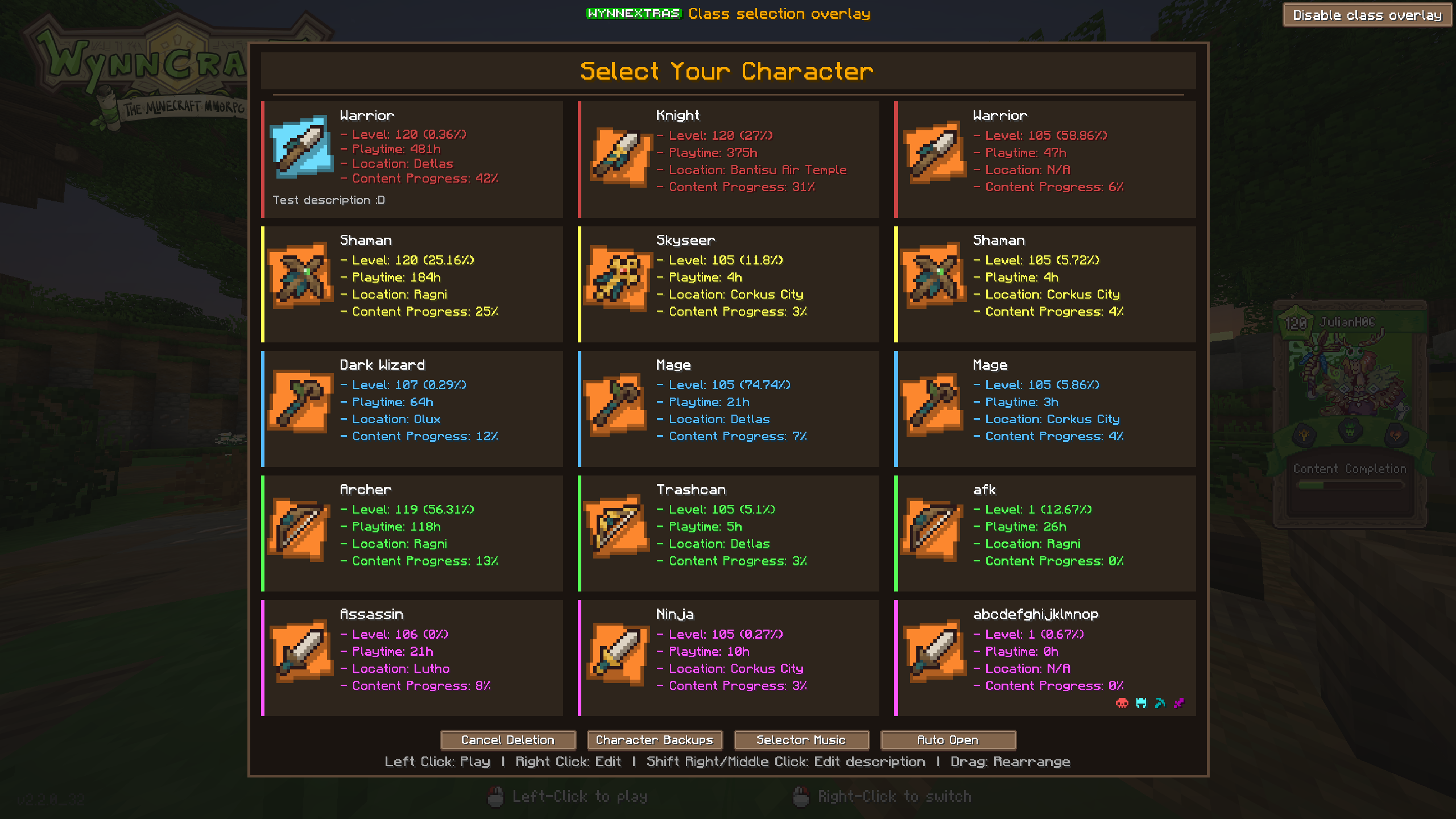
Custom class selection screen
Replaces the vanilla with a custom screen which offers rearrangeable classes, custom class descriptions, customizable colors and more!
Crafting Helper
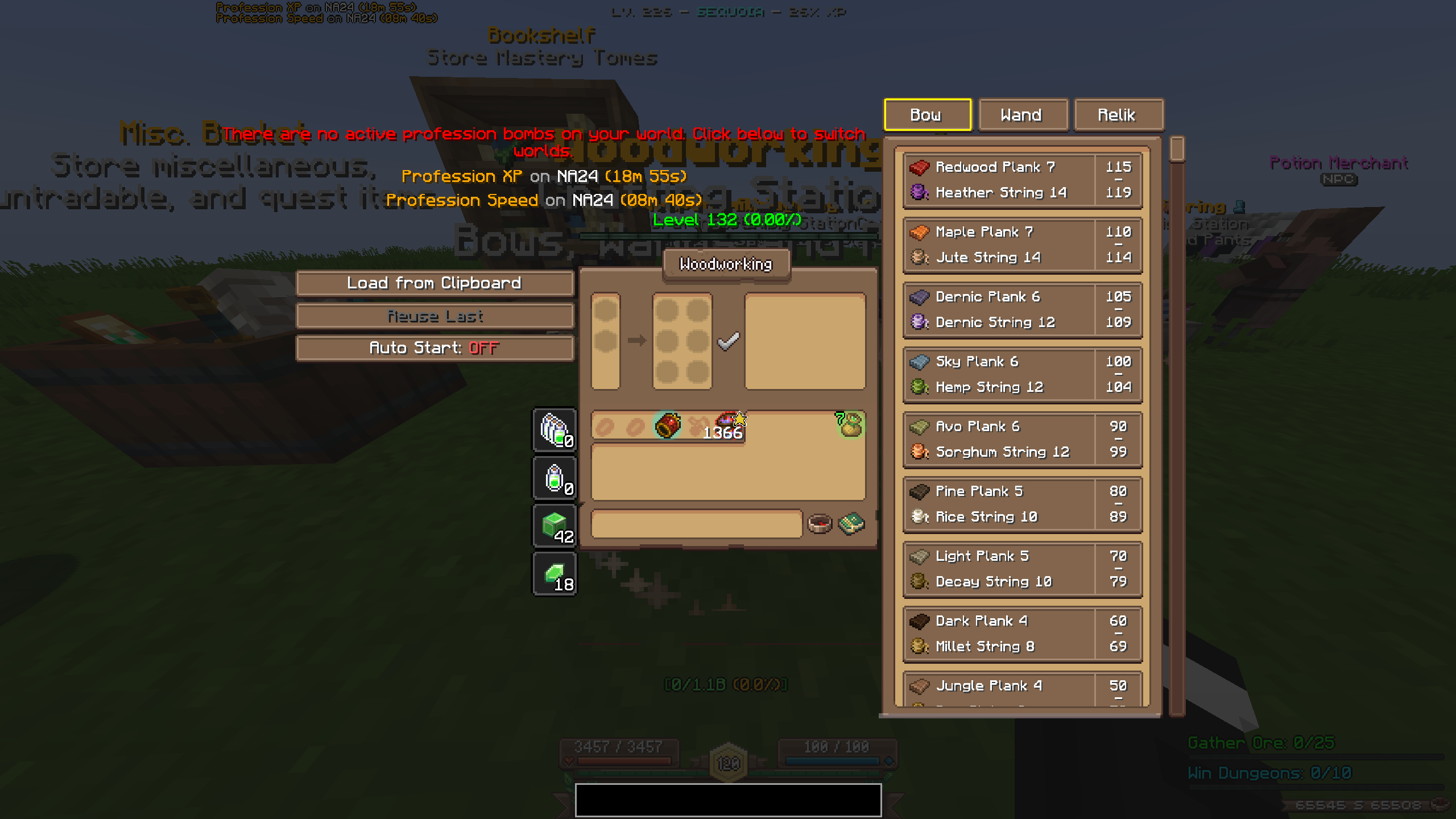
Click on the recipe you want to craft and it automatically loads in the materials! The helper is resizable by dragging at the bottom! You also have a profession bomb display at the top showing you where prof bombs are and how long they last! If the world you're currently on doesn't have any active prof bomb you can click on the world and it will switch there! You also have three different buttons:
- "Load from Clipboard": loads a recipe from a wynnbuilder link
- "Reuse Last": loads the last recipe you crafted
- "Auto start": if enabled, automatically starts crafting when clicking one of the two buttons above
Weekly Lootpools
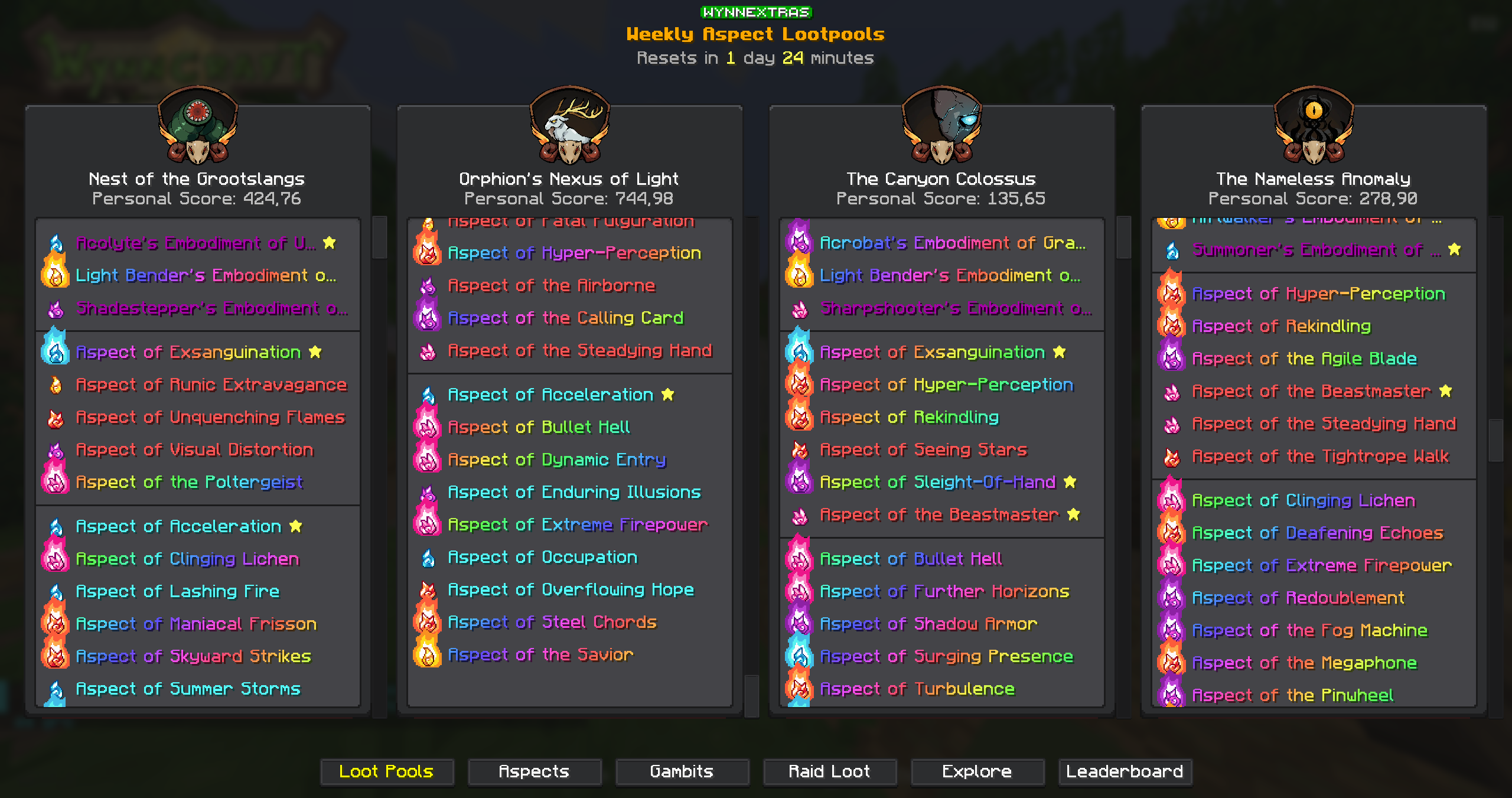
See the current weekly raid and lootrun lootpools with /we lootpool! You can scan your own aspects with /we aspects scan to see a personal score for each raid!
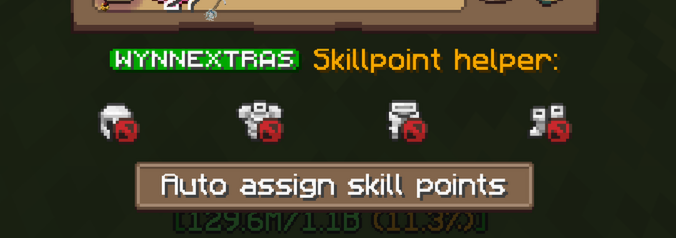
Skillpoint helper
Shows you your currently active armor while in the compass menu and adds a button to automatically assign skill points for your current build!
Waypoints
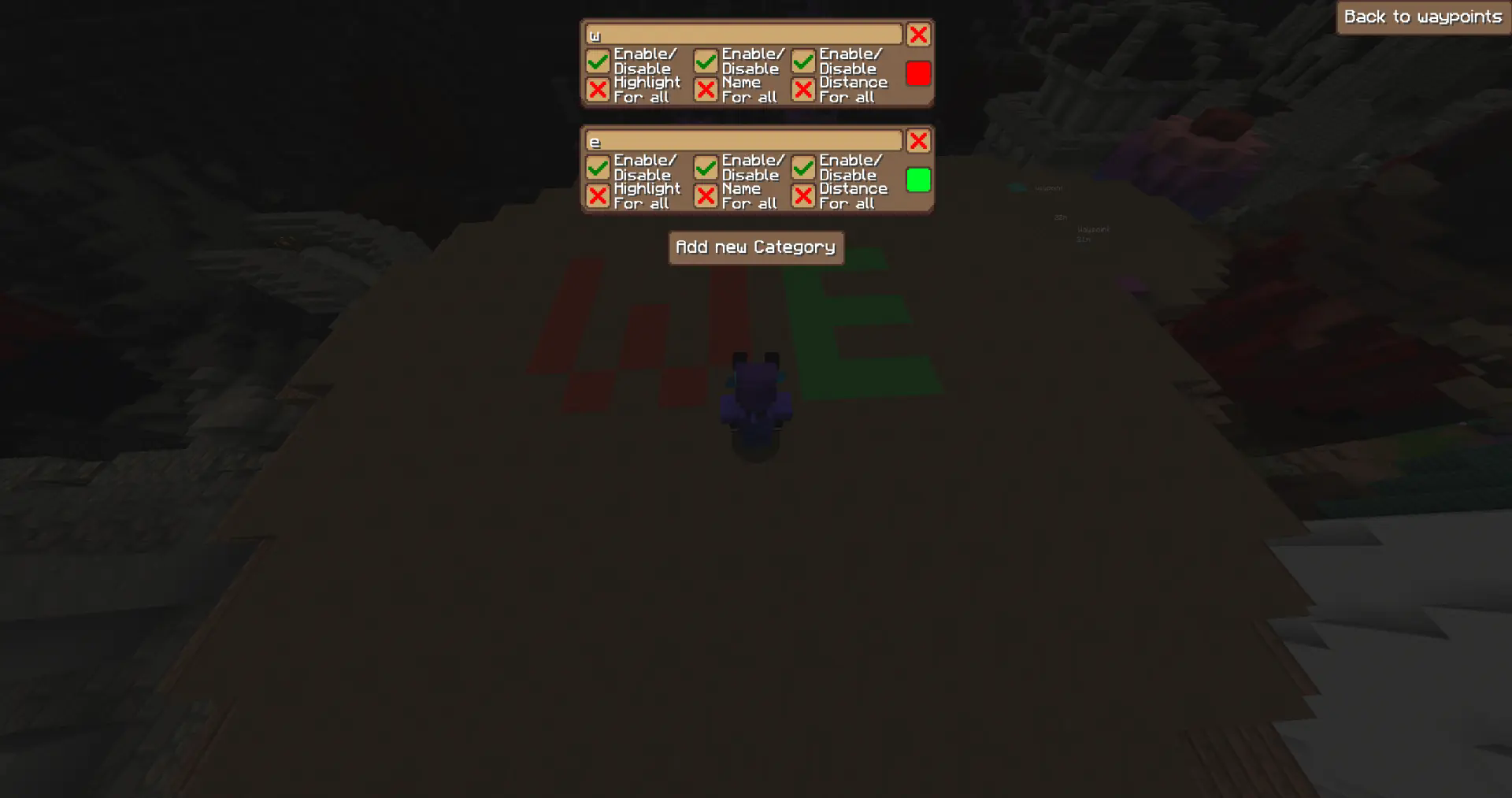
Highlight blocks at specific coordinates!
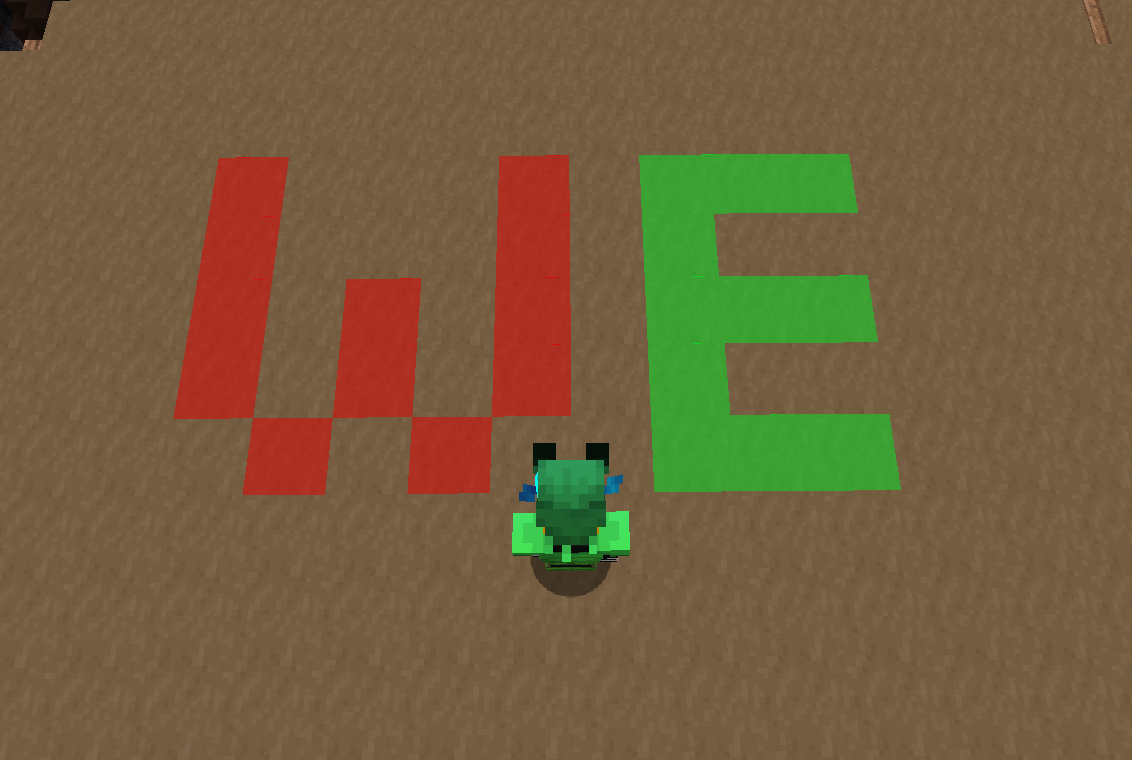
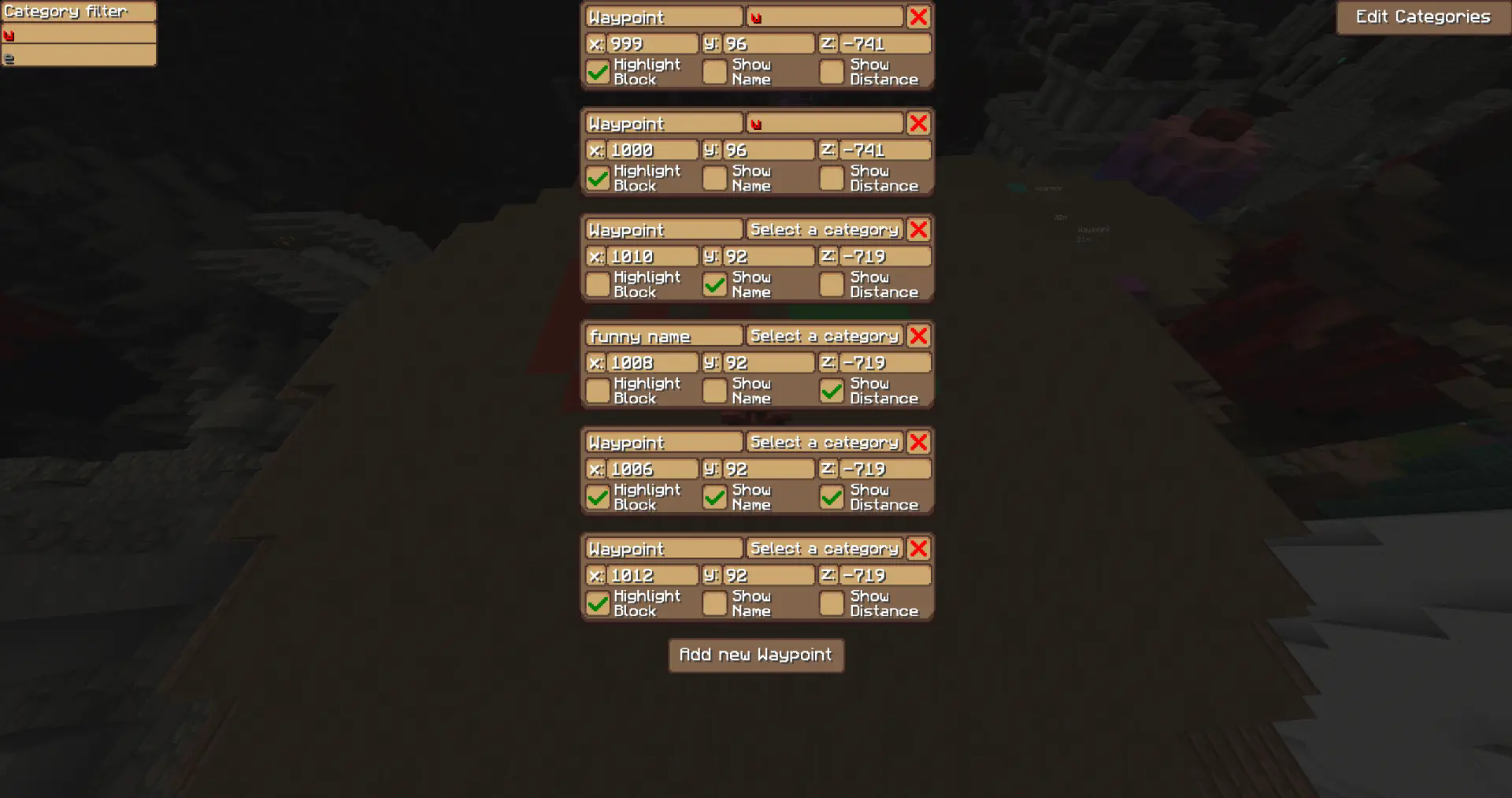
Create, edit, and delete waypoints in the GUI
Assign waypoints to categories with custom colors
Toggle visibility per category
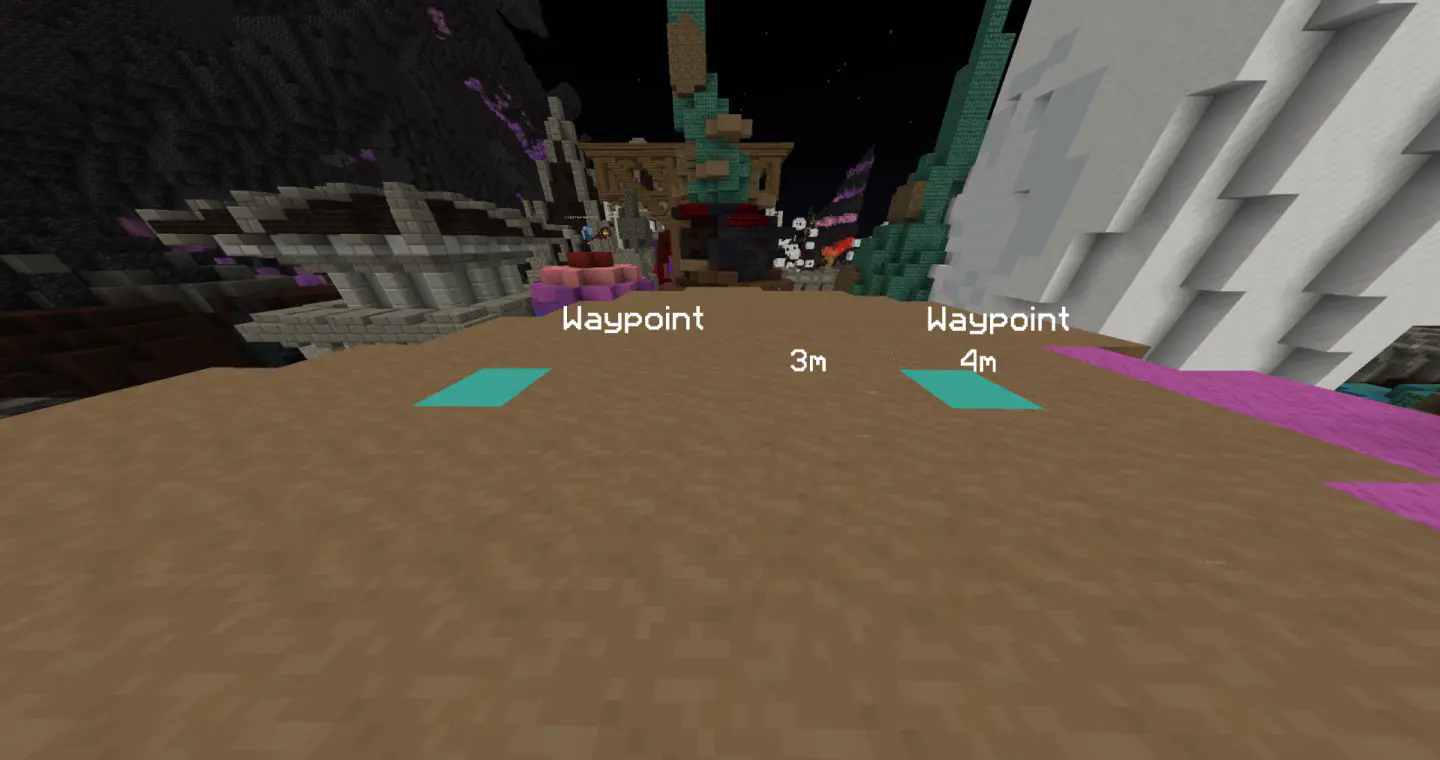
Each waypoint has three independent visibility modes:
- Block — highlights the block at the location
- Name — displays the waypoint name
- Distance — shows the distance between the player and waypoint
→ You can toggle each of these modes individually for every waypoint!
/WynnExtras waypoints→ Opens the waypoint GUI/WynnExtras waypoints add→ Adds a waypoint below the player/WynnExtras waypoints remove
→ Removes the closest waypoint
Raid List
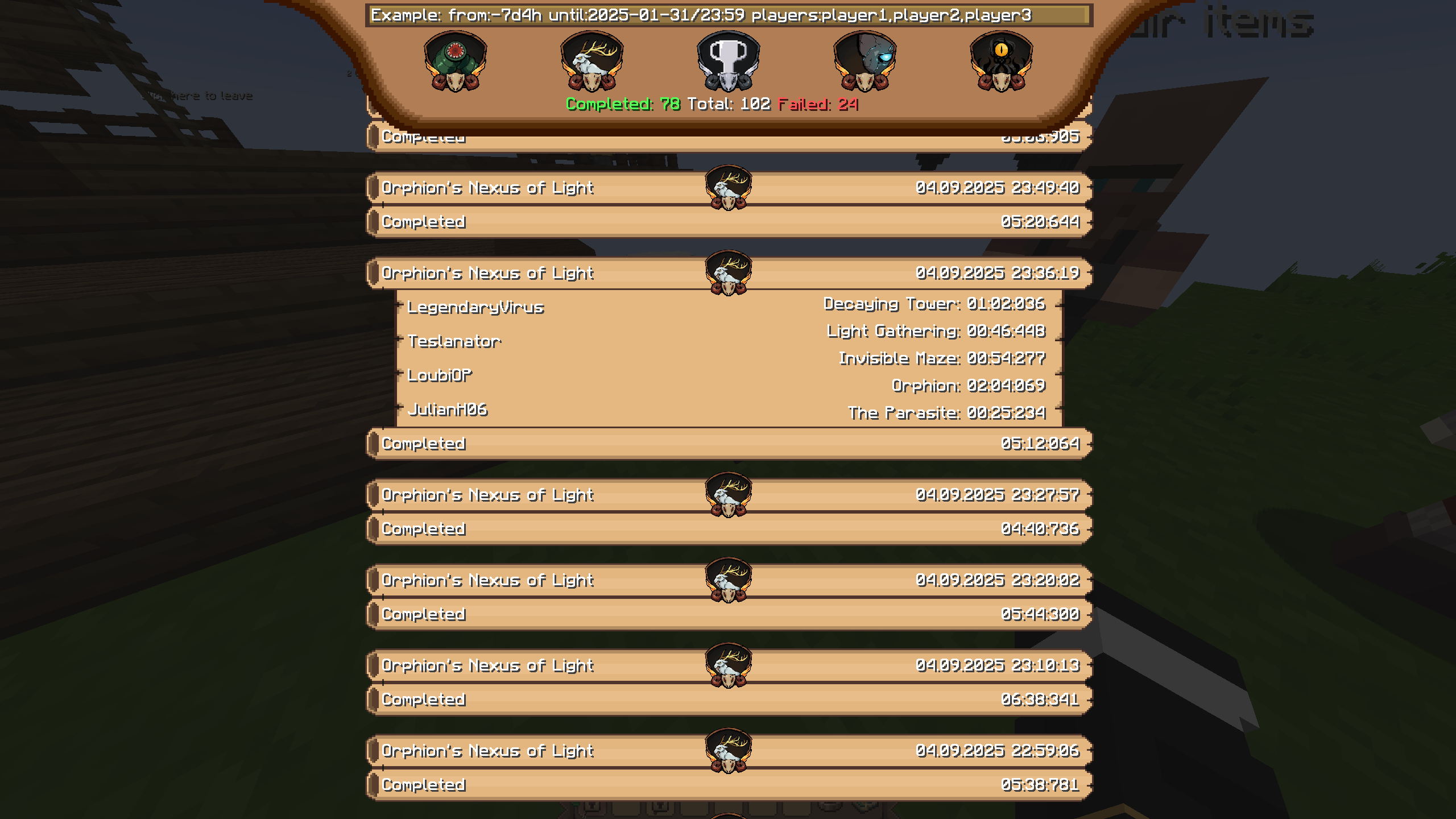
Use /we Raidlist to see your raids! You can filter them with the text bar on top or by clicking on the raid icons! Clicking the trophy icon will sort them by completion time!
Raid Timestamps!

Chat Channels!
Easily lets you chat in different channels, while still seing every message! (/chat a/p/g)

Chat Notificator!
Notifies you when certain words/phrases appear in chat! Inspired by Skytil's chat notifier!

Chat Blocker/Filter!
Blocks messages with certain words/phrases!
Player hider!
Use /we playerhider add/remove


But this is not everything WynnExtras has to offer! You can also take a look at the galery tab for more! If you have any kind of feedback, suggestions or bug reports you're welcome to report them on our Discord! Thank you for reading and (potentially) using WynnExtras <3
Available Versions
How to Install WynnExtras on Your Server
Order Server
Order a Minecraft Java server with at least 3 GB RAM (4 GB recommended).
Set fabric Loader
In the panel under "Egg", select the fabric loader and matching Minecraft version (1.21.11).
Install Mod
Open the mod browser in the dashboard and search for "WynnExtras". Click "Install" – done! Alternatively, upload the .jar via SFTP to the /mods folder.
Compatibility
Mod Loaders
Minecraft Versions
1.21.11, 1.21.4
Server-side
✗ UnsupportedRecommended RAM
4 GB(min. 3 GB)Frequently Asked Questions
WynnExtras server crashes on startup – what to do?
Most common cause: wrong fabric version or insufficient RAM. Check the server log (latest.log) for "OutOfMemoryError" or "Mixin" errors. With Mado Hosting: ensure at least 3 GB RAM is allocated and the loader matches the mod version (1.21.11). You can switch loaders with one click in the panel.
Is WynnExtras compatible with fabric?
WynnExtras officially supports fabric for Minecraft 1.21.11, 1.21.4. The Mado dashboard automatically detects incompatible loader combinations.
Server lagging with WynnExtras – how to optimize performance?
Recommended RAM: 4 GB (per 8 players). Use /spark profiler to check if WynnExtras consumes the most tick time. Common fixes: reduce server view-distance to 8-10, install "performant" or "starlight" as supplementary mods on Forge. With Mado Hosting, your server runs on NVMe SSDs with dedicated CPU cores for minimal latency.
Similar Mods






Rent Modded Server
Install WynnExtras with just one click on your server.