
WynnCraft - Translate for Russia
WynnTranslateRussia is a translator into Russian for comfortable gameplay on the WynnCraft server
Screenshots

About this Mod
Wynncraft Translator
A client-side Fabric mod that translates Wynncraft MMORPG server content into other languages. Translations are displayed as overlays on top of the original text, preserving the original game experience while making it accessible to non-English speakers.
Features
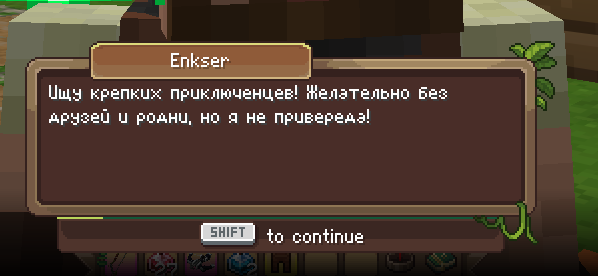
- [NO] NPC Dialogue Translation - Translated dialogues appear at the top center of the screen during conversations
- Quest Translation - Quest names and objectives are displayed alongside the Wynntils tracker
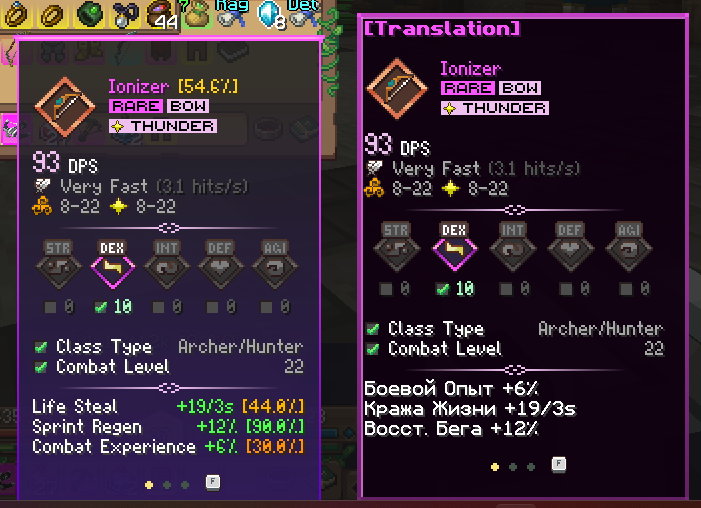
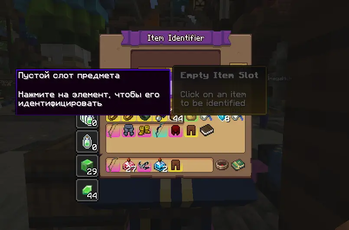
- Item Tooltip Translation - Stats, names, and descriptions of items
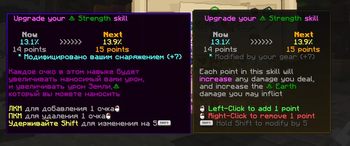
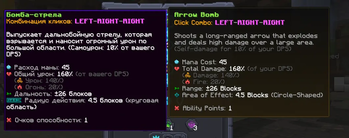
- Ability Tree Translation - Names and descriptions of class abilities
- NPC Menu Translation - Blacksmith, identifier, and other NPC interfaces
- Character Info Translation - Character menu (classes, professions, statistics)
Wynntils Integration
The mod fully integrates with Wynntils - it detects the Wynntils quest tracker and displays translations below it. Also works standalone without Wynntils installed.
Custom Translations
Translations are stored in config/wynncraft_translator/ as JSON files:
dialogues.json- NPC dialoguesquests.json- Quests and objectivesitems.json- Itemsskills.json- Ability Tree skillsnpc_menus.json- NPC menuscharacter_info.json- Character information
You can add your own translations or edit existing ones!
Currently Supported Languages
- Russian (ru)
Do you want to add a translation into your language? Write to the mod author and he will do it for you for a certain amount Telegram: @noname22444
Requirements
- Minecraft 1.21.11+
- Fabric Loader 0.18.0+
- Fabric API
Note
This mod only works on the Wynncraft server. It automatically detects when you join Wynncraft and activates translations.
Available Versions
How to Install WynnCraft - Translate for Russia on Your Server
Order Server
Order a Minecraft Java server with at least 3 GB RAM (4 GB recommended).
Set fabric Loader
In the panel under "Egg", select the fabric loader and matching Minecraft version (1.21.11).
Install Mod
Open the mod browser in the dashboard and search for "WynnCraft - Translate for Russia". Click "Install" – done! Alternatively, upload the .jar via SFTP to the /mods folder.
Compatibility
Mod Loaders
Minecraft Versions
1.21.11
Server-side
✓ RequiredRecommended RAM
4 GB(min. 3 GB)Frequently Asked Questions
WynnCraft - Translate for Russia server crashes on startup – what to do?
Most common cause: wrong fabric version or insufficient RAM. Check the server log (latest.log) for "OutOfMemoryError" or "Mixin" errors. With Mado Hosting: ensure at least 3 GB RAM is allocated and the loader matches the mod version (1.21.11). You can switch loaders with one click in the panel.
Is WynnCraft - Translate for Russia compatible with fabric?
WynnCraft - Translate for Russia officially supports fabric for Minecraft 1.21.11. The Mado dashboard automatically detects incompatible loader combinations.
Server lagging with WynnCraft - Translate for Russia – how to optimize performance?
Recommended RAM: 4 GB (per 8 players). Use /spark profiler to check if WynnCraft - Translate for Russia consumes the most tick time. Common fixes: reduce server view-distance to 8-10, install "performant" or "starlight" as supplementary mods on Forge. With Mado Hosting, your server runs on NVMe SSDs with dedicated CPU cores for minimal latency.
Similar Mods





Rent Modded Server
Install WynnCraft - Translate for Russia with just one click on your server.