
Xenon
[PROJECT DISCONTINUED, SEE README] A (fairly) lightweight Fabric utility mod for Minecraft
Screenshots
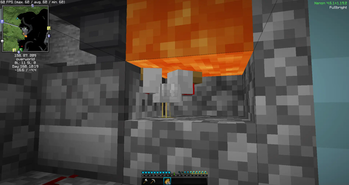
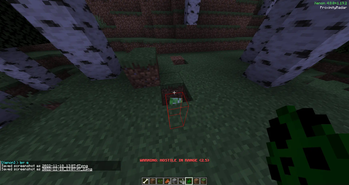
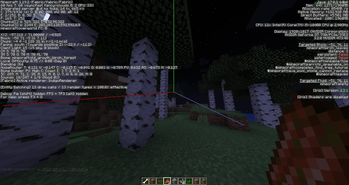
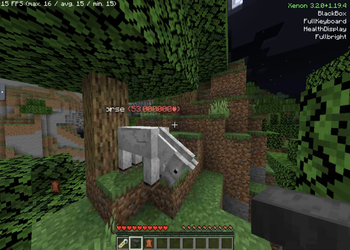
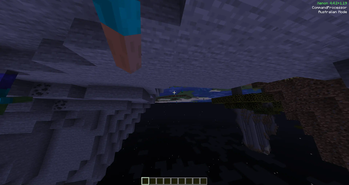
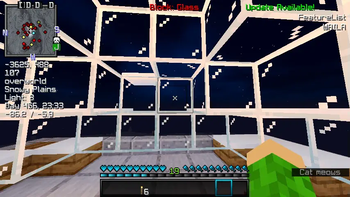
About this Mod
Notice
Unfortunately, Xenon has been discontinued and it will no longer receive updates.
A successor for newer Minecraft versions is in development! Thanks for using Xenon all this while :)
Xenon: A lightweight Fabric utility client


Hi, thanks for stopping by this page! This is Xenon, a personal project of mine that I decided to publish to Modrinth and a couple of people quite a few people! decided to use.
What does Xenon do?
- Provides "quality of life" features like clients such as Badlion and Lunar
- Maintains compatibility with other mods (except those with intrusive mixins, like Wurst Client, which you shouldn't be using anyway since it's a hack client and hacking is bad ):<)
[!NOTE]
Fun fact: most mods follow the traditional "problem-solution" model (giving you a solution to a common problem); Xenon, however, is more like a toy Swiss Army chainsaw (giving you a bunch of solutions, for you figure out what to use them for)
This is a side effect of the original reason I made Xenon, which was to solve very specific and niche problems I had.
What "solutions" does Xenon have?
Check them all out here!
(Most features are unbound by default)
A sample:
- FullBright (fullbright: removes lighting effects, making everything visible, even at night)
- HealthDisplay (Displays mobs' names and health in name tags)
- QuickChat (send a preset message or command with one button, commands WIP)
- MultiQuickChat (QuickChat, but with up to 10 messages)
- Panorama Generator (make panoramas for resource packs! Incompatible with shaders unfortunately)
- ShareLocation (share your coordinates and dimension in chat. not recommended for public survival servers, /tell support WIP)
- Australian Mode (Aussie Minecraft, approved by an Australian)
- Zoom (Zoom, adjustable with the scroll wheel)
- Halo "Red Reticle" (Makes your crosshair change color when pointing at hostile mobs, like in Halo games)
- Debug crosshair size modification (Make the axes easier to see!)
Requirements:
(check these here)
- Latest Fabric API (may not work with older ones, not really tested)
- Fabric Loader >=0.14.21
- CompleteConfig 2.4.x
Version numbers are fairly strict, if it says "1.19.4" that means it's only been tested on 1.19.4, but it will probably work on other 1.19.x versions, and no one will stop you.
Warning
This project often has bugs and missing translation keys, as I unfortunately can't extensively test everything due to school and other commitments. If you find anything wrong, please raise an issue! PRs are very welcome.
Server opt-out
The server can opt-out of any features by sending a packet with Identifier xenon:block_feature, containing the name of the target feature as a string.
MainInitialiser.java contains a template to send such a "block" packet; you'll have to clone the repo, modify MainInitialiser, recompile Xenon and put it on the server.
If that sounds complicated, don't worry, I'm working on a companion mod to make it simpler :3
Known Issues:
- Help command doesn't do anything ( :( )
Known incompatibilities:
- WI-Zoom (breaks Xenon's FOV-related features)
- Wurst Client (will almost definitely break, not fully tested)
- LazyDFU * (Won't crash, but will override Xenon's optimisation setting)
- Zoomify (Thanks @catboycrimes!)
* LazyDFU functionality was integrated into Xenon in v4.6.1+1.19.2
Credits (for integrations)
- LazyDFU: astei/lazydfu
Available Versions
How to Install Xenon on Your Server
Order Server
Order a Minecraft Java server with at least 3 GB RAM (4 GB recommended).
Set fabric Loader
In the panel under "Egg", select the fabric loader and matching Minecraft version (1.20.6).
Install Mod
Open the mod browser in the dashboard and search for "Xenon". Click "Install" – done! Alternatively, upload the .jar via SFTP to the /mods folder.
Compatibility
Mod Loaders
Minecraft Versions
1.20.6, 1.20.5, 1.20.4 (+9 more)
Server-side
~ OptionalRecommended RAM
4 GB(min. 3 GB)Frequently Asked Questions
Xenon server crashes on startup – what to do?
Most common cause: wrong fabric version or insufficient RAM. Check the server log (latest.log) for "OutOfMemoryError" or "Mixin" errors. With Mado Hosting: ensure at least 3 GB RAM is allocated and the loader matches the mod version (1.20.6). You can switch loaders with one click in the panel.
Is Xenon compatible with fabric?
Xenon officially supports fabric for Minecraft 1.20.6, 1.20.5, 1.20.4. The Mado dashboard automatically detects incompatible loader combinations.
Server lagging with Xenon – how to optimize performance?
Recommended RAM: 4 GB (per 8 players). Use /spark profiler to check if Xenon consumes the most tick time. Common fixes: reduce server view-distance to 8-10, install "performant" or "starlight" as supplementary mods on Forge. With Mado Hosting, your server runs on NVMe SSDs with dedicated CPU cores for minimal latency.
Similar Mods





Rent Modded Server
Install Xenon with just one click on your server.