
XMod Additions
A Vanilla+ Mod that adds in a collection of recipes, items, mobs, dimensions, biomes and the like to help improve the experience and provide some more late-game opportunities
Screenshots
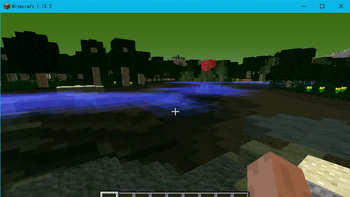
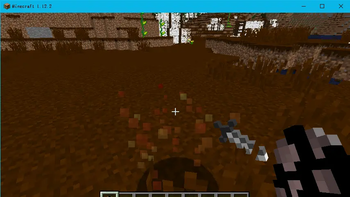

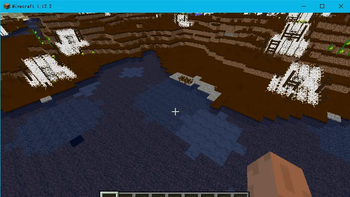
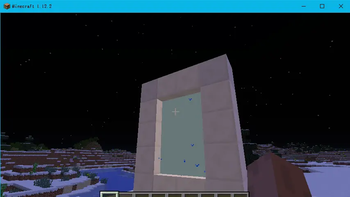
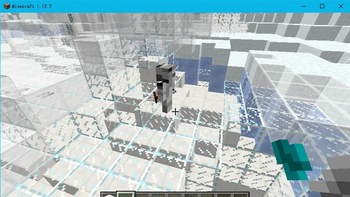
About this Mod
Welcome to XMod Additions! This mod adds in a number of useful items and features to help improve the quality and extensiveness of the game. Think of this as a sort of "Vanilla+" mod.
This mod adds in a total of 218 mod elements, including over 80 new recipes, a new dimension, a handful of new mobs, new armor, swords and other tools and combat items, as well as additional items that may aid you on your journey.
This mod was created MANY years ago, and is my first ever mod. I am uploading it here because somehow it continues to gain some interest, and thought it might be nice to put it on the same place that my spiritual successor to this project, XMod Additions XL, currently resides.
There is a lot in this mod, and frankly, not all of it is explained as well as it should be. However... it has been many years since I made this project. I no longer have the source files to make updates or bug fixes, so sadly it must remain as-is. However, I am still proud of what I accomplished, and I hope you can still have a lot of fun from this decently expansive project.
For all the details about the mod specifically, check out the Curseforge Link below:
Available Versions
How to Install XMod Additions on Your Server
Order Server
Order a Minecraft Java server with at least 4 GB RAM (6 GB recommended).
Set forge Loader
In the panel under "Egg", select the forge loader and matching Minecraft version (1.14.4).
Install Mod
Open the mod browser in the dashboard and search for "XMod Additions". Click "Install" – done! Alternatively, upload the .jar via SFTP to the /mods folder.
Compatibility
Mod Loaders
Minecraft Versions
1.14.4, 1.12.2
Server-side
✓ RequiredRecommended RAM
6 GB(min. 4 GB)Frequently Asked Questions
XMod Additions server crashes on startup – what to do?
Most common cause: wrong forge version or insufficient RAM. Check the server log (latest.log) for "OutOfMemoryError" or "Mixin" errors. With Mado Hosting: ensure at least 4 GB RAM is allocated and the loader matches the mod version (1.14.4). You can switch loaders with one click in the panel.
Is XMod Additions compatible with forge?
XMod Additions officially supports forge for Minecraft 1.14.4, 1.12.2. The Mado dashboard automatically detects incompatible loader combinations.
Server lagging with XMod Additions – how to optimize performance?
Recommended RAM: 6 GB (per 5 players). Use /spark profiler to check if XMod Additions consumes the most tick time. Common fixes: reduce server view-distance to 8-10, install "performant" or "starlight" as supplementary mods on Forge. With Mado Hosting, your server runs on NVMe SSDs with dedicated CPU cores for minimal latency.
Similar Mods




Rent Modded Server
Install XMod Additions with just one click on your server.