
XP Crystals
Store your XP in craftable crystals. Survival-friendly and tier-based: store 3, 10, 30, 50 levels—or infinite XP. Very Customizable
Screenshots
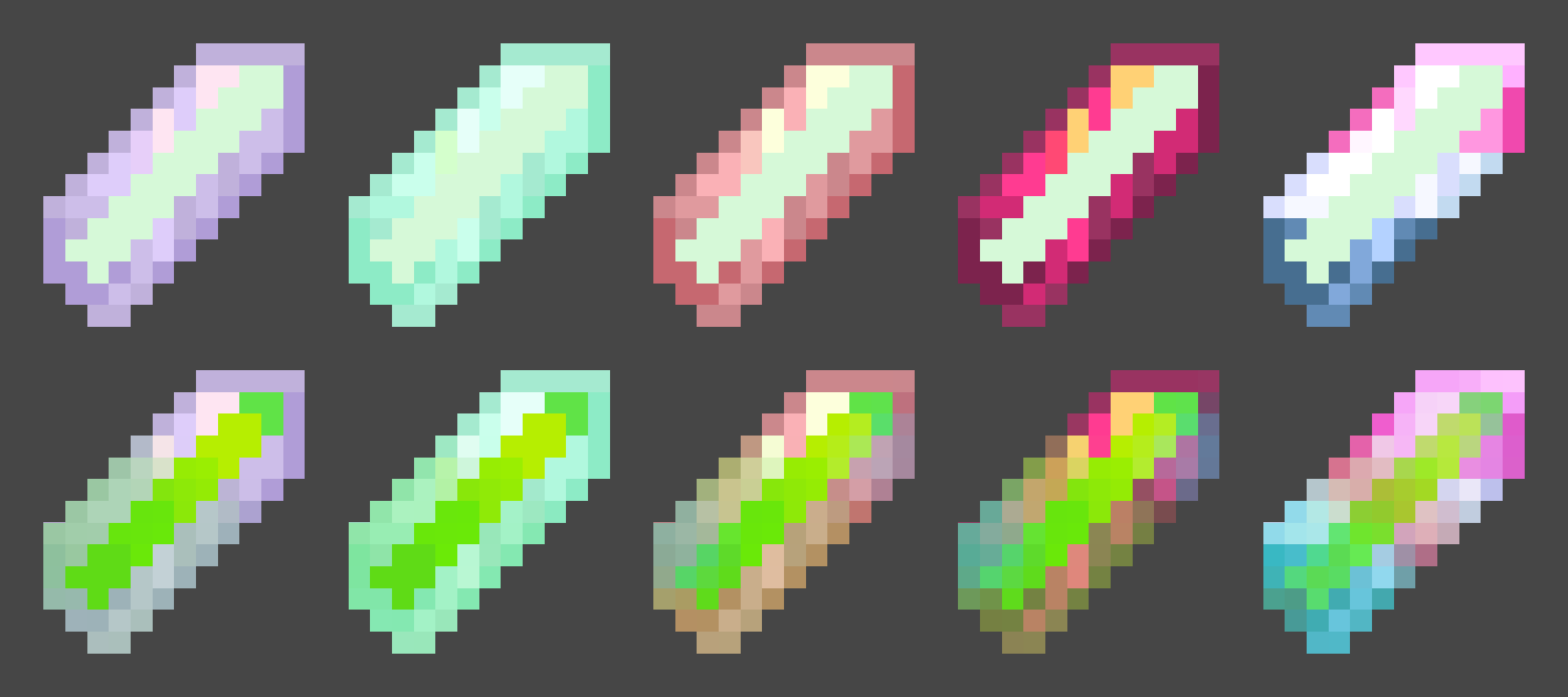
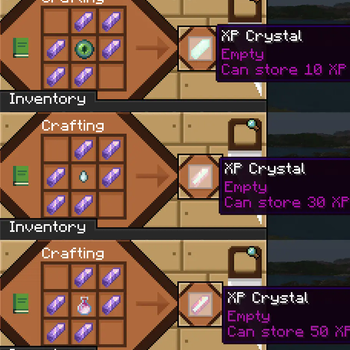
About this Mod
XP Crystals
Ever wished you could bank your hardearned XP without the risk of dying and losing it all? With XP Crystals, you can store and retrieve your experience safely, using items that are fully compatible with survival gameplay.
Available as mod or datapack.
Features
- Store XP in craftable crystals
- Crystals come in multiple tiers, each with a different capacity:
- Tier I: 3 levels
- Tier II: 10 levels
- Tier III: 30 levels
- Tier IV: 50 levels
- Tier V: Infinite XP storage
- Survival oriented, with balanced crafting recipes.
- Multiple Advancements
- Easy to use: right click to deposit or withdraw XP
- Settings menu for both admins and normal players
- Serverside (resource pack required for clients)
Settings
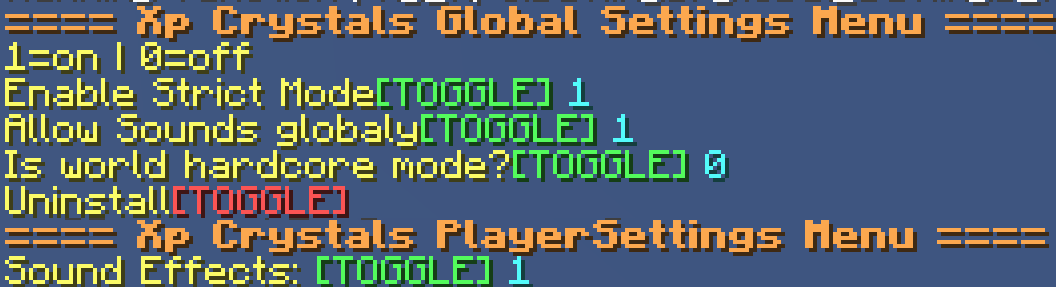
admins may use /trigger xp_crystals.globalsettings
players may use /trigger xp_crystals.settings
Player Settings
Sound Effects [Turns on or off soundeffects per player]Global Settings
Strict Mode: Enables accurate XP point calculation instead of using XP levels only (Enabled by default)
Toggle global sound effects on or off.
Hardcore Mode: Automatically awards an achievement that can only be obtained by dying.
Uninstall Function: Removes all data left over from the datapack/mod~~~~.
Multiplayer
This datapack/mod is almost completely server-side and requires very little client-side setup.
To ensure clients have the correct textures, the included resource pack must either:
- be added to the server's resource pack, or
- be downloaded and installed separately by each player.
regardless if it is installed as a mod or datapack
Need Help? Want to offer feedback?
join the Discord
Available Versions
How to Install XP Crystals on Your Server
Order Server
Order a Minecraft Java server with at least 3 GB RAM (4 GB recommended).
Set datapack Loader
In the panel under "Egg", select the datapack loader and matching Minecraft version (26.1.2).
Install Mod
Open the mod browser in the dashboard and search for "XP Crystals". Click "Install" – done! Alternatively, upload the .jar via SFTP to the /mods folder.
Compatibility
Mod Loaders
Minecraft Versions
26.1.2, 26.1.1, 26.1 (+12 more)
Server-side
✓ RequiredRecommended RAM
4 GB(min. 3 GB)Frequently Asked Questions
XP Crystals server crashes on startup – what to do?
Most common cause: wrong datapack version or insufficient RAM. Check the server log (latest.log) for "OutOfMemoryError" or "Mixin" errors. With Mado Hosting: ensure at least 3 GB RAM is allocated and the loader matches the mod version (26.1.2). You can switch loaders with one click in the panel.
Is XP Crystals compatible with datapack and fabric and forge and neoforge and quilt?
XP Crystals officially supports datapack, fabric, forge, neoforge, quilt for Minecraft 26.1.2, 26.1.1, 26.1. Note: Forge and Fabric mods are NOT cross-compatible – pick one loader and stick with it. The Mado dashboard automatically detects incompatible loader combinations.
Server lagging with XP Crystals – how to optimize performance?
Recommended RAM: 4 GB (per 8 players). Use /spark profiler to check if XP Crystals consumes the most tick time. Common fixes: reduce server view-distance to 8-10, install "performant" or "starlight" as supplementary mods on Forge. With Mado Hosting, your server runs on NVMe SSDs with dedicated CPU cores for minimal latency.
Similar Mods




Rent Modded Server
Install XP Crystals with just one click on your server.
Details
- License
- LicenseRef-Free-Use-With-Attribution-and-Redistribution-Restrictions
- Server-side
- Required