
XP Alchemy
Adds brand new uses to XP in game. New potions, and more!
Screenshots
About this Mod
XP Alchemy
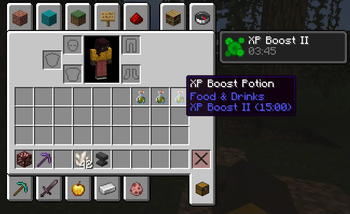
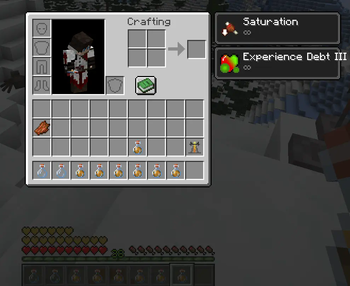
XP Alchemy is a mod adding new player effects and 7 new potions: XP Boost and XP Boost Potions, Experience Debt and Experience Debt Potions.
This mod is meant to be used with other mods like Hammer mods and Mending.
Features
XP Boost Potions:
- Tier 1: 5 minutes, x2 XP.
- Tier 2: 10 minutes, x2 XP.
- Tier 3: 15 minutes, x3 XP.
- Tier 4: 15 minutes, x4 XP.
Brewing recipes:
- Tier 1: Thick Potion + Glow Berries
- Tier 2: Tier 1 Potion + Ghast Tears
- Tier 3: Tier 2 Potion + Experience Bottles
- Tier 4: Tier 3 Potion + Netherite Scrap
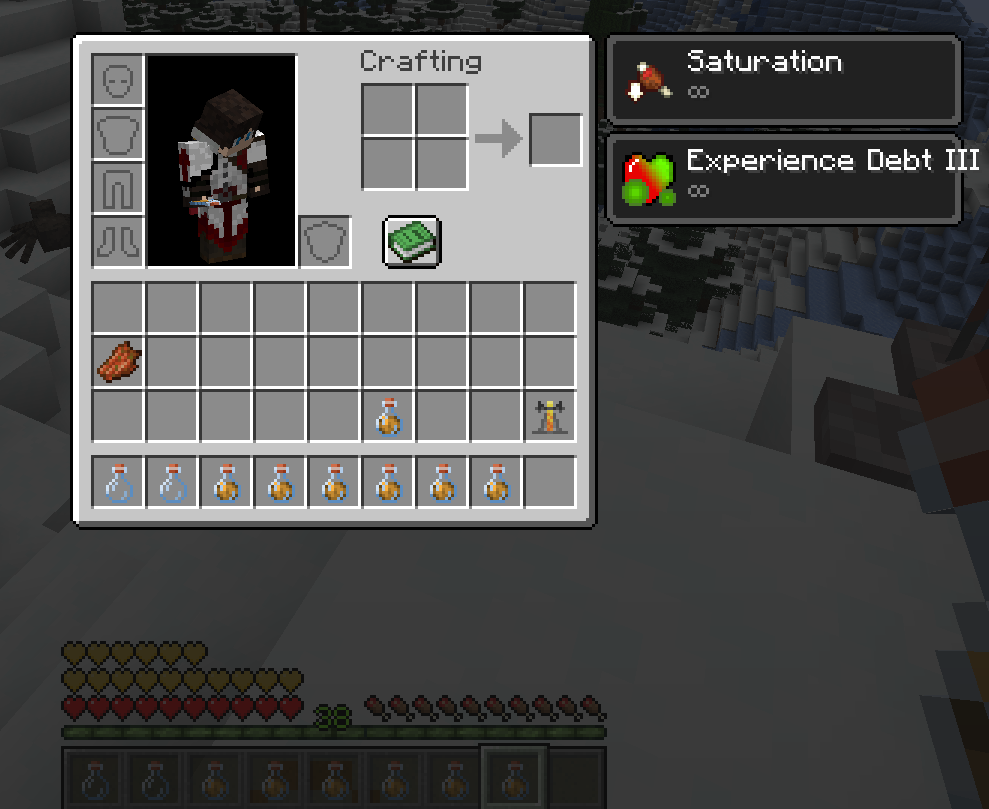
Experience Debt Potions: The health added by the potion is logarithmic. It is based on the amount of XP traded by the potion.
- Tier 1: Trades 20% of player's XP
- Tier 2: Trades 40% of player's XP
- Tier 3: Trades 60% of player's XP
Brewing recipes:
- Tier 1: Thick Potion + Nautilus Shell
- Tier 2: Tier 1 Potion + Echo Shard
- Tier 3: Tier 2 Potion + Heart of the Sea
XP Boost effect (
/effect add <player> xpalchemy:xp_boost_effect <duration> <amplifier>)<amplifier>: 0 = x2 XP, 1 = x3 XP, 2 = x4 XP, 3 = x5 XP, etc...
Experience Debt Effect (
/effect add <player> xpalchemy:xp_health_debt_effect <duration> <amplifier>)- This effect has no actual effect on duration, but it's a fancy way to see when you are using your Experience Debt.
Planned
- Allow the potion to spawn in dungeons
- Stuff Enchantments that multiplies XP obtained when wore (more likely armor enchantments, maybe items too?) [Non-cumulative]
For any suggestion, bug report, basically anything like that, please go to the GitHub Issues page.
Available Versions
How to Install XP Alchemy on Your Server
Order Server
Order a Minecraft Java server with at least 3 GB RAM (4 GB recommended).
Set fabric Loader
In the panel under "Egg", select the fabric loader and matching Minecraft version (1.20.6).
Install Mod
Open the mod browser in the dashboard and search for "XP Alchemy". Click "Install" – done! Alternatively, upload the .jar via SFTP to the /mods folder.
Compatibility
Mod Loaders
Minecraft Versions
1.20.6, 1.20.5, 1.20.4 (+4 more)
Server-side
✓ RequiredRecommended RAM
4 GB(min. 3 GB)Frequently Asked Questions
XP Alchemy server crashes on startup – what to do?
Most common cause: wrong fabric version or insufficient RAM. Check the server log (latest.log) for "OutOfMemoryError" or "Mixin" errors. With Mado Hosting: ensure at least 3 GB RAM is allocated and the loader matches the mod version (1.20.6). You can switch loaders with one click in the panel.
Is XP Alchemy compatible with fabric and forge?
XP Alchemy officially supports fabric, forge for Minecraft 1.20.6, 1.20.5, 1.20.4. Note: Forge and Fabric mods are NOT cross-compatible – pick one loader and stick with it. The Mado dashboard automatically detects incompatible loader combinations.
Server lagging with XP Alchemy – how to optimize performance?
Recommended RAM: 4 GB (per 8 players). Use /spark profiler to check if XP Alchemy consumes the most tick time. Common fixes: reduce server view-distance to 8-10, install "performant" or "starlight" as supplementary mods on Forge. With Mado Hosting, your server runs on NVMe SSDs with dedicated CPU cores for minimal latency.
Similar Mods




![[TaCZ] Timeless and Classics Zero](https://cdn.modrinth.com/data/SzzJttH8/fd27766d2bb8390d284696b1dbd358f87e081439_96.webp)

Rent Modded Server
Install XP Alchemy with just one click on your server.