
XRush
New minigames where you can practice or compete with friends
Screenshots
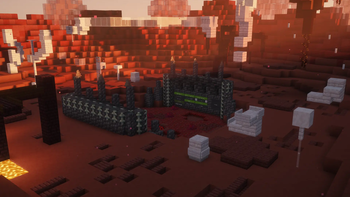
About this Mod
XRush
Collect more unique things than your friends. A competitive Fabric minigame featuring Item Rush, Death Rush, automated lobby management, configurable rounds, and server-side game logic.
What is XRush?
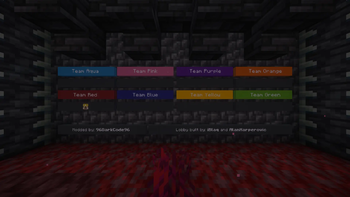
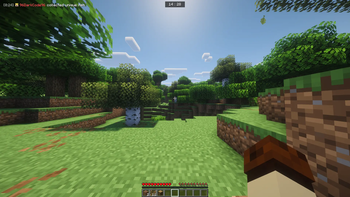
XRush is a competitive multiplayer minigame for Fabric servers where players compete to collect the highest number of unique items or unique deaths before the round ends.
The mod includes multiple game modes, automated round management, scoring systems, player handling, and a built-in lobby world, making it easy to host minigame events without additional setup. Designed primarily for content creators.
Features
Item Rush
Collect as many unique items as possible before the timer runs out. Every new item counts toward your score.
Death Rush
Earn points by discovering and triggering different death types. The player with the most unique deaths wins.
Item Shuffle
Coming soon.
Built-in Lobby World
XRush automatically deploys a bundled lobby world on first startup, allowing servers to start hosting games immediately.
Automated Game Management
The mod handles:
- Round timers and game state transitions
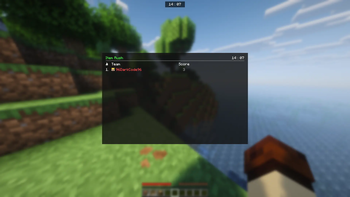
- Score tracking
- Player join/leave events
- Respawn handling
- Inventory management
- Damage and PvP restrictions
- Menu and interaction systems
Configurable Gameplay
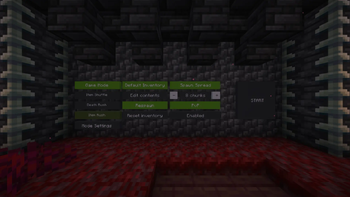
Customize the experience through in-game menu or JSON configuration files:
- Round duration
- Inventory retention on respawn
- PvP settings
- Spawn spread distance
- Individual game mode settings
- ...and more
Installation
Requirements
- Minecraft: Compatible with the version specified by the release
- Fabric Loader 0.19.3+
- Java 25+
- Fabric API 0.151.0+26.1.2
Setup
- Install Fabric Loader.
- Install Fabric API.
- Place
xrush-<version>.jarinto yourmodsfolder. - Start the game or server.
- XRush will automatically generate its configuration files and deploy the bundled lobby world.
Configuration
Configuration files are generated in:
config/xrush/
Important files:
config.json
modes/death_rush.json
modes/item_rush.json
These files allow you to customize gameplay settings such as round duration, inventory behavior, PvP, and other game-specific options.
Compatibility
XRush uses Mixins and an Access Widener and is designed for both dedicated servers and locally hosted worlds.
The mod contains both client and server components and supports multiplayer environments out of the box.
License
XRush is licensed under the GNU General Public License v3.0 (GPLv3).
You are free to inspect, modify, and redistribute the source code under the terms of the license.
Available Versions
How to Install XRush on Your Server
Order Server
Order a Minecraft Java server with at least 3 GB RAM (4 GB recommended).
Set fabric Loader
In the panel under "Egg", select the fabric loader and matching Minecraft version (26.1.2).
Install Mod
Open the mod browser in the dashboard and search for "XRush". Click "Install" – done! Alternatively, upload the .jar via SFTP to the /mods folder.
Compatibility
Mod Loaders
Minecraft Versions
26.1.2
Server-side
✓ RequiredRecommended RAM
4 GB(min. 3 GB)Frequently Asked Questions
XRush server crashes on startup – what to do?
Most common cause: wrong fabric version or insufficient RAM. Check the server log (latest.log) for "OutOfMemoryError" or "Mixin" errors. With Mado Hosting: ensure at least 3 GB RAM is allocated and the loader matches the mod version (26.1.2). You can switch loaders with one click in the panel.
Is XRush compatible with fabric?
XRush officially supports fabric for Minecraft 26.1.2. The Mado dashboard automatically detects incompatible loader combinations.
Server lagging with XRush – how to optimize performance?
Recommended RAM: 4 GB (per 8 players). Use /spark profiler to check if XRush consumes the most tick time. Common fixes: reduce server view-distance to 8-10, install "performant" or "starlight" as supplementary mods on Forge. With Mado Hosting, your server runs on NVMe SSDs with dedicated CPU cores for minimal latency.
Rent Modded Server
Install XRush with just one click on your server.