
YKREZ client
Ykrez Client is a lightweight, server-legal quality-of-life client for Fabric (Minecraft 1.21.11). It adds a clean, customizable HUD — FPS, CPS, coordinates, keystrokes, armor, and more — plus visual tweaks like Fullbright, Zoom, and adjustable FOV.
Screenshots
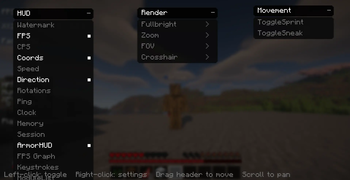
About this Mod
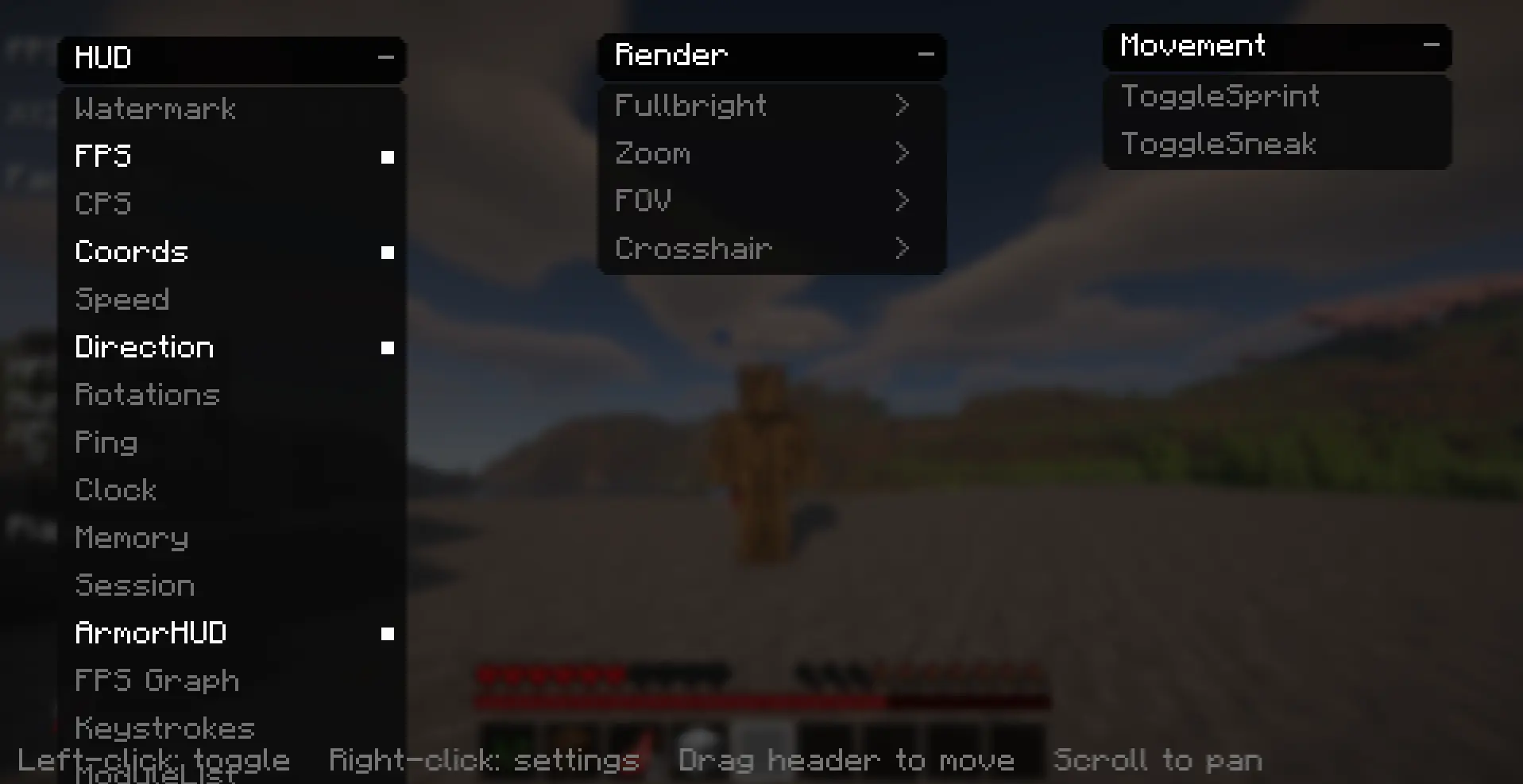
Ykrez Client
Ykrez Client is a lightweight, server-legal quality-of-life client for Fabric. It gives you a clean, fully customizable HUD, a handful of useful visual tweaks, and an in-game menu you can arrange however you like — no cheats, no hacks, nothing that puts your account at risk. It's built for players who just want a better-looking and more informative Minecraft.
Minecraft 1.21.11 | Fabric | Java 21
HUD
Show exactly the info you want on screen: FPS, FPS graph, CPS and right-click CPS, coordinates, speed, facing direction, yaw/pitch, ping, real-time clock, in-game day, biome, health, hunger, XP level, held item, armor display, player count, memory usage, session timer, keystrokes (WASD and mouse), an enabled-module list, and a watermark.
Visual tweaks
Fullbright, Zoom, an adjustable FOV, and a custom crosshair.
Movement helpers
Toggle Sprint and Toggle Sneak.
Customizable menu
- All-black, rounded, animated menu with category dropdowns
- Draggable panels so you can lay the menu out your way
- Scroll to pan when you have a lot enabled
- Right-click any module to open its settings — sliders and toggles let you set your exact FOV, zoom level, gamma, crosshair size, and more
- Everything saves automatically and is restored the next time you launch
Controls
- Right Shift — open the menu
- V — Zoom
- B — Fullbright
- R — Toggle Sprint
All keys are rebindable in Options > Controls. In the menu: left-click toggles a module, right-click opens its settings, drag a header to move a column, and scroll to pan.
Requirements
- Minecraft 1.21.11
- Fabric Loader (0.16 or newer)
- Fabric API
- Java 21
Installation
- Install Fabric Loader for 1.21.11.
- Place Fabric API and the Ykrez Client jar in your mods folder.
- Launch the game and press Right Shift to open the menu.
Ykrez is a legitimate utility client — it only adds HUD, display, and convenience features. It does not include any combat, movement, or world-exploit cheat modules.
Made by ERTZ.
Available Versions
How to Install YKREZ client on Your Server
Order Server
Order a Minecraft Java server with at least 3 GB RAM (4 GB recommended).
Set fabric Loader
In the panel under "Egg", select the fabric loader and matching Minecraft version (1.21.11).
Install Mod
Open the mod browser in the dashboard and search for "YKREZ client". Click "Install" – done! Alternatively, upload the .jar via SFTP to the /mods folder.
Compatibility
Mod Loaders
Minecraft Versions
1.21.11
Server-side
✗ UnsupportedRecommended RAM
4 GB(min. 3 GB)Frequently Asked Questions
YKREZ client server crashes on startup – what to do?
Most common cause: wrong fabric version or insufficient RAM. Check the server log (latest.log) for "OutOfMemoryError" or "Mixin" errors. With Mado Hosting: ensure at least 3 GB RAM is allocated and the loader matches the mod version (1.21.11). You can switch loaders with one click in the panel.
Is YKREZ client compatible with fabric?
YKREZ client officially supports fabric for Minecraft 1.21.11. The Mado dashboard automatically detects incompatible loader combinations.
Server lagging with YKREZ client – how to optimize performance?
Recommended RAM: 4 GB (per 8 players). Use /spark profiler to check if YKREZ client consumes the most tick time. Common fixes: reduce server view-distance to 8-10, install "performant" or "starlight" as supplementary mods on Forge. With Mado Hosting, your server runs on NVMe SSDs with dedicated CPU cores for minimal latency.
Similar Mods






Rent Modded Server
Install YKREZ client with just one click on your server.