
Zehunz's Crops
this mod add a lot of new crops that will enchanced your minecraft experience and make mining not needed. and also it will feature custom mob and adventure.
Screenshots
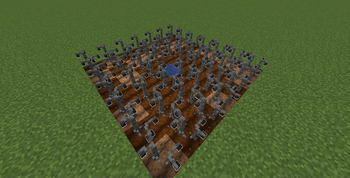

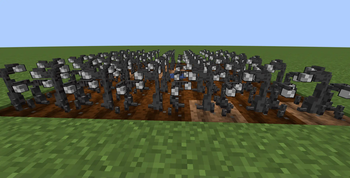
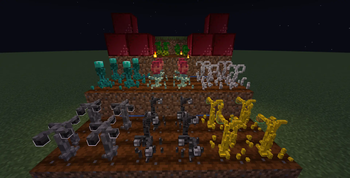
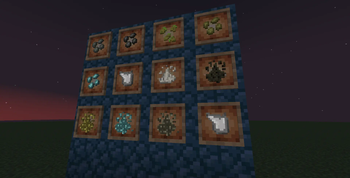
About this Mod
Zehunz Crop Mod introduces a new way to progress in Minecraft by growing resources instead of endlessly mining. This mod adds custom crops that yield valuable materials such as ores once fully grown, giving players a sustainable and less grindy alternative to mining.
Key Features:
Growable Resources: Plant special seeds to grow crops that drop coal, iron, and more.
Alternative Progression: Obtain ores through farming, reducing the need for extensive mining expeditions.
Balanced Gameplay: The crops take time to grow and may require specific conditions or upgrades, making the system rewarding without being overpowered.
Whether you're a builder who hates mining or a survivalist looking for efficient automation, this mod provides a fresh way to gather essential resources. Perfect for peaceful players or those seeking a twist on traditional gameplay.
Available Versions
How to Install Zehunz's Crops on Your Server
Order Server
Order a Minecraft Java server with at least 3 GB RAM (4 GB recommended).
Set fabric Loader
In the panel under "Egg", select the fabric loader and matching Minecraft version (1.21.1).
Install Mod
Open the mod browser in the dashboard and search for "Zehunz's Crops". Click "Install" – done! Alternatively, upload the .jar via SFTP to the /mods folder.
Compatibility
Mod Loaders
Minecraft Versions
1.21.1
Server-side
✓ RequiredRecommended RAM
4 GB(min. 3 GB)Frequently Asked Questions
Zehunz's Crops server crashes on startup – what to do?
Most common cause: wrong fabric version or insufficient RAM. Check the server log (latest.log) for "OutOfMemoryError" or "Mixin" errors. With Mado Hosting: ensure at least 3 GB RAM is allocated and the loader matches the mod version (1.21.1). You can switch loaders with one click in the panel.
Is Zehunz's Crops compatible with fabric and neoforge?
Zehunz's Crops officially supports fabric, neoforge for Minecraft 1.21.1. The Mado dashboard automatically detects incompatible loader combinations.
Server lagging with Zehunz's Crops – how to optimize performance?
Recommended RAM: 4 GB (per 8 players). Use /spark profiler to check if Zehunz's Crops consumes the most tick time. Common fixes: reduce server view-distance to 8-10, install "performant" or "starlight" as supplementary mods on Forge. With Mado Hosting, your server runs on NVMe SSDs with dedicated CPU cores for minimal latency.
Similar Mods




Rent Modded Server
Install Zehunz's Crops with just one click on your server.