
Zenithra
A combat-focused multiplayer mod featuring a various RPG enhancements and features.
Screenshots
About this Mod
Zenithra
A combat-focused multiplayer Minecraft mod featuring various RPG enhancements and features.
Configuration
Zenithra integrates with Mod Menu for in-game configuration.
Features
Group System
Form parties with other players for cooperative gameplay with shared rewards and real-time status information.
- Cooperative Benefits: Groups share XP and receive loot bonuses when fighting together
- Health Monitoring: Visual health bars for all group members displayed in a customizable HUD
- Persistent Groups: Groups survive server restarts and player disconnections
- Proximity-Based Sharing: XP and loot bonuses apply when group members are within a configurable range
When a group member kills a mob:
- The killer receives 100% XP
- Nearby group members each receive 50% XP
- Each additional nearby group member adds 25% chance for better drops
Health Bar System
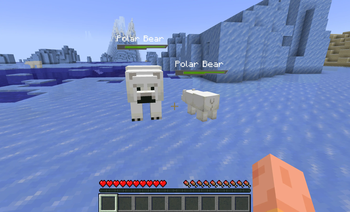
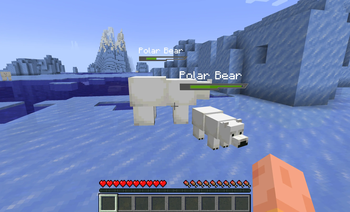
Health bar that displays above all mobs in the world, providing clear visual feedback during combat.
Kill Indicator System
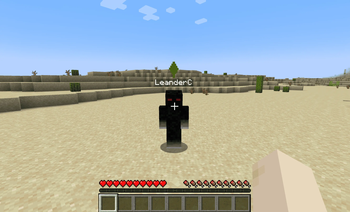
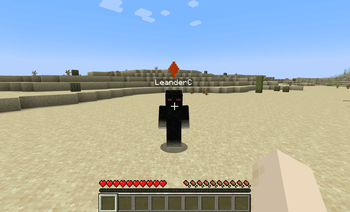
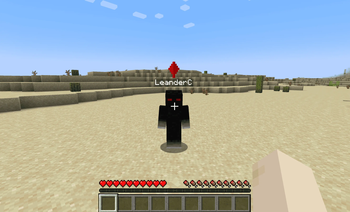
Visual indicators that mark players who have recently hurt or killed another player, inspired by combat status systems in MMORPGs.
- Dynamic Status Levels: Players who attack or kill others are marked with a different colored indicator
- Visual Feedback: Animated rotating diamond indicator above the player
City Boundary System
Complete territory management system
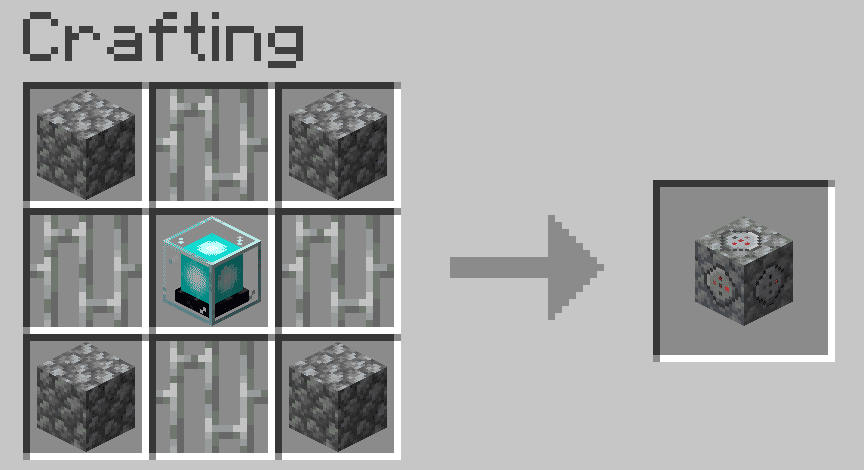
- Create and place City Boundary Blocks to define a city.
You need at least 3 to create a city. They can be placed anywhere in the world,
but they must be near to each other (default: 50 Blocks).
You can also add and remove more blocks after the city were already created. - Use the GUI to create and manage a city
- Inside a city, you can deactivate pvp, hostile mobs and explosions
- You can also toggle specific settings for non-member players, such as if
they are allowed to open containers, break blocks or place blocks inside the city.
Available Versions
How to Install Zenithra on Your Server
Order Server
Order a Minecraft Java server with at least 3 GB RAM (4 GB recommended).
Set fabric Loader
In the panel under "Egg", select the fabric loader and matching Minecraft version (1.21.1).
Install Mod
Open the mod browser in the dashboard and search for "Zenithra". Click "Install" – done! Alternatively, upload the .jar via SFTP to the /mods folder.
Compatibility
Mod Loaders
Minecraft Versions
1.21.1
Server-side
✓ RequiredRecommended RAM
4 GB(min. 3 GB)Frequently Asked Questions
Zenithra server crashes on startup – what to do?
Most common cause: wrong fabric version or insufficient RAM. Check the server log (latest.log) for "OutOfMemoryError" or "Mixin" errors. With Mado Hosting: ensure at least 3 GB RAM is allocated and the loader matches the mod version (1.21.1). You can switch loaders with one click in the panel.
Is Zenithra compatible with fabric?
Zenithra officially supports fabric for Minecraft 1.21.1. The Mado dashboard automatically detects incompatible loader combinations.
Server lagging with Zenithra – how to optimize performance?
Recommended RAM: 4 GB (per 8 players). Use /spark profiler to check if Zenithra consumes the most tick time. Common fixes: reduce server view-distance to 8-10, install "performant" or "starlight" as supplementary mods on Forge. With Mado Hosting, your server runs on NVMe SSDs with dedicated CPU cores for minimal latency.
Similar Mods




Rent Modded Server
Install Zenithra with just one click on your server.