
Zer0's XP Mod V2
XP Mod V2 is a revamp of my previous mod, "Zer0's XP Mod". The features are mostly the same, just some UI revamp and some changes.
Screenshots
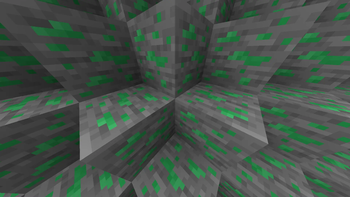
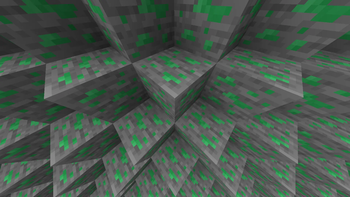
About this Mod
Zer0's XP Mod V2 ⚡
Upgrade your netherite gear like never before with the dedicated XP Upgrade Block!
No more grinding XP ores this mod brings a fresh, streamlined way to boost your XP game.
✨ Features:
✔️ XP Upgrade Block – A brand new block to upgrade your Netherite gear to XP gear! (Only applies to tools, armor is in development)
✔️ Performance Revamped – Smoother, faster, and more stable than ever.
✔️ Simple & Powerful – Focused on making XP upgrades straightforward and effective.
⚠️ Beta Disclaimer
🚧 This mod is still fresh and might have some bugs. Use with care, but expect solid performance overall.
💡 Got ideas or feedback? Hit me up at [email protected]! Always ready to make the mod better.
📥 Installation Guide
🔹 Modrinth App (Easiest Method)
1️⃣ Download and install the Modrinth App.
2️⃣ Create a new 1.19.2 Forge instance.
3️⃣ Search for "Zer0's XP Mod V2", and click Install.
4️⃣ Launch Minecraft and enjoy the mod!
🔹 Manual Installation (Standalone Minecraft Launcher)
1️⃣ Install Forge (ensure it matches the mod version).
2️⃣ Download Zer0's XP Mod V2 from Modrinth.
3️⃣ Place the .jar file in your mods folder (.minecraft/mods).
4️⃣ Start Minecraft with the correct Forge profile.
🌟 Future Plans
🚀 More XP upgrade options and new mechanics coming soon — stay tuned!
Available Versions
How to Install Zer0's XP Mod V2 on Your Server
Order Server
Order a Minecraft Java server with at least 3 GB RAM (4 GB recommended).
Set forge Loader
In the panel under "Egg", select the forge loader and matching Minecraft version (1.19.2).
Install Mod
Open the mod browser in the dashboard and search for "Zer0's XP Mod V2". Click "Install" – done! Alternatively, upload the .jar via SFTP to the /mods folder.
Compatibility
Mod Loaders
Minecraft Versions
1.19.2
Server-side
✓ RequiredRecommended RAM
4 GB(min. 3 GB)Frequently Asked Questions
Zer0's XP Mod V2 server crashes on startup – what to do?
Most common cause: wrong forge version or insufficient RAM. Check the server log (latest.log) for "OutOfMemoryError" or "Mixin" errors. With Mado Hosting: ensure at least 3 GB RAM is allocated and the loader matches the mod version (1.19.2). You can switch loaders with one click in the panel.
Is Zer0's XP Mod V2 compatible with forge?
Zer0's XP Mod V2 officially supports forge for Minecraft 1.19.2. The Mado dashboard automatically detects incompatible loader combinations.
Server lagging with Zer0's XP Mod V2 – how to optimize performance?
Recommended RAM: 4 GB (per 8 players). Use /spark profiler to check if Zer0's XP Mod V2 consumes the most tick time. Common fixes: reduce server view-distance to 8-10, install "performant" or "starlight" as supplementary mods on Forge. With Mado Hosting, your server runs on NVMe SSDs with dedicated CPU cores for minimal latency.
Similar Mods




![[TaCZ] Timeless and Classics Zero](https://cdn.modrinth.com/data/SzzJttH8/fd27766d2bb8390d284696b1dbd358f87e081439_96.webp)

Rent Modded Server
Install Zer0's XP Mod V2 with just one click on your server.