
Zoe Isn't Cyberpunk
A mod that isn't quite Cyberpunk
Screenshots
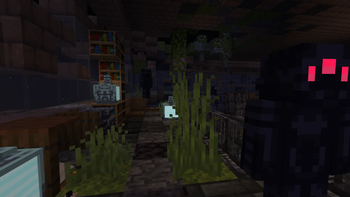
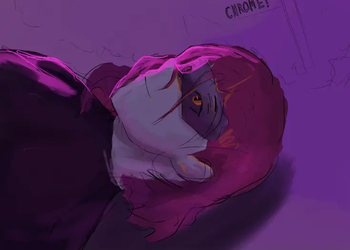
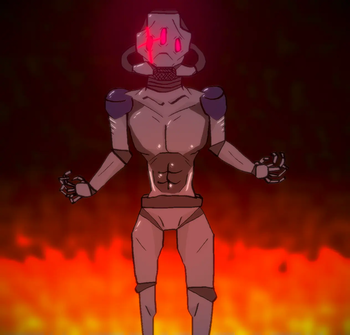
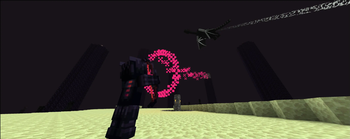
About this Mod

Summary:
Zoe Isn't Cyberpunk (Zoe) is a Cyberpunk-influenced (Influences include Cyberpunk 2077, Cyberpunk RED and Cyberpunk: Edgerunners) mod. It takes many aspects of these universes and implements them in its own way.
A new video is now available!
A new wiki is now available!
The Zoe SMP is now live! Join the discord for more information
Features: Implants, custom weapons, custom software, custom mobs, 2 bosses, building blocks and more.
The mod is recommended for multiplayer.
Stats
Cybertechne: Affects the quality of crafted implants, increased via crafting implants.
Biotechne: Represents your "humanity" - your capacity for handling implants. Increased by killing mechanical mobs (especially bosses) and having implants equipped.
Robotechne: Increases the power of software. Increased by having software equipped/using software.
Commands
/zoe_techne - Used to change a player's Cybertechne/Biotechne/Robotechne
/zoe_implant - Used to generate or clear implants
/zoe_software - Used to equip or clear Software
Config
zoe_config.toml - General configurations to the Zoe experience
zoe (folder) - Configurable settings for each individual implant, including disabling them entirely
Compatibility & Support
Implants:
Zoe uses JSON files for its implant attributes. If you wish to change them, you can find them in your game file directory (%appdata%) under .../config/zoe and you are free to change it as you wish.
the JSON file names must follow this format: 'zoe_
NOTE: If you want your implant changes to stay PERMANENT between mod updates, set their "update" value to 'false'!
While it is possible to change implant details during runtime, I highly advise against it on servers and even in Singleplayer to avoid any issues (for example, the attribute application system breaking). You should close your world/server before making changes to the JSON files.
Other
Zoe uses tags and similar things to try and be as friendly as possible for compatibility with other mods. Joining the discord and asking me directly is the best way to learn more about this.
Notice
This mod does not associate itself officially with any of the influences mentioned above, it is merely inspired by them.
This mod is made using MCreator. I hope to improve my coding so I'll eventually be able to move to full-on coding, but MCreator will remain my main method of development until further notice.
While MCreator does get a lot of flak for understandable reasons (and also some pre-determined disinclination), I've tried my very best to implement proper compatibility and support where I could for server owners, other mods and the like.
For more info regarding compatibility/support, please check the 'Compatibility & Support' section.
Available Versions
How to Install Zoe Isn't Cyberpunk on Your Server
Order Server
Order a Minecraft Java server with at least 3 GB RAM (4 GB recommended).
Set forge Loader
In the panel under "Egg", select the forge loader and matching Minecraft version (1.20.1).
Install Mod
Open the mod browser in the dashboard and search for "Zoe Isn't Cyberpunk". Click "Install" – done! Alternatively, upload the .jar via SFTP to the /mods folder.
Compatibility
Mod Loaders
Minecraft Versions
1.20.1
Server-side
✓ RequiredRecommended RAM
4 GB(min. 3 GB)Frequently Asked Questions
Zoe Isn't Cyberpunk server crashes on startup – what to do?
Most common cause: wrong forge version or insufficient RAM. Check the server log (latest.log) for "OutOfMemoryError" or "Mixin" errors. With Mado Hosting: ensure at least 3 GB RAM is allocated and the loader matches the mod version (1.20.1). You can switch loaders with one click in the panel.
Is Zoe Isn't Cyberpunk compatible with forge?
Zoe Isn't Cyberpunk officially supports forge for Minecraft 1.20.1. The Mado dashboard automatically detects incompatible loader combinations.
Server lagging with Zoe Isn't Cyberpunk – how to optimize performance?
Recommended RAM: 4 GB (per 8 players). Use /spark profiler to check if Zoe Isn't Cyberpunk consumes the most tick time. Common fixes: reduce server view-distance to 8-10, install "performant" or "starlight" as supplementary mods on Forge. With Mado Hosting, your server runs on NVMe SSDs with dedicated CPU cores for minimal latency.
Similar Mods




Rent Modded Server
Install Zoe Isn't Cyberpunk with just one click on your server.