
Zombie Horsemen
Zombie Horsemen is a Minecraft datapack that introduces a new surprise event similar to the Skeleton Trap. When triggered, a zombie riding a zombie horse, equipped with an iron helmet, iron axe, and shield, will spawn to challenge players.
Screenshots
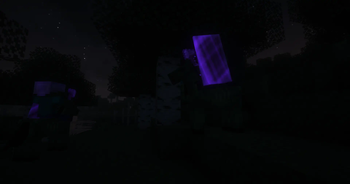
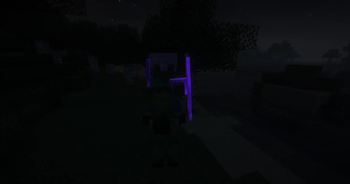
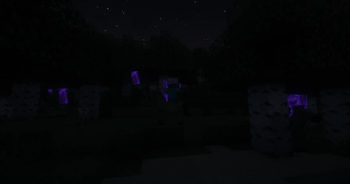
About this Mod
Zombie Horsemen Mod/Datapack




Overview
The Zombie Horsemen Mod/Datapack introduces a new and exciting challenge to Minecraft. Inspired by the classic Skeleton Traps, this mod/datapack summons a zombie riding a zombie horse. Each Zombie Horseman is equipped with an iron helmet, an iron axe, and a shield, making them a formidable foe in the game.
Features
- Zombie Horsemen Traps: Similar to Skeleton Traps, Zombie Horsemen appear in the game and challenge players with their dangerous gear and tactics.
- 0.25% Nightly Chance: Every night, there is a 0.25% chance that any zombie will be a "Zombie Trap," which triggers the summoning of four Zombie Horsemen.
- Custom Equipment: Each Zombie Horseman comes equipped with an iron helmet, iron axe, and a shield.
- Zombie Horse Mount: The zombies ride on zombie horses, adding a new layer of difficulty and excitement.
Installation
For Mod Installation
- Download the Mod: CurseForge | Modrinth
- Install with Your Preferred Mod Loader:
- Forge/NeoForge: Drag the mod file into the
modsfolder located in your.minecraftdirectory. - Fabric/Quilt: Ensure you have the Fabric API installed alongside the corresponding mod loader. Place the mod file into the
modsfolder.
- Forge/NeoForge: Drag the mod file into the
For Datapack Installation
- Download the Datapack: CurseForge | Modrinth
- Locate Your Minecraft Saves Folder:
- Windows:
%appdata%\.minecraft\saves - Mac:
~/Library/Application Support/minecraft/saves - Linux:
~/.minecraft/saves
- Windows:
- Add the Datapack:
- Open the folder of the world you want to add the datapack to.
- Drag and drop the downloaded
.zipfile into thedatapacksfolder.
- Load the Datapack:
- Start Minecraft and enter your world.
- Use the
/reloadcommand if necessary. - Enjoy the new Zombie Horsemen challenge!
Compatibility
- Minecraft Version: This mod/datapack is compatible with Minecraft version 1.14+.
- Mod Loaders: Supports Forge, NeoForge, Fabric (with Fabric API), and Quilt (with Fabric API).
- Multiplayer Support: Fully compatible with multiplayer servers.
Usage
- Encountering Zombie Horsemen: Be ready for a tough fight when you come across a Zombie Horseman. Their armor and weaponry make them a dangerous opponent.
- Loot and Rewards: Upon defeating a Zombie Horseman, players can collect the loot dropped by the zombie and its horse.
Feedback and Support
If you encounter any issues or have suggestions for improvements, please contact us via Discord.
License
This mod/datapack is released under the CC0-1.0. Feel free to modify and share it, but please credit the original author, sashiro.
Credits
- Creator: sashiro
Links
- Download the Mod/Datapack: CurseForge MOD | CurseForge DATAPACK | Modrinth
- Join our Community: Discord
- Support the Creator: PayPal
Thank you for using the Zombie Horsemen Mod/Datapack! Prepare yourself for a thrilling new challenge in Minecraft.
Available Versions
How to Install Zombie Horsemen on Your Server
Order Server
Order a Minecraft Java server with at least 3 GB RAM (4 GB recommended).
Set datapack Loader
In the panel under "Egg", select the datapack loader and matching Minecraft version (1.21.5).
Install Mod
Open the mod browser in the dashboard and search for "Zombie Horsemen". Click "Install" – done! Alternatively, upload the .jar via SFTP to the /mods folder.
Compatibility
Mod Loaders
Minecraft Versions
1.21.5, 1.21.4, 1.21.3 (+33 more)
Server-side
✓ RequiredRecommended RAM
4 GB(min. 3 GB)Frequently Asked Questions
Zombie Horsemen server crashes on startup – what to do?
Most common cause: wrong datapack version or insufficient RAM. Check the server log (latest.log) for "OutOfMemoryError" or "Mixin" errors. With Mado Hosting: ensure at least 3 GB RAM is allocated and the loader matches the mod version (1.21.5). You can switch loaders with one click in the panel.
Is Zombie Horsemen compatible with datapack and fabric and forge and neoforge and quilt?
Zombie Horsemen officially supports datapack, fabric, forge, neoforge, quilt for Minecraft 1.21.5, 1.21.4, 1.21.3. Note: Forge and Fabric mods are NOT cross-compatible – pick one loader and stick with it. The Mado dashboard automatically detects incompatible loader combinations.
Server lagging with Zombie Horsemen – how to optimize performance?
Recommended RAM: 4 GB (per 8 players). Use /spark profiler to check if Zombie Horsemen consumes the most tick time. Common fixes: reduce server view-distance to 8-10, install "performant" or "starlight" as supplementary mods on Forge. With Mado Hosting, your server runs on NVMe SSDs with dedicated CPU cores for minimal latency.
Similar Mods




Rent Modded Server
Install Zombie Horsemen with just one click on your server.