Modern Server Panel
Manage your Minecraft server with our user-friendly, feature-rich panel. Everything you need, right in your browser.
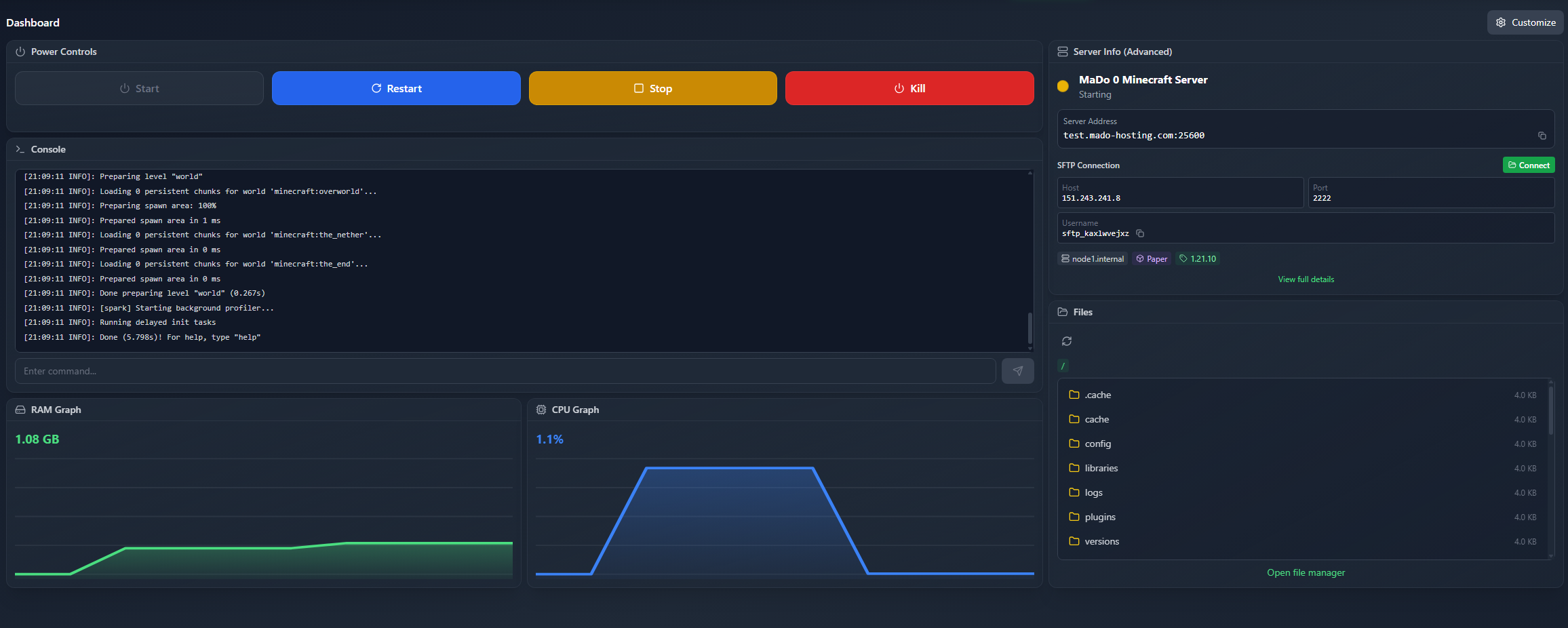
Server Overview
All important server information at a glance: status, resources and quick actions.
All Panel Features
Discover all features of our panel - from the console to AI-powered error analysis.
Live Console
Real-time console output with WebSocket connection. Execute commands directly from your browser.
File Manager
Edit, create and delete files directly in your browser. Integrated code editor with syntax highlighting.
Backup Manager
Create manual backups, restore them or download them. Lock function prevents accidental deletion.
Resource Monitoring
Monitor CPU, RAM and network in real-time with live graphs and statistics.
AI Crash Analyzer
Automatic analysis of crash and startup logs with AI support. Get instant solution suggestions.
Workflow Automation
Automate server tasks with visual workflows - no coding required.
Mod & Plugin Browser
Browse CurseForge and Modrinth directly in the panel. Install mods and plugins with one click.
Lightning Fast
WebSocket-based real-time updates without delay.
Clear Overview
Modern UI design with all info at a glance.
Secure
Encrypted connections & secure authentication.
Ready to Get Started?
Experience our panel yourself - create your first server now.