Advanced Recipes
Utility library to help mods create recipes with extra info or special properties.
Description
Advanced Recipes
Multiplayer Compatible, Multiplayer Tested! Can also run as a client-side only mod as long as the server has SML installed.
If you enjoy my work, please consider donating to my [completely optional tip jar](https://ko-fi.com/robb4).
[AniMouse's tips](https://boosty.to/anivirus/donate)
This mod adds no content of its own, only adjusts various displays of recipes. It also enables other mods to supply additional properties for recipes
Features
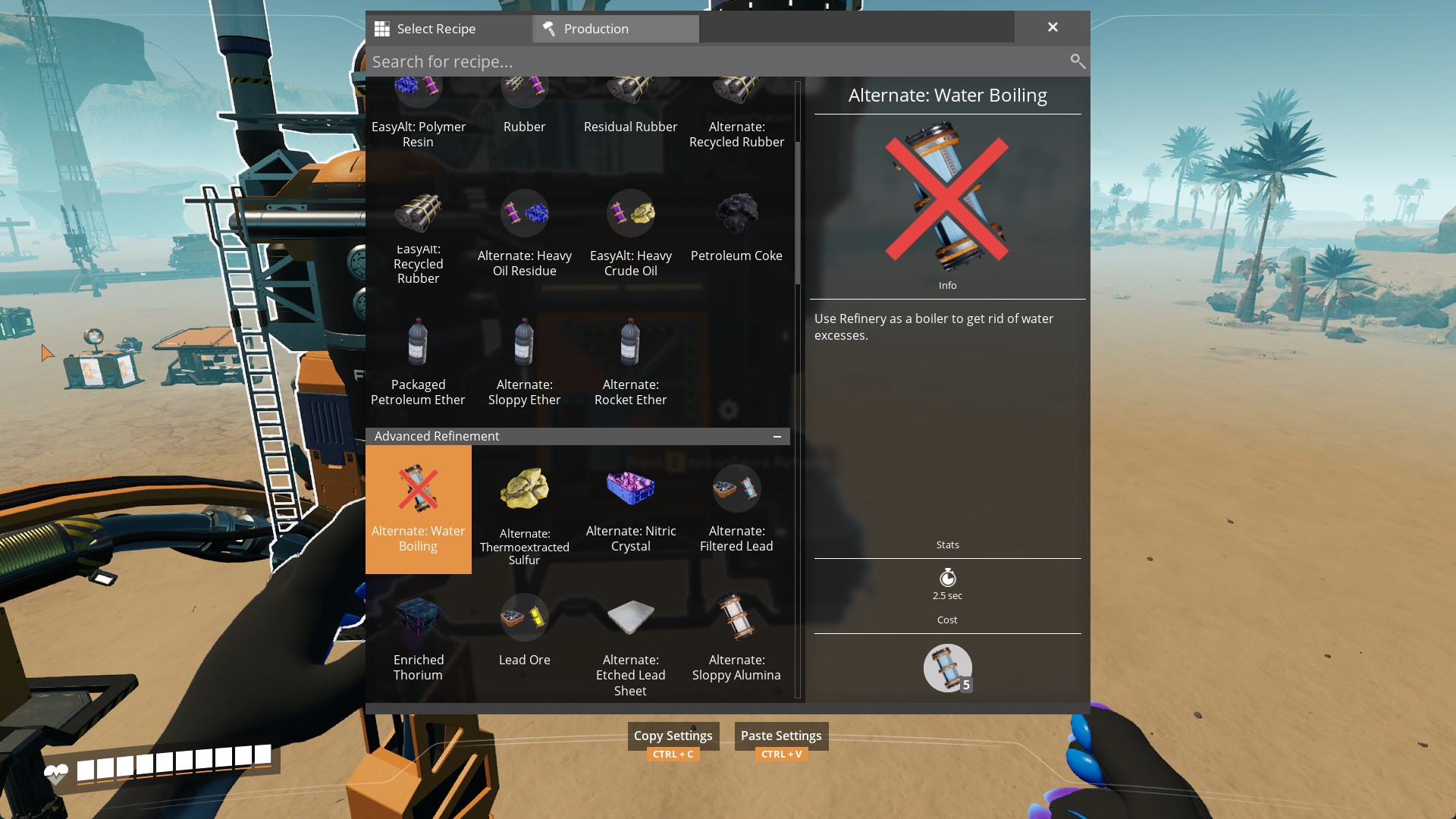
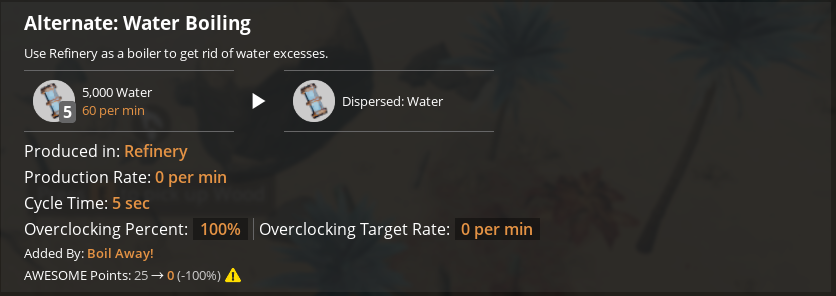
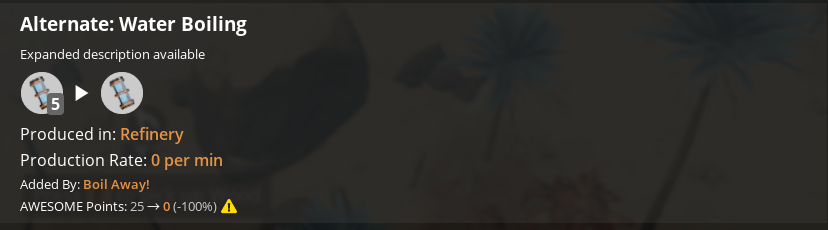
Make ingredients that cost '0' of an item display as "Catalyst" items instead of "0"
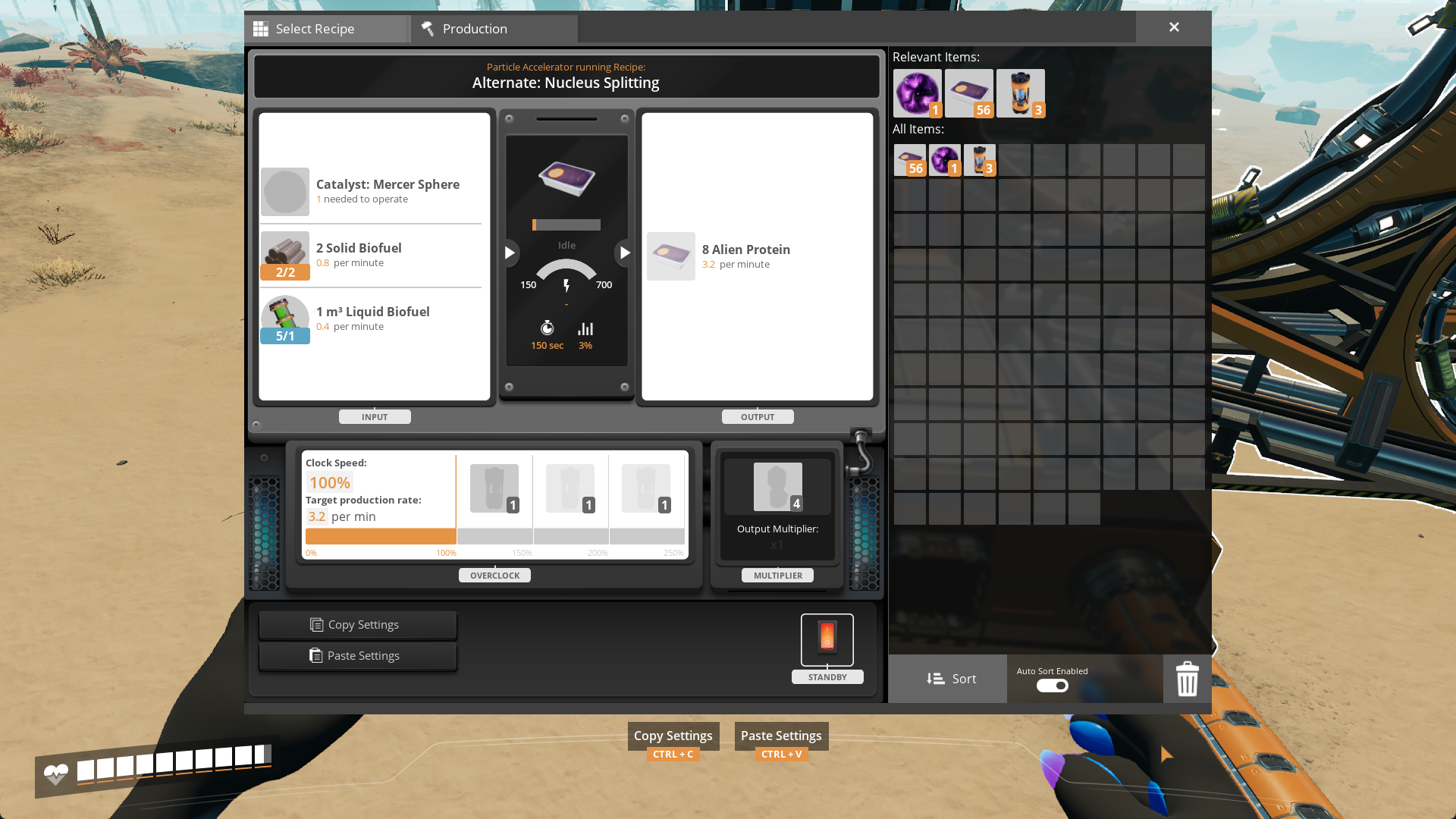
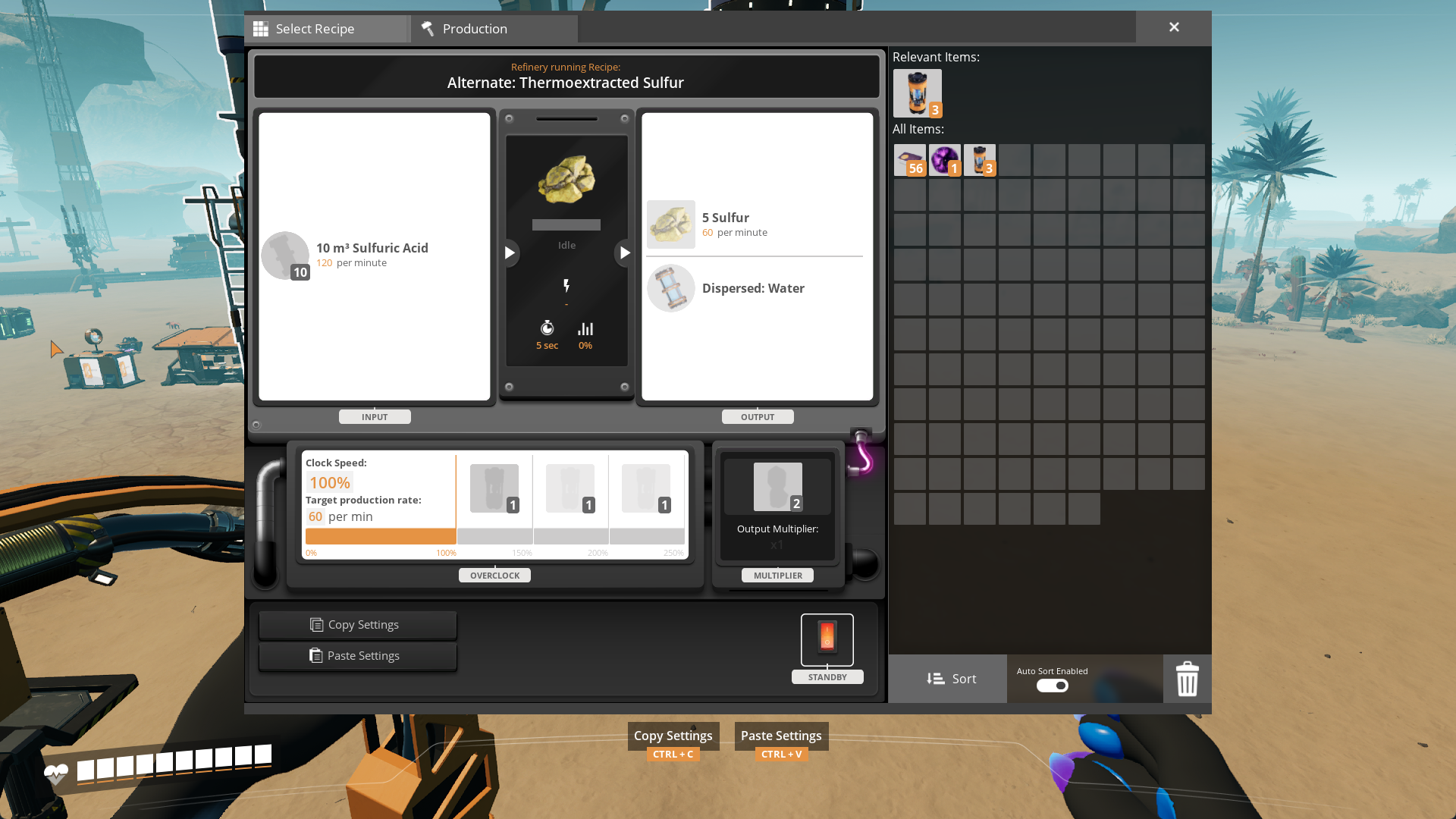
Make machine products that cost '0' of an item display as "Dispersed" items instead of "0"
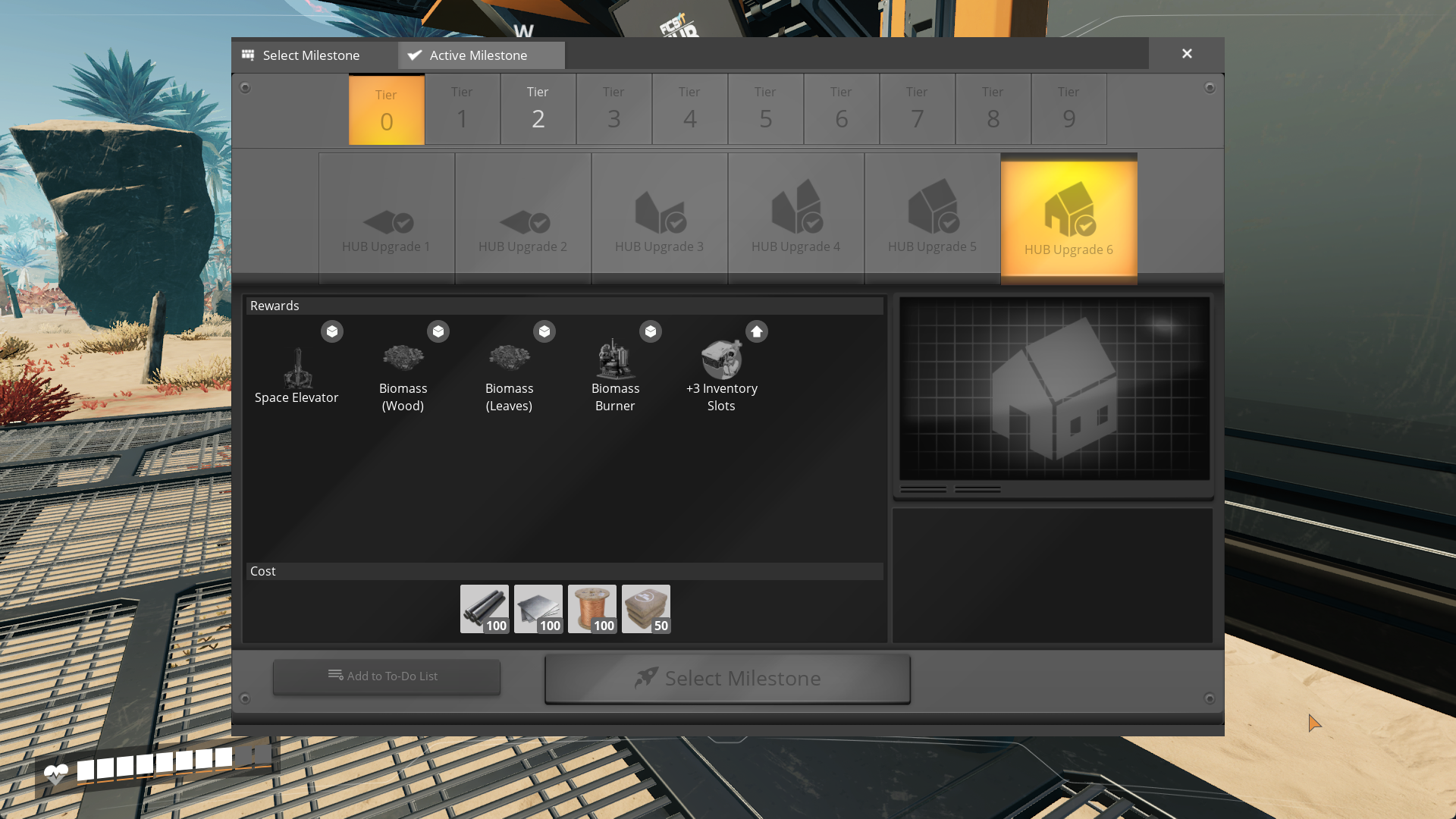
Make milestones/researches display name of the recipe instead of its first product
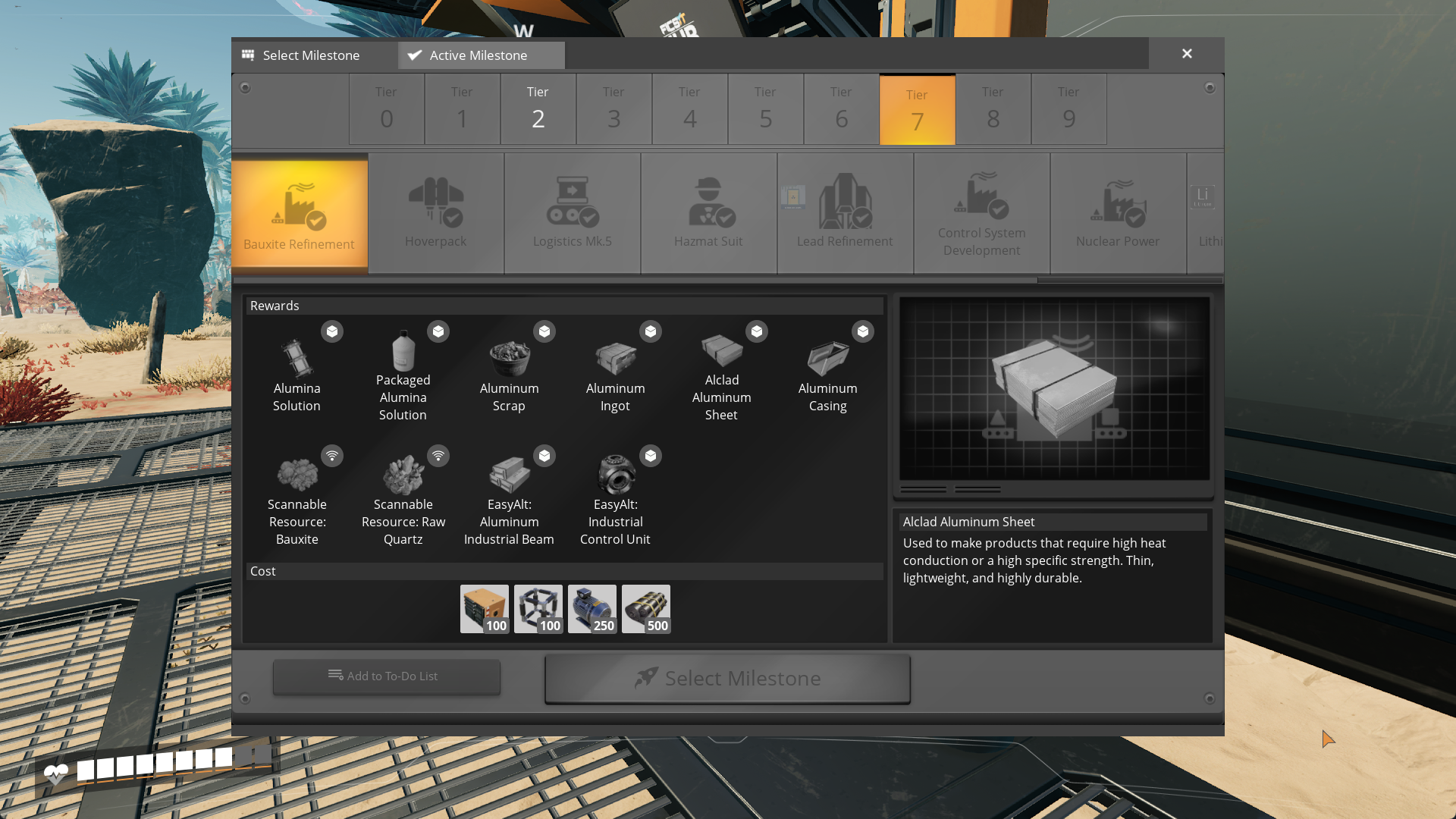
Allows modders to supply recipes with extra data (recipe descriptions, custom recipe icons) viewable to the user in the Codex, unlocks, machines and other recipe info displays
Mods Using This Mod
[Beaver's Bio Tweaks](https://ficsit.app/mod/AB_BioTweaks)
[Boil Away!](https://ficsit.app/mod/BoilAway)
For Mod Developers
This mod is open source and I (Robb) will not be vanishing on you any time soon.
This mod's features take effect on any vanilla-based UI.
Sometimes no item recipe has a name matching its first product name (i.e. Ficsite Ingot (Iron), Power Shard (1)...). To make the mod ignore a certain recipe unlock, apply `Recipe.Original` content tag to it via Content Tag Addition Table
In order to provide advanced description for a recipe, create a Data Asset of type BP\_AdvancedRecipeDescription and set all of its values. None textures and empty description texts will make it to not alter original description parts, except for DisplayByproduct, it is always applied. The rest is handled by Advanced Recipes itself
NOTE: If you want this mod to be an optional dependency, only set data on your Data Asset instances!
Update 2.0.0-pre.1 provided by AniViRus Productions
Versions
How to Install Advanced Recipes on Your Server
Order Satisfactory Server
Order a Satisfactory server with at least 4 GB RAM (6 GB recommended). For multiplayer: per 4 players.
Install Mod
Open the mod manager in the dashboard and search for "Advanced Recipes". Installation dependencies are installed automatically.
Restart Server
Restart the server so the mod is loaded. Players need to have the mod installed locally as well.
Frequently Asked Questions
Advanced Recipes not working after update – what to do?
After a Satisfactory update, mods need to be updated. Check ficsit.app whether Advanced Recipes has been updated for the new game version. With Mado Hosting: open the mod manager and click "Update All". If the mod hasn't been updated yet, temporarily remove it so the server starts.
Advanced Recipes causing crashes in multiplayer – solution
Most common cause: all players must have exactly the same mod version installed. Check server logs for "ModMismatch" or "Version Conflict". Ensure all players use Advanced Recipes v2.0.0-pre.2 and the same SML. With Mado Hosting, Satisfactory servers run with 6 GB RAM for stable multiplayer performance.
Is Advanced Recipes compatible with other Satisfactory mods?
Advanced Recipes uses the Satisfactory Mod Loader (SML). Generally, SML-based mods are cross-compatible, but mods modifying the same game systems can cause conflicts. Test new mod combinations on a backup save. The Mado dashboard automatically detects known conflicts and warns you.
Rent Advanced Recipes Server
Play Advanced Recipes on your own Satisfactory server with mod support.
Mod Information
- Author
- Robb, AniViRus Productions
- Latest Version
- v2.0.0-pre.2
- Created
- January 26, 2024
- Last Updated
- July 8, 2026
- Source Code
- GitHub →