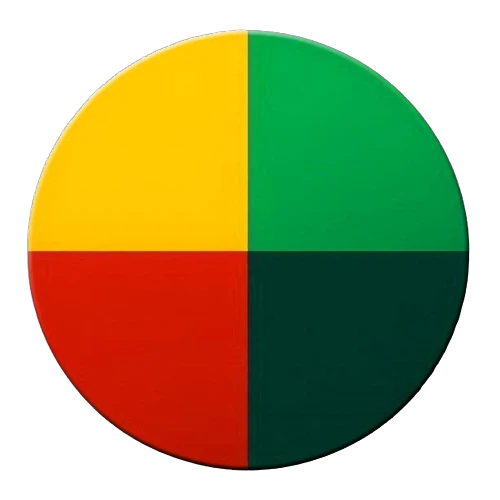
Indicator Auto Paint
Automatically paint your producers, power generators, power storage, and extractors based on their Indicator Status!
Description
<center><img src="https://github.com/DellAquila/Layout/raw/main/New/CABECALHO.png"><BR/></center><br/>
Automatically paint your producers, power generators, power storage, and extractors based on their Indicator Status!
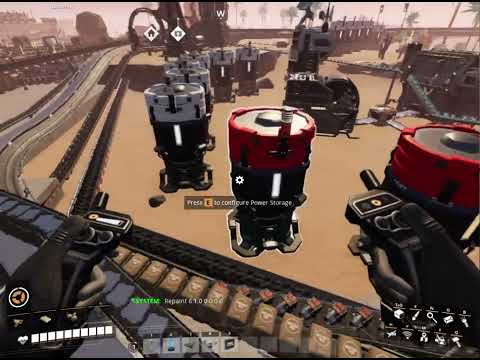
"Indicator Auto Paint" dynamically recolors your machines to reflect their operational status, providing instant visual feedback on your factory's performance. No more manually checking each machine!
Warning: This mod will automatically repaint all your machines.
Features:
Automatic Color Coding: Machines change color based on their indicator status (producing, standby, error, etc.).
Comprehensive Coverage: Affects producers, power generators, power storage, and extractors.
Real-Time Feedback: Instantly visualize your factory's operational state.
Configuration (Chat Commands):
Update Timers:
`/aip recolortime [seconds]`: Sets the time interval (in seconds) for machine paint updates. (Default: 120 seconds)
`/aip newbuildings [seconds]`: Sets the time interval (in seconds) for scanning new machines. (Default: 400 seconds)
Color Settings (RGB):
`/aip colornone R G B`: Sets the color for "No Indicator" status. (Default: Black 0 0 0)
`/aip colorproducing R G B`: Sets the color for "Producing" status. (Default: Green 0 1 0)
`/aip colorshard R G B`: Sets the color for "Producing using Power Shards" status. (Default: Blue 0.15 0.25 0.75)
`/aip colorstandby R G B`: Sets the color for "On StandBy" status. (Default: Yellow 1 1 0)
`/aip colorerror R G B`: Sets the color for "Error" status. (Default: Red 1 0 0)
Benefits:
Improved Factory Monitoring: Quickly identify machine status at a glance.
Enhanced Visual Clarity: Streamline your factory's visual feedback.
Customizable Colors: Tailor the colors to your preference.
Automated System: Eliminate manual painting and status checks.
Note:
Be aware that this mod will automatically repaint all your machines. Use the configuration commands to adjust the update intervals and colors to your liking.


<br/><img src="https://github.com/DellAquila/Layout/raw/main/Videos_Up.png"><br/>
[](https://www.youtube.com/watch?v=LMtqqFWJyUg)
<br/><img src="https://github.com/DellAquila/Layout/raw/main/Videos_Down.png"><br/>
________
<br/>I'm having a lot of fun making Satisfactory Mods and I hope you are enjoying them! If you want to [donate](https://www.paypal.com/cgi-bin/webscr?cmd=_s-xclick&hosted_button_id=U96NB4W469FR2&source=url), i would be very grateful.<br/><br/>[](https://discord.gg/xkVJ73E)<br/>[](https://store.steampowered.com/app/1958750/Hexfactory/)<br/>[](https://www.patreon.com/AndreAquila)<br/>[](https://ko-fi.com/aquilaindustrial)<br/>[](https://www.paypal.com/cgi-bin/webscr?cmd=_s-xclick&hosted_button_id=U96NB4W469FR2&source=url)
How to Install Indicator Auto Paint on Your Server
Order Satisfactory Server
Order a Satisfactory server with at least 4 GB RAM (6 GB recommended). For multiplayer: per 4 players.
Install Mod
Open the mod manager in the dashboard and search for "Indicator Auto Paint". Installation dependencies are installed automatically.
Restart Server
Restart the server so the mod is loaded. Players need to have the mod installed locally as well.
Frequently Asked Questions
Indicator Auto Paint not working after update – what to do?
After a Satisfactory update, mods need to be updated. Check ficsit.app whether Indicator Auto Paint has been updated for the new game version. With Mado Hosting: open the mod manager and click "Update All". If the mod hasn't been updated yet, temporarily remove it so the server starts.
Indicator Auto Paint causing crashes in multiplayer – solution
Most common cause: all players must have exactly the same mod version installed. Check server logs for "ModMismatch" or "Version Conflict". Ensure all players use Indicator Auto Paint v1.0.0 and the same SML. With Mado Hosting, Satisfactory servers run with 6 GB RAM for stable multiplayer performance.
Is Indicator Auto Paint compatible with other Satisfactory mods?
Indicator Auto Paint uses the Satisfactory Mod Loader (SML). Generally, SML-based mods are cross-compatible, but mods modifying the same game systems can cause conflicts. Test new mod combinations on a backup save. The Mado dashboard automatically detects known conflicts and warns you.
Rent Indicator Auto Paint Server
Play Indicator Auto Paint on your own Satisfactory server with mod support.
Mod Information
- Author
- Andre Aquila
- Latest Version
- v1.0.0
- Created
- March 15, 2025
- Last Updated
- July 8, 2026