
Megaprojects Library
Common files and systems for Megaprojects for mod development
Description
#
AniViRus Productions (AniMouse) is now on [Ficsit Labs](https://discord.gg/pz2U6FvMat). Join for news, updates and your feedback and suggestions!
[Donation link](https://boosty.to/anivirus/donate) if you wish to toss a coin to support me. Everything goes into a new PC for modding!
---
NOTE: This is NOT a mod. It doesn't add anything on its own. It is used to develop other mods for anyone who wishes to.
---What is this mod? Or what are Megaprojects?
The simplest way to describe them as extra tasks which are similar to Project Assembly. Megaprojects are more focused on personal gains for pioneers tather than FICSIT. Here is what you need to know about them:
- Megaprojects are colossal buildings which are either robust versions of existing buildings or something that introduces an entirely new mechanic. Or even both to some capacity.
- They have a fixed location in the world since they interact with their environment on getting built. For the same reason they can't be dismantled
- Like Space Elevator they require completion of multiple phases. With each upgrade functionality of the building improves and extends. Phases themselves heavily resemble HUB's Milestones, they can even unlock recipes, give inventory slots (and anything schematics can unlock in general). But it won't be easy, resource requirements are immense, prepare for a new automation challenge.
- When Megaproject gets unlocked, an initialization area will appear and its location will receive a map marker.
In order to not clutter player's HUD, upon unlocking any Megaproject, a new special building gets unlocked, called System of Megaprojects Management.
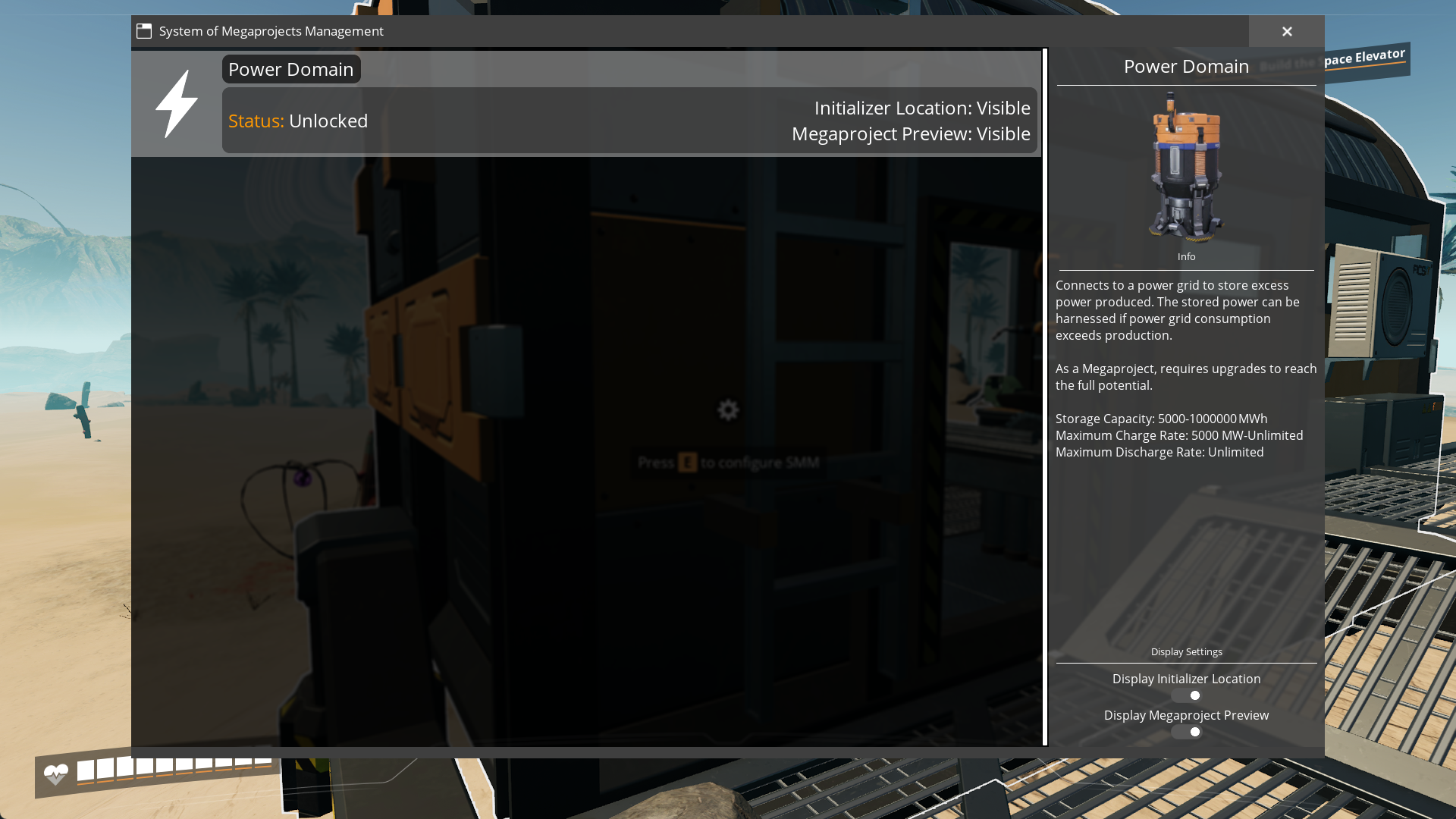
It has info on all Megaprojects you have access to including additional data. Overall status of Megaproject, current phase info.
In addition it manages per-player display settings (display of initializer's location on map, Megaproject preview hologram, currently tracked Megaproject progress in top right corner along with milestones and Project Assembly).
---
Compatibility
1. Library has been thoroughly tested and is fully compatible with multiplayer.2. If issues occur they may be related to specific mods, be aware.
---
Currently planned or developed Megaprojects by me:
- [Power Domain](https://ficsit.app/mod/Megaprojects_PowerDomain): A colossal Power Storage which can store up to 1,000,000 MW of power and which establishes a power field over the map granting ability to build Power Satellites - wireless power connections to Power Domain. Status: Public beta.- World Radar: An advanced Radar Tower which covers the whole map. In addition it reveals locations of Mercer Spheres, Somersloops and Hard Drives. Though you will have to find where its location hides on your own... Status: Planned.
- Water Dam: Choose one of the locations for this source of up to 50.000 MW of green power. With each upgrade it also grants ability to create building artificial water wells. Their maximum amount and effifiency depends on level of Megaproject. Status: Planned.
- Damocles Orbital Defence System: Launch a satellite with a devastating laser build into it. It will shoot at your command. It is time to eradicate hazardous environments once and for all! Status: Planned.
---
Documentation
As of now, docs are partially obsolete, a lot has changed from 1.0.0-pre.3 to 1.0.0. Here are key changes:
- BP_UnlockInfoOnly is now not needed for info display, only BP_UnlockMegaproject
- DisplayStarterLocation property has been removed everywhere since it's now easier to include gimmicks into Megaprojects via inheritance
- Megaprojects Manager Entry class variable has been added
A prototype of Power Domain Megaproject will be used as an example.
A lot of base functionality is included into library itself, so if you want to make a Megaproject mod which is simple as it getting unlocked, initiated and upgraded - the only things you'll need to program is code/blueprint for your own buildable, and creating data-only Megaproject related subclasses. These are disclosed down below.
Megaprojects work fully on vanilla systems. Megaproject phases are, in fact, schematics. So, you will need to add those to your `Game World Module`.
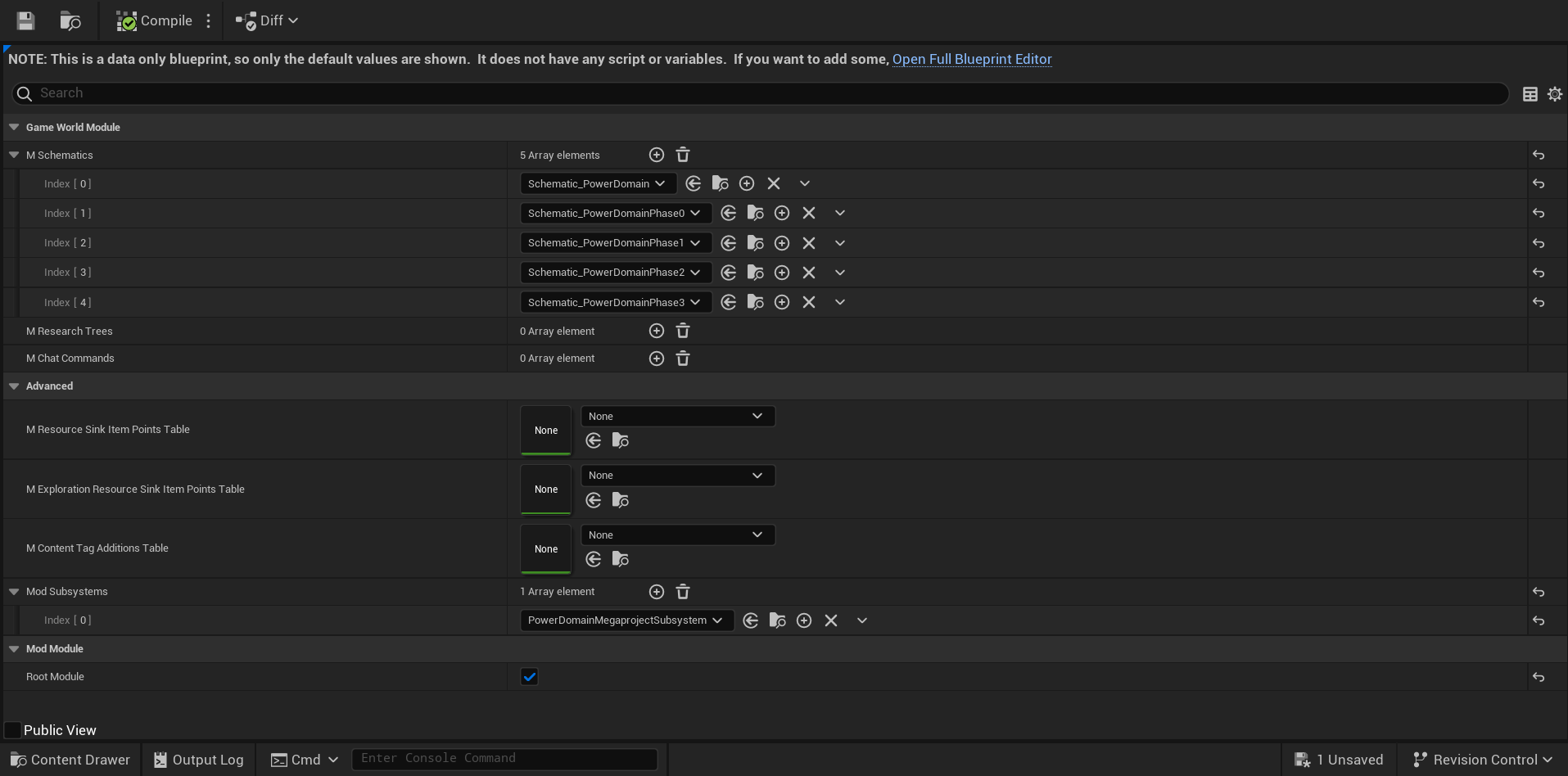
The first listed schematic here is the one which is meant to unlock the Megaproject itself. Thankfully, the library provides a new type of `FGUnlock`: `BP_UnlockMegaproject`, so you don't necessarily need to create a new one - you can add your own instance of `BP_UnlockMegaproject` to existing ones.
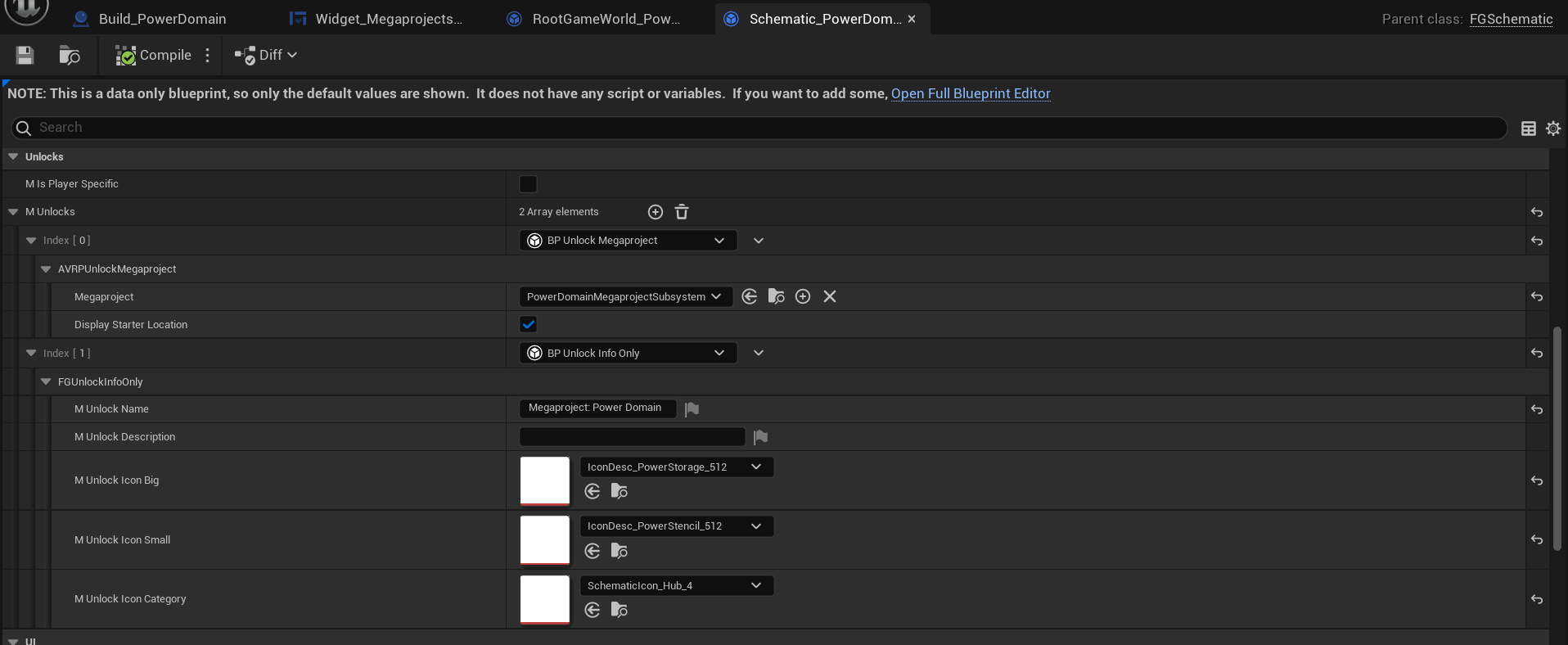
Though you don't see it, the schematic has a Milestone type, so in this case Megaproject gets unlocked via HUB's milestone.
It won't display any extra info so be sure to also add `FGUnlockInfoOnly` if you wish to notify player.
If you set `DisplayStarterLocation` to `false`, Megaproject Initializer's location won't be marked on the map, SMM will display status of building as Unlocked. Location unknown instead of regular Unlocked. It gets marked on the map if another `BP_UnlockMegaproject` for the same Megaproject has `DisplayStarterLocation` set to `true`, or upon the first interaction with Megaproject Initializer.
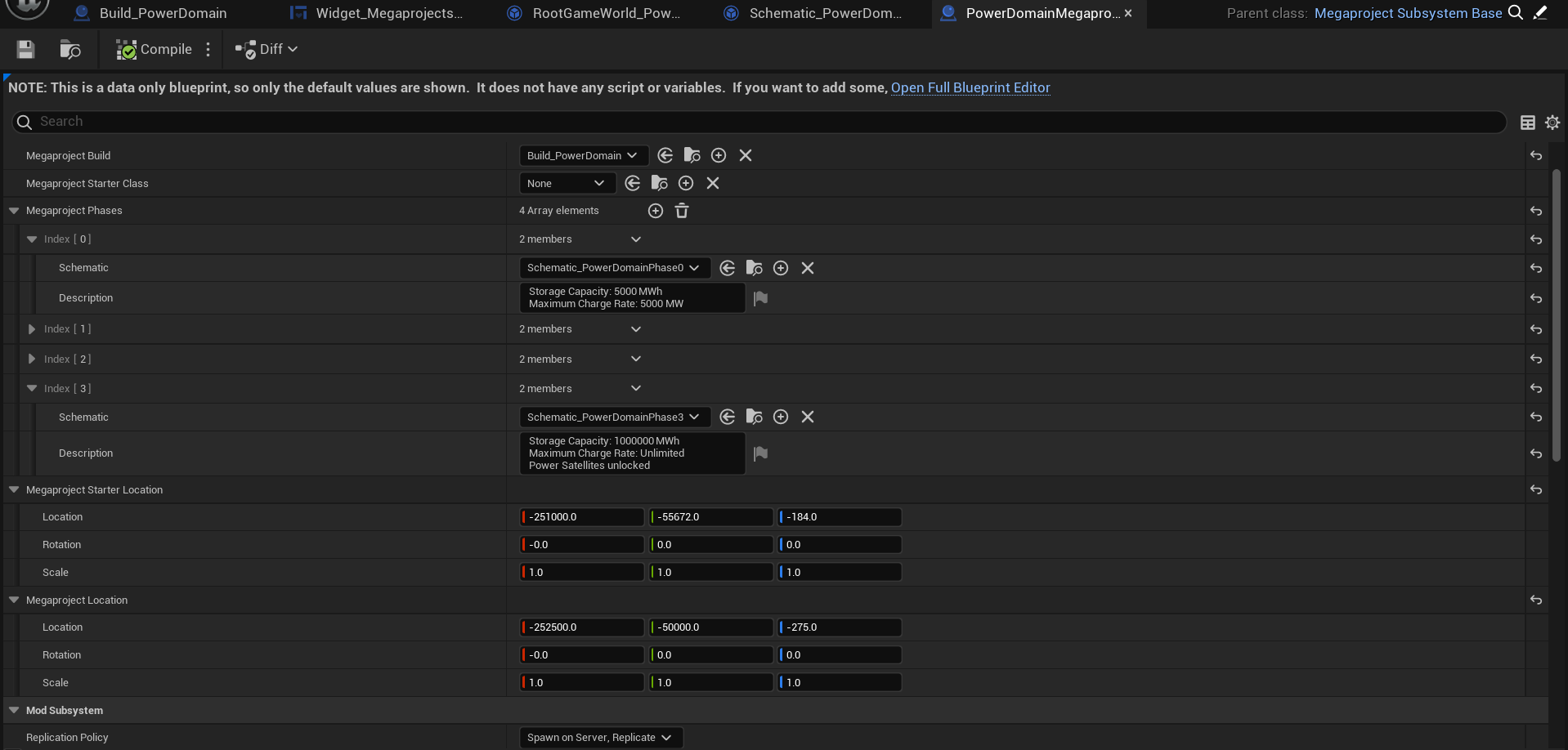
Megaproject's subsystem should be a subclass of `Megaproject Subsystem Base` or `AAVRPMegaprojectSubsystemBase`, which is not recommended. As for variables:
- `Megaproject Build` is a class of your Megaproject building. It has to be `AFGBuildable` which implements `IAVRPMegaprojectInterface`
- `Megaproject Starter Class` is a class of your custom Megaproject Initializer. If you don't want it to be custom, you can leave it as `None`
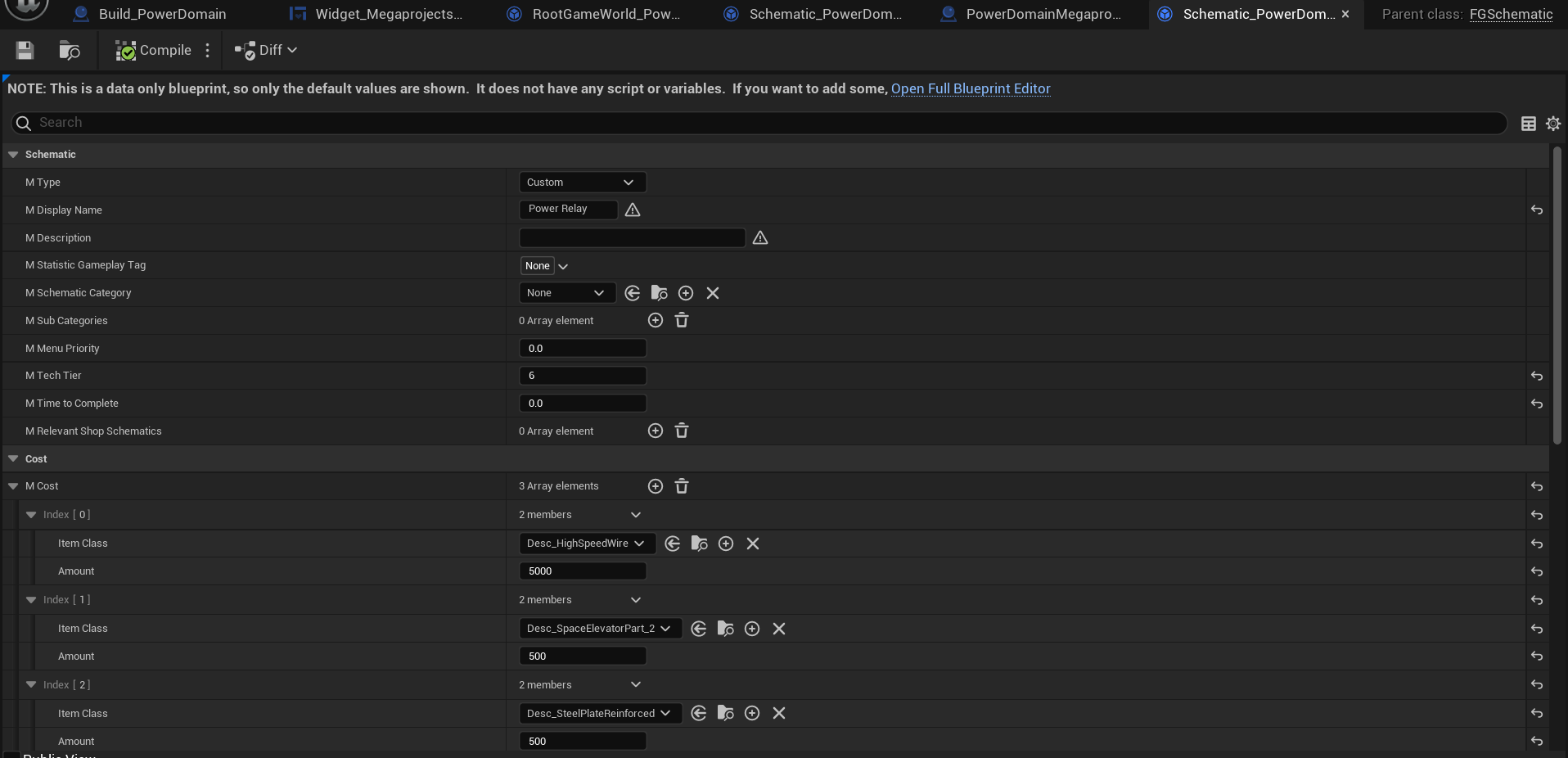
- Megaproject's phases are described as schematics with their descriptions for display. For schematics you need to set their name, cost and optionally their unlocks. Note: phase at index 0 gets unlocked when Megaproject is spawned, its cost will be ignored. Schematics can't be `None` or get duplicated. This also means that you can bind ADA's messages to phase accomplishments.
- Locations of Initializer and building itself. Set them nearby for best player experience
- Preview Mesh of Megaproject. It will be displayed as a hologram.
As for the building itself, as it has been mentioned, it has to be `AFGBuildable` which implements `IAVRPMegaprojectInterface`. Other than that it doesn't require anything else. However `IAVRPMegaprojectInterface` itself also implements `IFGActorRepersentationInterface`. Megaproject Initializer's code contains an example of implementing map/compass markers support.
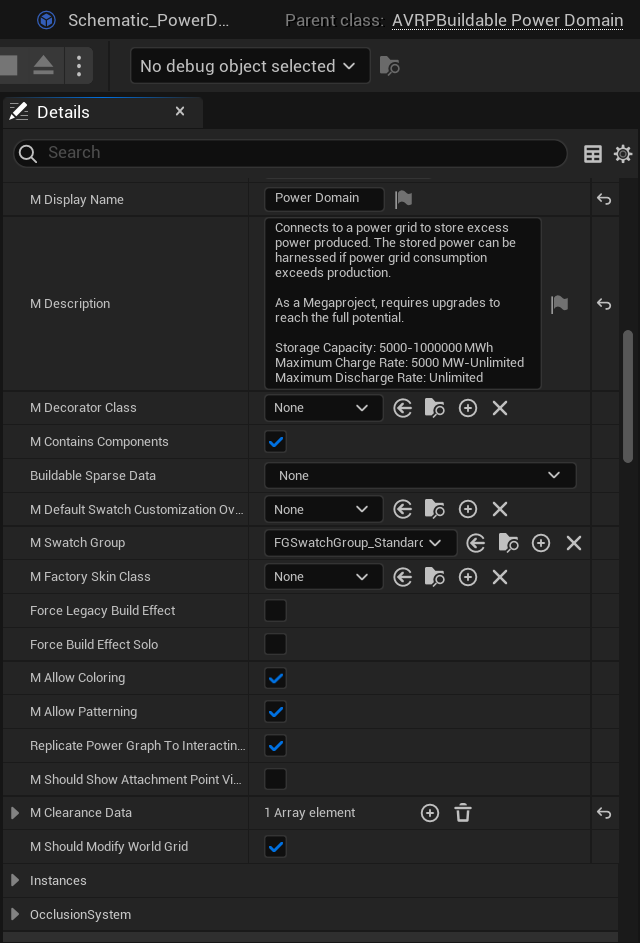
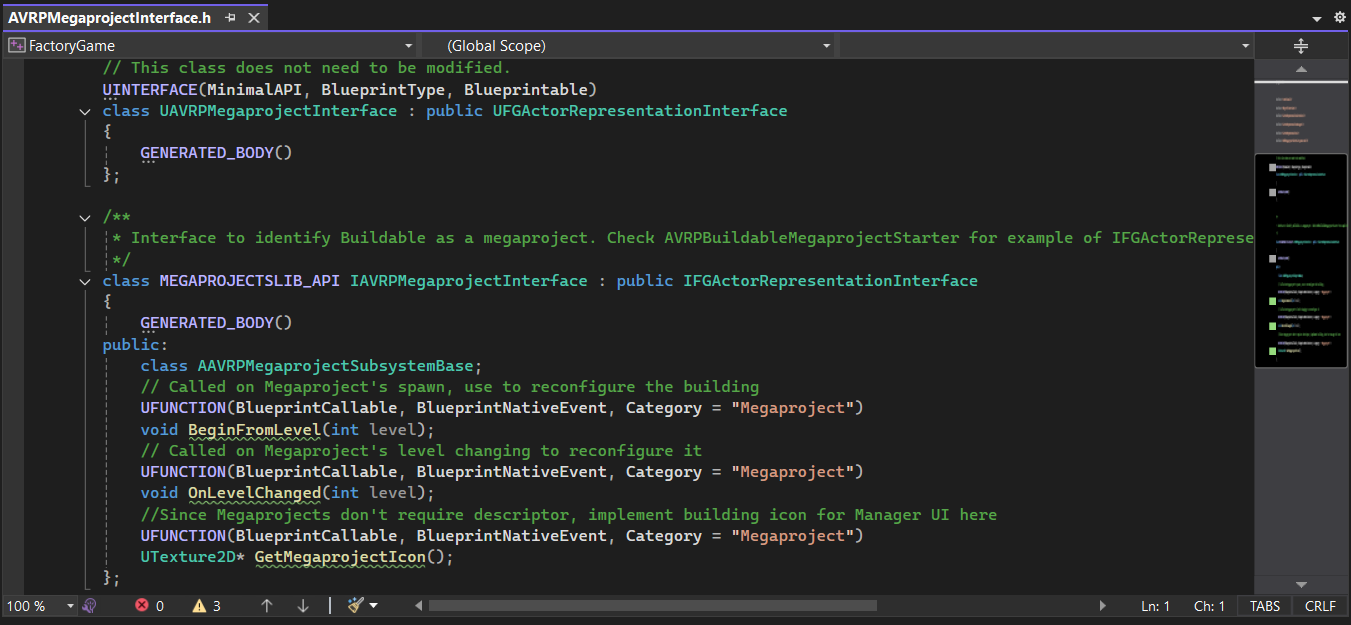
Other than that, how you implement the interface is up to you.
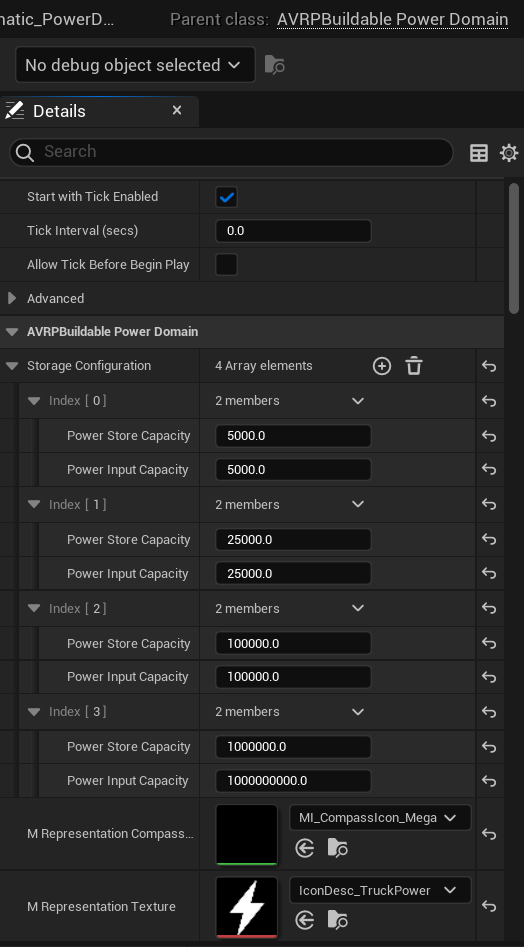
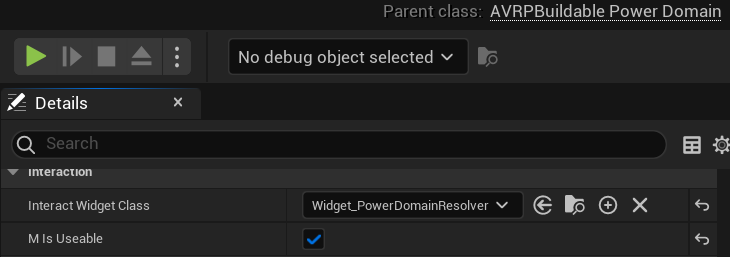
You will certainly want to make your Megaproject interactable. If your building is based on other existing building (in our case Power Domain is a subclass of Power Storage), you have an option to reuse already existing interact widgets by setting interact widget to a subclass of `Widget_MegaprojectUIResolver`. Otherwise you will need to make your own interact widget.
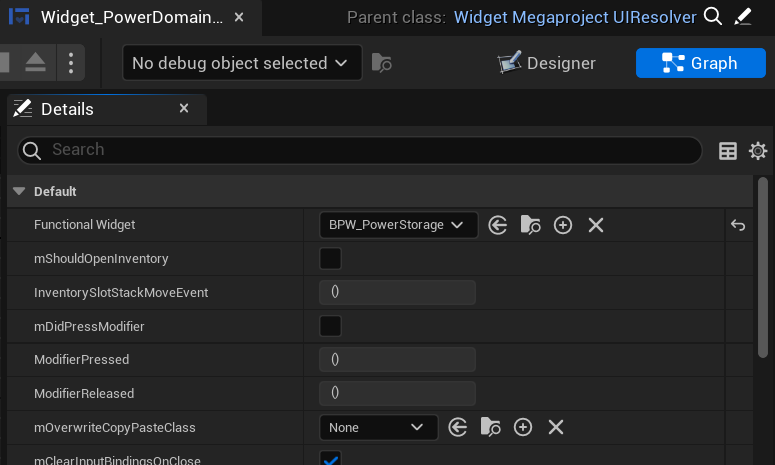
All you need to do inside it is to set its `FunctionalWidget` to a class of your wish, in our case - Power Storage's widget.
After that you will gain ability to switch between two interact widgets on the go since the mod hooks `Widget_Window_DarkMode` widget which is a crucial part of all vanilla interact widgets. A new button only appears if Megaproject's interact widget is set to resolver.
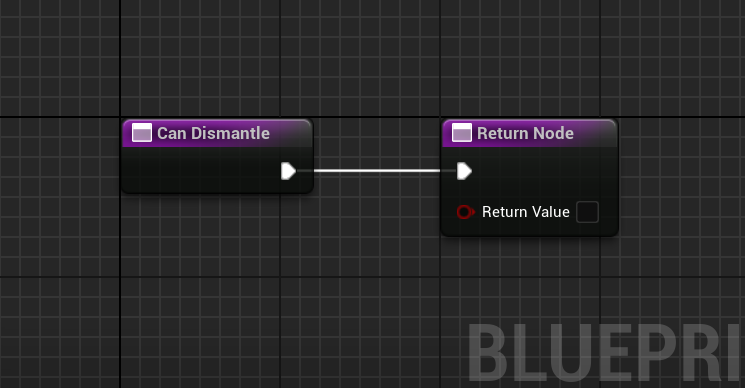
You will also might want to override buildable's `CanDismantle` function and set it to 'false' for obvious reasons.
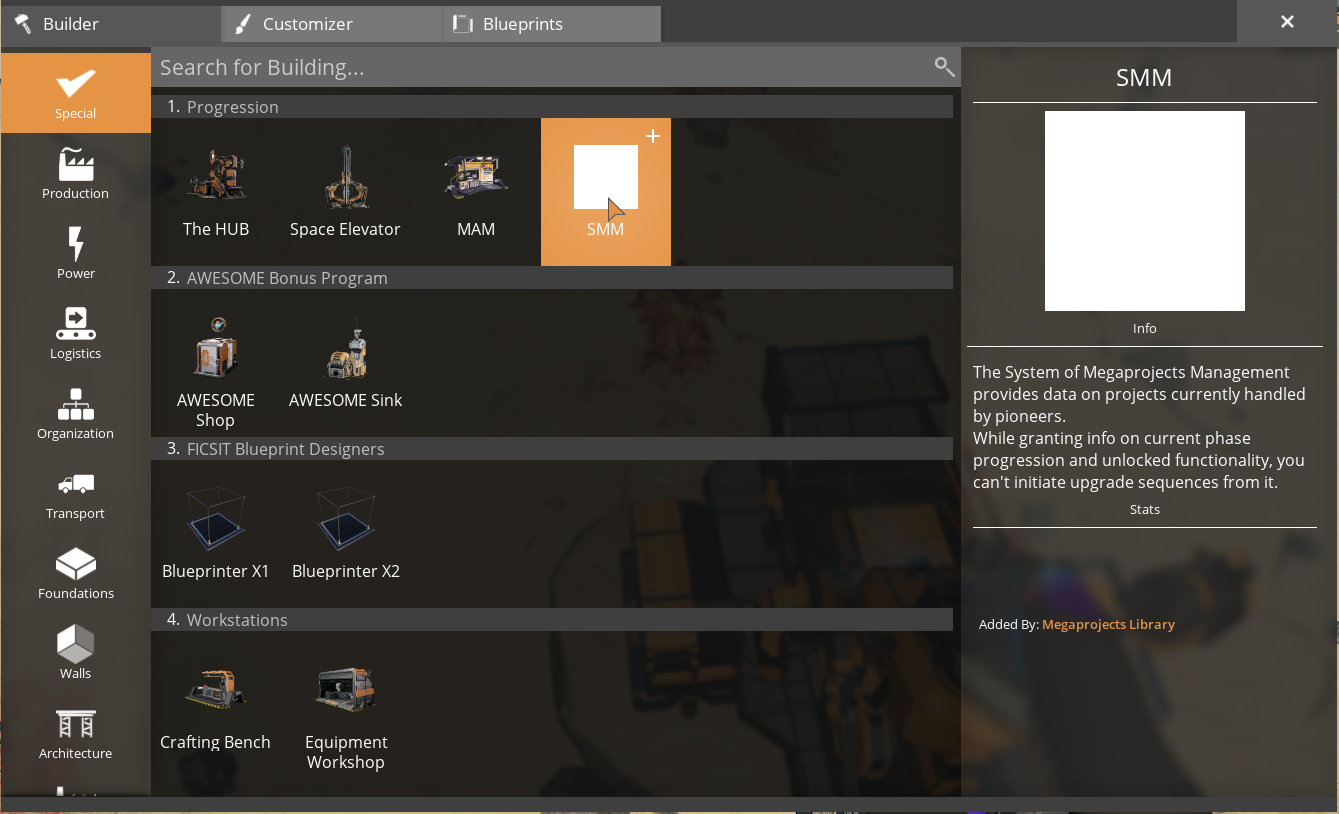
Whenever Megaproject goes into unlocked or initiated state, SMM Buildable gets unlocked.
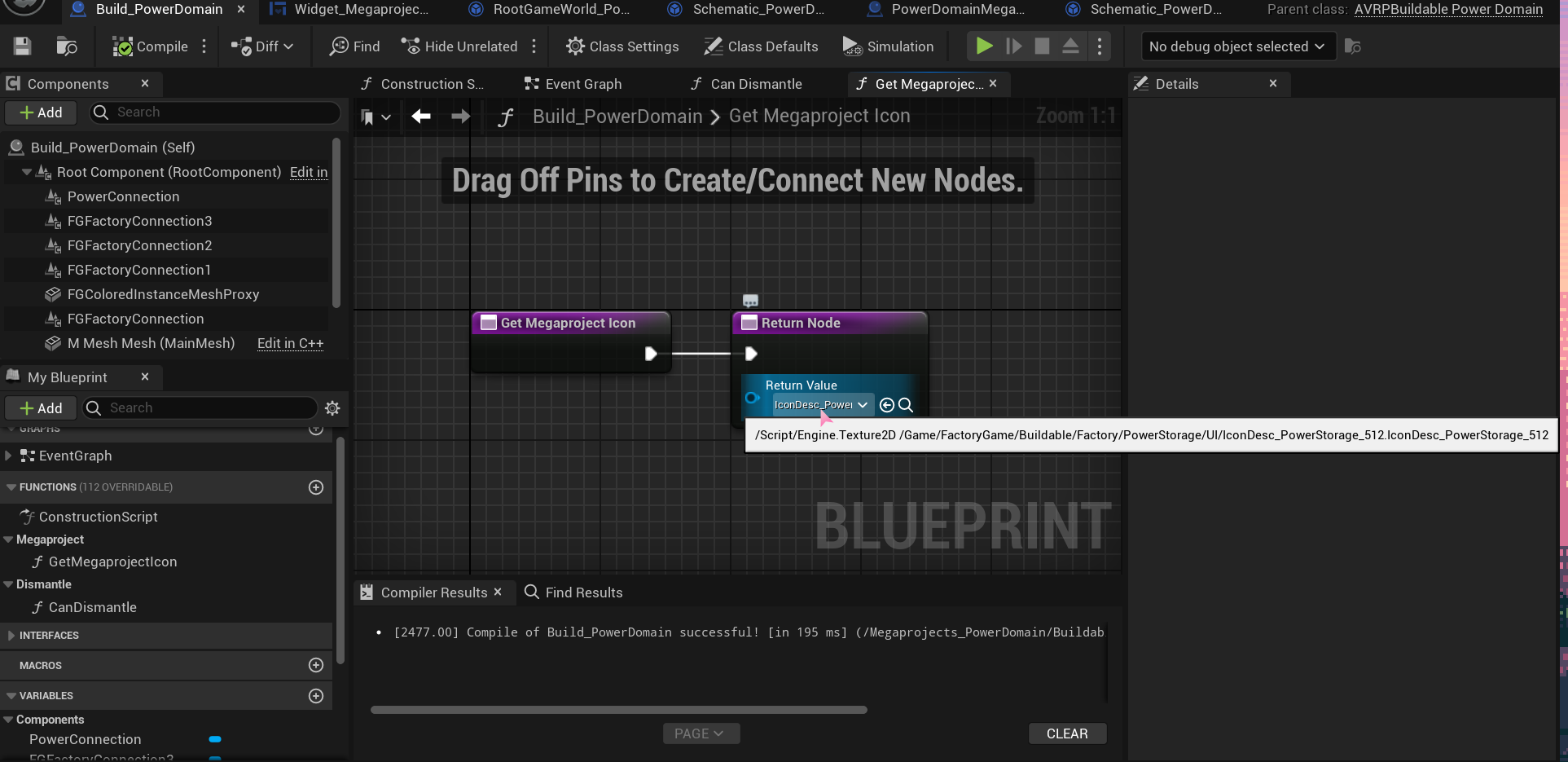
Source of buildable's icon is `IAVRPMegaprojectInterface::GetMegaprojectIcon`. Typically, building's descriptor is responsible for it, but since Megaprojects don't need them for recipes, you need to get an icon from somewhere else.
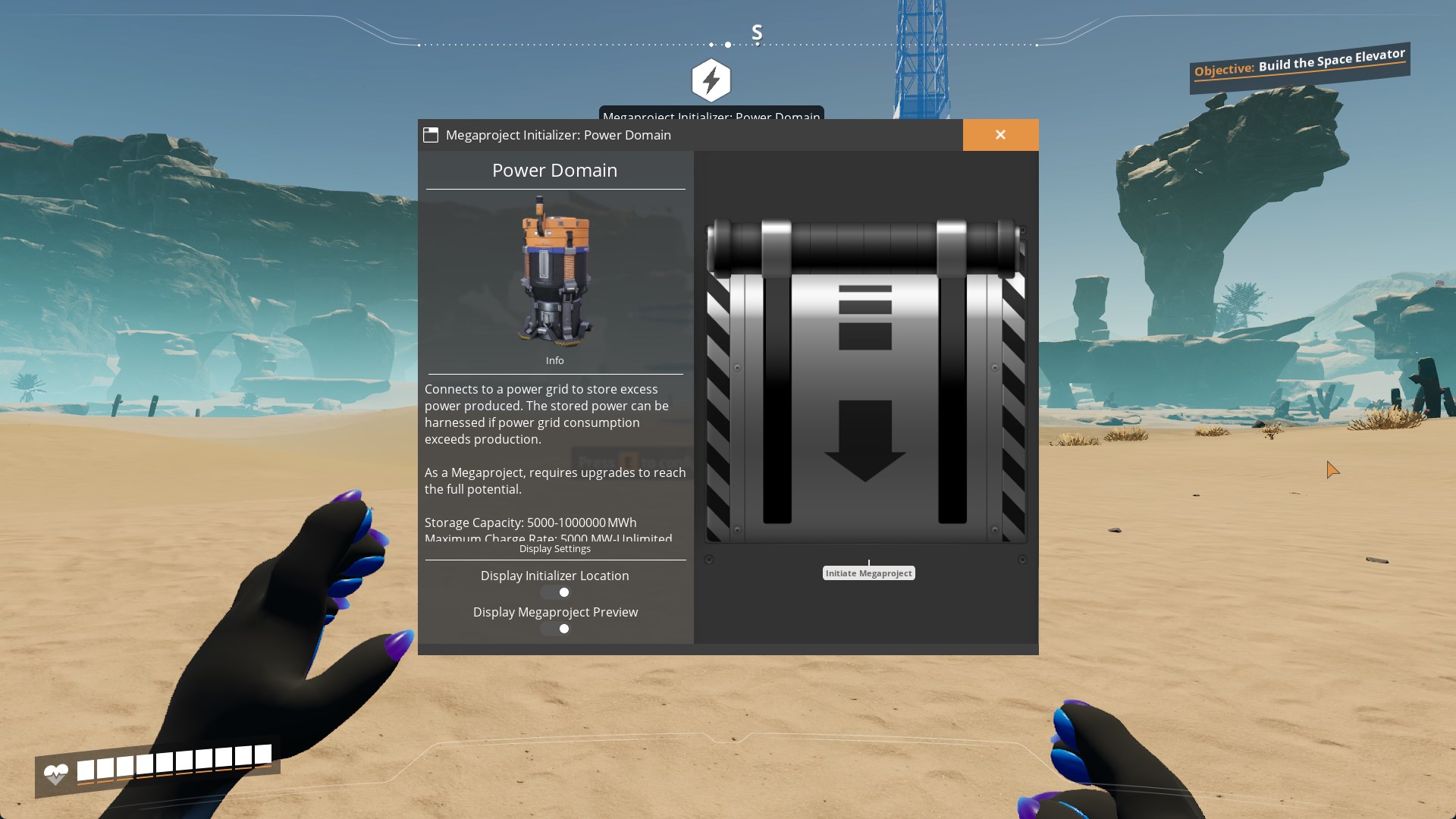
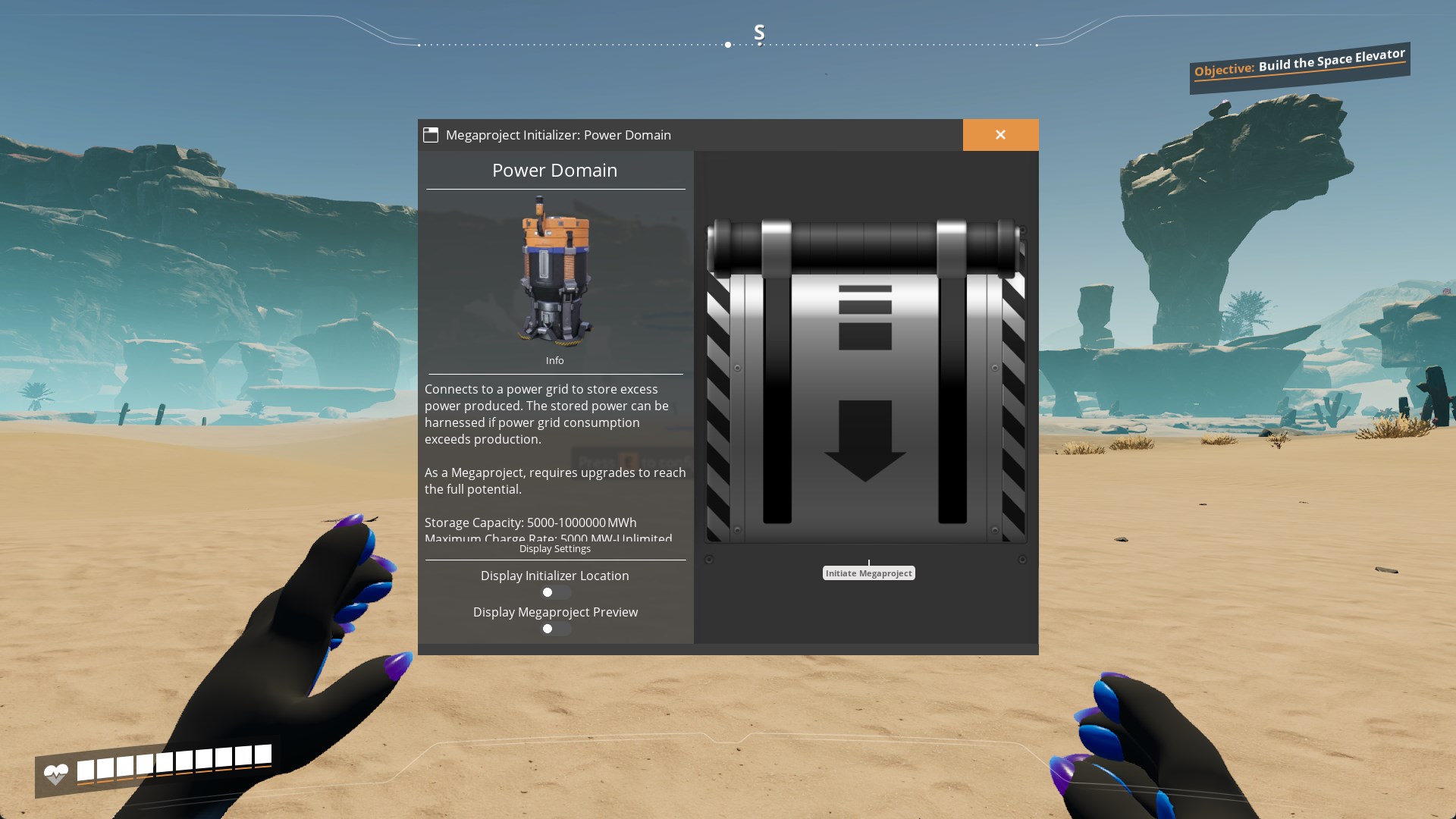
In System of Megaprojects Management or Megaproject Initializer you can set visibilities of Initializer's location and Megaproject's preview hologram. These settings are local.
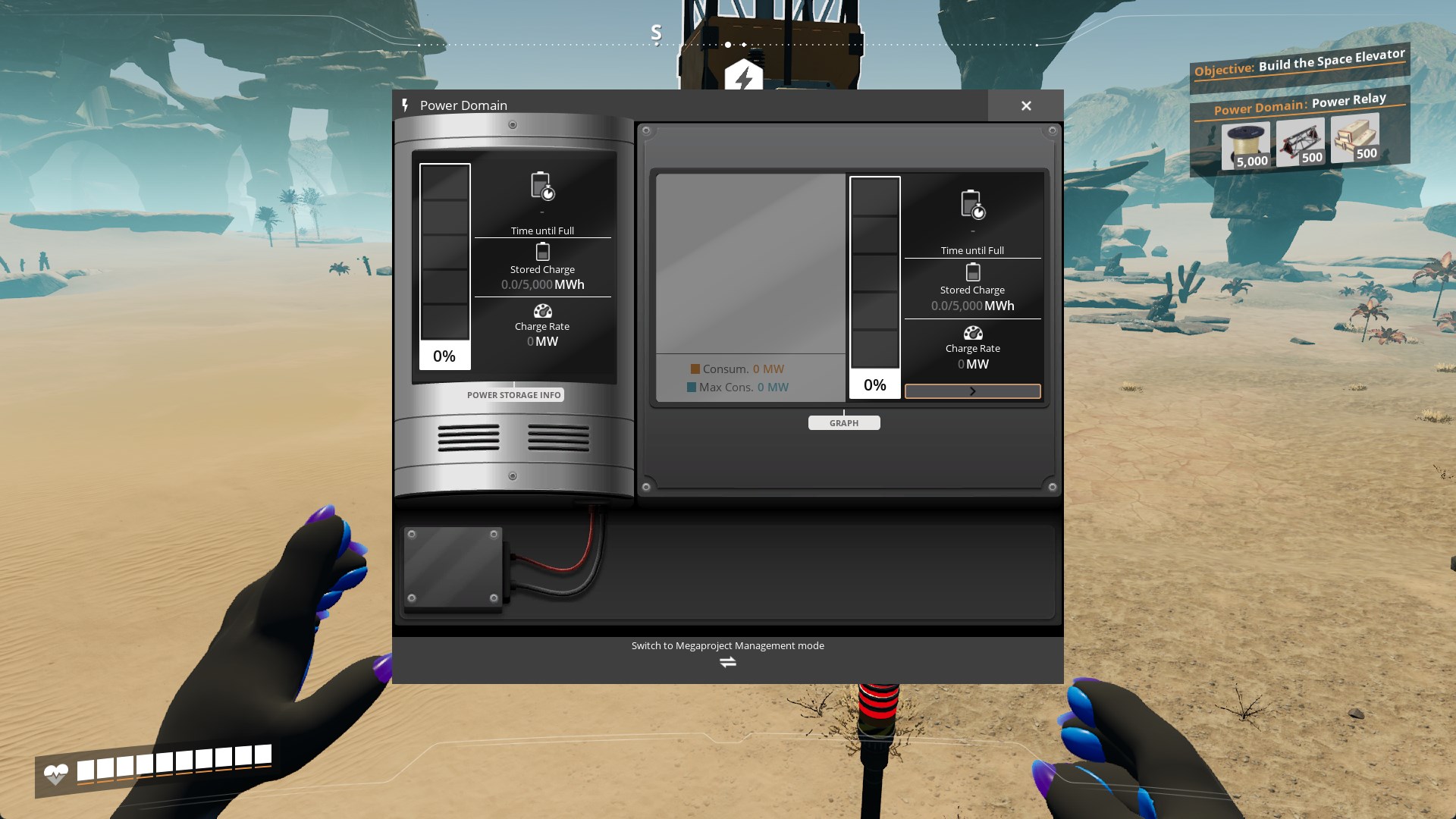
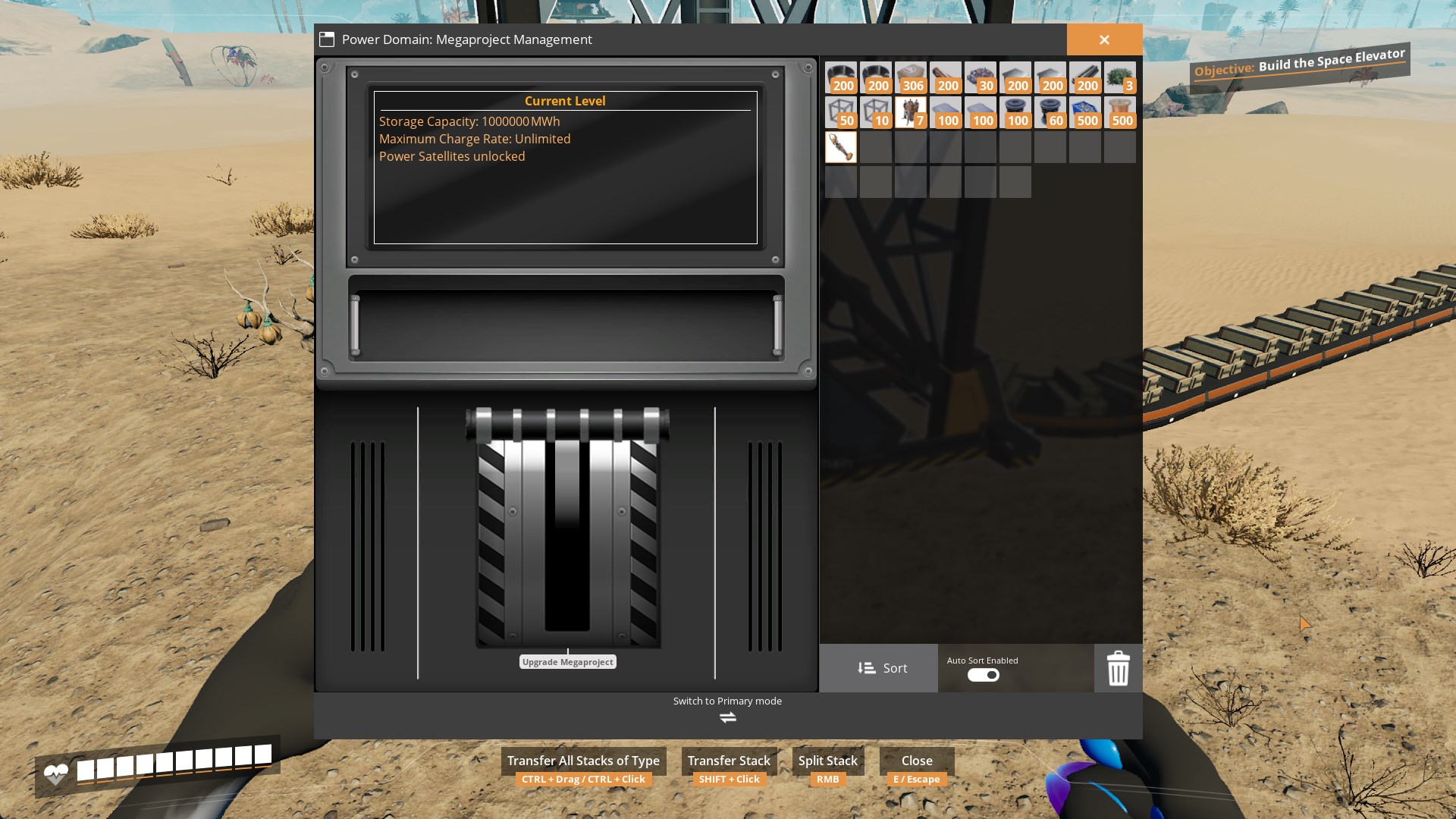
When you interact with Megaproject with resolver as interact widget, you will see that a new switch button appears. While Primary mode displays functionality of buildable Management mode is all about progression.
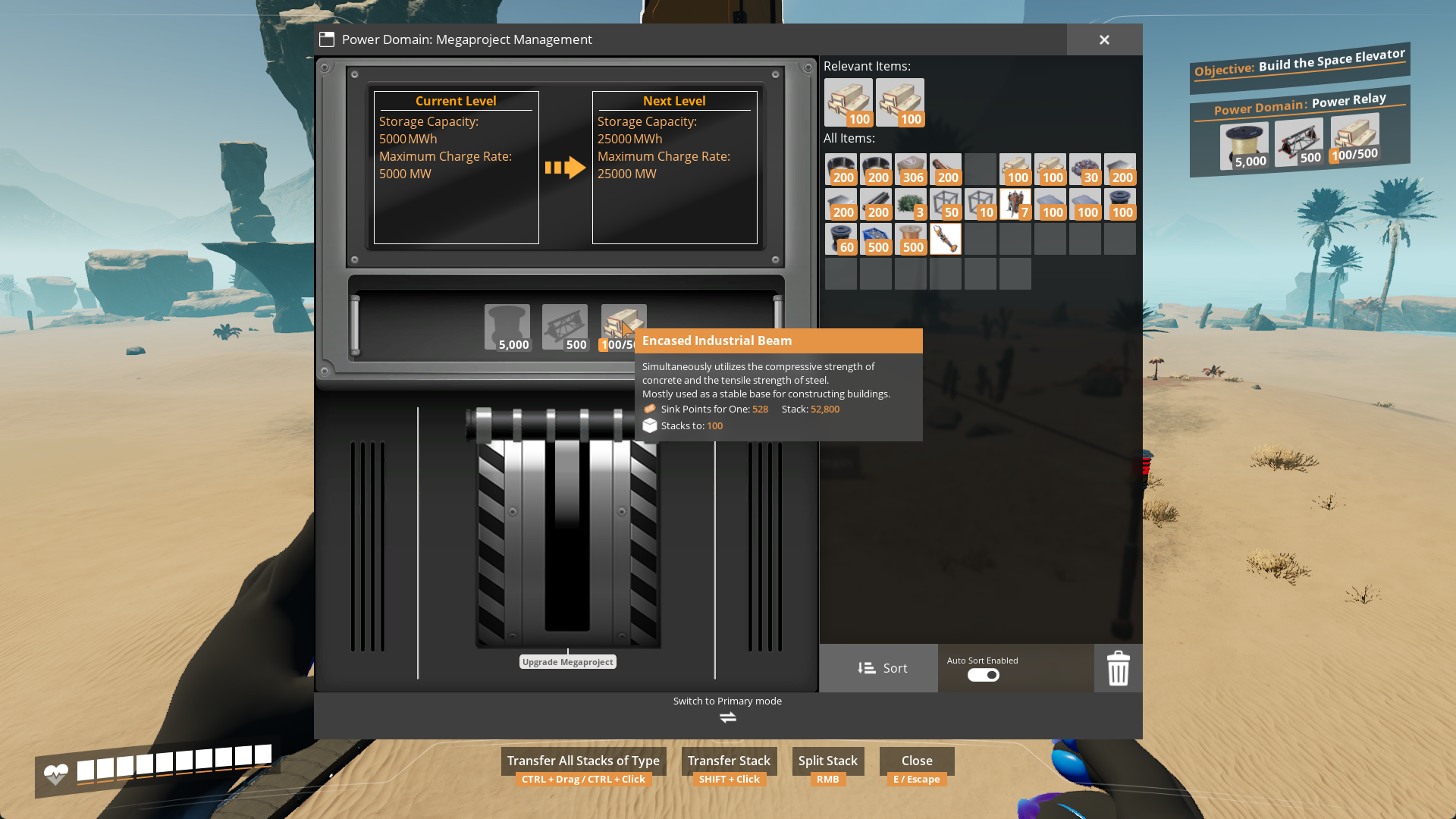
This widget is very similar to HUB's UI. While also dealing with payoff on project's phase it also displays unlocked functionality.
Of course, it would be meaningless to be unable to automate this. To make this most simple, a premade implementation of is included into the library's code. `AVRPBPFL_MegaprojectsLib::Factory_PayoffOnSchematic` needs to be called inside building's `Factory_Tick` method and the rest is done for you. It contains code which makes conveyor inputs grab items to pay off on Megaproject's current schematic.
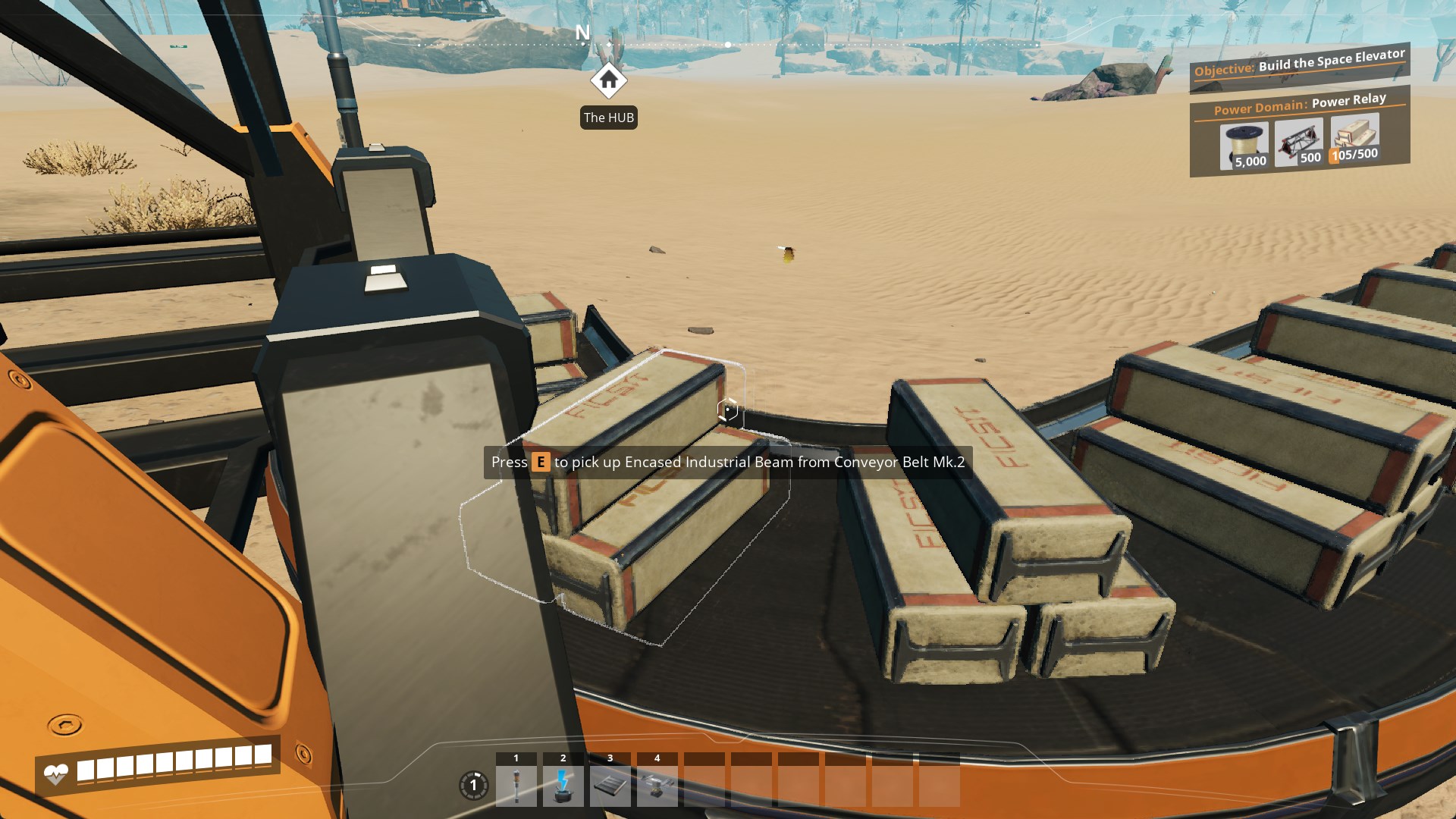
However I recommend to copy-paste my code contents into yours to avoid extra checks.
Just like with every other schematic, Megaproject cost is taken from schematics themselves (again, except for phase 0, it doesn't need cost and is ignored).
Upon megaproject getting initiated, Megaprojects Manager will allow you to track any unfinished megaproject of your choice by the click of a button. This setting is also local, however upon initiation or upgrade of a Megaproject, it will automatically start to be tracked. Repeated push of track button lets you set tracked project to none.
After accomplishing the last phase of Megaproject it will be considered finished and opening primary interact widget will become resolver's priority.
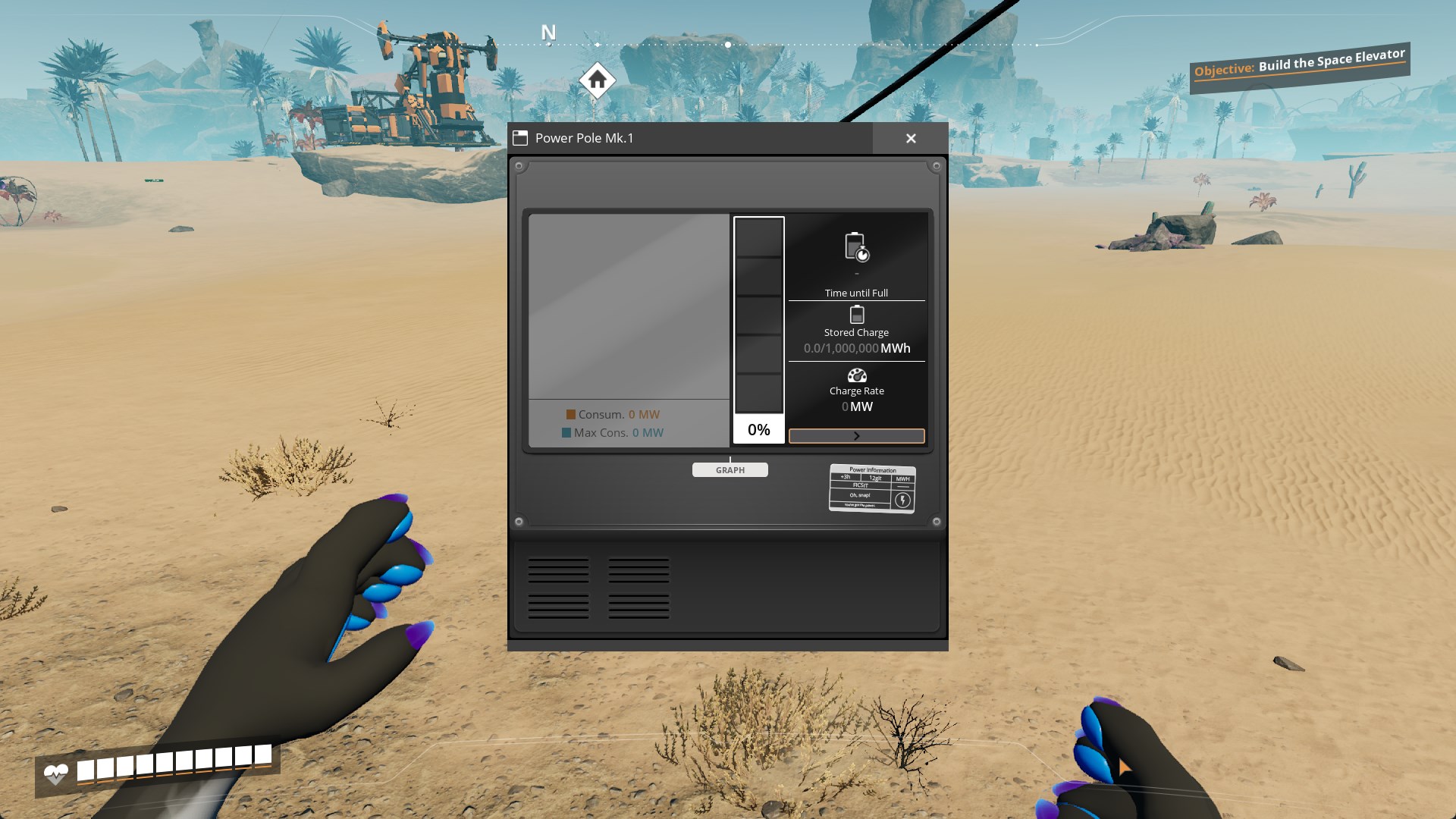
...And just like that you have finished reading this documentation, hooray!!!
For anything more complex dig into C++ code and blueprints of the library to write your own game logic. Everything is well commented and is extendable/overridable.
---
Conclusion
If you have any suggestions, ideas or issues you are free to contact me via:- GitHub (Source code link).
- Discord (@AniMouse), I am on Satisfactory Modding Server and Ficsit Labs.
- [Any of my other social media](https://linktr.ee/anivirus) [under maintainance].
Thanks for reading through all of this!
Versions
How to Install Megaprojects Library on Your Server
Order Satisfactory Server
Order a Satisfactory server with at least 4 GB RAM (6 GB recommended). For multiplayer: per 4 players.
Install Mod
Open the mod manager in the dashboard and search for "Megaprojects Library". Installation dependencies are installed automatically.
Restart Server
Restart the server so the mod is loaded. Players need to have the mod installed locally as well.
Frequently Asked Questions
Megaprojects Library not working after update – what to do?
After a Satisfactory update, mods need to be updated. Check ficsit.app whether Megaprojects Library has been updated for the new game version. With Mado Hosting: open the mod manager and click "Update All". If the mod hasn't been updated yet, temporarily remove it so the server starts.
Megaprojects Library causing crashes in multiplayer – solution
Most common cause: all players must have exactly the same mod version installed. Check server logs for "ModMismatch" or "Version Conflict". Ensure all players use Megaprojects Library v1.0.2 and the same SML. With Mado Hosting, Satisfactory servers run with 6 GB RAM for stable multiplayer performance.
Is Megaprojects Library compatible with other Satisfactory mods?
Megaprojects Library uses the Satisfactory Mod Loader (SML). Generally, SML-based mods are cross-compatible, but mods modifying the same game systems can cause conflicts. Test new mod combinations on a backup save. The Mado dashboard automatically detects known conflicts and warns you.
Rent Megaprojects Library Server
Play Megaprojects Library on your own Satisfactory server with mod support.
Mod Information
- Author
- AniViRus Productions
- Latest Version
- v1.0.2
- Created
- July 2, 2025
- Last Updated
- July 8, 2026
- Source Code
- GitHub →