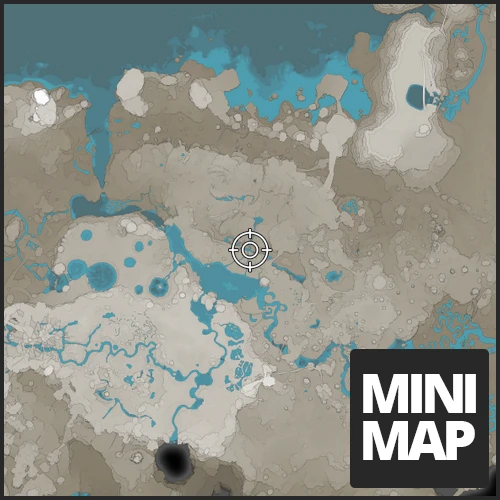
MiniMap
Shows a minimap on your hud
Description

it's as simple as it gets, it's a minimap in game to display on your HUD
If you have any ideas or feature request join our discord
- https://discord.gg/ds696q4#
===== Support blockout22 =====
<a href="https://paypal.me/blockout22" title=""><img src="https://cdn.discordapp.com/attachments/715598550309797999/739846021768675448/paypal_lg.jpg" alt=""></a><a href="https://www.patreon.com/blockout22" title=""><img src="https://c5.patreon.com/external/logo/become_a_patron_button.png" alt=""></a>
#
===== Support Deantendo =====
<a href="https://www.paypal.com/paypalme/deantendo" title=""><img src="https://cdn.discordapp.com/attachments/715598550309797999/739846021768675448/paypal_lg.jpg" alt=""></a>requires vanilla map to be unlocked in game
<br>
<br>
-
press . ingame to toggle minimap on/off
-access the option by entering any UI in game (e.g. esc menu) and hovering over the minimap
-you can click and drag the minimap to move it's location
-you can zoom in/out by using scroll wheel on the minimap


Mod Review
<a href="https://www.youtube.com/watch?v=QEg7qq_yjj0" title="Mod Review"><img src="https://j.gifs.com/XLGLJk.gif" alt="Mod Review"></a>Change log
<details><summary>Click to View Change Log</summary>1.1.1
- Updated to 1.1 Release1.1.0
- Updated to 1.0 Release1.0.14
- Updated to SML 3.6.01.0.13
- Update to U81.0.12
- Fixed: MiniMap not facing north when rotate with player is turned off1.0.10
- reimplemented configuration of Minimap- improved performance with the cost of slightly lower quality
1.0.9
- Patch which should also work for EXP1.0.8
- Updated to Update 4- Haven't reimplemented everything so only defaults will work
1.0.6
- Zooming is much quicker1.0.5
- MiniMap Locks to North when not rotating1.0.4
- updated UI- MiniMap shows the world rather than just a texture
1.0.3
- Added UI to change MiniMap Settings in game (access the UI by hovering over the MiniMap which you can do so by opening any other menu such as the ESC menu)1.0.2
- Added an option to rotate minimap with player rotation (see next comment for info)- add a bunch of configs which can be changed in the .cfg file found at: Your statisfactory install directory \Epic Games\SatisfactoryEarlyAccess\configs\MiniMap.cfg
</details>
<br>
Known Bugs
<br>
UI and logo design by Deantendo#4265
Versions
How to Install MiniMap on Your Server
Order Satisfactory Server
Order a Satisfactory server with at least 4 GB RAM (6 GB recommended). For multiplayer: per 4 players.
Install Mod
Open the mod manager in the dashboard and search for "MiniMap". Installation dependencies are installed automatically.
Restart Server
Restart the server so the mod is loaded. Players need to have the mod installed locally as well.
Frequently Asked Questions
MiniMap not working after update – what to do?
After a Satisfactory update, mods need to be updated. Check ficsit.app whether MiniMap has been updated for the new game version. With Mado Hosting: open the mod manager and click "Update All". If the mod hasn't been updated yet, temporarily remove it so the server starts.
MiniMap causing crashes in multiplayer – solution
Most common cause: all players must have exactly the same mod version installed. Check server logs for "ModMismatch" or "Version Conflict". Ensure all players use MiniMap v1.1.2 and the same SML. With Mado Hosting, Satisfactory servers run with 6 GB RAM for stable multiplayer performance.
Is MiniMap compatible with other Satisfactory mods?
MiniMap uses the Satisfactory Mod Loader (SML). Generally, SML-based mods are cross-compatible, but mods modifying the same game systems can cause conflicts. Test new mod combinations on a backup save. The Mado dashboard automatically detects known conflicts and warns you.
Rent MiniMap Server
Play MiniMap on your own Satisfactory server with mod support.
Mod Information
- Author
- blockout22
- Latest Version
- v1.1.2
- Created
- May 1, 2020
- Last Updated
- July 7, 2026
- Source Code
- GitHub →