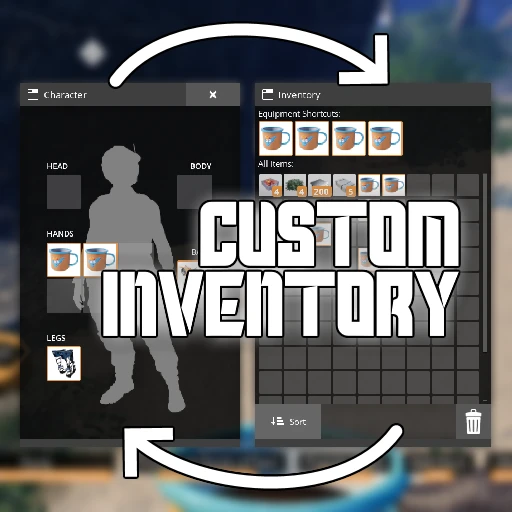
Custom Player Inventory
Customize the appearance of your player's inventory window! Defaults to inventory on the right.
Description
Custom Player Inventory
Multiplayer Compatible! _Client-side only mod, it will work as long as the server has SML installed._
Customize the appearance of your player inventory interface!
By default, this mod will place your inventory panel on the right side and equipment on the left, consistent with other containers in the game.
Report Bugs and Give Feedback here -> [Nog and Robb's Mods Discord](https://discord.gg/nakafUdRfj)
This mod was inspired by a suggestion from `Ecconia#4929`.
_If you enjoy my work, please consider donating to my [completely optional tip jar](https://ko-fi.com/robb4)._
Features
Pick from a preset, or specify values to your liking.
There aren't many limiters on the values you can set,
so you can make some pretty wacky setups with this mod.
Configure the following properties:
Left/right offset
Up/down offset
Scale
Rotation
Of these portions of the inventory:
Inventory panel
Equipment panel
Keybind hints
Dimensional Depot panel
Screenshots
Here are screenshots of some of the presets on offer,
which are just a small sample of what you could do with this mod.
Inventory on the Right (mod default)

Inventory on the Left (base-game default)

Australia

Pushed to the Sides

Persona

_[🎵](https://youtu.be/yr8rlcXjm3E?t=1)_
Usage Instructions
Once you have installed the mod with Satisfactory Mod Manager,
the next time you open your inventory, a flashing yellow tutorial icon will appear that tells you how to configure the mod.

All of this mod's features can be configured
from the in-game SML Mod Configs screen,
which can be accessed from the main menu or pause menu.
All of these settings can be changed while the game is running.
Once on the config screen,
you can hover over a slider to get a description of what it does.
Select a preset from the "Select from Preset" dropdown,
or use the sliders to arrange your inventory as you see fit.
You can press 'Refresh Preview' on the config screen to get a preview of what your inventory will look like.
Compatibility Notes
This mod modifies the render transforms of the inventory window,
so anything that adds new UI to the inventory could end up completely distorted by this.
Known Bugs
The regions you must drag items to in order to drop them into the world the same as vanilla's - you can't drop items in the "center" of your screen if you move the widgets out of the way. I don't plan to change this.
Opening the configs screen moves your cursor. This is caused by the base game when the inventory widget is spawned.
The Dimensional Depot panel's open/closed state affects the placement of other panels. Some layouts and presents will look weird if it's not expanded.
Versions
How to Install Custom Player Inventory on Your Server
Order Satisfactory Server
Order a Satisfactory server with at least 4 GB RAM (6 GB recommended). For multiplayer: per 4 players.
Install Mod
Open the mod manager in the dashboard and search for "Custom Player Inventory". Installation dependencies are installed automatically.
Restart Server
Restart the server so the mod is loaded. Players need to have the mod installed locally as well.
Frequently Asked Questions
Custom Player Inventory not working after update – what to do?
After a Satisfactory update, mods need to be updated. Check ficsit.app whether Custom Player Inventory has been updated for the new game version. With Mado Hosting: open the mod manager and click "Update All". If the mod hasn't been updated yet, temporarily remove it so the server starts.
Custom Player Inventory causing crashes in multiplayer – solution
Most common cause: all players must have exactly the same mod version installed. Check server logs for "ModMismatch" or "Version Conflict". Ensure all players use Custom Player Inventory v1.4.1 and the same SML. With Mado Hosting, Satisfactory servers run with 6 GB RAM for stable multiplayer performance.
Is Custom Player Inventory compatible with other Satisfactory mods?
Custom Player Inventory uses the Satisfactory Mod Loader (SML). Generally, SML-based mods are cross-compatible, but mods modifying the same game systems can cause conflicts. Test new mod combinations on a backup save. The Mado dashboard automatically detects known conflicts and warns you.
Rent Custom Player Inventory Server
Play Custom Player Inventory on your own Satisfactory server with mod support.
Mod Information
- Author
- Robb
- Latest Version
- v1.4.1
- Created
- August 20, 2022
- Last Updated
- July 8, 2026
- Source Code
- GitHub →