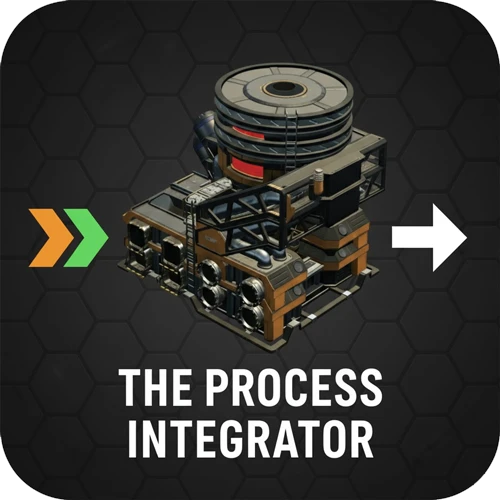
The Process Integrator
This machine runs multiple recipes in parallel, instantly redirecting intermediate products internally.
Description
<center><img src="https://github.com/DellAquila/Layout/raw/main/New/CABECALHO.png"></center><br/>
<style>
.multiplayer-banner {
background-color: #4caf50;
border-top: 4px solid #000;
border-bottom: 4px solid #000;
margin: 20px 0;
padding: 10px 0;
display: flex;
align-items: center;
justify-content: center;
gap: 15px;
width: 100%;
}
.multiplayer-text {
color: #ffffff !important;
font-weight: bold;
text-transform: uppercase;
letter-spacing: 2px;
font-size: 1.1rem;
text-shadow: 2px 2px 0px #000;
}
.multiplayer-sub {
background: #000;
color: #4caf50 !important;
padding: 2px 10px;
font-size: 0.8rem;
font-weight: bold;
text-transform: uppercase;
border: 2px solid #fff;
}
.thumb-icon {
font-size: 1.5rem;
filter: drop-shadow(2px 2px 0px #000);
}
</style>
<div class="multiplayer-banner">
<span class="thumb-icon">👍</span>
<div class="multiplayer-text">Multiplayer Compatible</div>
<div class="multiplayer-sub">Everyone!</div>
</div>
<style>
.mod-container {
--sf-gold: #fa9549;
--sf-nexus: #4a90e2;
--sf-bg: #2d2d2d;
--sf-border: #000;
max-width: 850px;
margin: 20px auto;
background-color: var(--sf-bg);
color: #e0e0e0;
padding: 30px;
border: 4px solid var(--sf-border);
box-shadow: 10px 10px 0px var(--sf-border);
}
.mod-container h1 {
color: var(--sf-gold);
text-transform: uppercase;
text-align: center;
border-bottom: 3px double var(--sf-gold);
padding-bottom: 10px;
margin-bottom: 25px;
}
.mod-container .feature-grid {
display: grid;
grid-template-columns: 1fr 1fr;
gap: 15px;
margin: 20px 0;
}
.mod-container .feature-card {
background: #1a1a1a;
border-left: 4px solid var(--sf-nexus);
padding: 12px;
font-size: 0.85rem;
}
.mod-container .info-box {
background: #252525;
border: 1px solid #444;
padding: 15px;
margin: 20px 0;
font-size: 0.85rem;
}
.mod-container ul {
list-style-type: square;
padding-left: 20px;
margin: 10px 0;
}
.mod-container li {
margin-bottom: 8px;
font-size: 0.85rem;
}
.mod-container .gallery img {
width: 100%;
display: block;
border: 4px solid #000;
margin-bottom: 15px;
}
/ Banner Styles /
.banner {
border-top: 4px solid #000;
border-bottom: 4px solid #000;
margin: 15px 0;
padding: 10px;
display: flex;
align-items: center;
justify-content: center;
gap: 15px;
font-weight: bold;
}
.banner-text { text-shadow: 2px 2px 0px #000; color: #fff; }
</style>
<div class="mod-container">
<h1>The Process Integrator</h1>
<p style="text-align:center;">Turn an entire production chain into a single machine. Run multiple recipes in parallel with zero external belting between stages.</p>
<div class="banner" style="background-color: #d32f2f;">
<span style="font-size:1.2rem;">⚠️</span>
<div class="banner-text">If you can't see the recipes you need, or using Satisfactory Plus, use the CHAT COMMAND (pressing ENTER) to allow all recipes in the Integrator: <br/>/integrator forcerecipes </div>
</div>
<p style="text-align:center; font-size: 0.8rem; margin-bottom: 20px; opacity: 0.8;">
<b>Multiplayer Note:</b> All players should use the same language settings for full compatibility.
</p>
<div style="margin: 30px 0; text-align:center;">
<img src="https://github.com/DellAquila/Layout/raw/main/Videos_Up.png" style="width:100%;">
<a href="https://www.youtube.com/watch?v=0PMDMZ-9FeU" target="_blank">
<img src="http://img.youtube.com/vi/0PMDMZ-9FeU/0.jpg" style="width:100%; border:4px solid #000;">
</a>
<img src="https://github.com/DellAquila/Layout/raw/main/Videos_Down.png" style="width:100%;">
</div>
<h2 style="color:var(--sf-nexus); font-size:1.2rem; border-left:4px solid var(--sf-nexus); padding-left:10px;">Core Features</h2>
<div class="info-box">
<ul>
<li><b>Integrated Parallel Assembly:</b> Run multiple recipes simultaneously. Intermediate products are instantly shared as inputs for the next internal step.</li>
<li><b>Virtual Machine Management:</b> Assign how much "Virtual Machines" you want or specify exact items/minute for each internal recipe to achieve perfect ratios.</li>
<li><b>Decimal Storage:</b> Consumes and produces decimals of items. Items only become available for output or dismantling once they reach integer values.</li>
<li><b>Internal Buffering:</b> Stores up to 3 minutes of required ingredients. Production pauses if the output buffer is exceeded.</li>
<li><b>Logistical Challenge:</b> Final products exit in a <b>mixed stream</b>. Features 100 output slots—use Smart Splitters to sort your items!</li>
<li><b>Integrated Planning Tool</b> The UI instantly calculates the consolidated raw resource input needed for any parallel setup, allowing you to use it as a ratio and logistics planning tool before you construct using other buildings.</li>
</ul>
</div>
<div class="gallery">
<img src="https://i.imgur.com/B5SpNAH.png">
<p style="font-size:0.75rem; text-align:center; margin-bottom:15px; opacity:0.7;">Example: Turning 500 Copper Ore into 500 Cables entirely inside the machine.</p>
</div>
<h2 style="color:var(--sf-gold); font-size:1.2rem; border-left:4px solid var(--sf-gold); padding-left:10px;">I/O Specifications</h2>
<div class="feature-grid">
<div class="feature-card"><b>Conveyor Inputs:</b> 4</div>
<div class="feature-card"><b>Conveyor Outputs:</b> 2</div>
<div class="feature-card"><b>Pipe Inputs:</b> 4</div>
<div class="feature-card"><b>Pipe Outputs:</b> 2</div>
</div>
<div class="gallery">
<img src="https://i.imgur.com/EUlhsIG.png">
</div>
<h2 style="color:var(--sf-nexus); font-size:1.2rem; border-left:4px solid var(--sf-nexus); padding-left:10px;">How it Works</h2>
<div class="info-box">
<ol style="padding-left: 20px;">
<li style="margin-bottom:10px;"><b>Define Recipes:</b> Select every recipe you want the integrator to handle at once.</li>
<li style="margin-bottom:10px;"><b>Set the Rate:</b> Specify the number of virtual fabricators for each chosen recipe.</li>
<li style="margin-bottom:10px;"><b>Check Inputs:</b> The UI calculates the total <b>external raw resources</b> needed for the whole operation.</li>
<li style="margin-bottom:10px;"><b>Power On:</b> Connect power and prepare your sorting logic for the mixed output stream.</li>
</ol>
</div>
<div class="gallery">
<img src="https://i.imgur.com/aIkBPEu.png">
</div>
<h2>Cheat Commands</h2>
<p style="font-size:0.85rem;">Use these chat commands to manage recipe visibility in the duplicator menus:</p>
<div class="command-box">
<b>/integrator forcerecipes</b> — Unlocks and shows all possible recipes.<br>
<b>/integrator researchedrecipes</b> — Limits view to only your researched recipes.
</div>
<p style="text-align:center; font-size:0.85rem; opacity:0.8; margin-top:25px;">
<i>Honest note: This machine is a logistical nexus. It simplifies the build but requires smart sorting to master!</i>
</p>
</div>
<!-- //------------------------------------------------------------ START FOOTER DONATIONS -->
<style>
.aquila-footer {
--sf-bg: #1a1a1a;
--sf-border: #000;
--sf-gold: #f2c94c;
--discord: #3b4e8d;
--patreon: #ff6058;
--steam: #f2f2f2;
--pix: #f2d600;
--paypal: #249ce2;
--youtube: #ff0000;
max-width: 850px;
margin: 40px auto;
background-color: var(--sf-bg);
padding: 30px;
border: 4px solid var(--sf-border);
border-top: 6px solid var(--sf-gold);
box-shadow: 10px 10px 0px var(--sf-border);
text-align: center;
}
.aquila-footer .btn-container {
display: grid;
grid-template-columns: 1fr 1fr;
gap: 12px;
margin-bottom: 20px;
}
.aquila-footer .full-btn { grid-column: span 2; }
.aquila-footer .social-btn {
display: flex;
align-items: center;
justify-content: center;
padding: 12px;
border: 3px solid #000;
box-shadow: 4px 4px 0px #000;
text-decoration: none;
transition: transform 0.1s;
}
.aquila-footer .social-btn:hover {
transform: translate(-2px, -2px);
box-shadow: 6px 6px 0px #000;
}
.aquila-footer .btn-text {
color: #ffffff !important;
text-transform: uppercase;
font-weight: bold;
font-size: 0.9rem;
line-height: 1.2;
}
.aquila-footer .discord { background: var(--discord); }
.aquila-footer .patreon { background: var(--patreon); }
.aquila-footer .youtube { background: var(--youtube); }
.aquila-footer .steam { background: var(--steam); }
.aquila-footer .steam .btn-text { color: #d35400 !important; }
.aquila-footer .paypal { background: var(--paypal); }
.aquila-footer .sub-text {
display: block;
font-size: 0.65rem;
opacity: 0.9;
font-weight: normal;
margin-top: 4px;
text-transform: none;
}
.aquila-footer .footer-meta {
border-top: 1px solid #333;
margin-top: 20px;
padding-top: 15px;
}
</style>
<div class="aquila-footer">
<p style="margin-bottom: 25px; font-weight: bold; color: var(--sf-gold);">
🛠️ From one Pioneer to another: I hope this mod makes your factory life just a little bit smoother!
</p>
<div class="btn-container">
<a href="https://discord.gg/xkVJ73E" target="_blank" class="social-btn discord">
<div class="btn-text">
AQUILA INDUSTRIAL
<span class="sub-text">Found a bug? Have a wild idea? Join the Discord!</span>
</div>
</a>
<a href="https://store.steampowered.com/app/1958750/Hexfactory/" target="_blank" class="social-btn steam">
<div class="btn-text">
HEXFACTORY ON STEAM
<span class="sub-text" style="color:#000 !important">Check out the little game I built from scratch!</span>
</div>
</a>
<a href="https://www.patreon.com/AndreAquila" target="_blank" class="social-btn patreon">
<span class="btn-text">
BECOME A PATRON
<span class="sub-text">Fuel my coffee addiction so I can keep coding until 3 AM.</span>
</span>
</a>
<a href="https://www.paypal.com/donate?hosted_button_id=TD7ME2KYDMT7G" target="_blank" class="social-btn" style="background: var(--pix);">
<div class="btn-text" style="color:#000 !important;">
☕ BUY ME A COFFEE!
<span class="sub-text" style="font-weight: bold; color: #000 !important;">Support with $1 — it will make my day!</span>
</div>
</a>
<a href="https://www.youtube.com/@AndreAquila" target="_blank" class="social-btn youtube full-btn">
<span class="btn-text">
▶ SUBSCRIBE TO MY YOUTUBE CHANNEL
<span class="sub-text">See mod showcases, factory tours, and development updates!</span>
</span>
</a>
<a href="https://www.paypal.com/cgi-bin/webscr?cmd=_s-xclick&hosted_button_id=U96NB4W469FR2&source=url" target="_blank" class="social-btn paypal full-btn">
<span class="btn-text">
Donate with PayPal
<span class="sub-text">Every bit helps keep the cpu humming and the updates coming. Thank you!</span>
</span>
</a>
</div>
<div class="footer-meta">
<p style="font-size: 0.75rem; color: #555; letter-spacing: 2px; margin-top: 5px; font-weight: bold;">
AQUILA INDUSTRIAL // EXTERNAL MODDING DIVISION
</p>
</div>
</div>
Versions
How to Install The Process Integrator on Your Server
Order Satisfactory Server
Order a Satisfactory server with at least 4 GB RAM (6 GB recommended). For multiplayer: per 3 players.
Install Mod
Open the mod manager in the dashboard and search for "The Process Integrator". Installation dependencies are installed automatically.
Restart Server
Restart the server so the mod is loaded. Players need to have the mod installed locally as well.
Frequently Asked Questions
The Process Integrator not working after update – what to do?
After a Satisfactory update, mods need to be updated. Check ficsit.app whether The Process Integrator has been updated for the new game version. With Mado Hosting: open the mod manager and click "Update All". If the mod hasn't been updated yet, temporarily remove it so the server starts.
The Process Integrator causing crashes in multiplayer – solution
Most common cause: all players must have exactly the same mod version installed. Check server logs for "ModMismatch" or "Version Conflict". Ensure all players use The Process Integrator v1.0.13 and the same SML. With Mado Hosting, Satisfactory servers run with 6 GB RAM for stable multiplayer performance.
Is The Process Integrator compatible with other Satisfactory mods?
The Process Integrator uses the Satisfactory Mod Loader (SML). Generally, SML-based mods are cross-compatible, but mods modifying the same game systems can cause conflicts. Test new mod combinations on a backup save. The Mado dashboard automatically detects known conflicts and warns you.
Rent The Process Integrator Server
Play The Process Integrator on your own Satisfactory server with mod support.
Mod Information
- Author
- Andre Aquila
- Latest Version
- v1.0.13
- Created
- November 7, 2025
- Last Updated
- July 8, 2026
- Source Code
- GitHub →