Modding Icon Pack
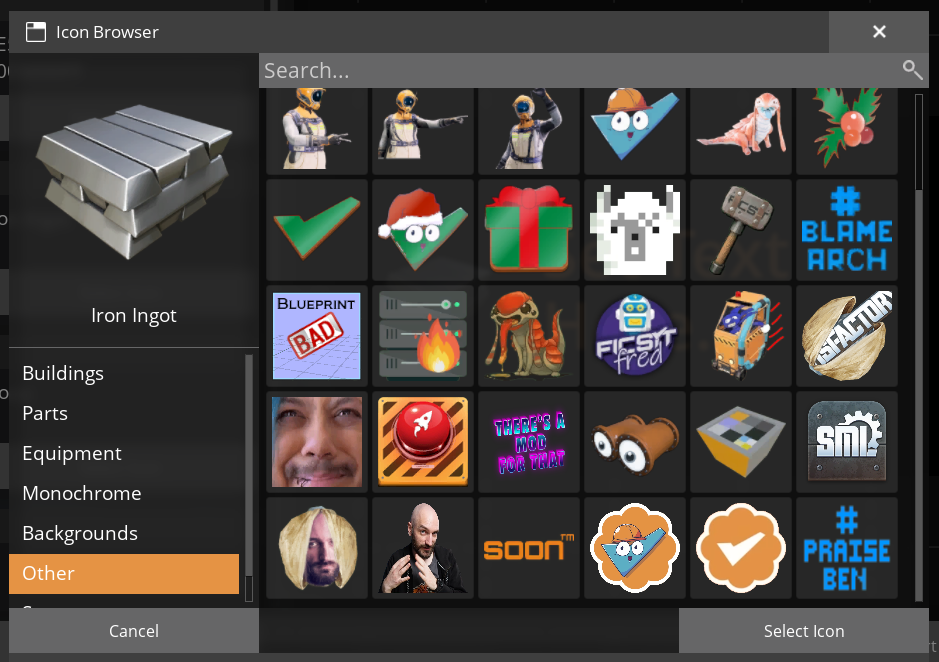
A collection of sign icons from the Satisfactory Modding Discord server
Description
A collection of sign icons from the Satisfactory Modding Discord server.
I claim no credit for any of these, they were made by people far more talented than me.
Versions
How to Install Modding Icon Pack on Your Server
Order Satisfactory Server
Order a Satisfactory server with at least 4 GB RAM (6 GB recommended). For multiplayer: per 3 players.
Install Mod
Open the mod manager in the dashboard and search for "Modding Icon Pack". Installation dependencies are installed automatically.
Restart Server
Restart the server so the mod is loaded. Players need to have the mod installed locally as well.
Frequently Asked Questions
Modding Icon Pack not working after update – what to do?
After a Satisfactory update, mods need to be updated. Check ficsit.app whether Modding Icon Pack has been updated for the new game version. With Mado Hosting: open the mod manager and click "Update All". If the mod hasn't been updated yet, temporarily remove it so the server starts.
Modding Icon Pack causing crashes in multiplayer – solution
Most common cause: all players must have exactly the same mod version installed. Check server logs for "ModMismatch" or "Version Conflict". Ensure all players use Modding Icon Pack v2.0.0 and the same SML. With Mado Hosting, Satisfactory servers run with 6 GB RAM for stable multiplayer performance.
Is Modding Icon Pack compatible with other Satisfactory mods?
Modding Icon Pack uses the Satisfactory Mod Loader (SML). Generally, SML-based mods are cross-compatible, but mods modifying the same game systems can cause conflicts. Test new mod combinations on a backup save. The Mado dashboard automatically detects known conflicts and warns you.
Rent Modding Icon Pack Server
Play Modding Icon Pack on your own Satisfactory server with mod support.
Mod Information
- Author
- SirDigby
- Latest Version
- v2.0.0
- Created
- January 18, 2025
- Last Updated
- July 8, 2026
- Source Code
- GitHub →