Scan Overflow
A mod which add a page system to the Satisfactory's scan wheels.
Description
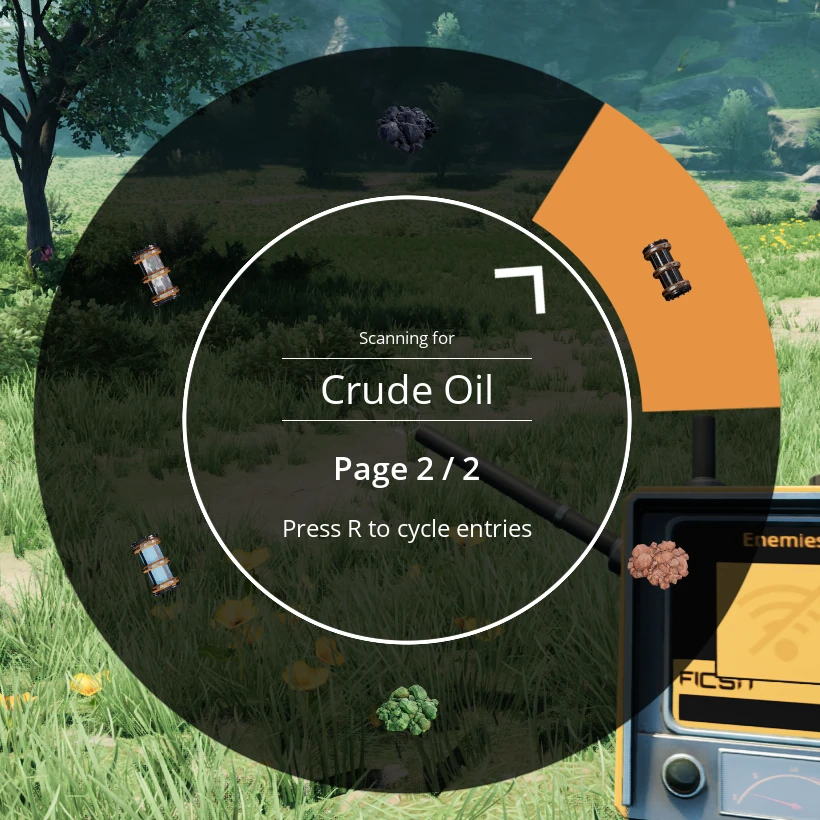
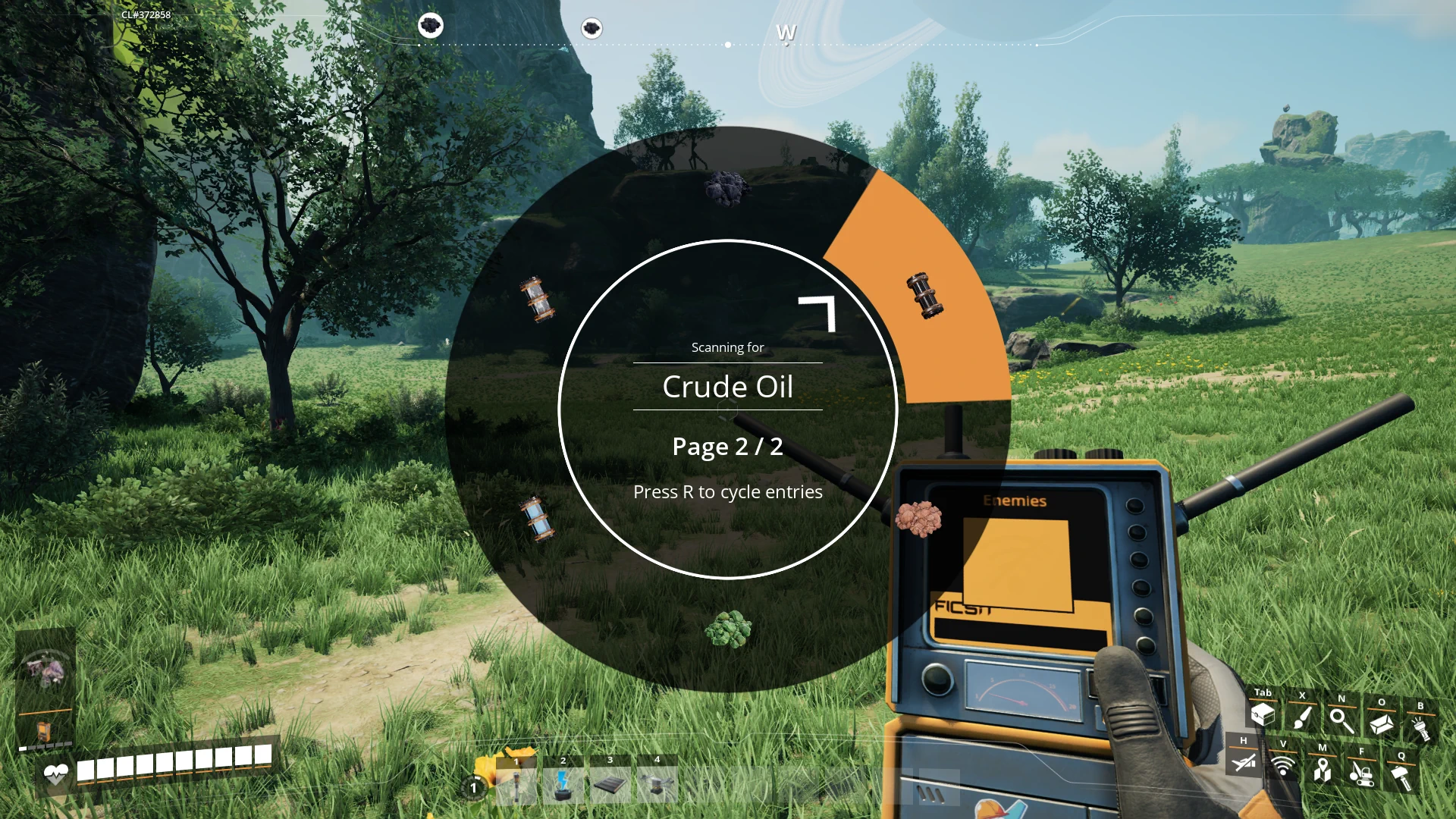
Scan Overflow is a Satisfactory mod designed to improve the scanning system by adding a cyclable paging system for both the resource scanner and object scanner. This mod aims to alleviate the overcrowding of the scanning wheel, particularly when multiple mods are installed that add new resources. The paging system is fully client side, allowing for a smooth and customizable experience.

Features
- Cyclable Paging System: Adds a paging mechanism for the resource and object scanner wheels, allowing you to switch between multiple pages of resources or objects to scan.
- Customizable Input Key: Configure the key used to cycle through pages via the game options.
- Modifiable Wheel Sizes: Two mod settings allow you to customize the number of items displayed per page for both the resource and object scanning wheels.
- Clientside: The mod is entirely clientside, ensuring compatibility without affecting multiplayer servers.
Changelogs
- v1.0.1:
- 1.1 support
- v1.0.0:
- Initial release with full paging support for the resource and object scanner wheels.
- Added customizable input key for paging through resources.
- Two mod settings to control the size of the scan wheels (resource wheel and object wheel).
---
Usage
Configuring the Input Key
To configure the key used to cycle through pages:
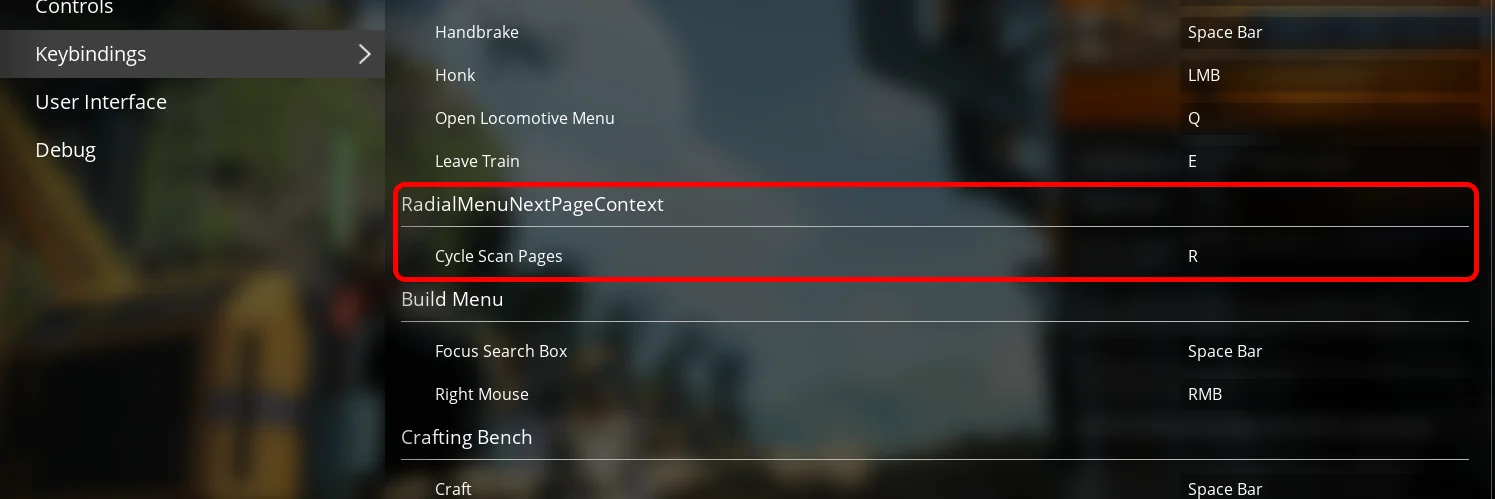
1. Go to the game Options menu.
2. Navigate to the "Keybindings" section.
3. Find the "Cycle Scan Pages" setting and assign your preferred key.
This key will allow you to switch between pages when using either the resource or object scanner.
Setting Scan Wheel Sizes
To modify the number of items displayed per page:
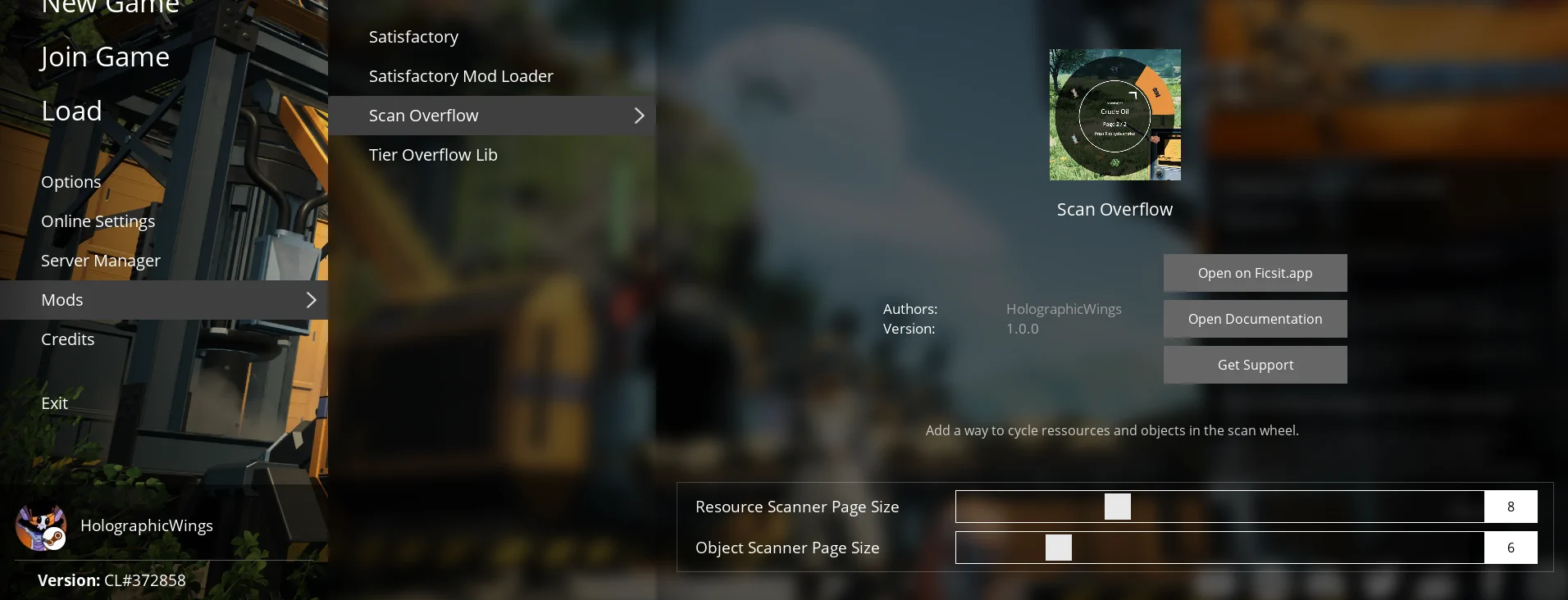
1. Open the "Mods" menu.
2. Navigate to the "Scan Overflow" tab.
3. Adjust the following parameters:
- Resource Scanner Page Size: Controls the number of resources displayed per page. (Default: 8)
- Object Scanner Page Size: Controls the number of objects displayed per page. (Default: 5)
These settings can help you optimize your scanning experience based on the number of resources and objects available in your game.
---
Planned Features
- Mouse wheel: Usage of mouse wheel to navigate in the pages faster.
- Cancel Resource Scan: Add the same "Cancel" entry of the Object Scanner to the Resource Scanner. (With a setting to enable or disable it)
---
Feedback
For bug reports and requests/suggestions you can find me (acxd25) on the [Ficsit Labs Discord](https://discord.gg/pz2U6FvMat).
Note: HolographicWings no longer maintains the mod, please do not ping him.
Sponsorship
<img style="float: right;" src="https://i.imgur.com/gc9Thxj.png" />
Are you looking to host your own Satisfactory dedicated server, fully SMM-compatible? I highly recommend <b>Indifferent Broccoli</b>. They offer top-notch servers at affordable prices and an intuitive control panel. [Try their 2-day free trial](https://indifferentbroccoli.com/satisfactory-server-hosting?fpr=acxd), no strings attached.
<br />
---
Thanks
Coffee Stain Studios
[Mircea](https://ficsit.app/user/5NC9GpMKcYZbon), [Robb](https://ficsit.app/user/6axpMZJjUTUBWU) and co., which made this mod possible
* [HolographicWings](https://ficsit.app/user/5q7ihJ2KnwNdiL) for his original idea and initial code development
Versions
How to Install Scan Overflow on Your Server
Order Satisfactory Server
Order a Satisfactory server with at least 4 GB RAM (6 GB recommended). For multiplayer: per 3 players.
Install Mod
Open the mod manager in the dashboard and search for "Scan Overflow". Installation dependencies are installed automatically.
Restart Server
Restart the server so the mod is loaded. Players need to have the mod installed locally as well.
Frequently Asked Questions
Scan Overflow not working after update – what to do?
After a Satisfactory update, mods need to be updated. Check ficsit.app whether Scan Overflow has been updated for the new game version. With Mado Hosting: open the mod manager and click "Update All". If the mod hasn't been updated yet, temporarily remove it so the server starts.
Scan Overflow causing crashes in multiplayer – solution
Most common cause: all players must have exactly the same mod version installed. Check server logs for "ModMismatch" or "Version Conflict". Ensure all players use Scan Overflow v1.0.1 and the same SML. With Mado Hosting, Satisfactory servers run with 6 GB RAM for stable multiplayer performance.
Is Scan Overflow compatible with other Satisfactory mods?
Scan Overflow uses the Satisfactory Mod Loader (SML). Generally, SML-based mods are cross-compatible, but mods modifying the same game systems can cause conflicts. Test new mod combinations on a backup save. The Mado dashboard automatically detects known conflicts and warns you.
Rent Scan Overflow Server
Play Scan Overflow on your own Satisfactory server with mod support.
Mod Information
- Author
- HolographicWings, Acxd
- Latest Version
- v1.0.1
- Created
- October 24, 2024
- Last Updated
- July 8, 2026
- Source Code
- GitHub →