
Synthetic Overclocking
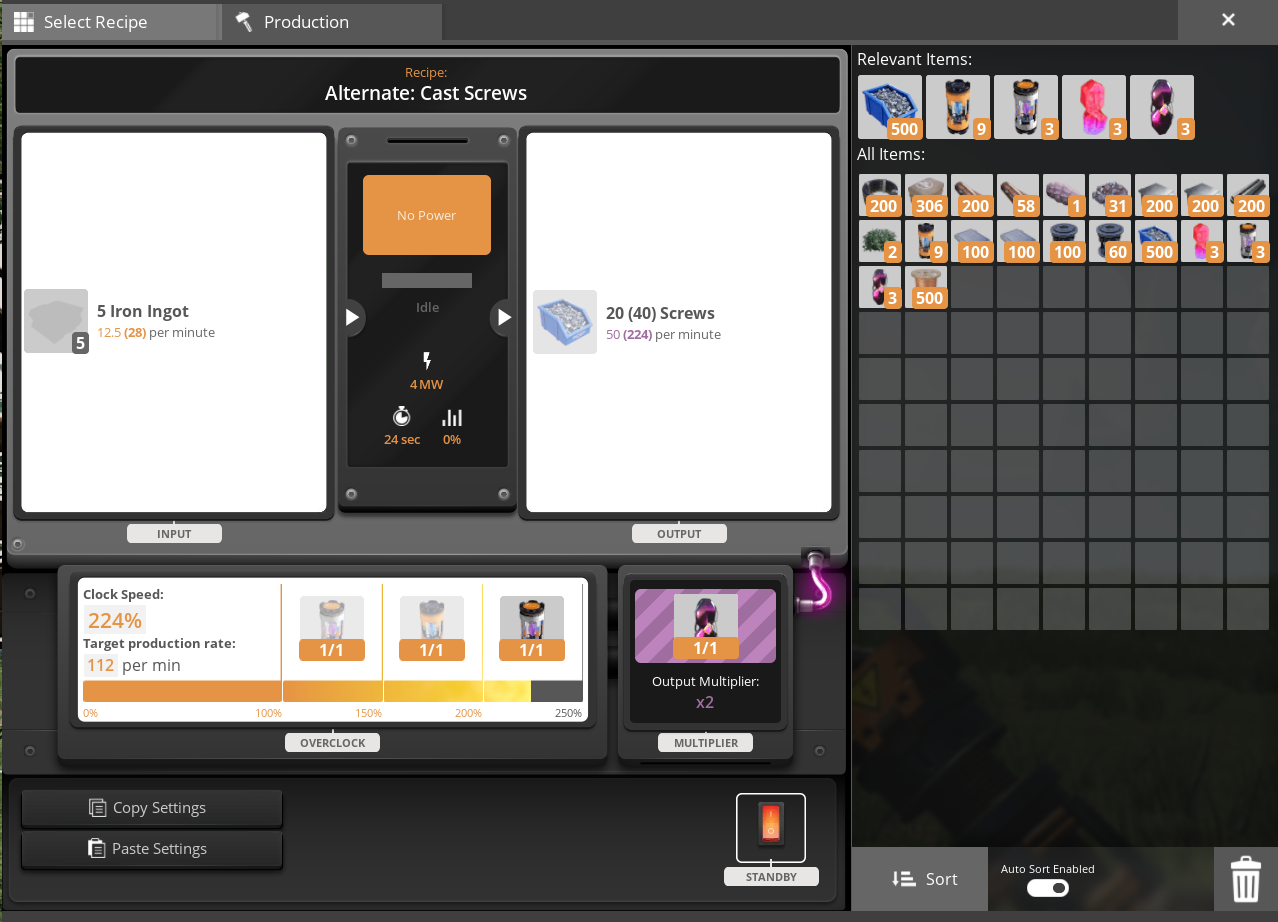
Adds synthetic versions of Power Shards and Somersloops
Description
#
AniViRus Productions (AniMouse) is now on [Ficsit Labs](https://discord.gg/pz2U6FvMat). Join for news, updates and your feedback and suggestions!
[Donation link](https://boosty.to/anivirus/donate) if you wish to toss a coin to support me. Everything goes into a new PC for modding!
---
What is this mod?
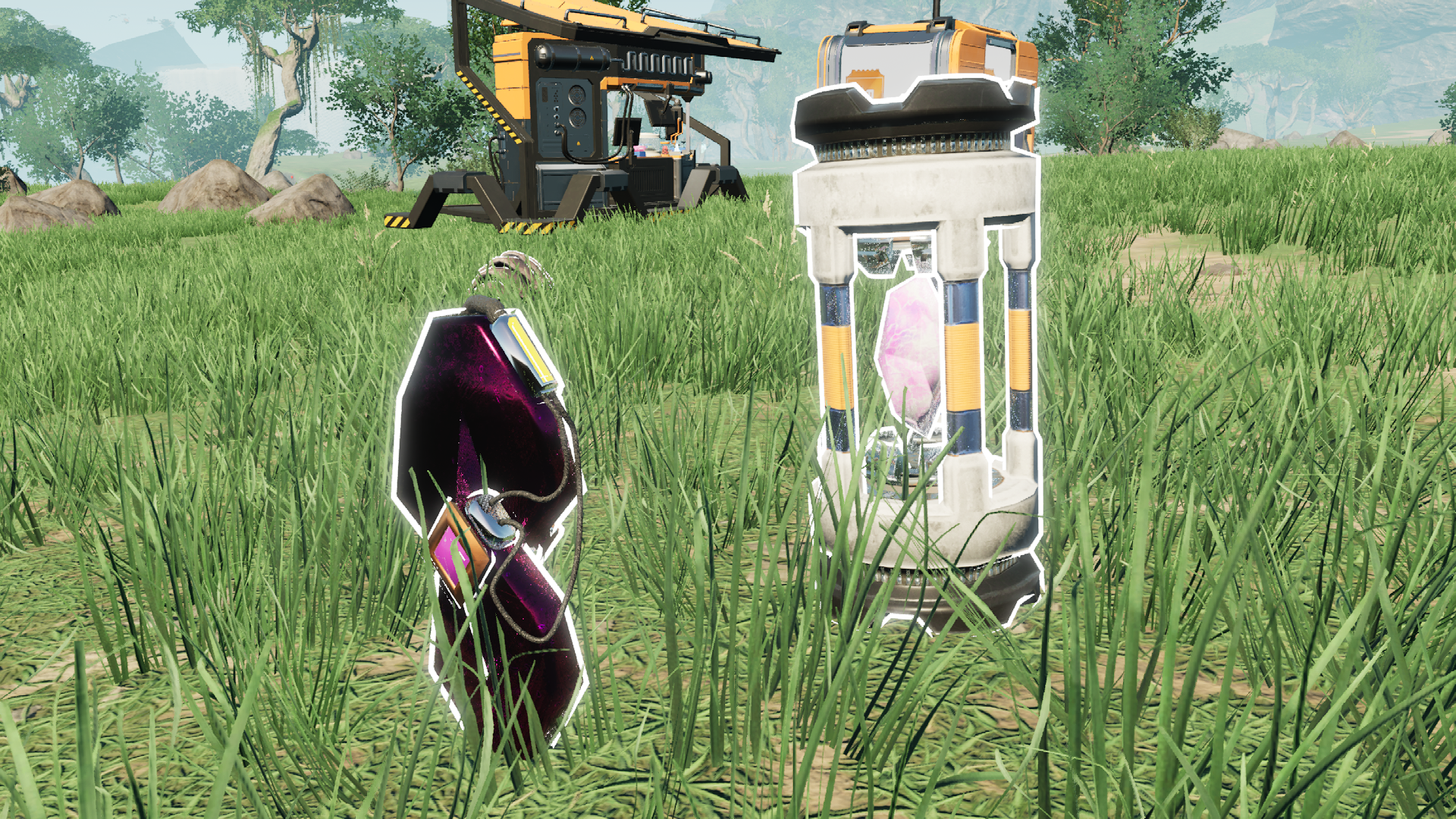
Tier 9 - Peak Efficiency milestone now includes Synthetic Somersloop as a separate item, which performs exactly like regular Somersloop. However by wary! It is made in Quantum Encoder (0MW - 50000MW) for an extremely challenging amout of resources from all possible production branches. Automating Somersloops means accomplishing your greatest achievement as a pioneer!
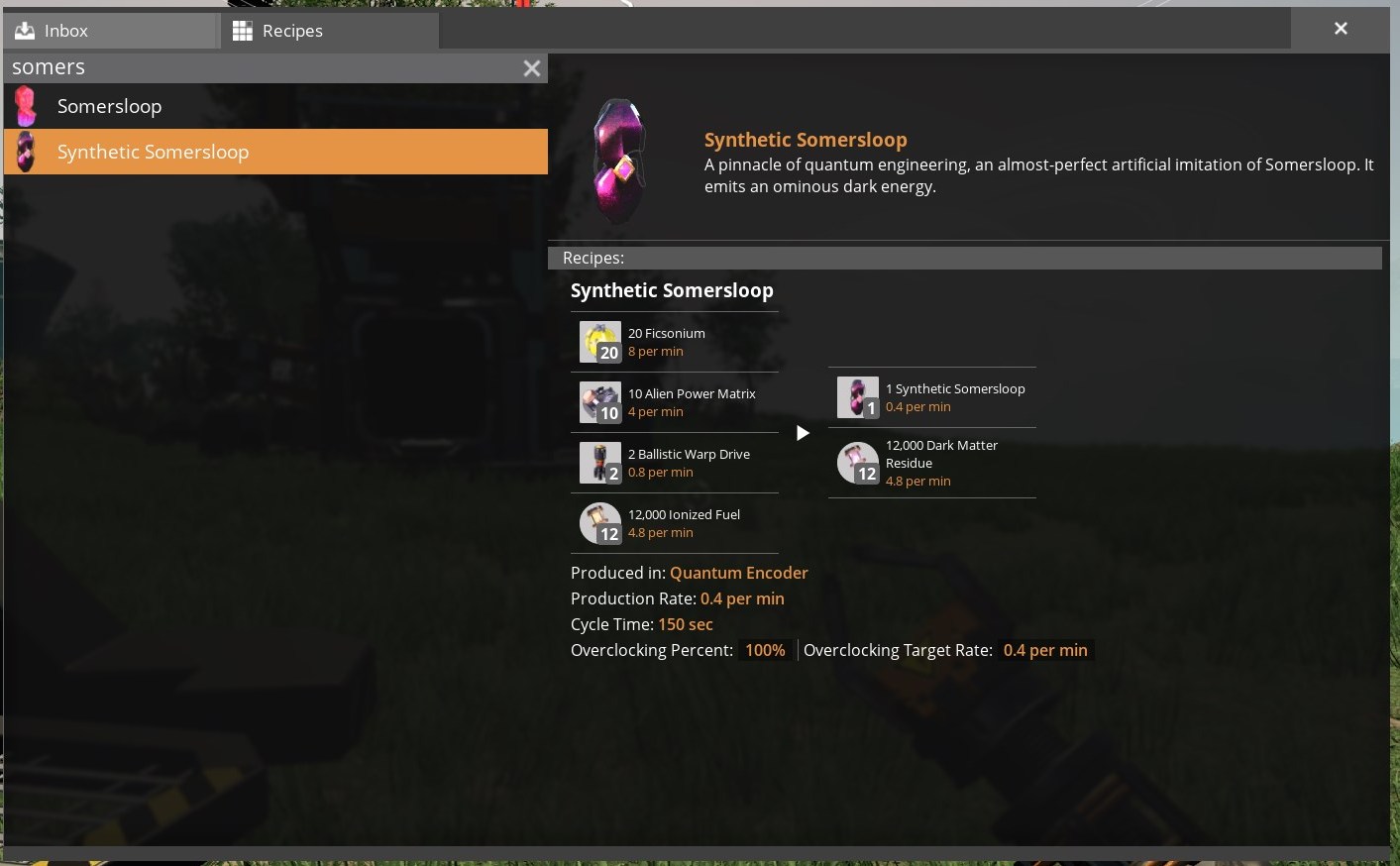
In addition Synthetic Somersloops are sinkable for 19m points!
Same goes for Synthetic Power Shards, but they replace regular power shards in all recipes and researches except for ones related to Power Slugs. And for clarity, you can mix up both versions of Power Shards for overclocking purposes.
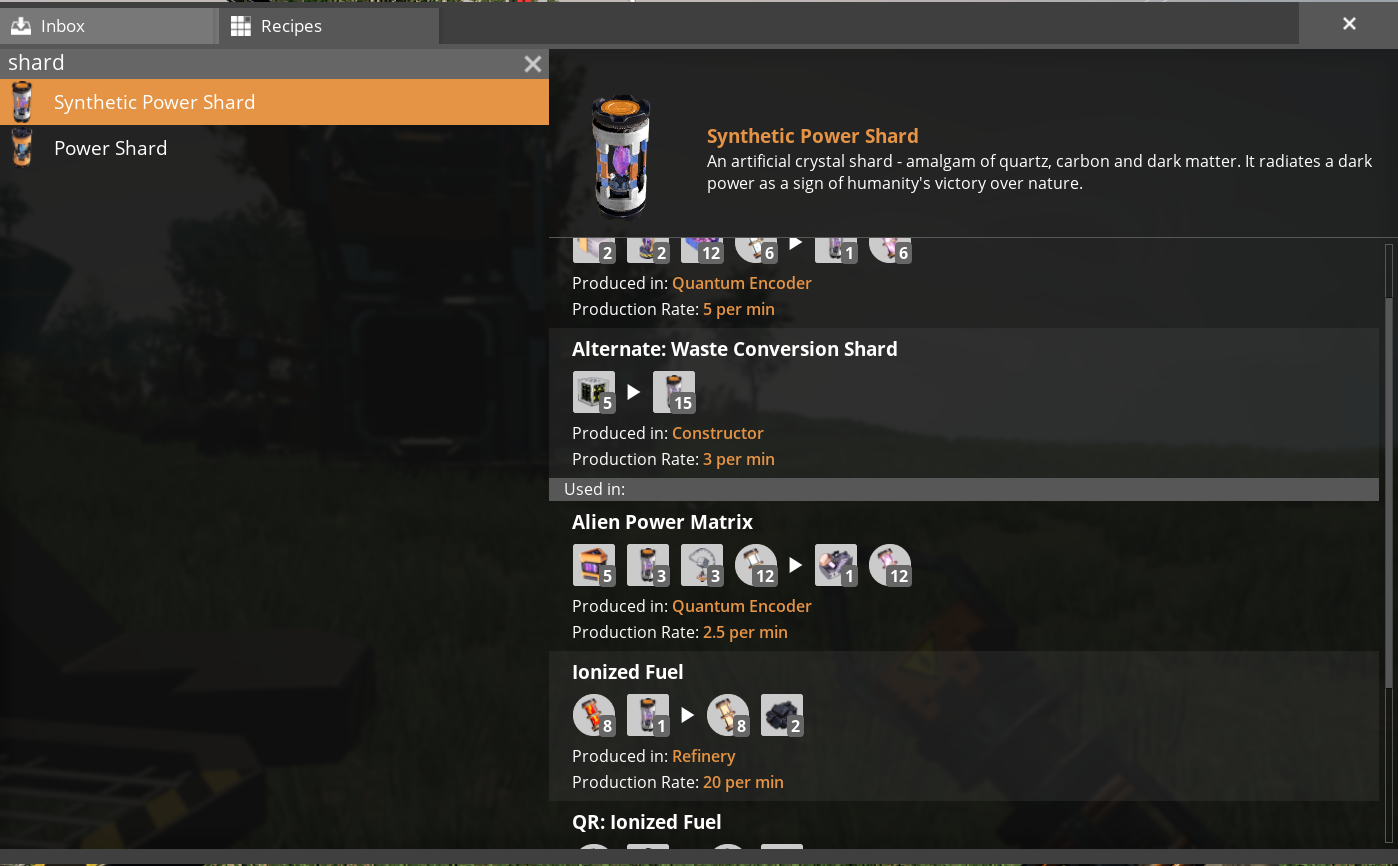
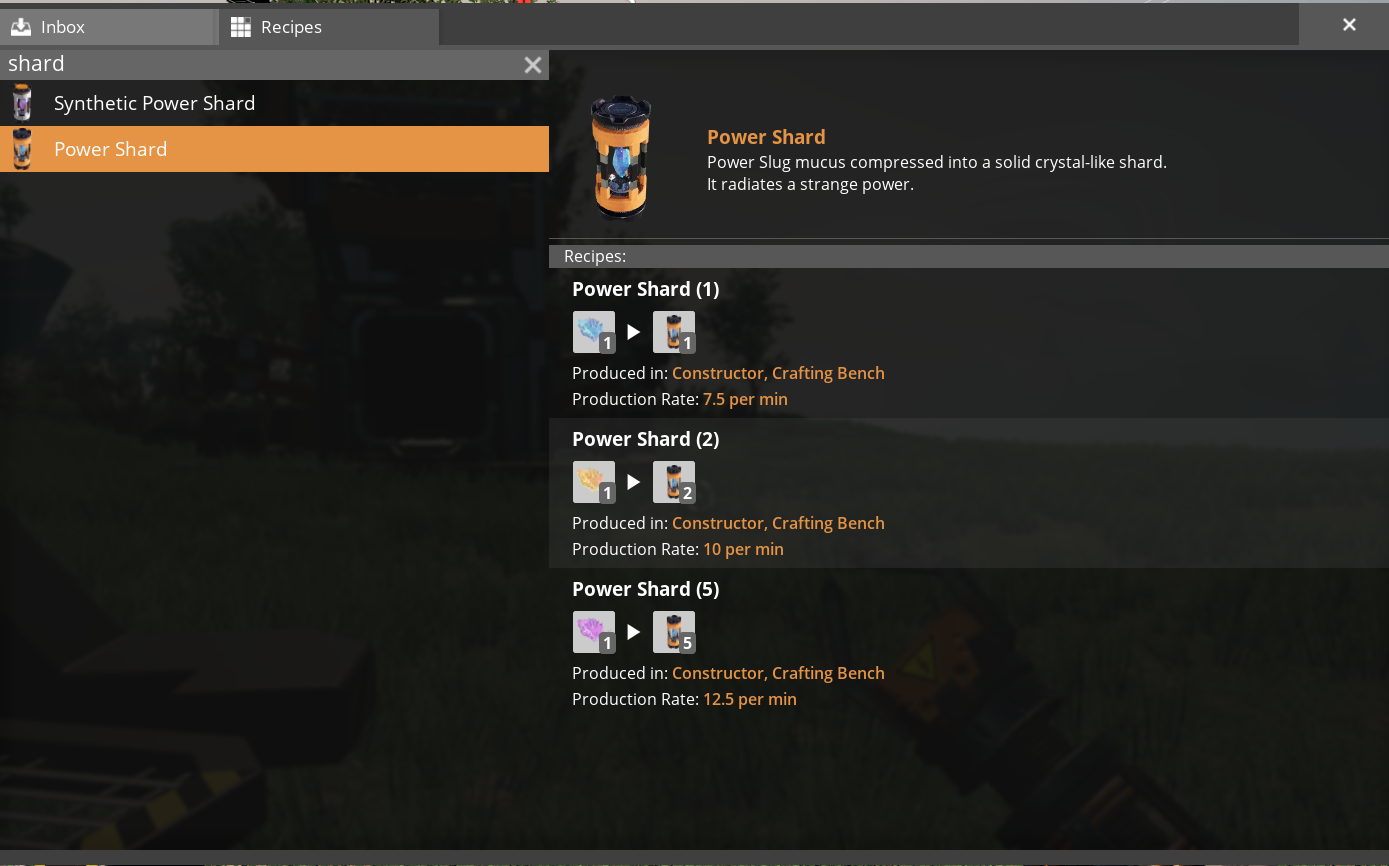
They are sinkable for about 14k points.
There are no synthetic Mercer Spheres in this mod for two reasons:
1. [Waste Shielding](https://ficsit.app/mod/WasteShielding) already does that.
2. Unlike Somersloops, Spheres only have one application, not two (You won't be able to use Synthetic Somersloops for Alien Power Amplifiers).
---
Compatibility with other mods
This mods alters all of the mods' Power Shards in recipes and schematics too. If you wish to make your mod an exception to Synthetic Overclocking:
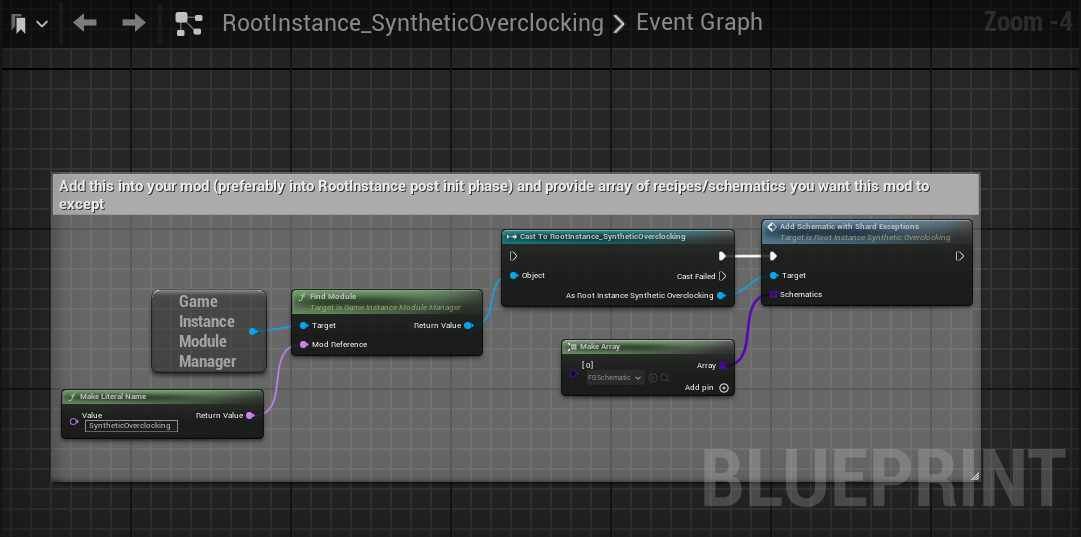
Any future compatibility features like this are going to be displayed in RootInstance_SyntheticOverclocking asset.
---
Conclusion
If you have any suggestions, ideas or issues you are free to contact me via:- GitHub (Source code link).
- Discord (@AniMouse), I am on Satisfactory Modding Server and Ficsit Labs.
- [Any of my other social media](https://linktr.ee/anivirus) [under maintainance].
Thanks for reading through all of this!
Versions
How to Install Synthetic Overclocking on Your Server
Order Satisfactory Server
Order a Satisfactory server with at least 4 GB RAM (6 GB recommended). For multiplayer: per 4 players.
Install Mod
Open the mod manager in the dashboard and search for "Synthetic Overclocking". Installation dependencies are installed automatically.
Restart Server
Restart the server so the mod is loaded. Players need to have the mod installed locally as well.
Frequently Asked Questions
Synthetic Overclocking not working after update – what to do?
After a Satisfactory update, mods need to be updated. Check ficsit.app whether Synthetic Overclocking has been updated for the new game version. With Mado Hosting: open the mod manager and click "Update All". If the mod hasn't been updated yet, temporarily remove it so the server starts.
Synthetic Overclocking causing crashes in multiplayer – solution
Most common cause: all players must have exactly the same mod version installed. Check server logs for "ModMismatch" or "Version Conflict". Ensure all players use Synthetic Overclocking v3.1.4 and the same SML. With Mado Hosting, Satisfactory servers run with 6 GB RAM for stable multiplayer performance.
Is Synthetic Overclocking compatible with other Satisfactory mods?
Synthetic Overclocking uses the Satisfactory Mod Loader (SML). Generally, SML-based mods are cross-compatible, but mods modifying the same game systems can cause conflicts. Test new mod combinations on a backup save. The Mado dashboard automatically detects known conflicts and warns you.
Rent Synthetic Overclocking Server
Play Synthetic Overclocking on your own Satisfactory server with mod support.
Mod Information
- Author
- AniViRus Productions
- Latest Version
- v3.1.4
- Created
- June 25, 2025
- Last Updated
- July 8, 2026
- Source Code
- GitHub →