Teleporter
Teleport you from a teleporter to another one! Works in Multiplayer
Description
Construct Teleporter buildings to quickly transfer you (and other creatures) to other Teleporter buildings!
<u>Donations:</u>
This mod currently maintained by Robb. If you enjoy my work, please consider my [completely optional tip jar](https://ko-fi.com/robb4).
Boyshall: If you like my jobs please consider checking my PayPal : <br>
<a href="https://www.paypal.com/cgi-bin/webscr?cmd=_s-xclick&hosted_button_id=YMT6T58MFFE7Y&source=url">
<img height="100px" src="https://www.paypalobjects.com/webstatic/icon/pp258.png"></a>
Thanks for your support
Screenshots:
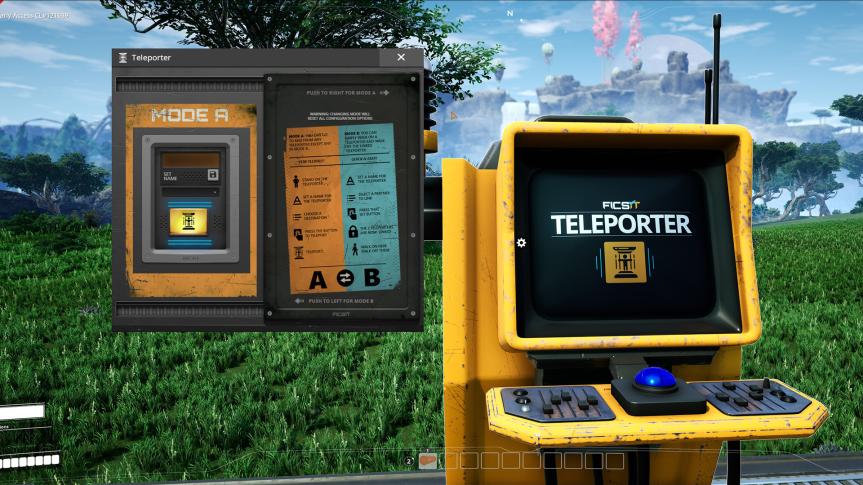
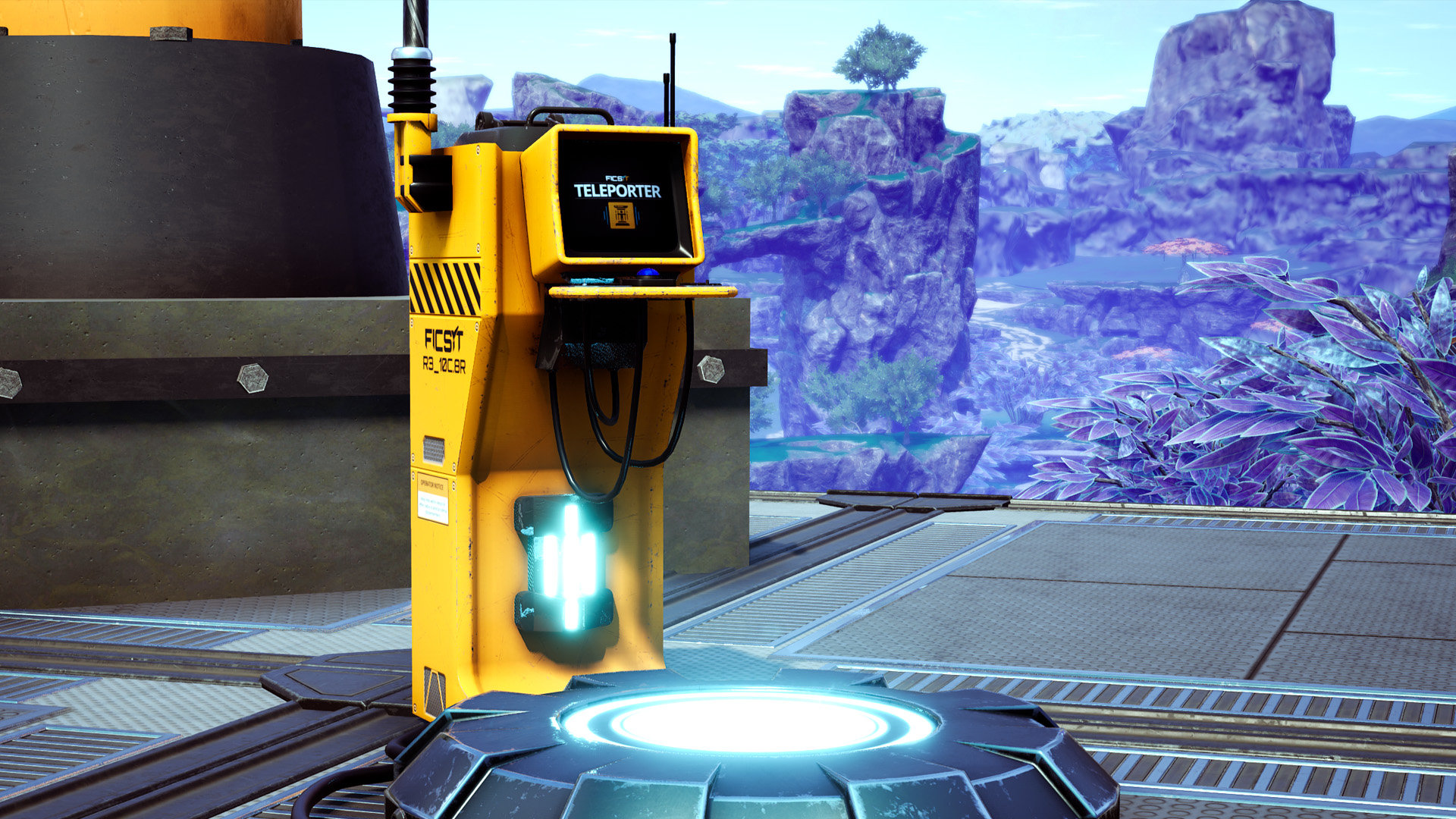

First, unlock the teleporter in tier 5, then build two, hook them up to power, and give each a name.
Slide the panel in the UI to select a mode:
- Mode A: Select another teleporter in the dropdown, press the button and it'll take you there
- Mode B: Select another teleporter and press link, now whenever you (or creatures!) walk over this teleporter it will automatically take you there
There are two styles of teleporter, they are functionally identical.
Known Bugs
- Multiplayer clients may still have to rejoin after teleporting long distances. There have been multiple attempts to fix this by multiple mod devs, but none seem to work consistently. You may have success using the "Sif Teleporter" mod instead. Maybe Boyshall can take another crack at fixing this after he's back.
Contact
If you have any idea or suggestion feel free to add me on discord (`boyshallll`) and I also created a server if you want to give feedback or suggestions or report a bug:
https://discord.gg/HECuA2yaRH
HUGE Thanks to Feyko, MrHid6, Pleasure and deantendo#4265
"Robust Teleporter" model, GUI design, and Icons from deantendo#4265
Thanks Robb for updating to support dedicated servers and multiplayer
Thanks D4rk for helping with the materials on the "Robust Teleporter" model
Thanks to Random Gamer for his showcase of this mod: https://www.youtube.com/watch?v=lZQxnCkLM8A
Attribution link for the icon: https://www.flaticon.com/free-icon/teleportation_2010168
Versions
How to Install Teleporter on Your Server
Order Satisfactory Server
Order a Satisfactory server with at least 6 GB RAM (8 GB recommended). For multiplayer: per 2 players.
Install Mod
Open the mod manager in the dashboard and search for "Teleporter ". Installation dependencies are installed automatically.
Restart Server
Restart the server so the mod is loaded. Players need to have the mod installed locally as well.
Frequently Asked Questions
Teleporter not working after update – what to do?
After a Satisfactory update, mods need to be updated. Check ficsit.app whether Teleporter has been updated for the new game version. With Mado Hosting: open the mod manager and click "Update All". If the mod hasn't been updated yet, temporarily remove it so the server starts.
Teleporter causing crashes in multiplayer – solution
Most common cause: all players must have exactly the same mod version installed. Check server logs for "ModMismatch" or "Version Conflict". Ensure all players use Teleporter v8.2.0 and the same SML. With Mado Hosting, Satisfactory servers run with 8 GB RAM for stable multiplayer performance.
Is Teleporter compatible with other Satisfactory mods?
Teleporter uses the Satisfactory Mod Loader (SML). Generally, SML-based mods are cross-compatible, but mods modifying the same game systems can cause conflicts. Test new mod combinations on a backup save. The Mado dashboard automatically detects known conflicts and warns you.
Rent Teleporter Server
Play Teleporter on your own Satisfactory server with mod support.
Mod Information
- Author
- Boyshall, Robb
- Latest Version
- v8.2.0
- Created
- April 10, 2020
- Last Updated
- July 7, 2026